
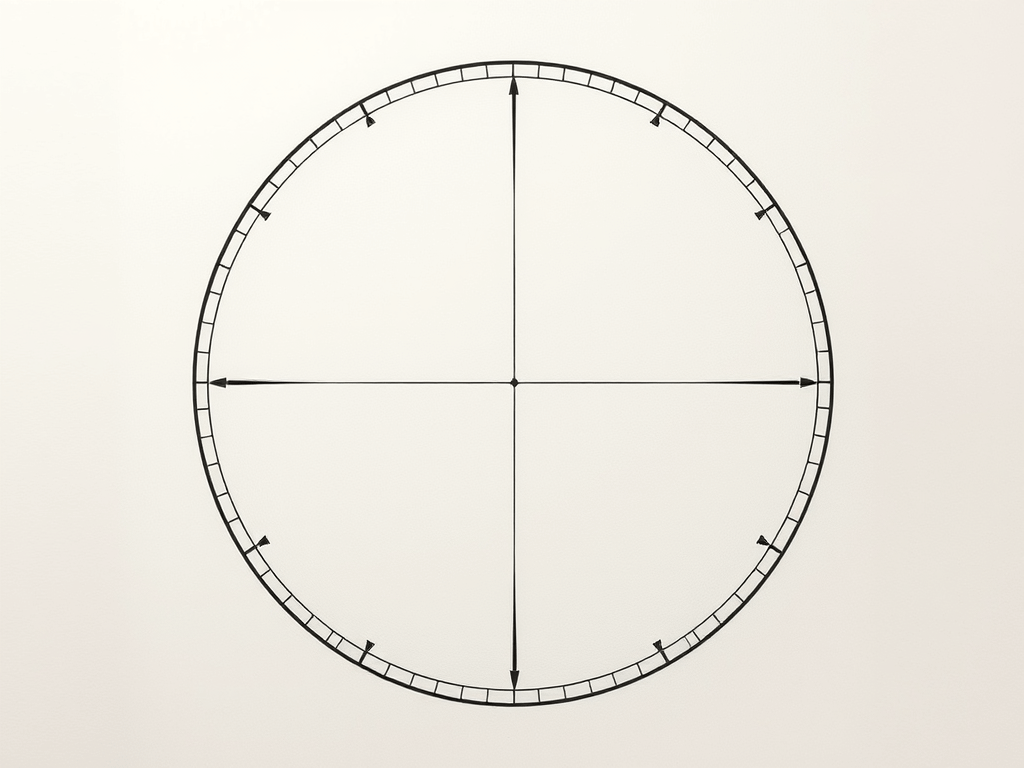
A common way to draw circles with any kind of vector graphics API is by approximating it with a regular polygon, e.g. as a regular polygon with 32 sides. The problem with this approach is that it might look good in one resolution, but crude in another, as the approximation becomes more visible. So how do you pick the right number of sides 
A whole bunch of math
I define the ‘error’ of the approximation as the maximum difference between the ideal circle shape and the approximation. In other words, it’s the difference of the inner radius and the outer radius of the regular polygon. Conveniently, with a step angle 


The following plot shows that value for
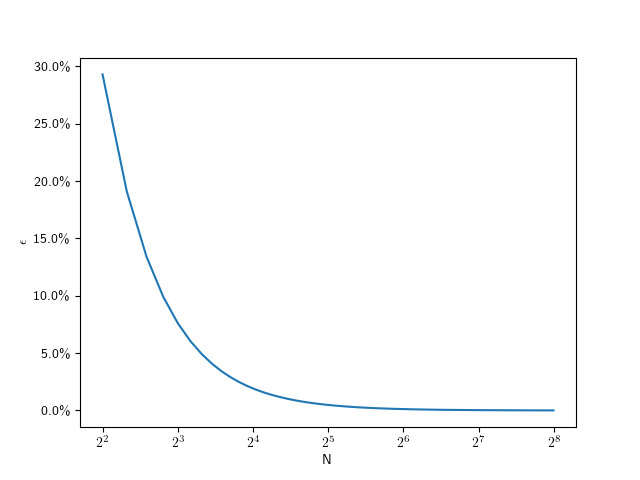
As you can see, this looks hyperbolic and the error falls off rather fast with an increasing number of subdivisions. This function lets use figure out the error for a given number of subdivisions, but what we really want is he inverse of that: Which number of subdivisions do we need for the error to be less than a given value. For example, assuming a 1080p screen, and a half-pixel error on a full-size (


So for 

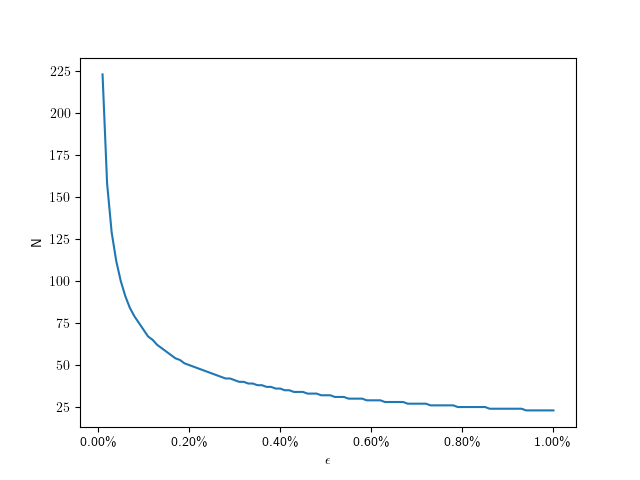
Here are some specific values:
| |
| 0.01% | 223 |
| 0.1% | 71 |
| 0.2% | 50 |
| 0.4% | 36 |
| 0.6% | 29 |
| 0.8% | 25 |
| 1.0% | 23 |
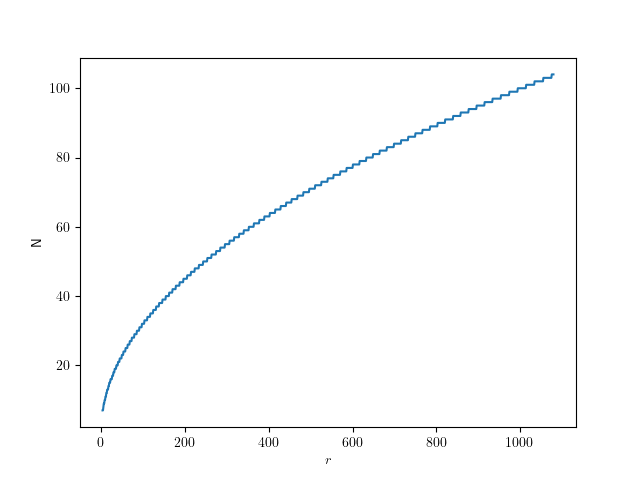
Assuming a fixed half-pixel error, we can plug in 

The following graph shows that function for radii up to full-size QHD circles:
Give me code
Here’s the corresponding code in C++, if you just want to figure out the number of segments for a given radius:
std::size_t segments_for(float radius, float pixel_error = 0.5f){ auto d = std::acos(1.f - pixel_error / radius); return static_cast<std::size_t>(std::ceil(std::numbers::pi / d));}


Hi,
Thanks for this.
You said, “we should aim for a relative error of 0.1%”.
But once you make the error dependent on the radius, the error is obviously no longer a constant.
In your formula, the error goes up as the radius decreases.
Another approach and somewhat simpler, is to look at this as a human perception problem.
Research show that a step angle change of say 1 or 2 degrees is about imperceptible to most people.
At 3 degrees step change, we have 120 steps and relative error = 0.034%
For r=540, this is visibly pretty good but one can still notice the segments.
71 steps is approximately 5 degree step angle change and the segments are quite noticeable.
Best regards,
Rafael.
You’ve taken that quote out of context. It means: If you have a full-size circle on an HD screen, and you want a half-pixel error, then you should aim for 0.1%. If you still notice that, you can use a smaller pixel error value. I’m actually using 0.25 in my game.
The 1°-2° step change only really helps as an upper bound, although I’m skeptical you wouldn’t see it with a high-enough radius. You’d have to show me that research.
The lower radius values are what’s interesting here though: You can use very few segments when your circles are small.