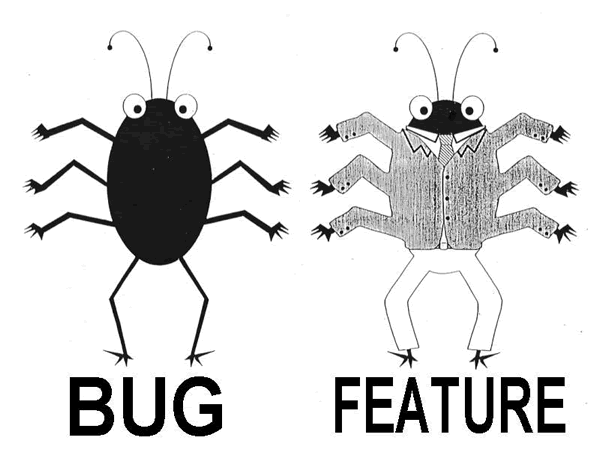
Don’t let one bad apple spoil the whole bunch

One exception in a collection operation like for-each or map/collect stops the processing of all the other elements. Instead of letting the whole task blow up it is often more desirable to skip those elements causing failures, log the errors (and possibly notify the user about the failing elements), but have all other elements processed. Examples for such operations are: sending bulk mails to users, bulk import/export, lists in user interfaces etc., and common errors are, for example, NullPointerExceptions, database errors or wrong email addresses.

Here’s some simple code for robust and reusable for-each and map operations in JavaScript:

function robustForEach(array, callback) {
  var failures = [];
  array.forEach(function(elem, i) {
    try {
      callback(elem, i);
    } catch (e) {
      failures.push({element: elem, index: i, error: e});
    }
  });
  return failures;
}

function robustMap(array, callback) {
  var result = { array: [] };
  result.failures = robustForEach(array, function(elem, i) {
    result.array.push(callback(elem, i));
  });
  return result;
}

Similar code can be easily implemented in other languages like Java (especially with Java 8 streams), Groovy, Ruby, etc.

If you decide to log the errors, you have to choose between two possible log strategies: one log operation per error, which can be annoying if you get a mail for each logged error, or one log operation bundling all occurred errors (make sure that a failing toString can’t spoil the whole bunch again).

function logAny(failures) {
  failures.forEach(function(fail) {
    log.error(failMessage(fail));
  });
}

function logAnyBundled(failures) {
  if (failures.length == 0) {
    return;
  }
  log.error(failures.map(function(fail) {
    return failMessage(fail);
  }).join('\n'));
}

function failMessage(fail) {
  return "Could not process '" +
         fail.element + "': " + fail.error;
}

You can easily combine the map and log operations:

function robustMapAndLog(array, callback) {
  var result = robustMap(array, callback);
  logAny(result.failures);
  return result.array;
}

Example usage:

var numbers = [1, 2, 3, 4, 5, 6, 7, 8];
var result = robustMapAndLog(numbers, function(n) {
  if (n == 5) {
    throw 'bad apple';
  }
  return n * n;
});
print(result);

// Error log output:
//  Could not process '5': bad apple
// Output:
//  [ 1, 4, 9, 16, 36, 49, 64 ]

One element could not be processed due to an error, but all other elements were not affected.

Conclusion

Be aware of the bad apple possibility for every loop you write (explicitly or implicitly) and consciously choose the appropriate error handling strategy depending on the situation. Don’t let indifference decide the fate of your bulk operations.

How the most interesting IT debate is revealing our values as software developers

TDD is dead. Is TDD dead? A question that seems to divide our profession. What does this debate have to do with you?

TDD is dead. Is TDD dead? A question that seems to divide our profession.
On the one side: developers which write their tests first and let them drive their code. They prefer the mockist approach to testing. Code should be tested in isolation, under lab like circumstances. Clean code is their book. Practices and principles guide their thinking. An application should not be bound to frameworks and have a hexagonal architecture. The GOOS book showed how it can be done.
On the other side: developers which focus on readability and clarity. They use their experience and gut to drive their decisions. Because of past experiences they test their the code the classical way. They are pragmatic. Practices and principles are used when they improve the understanding of the code. Code is there to be refactored. Just like a gardener trims bushes and a writer edits his prose they work with their code.

What are your values?

What does this debate have to do with you?

Ask yourself:
What if you could write a proof of your program costing 10 or just 5 times as much as the implementation? It would prove your code would work correctly under all possible circumstances. Would you do it?

Or would you rather improve the existing architecture, design or clarity of your code? So that you remove technical debt and are better positioned for future changes.

Or would you write new features and improve your application for the people using it?

What are your values?

History

At the beginnings of my developer life in the late 80s/early 90s I remember that the industry was focussed on one goal: code reuse. Modules, components, libraries, frameworks were introduced. Then patterns came. All of that was working towards one side of the equation: low coupling.
High cohesion was neglected in pursuit of a noble goal. But what happened? The imbalance produced layer after layer, indirection after indirection, over-separation and over-abstraction. You had to deal with dependency injection (containers), configuration, class hierarchies, interfaces, event buses, callbacks, … just to understand a hello world.
Today we have more computing power and are solving more and more complex things. We think in higher abstractions. Much more people benefit from our skills and our works.
On the user facing side design focusses on simplicity and usability. Even complex relationships can be made understandable and manageable. A wise man once said: design is about intent.
The same with code: Code is about intent. Intent should be the measure of the quality of our code. Not testability, not coupling: intent. If the code (and this includes the code comments) would reveal its intent, you could fix bugs in it, improve it, change it, refactor it. Tests would be your safety net to ensure you are not breaking your intent.
You might say: but this is what TDD is all about! But I think we got it all backwards. The code and its intention revealing nature is more important than the tests. The tests support. But tests should never replace or even harm the clarity of the code.
The quality of the code is important. But most important are the people using your application.
My goal is to delight the people who use my software and my way there is writing intention revealing software. I am not there and I am learning every day but I take step after step.

What are your values?

A hierarchy of project needs

We all know Maslow’s pyramid, so why not apply the idea to the needs of a software development project (note: not the developer of the project!).

A few weeks ago, I traded stories with a fellow software developer when he told me this little gem: A developer programs a web shop that looks pretty and runs smooth. But as soon as you place multiple items in the shopping cart, you’ll inevitably end up with an amount of XX.999999999998 euros (or whatever currency you want). When asked why the shopping cart “computes the wrong amounts”, the developer answered that the amount is correct and that’s just the way a floating point number behaves. He didn’t see a problem with the functionality. My immediate answer: “Wow, that’s very low on the Maslow pyramid”. We both understood, but since then, I tried to come up with a Maslow-like pyramid that would explain my sentence to a larger crowd. So here is how my attempt has grown so far.

Maslow’s hierarchy of needs640px-Maslow's_Hierarchy_of_Needs.svg

Abraham Maslow was an american psychologist that studied mental health and human potential. He invented an hierarchy of human needs that is also known as Maslow’s pyramid. On a side note, he also pointed out the human tendency to over-apply known tools. His pyramid has five stages (IT people would call them layers) of human needs that begin with the very basic ones (e.g. air, water) and scales to the abstracts like morality and creativity. If something is “low on the pyramid”, then it can be seen as granted by priviledged people. Most of us never think about our air supply requirements. Everything “high on the pyramid” can be seen as “expendable” in times of crisis. Morality will be forgotten as soon as we seriously lack water.

A hierarchy of project needs

My immediate answer to the story in the introduction suggested that I think an equivalent pyramid exists for the needs of a software development project. And a quick research on the internet reveals that I’m not the only one with that idea. For example, Scott Hanselman blogged about it in 2012, and Francis Shanahan came up with an extended version in 2009. Both adaptions are reasonable and stand on their own – I don’t want to invalidate or change them. Instead, I publish my attempt as an addition to the discussion, if there is any.

Here is my five-layered pyramid of project needs:

project maslovLayer 0: Executable

Let’s face it: If your project doesn’t compile or crashes right after being started, it isn’t much worth. And just because it runs on your machine doesn’t make it any more useful to others. So the most basic need a project has is to be executable on the target machine. This includes some form of correctness – if your program doesn’t perform the right operations, it can run indefinitely and not provide any value. Please note that the program doesn’t have to be bug-free or tested to be useful. It just has to adhere to the intended use case. In our introduction story, the web shop looks pretty and runs smoothly. It certainly is “Executable”.

Layer 1: Abstraction

This is where I placed the mishap in the introduction story. Every project needs some form of abstraction or separation between the internal representation of data and functionality and the external presentation to the user. This is probably trivial to most of you, but I’ve seen way to much code that uses external presentations (e.g. strings from the GUI) to make important decisions and others have, too. A key rule is “once data is formatted, it is eternally lost and unavailable to computing / data processing“. The rule for the other way is that you should never present data without proper (human-readable) formatting. The amount of work you save by not pretty-printing (formatting is just the formal term for adding syntactic sugar to make the data edible for humans) is largely offset by the amount of work your users will have to invest to decipher the output.

Layer 2: Architecture

You can call it design, architecture or whatever you like, any reasonably large code base needs some kind of structuring that prevents it from imploding. A whole theory of patterns was invented to keep code aerated enough to prevent it from decomposing to compost. And we all know what compost code looks and smells like. Applying architecture to your code keeps it maintainable and refactorable and in outstanding cases even modularizable. This is the layer where most projects fail on the long run. Even if at first there was a design, it gets watered down with every modification. Good principles to counter this effect are the “no broken windows” approach and the boy scout rule.

Layer 3: Verification

There is a moment in programming when you hand your code over to the next developer. Usually, this moment is called “commit” (if you don’t use version control, have a good look at Scott Hanselman’s lowest pyramid layer!). Oftentimes, the next developer is future you – and you have no clue what past you thought when he wrote that crap. You can’t even distinguish between features and bugs. That’s why your project wants verification. It’s not utmost important if you verify your code with unit tests, integration tests, acceptance tests, contracts or all of them together. It’s important that your code is accompanied by automated guardian angels that catch the most dangerous accidental modifications and help to point out the bugs among the features. Automated verification tells future you that whatever past you wanted to build, it’s still intact. This layer is the life insurance for functionality as much as the architecture layer was for code.

Layer 4: Style

Every program in the world can still do its job properly even if we would eliminate everything “stylish” in their codebase. Style is the most human-centered need in the pyramid. No machine or compiler has yet developed aesthetic likings. Scott Hanselman called this layer “bragging rights”, another thing computers don’t care about. This is the level where most bickering among developers takes place, but it’s also the level that can most easily be ignored without sacrificing critical project needs. Or, to put it bluntly: Your project most likely doesn’t care half as much about style as you do.

Where to go from here?

My most important message with the hierarchy of project needs is that we often focus on the higher needs and take the lower ones too much for granted. If your code lacks in the fundamental layers, the damage is much greater in terms of project value. A stylistic displeasing code will hurt the next developer, but a code lacking abstraction will hurt every user of your software, as exemplified by the story in the introduction. As we developers should be the advocates of our project’s needs, we have to think more in regard of its benefit than our personal self-actualization. But the required traits to do so properly aren’t even on the original Maslow’s pyramid, so it’s a big challenge for any of us.

Translating strings in internationalized applications

Internationalization (“i18n”) and localization (“l10n”) of software is a complex topic with many facets. One aspect of internationalization is the translation of strings in programs into different languages.

Here’s an example of how not to do it (assuming t is a translation lookup function):

StringBuilder sb = new StringBuilder(t("User "));
sb.append(user.name());
sb.append(t(" logged in "));
sb.append(minutes);
sb.append(" ");
if (minutes == 1) {
    sb.append(t("minute"));
} else {
    sb.append(t("minutes"));
}
sb.append(t(" ago."));
return sb.toString();

Translatable strings and concatenation don’t mix well, be it via StringBuilder, the plus operator or in template files like JSPs. Different languages have different sentence structures. You can’t know in advance in which order the parts must appear in the translated text. So the most basic rule is: never construct sentences programmatically from sentence fragments if they are intended for translation.

Here’s a slightly better variant:

if (minutes == 1) {
    return t("User {0} logged in {1} minute ago.", user.name(), minutes);
}
return t("User {0} logged in {1} minutes ago.", user.name(), minutes);

I18n frameworks always offer the possibility to pass arguments to the translation lookup function. This way translators can freely choose the positions of these arguments via placeholders in the translated string.

However, not all languages have pluralization rules similar to English, where you have to handle only two cases (one and zero/many). For example, Russian and Polish use different forms of nouns with different numerals higher than one. Here’s an extensive table listing the plural rules for different languages: The rules are classified into these categories: “one”, “two”, “few”, “many”, “other”. Good i18n frameworks provide translation lookup functions where you can pass the count as an additional argument. The framework then dispatches to different translation keys, depending on the count and the target language:

user.login.minutes.one=...
user.login.minutes.two=...
user.login.minutes.many=...
user.login.minutes.other=...

There are other traps that you have to watch out for, e.g.

  • different punctuation marks: you can’t simply assume that you can convert any translated text into a label by appending “:” to it, or that you can convert any translated text into a quotation by surrounding it with ” and “.
  • gender rules, which can be handled similarly to the pluralization rules

Conclusion

This article gave a small glimpse into the topic of internationalization, to help avoid the most basic mistakes. Check out the documentation of your internationalization framework to see what it can offer.