Deploying a Grails app on an Oracle DB

Running our new grails app on HSQL and a Postgresql everything went fine. But the production DB was decided to be an Oracle. And suddenly the app crashed several times. Here’s a list of what problems we encountered:

  • ORA-00972: identifier is too long
  • want to store a null value in a non null column

Oracle identifiers are limited to 30 characters. So we thought using a mapping for the table should do the trick. But grails uses the table names to construct the n:m relations and their id column names between the domain classes. Looking at the grails docs we found a joinTable mapping:

static mapping = {
    table 'PROP'
    tablePerHierarchy false
    instrumentInfos joinTable: [name:'PROP_INS', key:'id', column:'instrumentInfos_id']
}

This worked most of the time but in some cases grails just didn’t want to take our definitions. The problem was a bug in grails. The workaround we took was to shorten the domain classes names.
The second problem arose as we tried to store empty strings into the database. Oracle stores empty strings as null values which causes a constraint violation exception. The solution was to declare the string columns nullable or not nullable and not blank but you cannot use a not nullable and blank string with an Oracle DB.

Using Hudson for C++/CMake/CppUnit

Update: Hudson for C++/CMake/CppUnit Revised

As a follow-up to Using grails projects in Hudson, here is another not-so-standard usage of Hudson: C++ projects with CMake and CppUnit. Let’s see how that works out.

As long as you have Java/Ant/JUnit based projects, a fine tool that it is, configuration of Hudson is pretty straight forward. But if you have a C++ project with CMake as build system and CppUnit for your unit testing, you have to dig a little deeper. Fortunately, Hudson provides the possibility to execute arbitrary shell commands. So in order to build the project and execute the tests, we can simply put a shell script to work:

   # define build and installation directories
   BUILD_DIR=$WORKSPACE/build_dir
   INSTALL_DIR=$WORKSPACE/install_dir

   # we want to have a clean build
   rm -Rf $BUILD_DIR
   mkdir $BUILD_DIR
   cd $BUILD_DIR

   # initializing the build system
   cmake  ..  -DCMAKE_INSTALL_PREFIX=$INSTALL_DIR

   # fire-up the compiler
   make install

Environment variable WORKSPACE is defined by Hudson. Other useful variables are e.g. BUILD_NUMBER, BUILD_TAG and CVS_BRANCH.

But what about those unit tests? Hudson understands JUnit test result files out-of-the-box. So all we have to do is make CppUnit spit out an xml report and then translate it to JUnit form. To help us with that, we need a little xslt transformation. But first, let’s see how we can make CppUnit generate xml results (a little simplified):

#include <cppunit/necessary/CppUnitIncludes/>
...

using namespace std;
using namespace CppUnit;

int main(int argc, char** argv)
{
   TestResult    controller;
   TestResultCollector result;
   controller.addListener(&result);

   CppUnit::TextUi::TestRunner runner;
   runner.addTest( TestFactoryRegistry::getRegistry().makeTest() );
   runner.run(controller);

   // important stuff happens next
   ofstream xmlFileOut("cpptestresults.xml");
   XmlOutputter xmlOut(&result, xmlFileOut);
   xmlOut.write();
}

The assumption here is that your unit tests are built into libraries that are linked with the main function above. To execute the unit tests we add the following to out shell script:

   export PATH=$INSTALL_DIR/bin:$PATH
   export LD_LIBRARY_PATH=$INSTALL_DIR/lib:$LD_LIBRARY_PATH

   # call the cppunit executable
   cd $WORKSPACE
   cppunittests

This results in CppUnit generating file $WORKSPACE/cpptestresults.xml. Now, with the help of a little program called xsltproc and the following little piece of XSLT code, we can translate cpptestresults.xml to testresults.xml in JUnit format.

 <?xml version="1.0" encoding="UTF-8"?>
<xsl:stylesheet version="1.0" xmlns:xsl="http://www.w3.org/1999/XSL/Transform">
    <xsl:output method="xml" indent="yes"/>
    <xsl:template match="/">
        <testsuite>
            <xsl:attribute name="errors"><xsl:value-of select="TestRun/Statistics/Errors"/></xsl:attribute>
            <xsl:attribute name="failures">
                <xsl:value-of select="TestRun/Statistics/Failures"/>
            </xsl:attribute>
            <xsl:attribute name="tests">
                <xsl:value-of select="TestRun/Statistics/Tests"/>
            </xsl:attribute>
            <xsl:attribute name="name">from cppunit</xsl:attribute>
            <xsl:apply-templates/>
        </testsuite>
    </xsl:template>
    <xsl:template match="/TestRun/SuccessfulTests/Test">
        <testcase>
            <xsl:attribute name="classname" ><xsl:value-of select="substring-before(Name, '::')"/></xsl:attribute>
            <xsl:attribute name="name"><xsl:value-of select="substring-after(Name, '::')"/></xsl:attribute>
        </testcase>
    </xsl:template>
    <xsl:template match="/TestRun/FailedTests/FailedTest">
        <testcase>
            <xsl:attribute name="classname" ><xsl:value-of select="substring-before(Name, '::')"/></xsl:attribute>
            <xsl:attribute name="name"><xsl:value-of select="substring-after(Name, '::')"/></xsl:attribute>
            <error>
                <xsl:attribute name="message">
                    <xsl:value-of select=" normalize-space(Message)"/>
                </xsl:attribute>
                <xsl:attribute name="type">
                    <xsl:value-of select="FailureType"/>
                </xsl:attribute>
                <xsl:value-of select="Message"/>
                File:<xsl:value-of select="Location/File"/>
                Line:<xsl:value-of select="Location/Line"/>
            </error>
        </testcase>
    </xsl:template>
    <xsl:template match="text()|@*"/>
</xsl:stylesheet>

The following call goes into our shell script:

xsltproc cppunit2junit.xsl $WORKSPACE/cpptestresults.xml > $WORKSPACE/testresults.xml

In the configuration page we can now check “Display JUnit test results” and give testresults.xml as result file. As a last step, we can package everything in $WORKSPACE/install_dir into a .tgz file and have Hudson to store it as build artifact. That’s it!

As always, there is room for improvements. One would be to wrap the shell script code above in a separate bash script and have Hudson simply call that script. The only advantage of the approach above is that you can see what’s going on directly on the configuration page. If your project is bigger, you might have more than one CppUnit executable. In this case, you can for example generate all testresult.xml files into a separate directory and tell Hudson to take into account all .xml files there.

Update: For the CMake related part of the above shell script I recently published the first version of a cmakebuilder plugin for Hudson. Check out my corresponding blog post.

Global error pages with Jetty and grails

We wanted to configure global error pages for our grails app. Using your favorite search engine you quickly find the following info.

At the bottom it says that in order to support global error pages you have to forward to a context because error pages can only be handled within contexts/webapps.
So I started adding a context to the contexts dir which looked like this:

<Configure class="org.mortbay.jetty.webapp.WebAppContext">
      <Set name="contextPath">/</Set>
      <Set name="war"><SystemProperty name="jetty.home" default="."/>/webapps/mywebapp.war</Set>
      <Set name="extractWAR">false</Set>
...

This caused an “IllegalArgumentException: name” at startup. The solution was to set extractWAR to true. JSPs or other resources (like GSPs) cannot be used inside a war when extractWAR is set to false. But this way got another pitfall: using localhost:8080/mywebapp won’t work. So why not just forward all requests from / to /mywebapp. Said and done:

<Set name="handler">
  <New id="Handlers" class="org.mortbay.jetty.handler.RewriteHandler">
    <Set name="rewriteRequestURI">false</Set>
    <Set name="rewritePathInfo">false</Set>
    <Set name="originalPathAttribute">requestedPath</Set>
    <Call name="addRewriteRule"><Arg>/mywebapp/*</Arg><Arg></Arg></Call>
    <Call name="addRewriteRule"><Arg>/*</Arg><Arg>/mywebapp</Arg></Call>
    <Set name="handler">
here the old handlers are inserted...

Now /mywebapp points to my webapp. / gives a 500 and other invalid urls give a 404.
To use your custom error pages inside a grails app just add the error codes you want to map inside the UrlMappings.groovy file:

class UrlMappings {
  ...
  static mappings = {
    "500"(view:'/error')
    "404"(view:'/error404')
  }
}

Using grails projects in Hudson

Being an agile software development company we use a continuous integration (CI) server like Hudson.
For our grails projects we wrote a simple ant target -call-grails to call the batch or the shell scripts:

    <condition property="grails" value="${grails.home}/bin/grails.bat">
        <os family="windows"/>
    </condition>
    <property name="grails" value="${grails.home}/bin/grails"/>

    <target name="-call-grails">
		<chmod file="${grails}" perm="u+x"/>
        <exec dir="${basedir}" executable="${grails}" failonerror="true">
            <arg value="${grails.task}"/>
            <arg value="${grails.file.path}"/>
            <env key="GRAILS_HOME" value="${grails.home}"/>
        </exec>
    </target>

Calling it is as easy as calling any ant target:

  <target name="war" description="--> Creates a WAR of a Grails application">
        <antcall target="-call-grails">
            <param name="grails.task" value="war"/>
            <param name="grails.file.path" value="${target.directory}/${artifact.name}"/>
        </antcall>
    </target>

One pitfall exists though, if your target takes no argument(s) after the task you have to use a different call:

	<target name="-call-grails-without-filepath">
		<chmod file="${grails}" perm="u+x"/>
        <exec dir="${basedir}" executable="${grails}" failonerror="true">
            <arg value="${grails.task}"/>
            <env key="GRAILS_HOME" value="${grails.home}"/>
        </exec>
    </target>

Using Flying Saucer PDF offline

Flying saucer is a nice tool for quick PDF generation from a (X)HTML page. Everything worked fine when we tested it at home but when we had a demo at a client’s site, no PDF could be generated. The problem was caused by a little snippet in the header of the HTML:

<!DOCTYPE html PUBLIC
"-//W3C//DTD XHTML 1.0 Transitional//EN"
"http://www.w3.org/TR/xhtml1/DTD/xhtml1-transitional.dtd">

The DTD declaration! So we took a look at the flying saucer issue database and found someone who had the same problem.
But another solution is even simpler:
Xerces has a default setting which tells the parser to load external dtds.
Turning this off solved our offline problems:

  DocumentBuilderFactory builderFactory =
    DocumentBuilderFactory.newInstance();
  builderFactory.setFeature(
    "http://apache.org/xml/features/nonvalidating/load-external-dtd",
    false);

When as Set is not what you want

When you want to filter out duplicates in a list in groovy you normally do something like:

        def list = [2, 1, 2, 3]
        def filtered = list as Set
        assertEquals([1, 2, 3], filtered as List)

This kicks out all duplicates in a one-liner. But what if the list is sorted (e.g. in reverseOrder)?

        def list = [3, 2, 2, 1]
        def filtered = list as Set
        assertEquals([3, 2, 1], filtered as List) // this fails!

One solution would be to use a small closure:

        def list = [3, 2, 2, 1]
        def filteredList = []
        list.each {
            if (!filteredList.contains(it)) {
                filteredList << it
            }
        }
        assertEquals([3, 2, 1], filteredList)

This closures preserves the order and filters out the duplicates.

Multipage Flows with Grails Part One – The traditional way

When you are developing web apps once in a while you need a flow of multiple pages just like a shopping cart at Amazon. Since there are different ways to implement such a multipage flow in Grails I thought of recording our experiences here.

The scenario

We model the process of submission of a proposal for different kinds of technologies. First you have to decide which type of proposal (once, long-term, in house) you want to submit. On the second page you give your personal infos and a general description of your intentions using the chosen technologies. Here you also choose the technologies you want. This has an impact on the following page which holds the information for the different technologies. Last but not least you save the proposal and show it to the user so he can see what data he entered. This flow could look like this:

-> chooseType -> enterGeneralInfo -> enterSpecificInfo -> save -> show

In each of the steps we need different parts of the full proposal. So we decided to use Command Objects in Grails. These objects are filled and are validated automatically by Grails. To use them you just have to delare them as parameter to the closure:

def enterSpecificInfo = {GeneralPartCommand cmd ->
  if (!cmd.hasErrors()) {
    Proposal proposal = new Proposal(cmd.properties)
    proposal.specificInfos = determineSpecificInfos(proposal.technologies)
    render(view: 'enterSpecificInfo', model: ['proposal': proposal])
  }
  else {
    render(view: 'enterGeneralInfo', model: ['proposal': cmd])
  }
}

You can then bind the properties in the command object to the proposal itself. The GeneralPartCommand has the properties and constraints which are needed for the general information of the proposal. This imposes a violation of the DRY (Don’t Repeat Yourself) principle as the properties and the constraints are duplicated in the proposal and the command object but more about this in another post.

How to collect all the data needed

Since you can only and possibly want to save the proposal at the end of the flow when it is complete you have to track the information entered in the previous steps. Here hidden form fields come in handy. These have to store the information of all previous steps taken so far. This can be a burden to do by hand and is a place where bugs arise.

How to go from one state to another

To transition from one state to the next you just validate the command object (or the proposal in the final state) to see if all data required is there. If you have no errors you render the view of the next state. When something is missing you just re-render the current view:

if (!cmd.hasErrors()) {
  Proposal proposal = new Proposal(cmd.properties)
  proposal.specificInfos = determineSpecificInfos(proposal.technologies)
  render(view: 'enterSpecificInfo', model: ['proposal': proposal])
}
else {
  render(view: 'enterGeneralInfo', model: ['proposal': cmd])
}

The errors section in the view takes the errors and prints them out. The forms in the views then use the next state for the action parameter.

Summary

An advantage of this solution is you can use it without any add-ons or plugins. Also the URLs are simple and clean. You can use the back button and jump to almost every page in the flow without doing any harm. Almost – the transition which saves the proposal causes the same proposal to be saved again. This duplicates the proposal because the only key is the internal id which is set in the save action.
Besides the DRY violation sketched above another problem arises from the fact that the logic of the states and the transitions are scattered between several controller actions and the action parameters in the forms. Also you have to remember to track every data in hidden form fields.
In a future post we take a look at how Spring (WebFlow) solves some of these problems and also introduces others.

Give your project a voice

We are all very into Extreme Feedback Devices (XFD), so we decided to use all our senses to gather feedback from our projects. This becomes a real challenge once you think about it, because we are naturally very focused on (and limited to) visual feedback.

So we decided to put audible feedback to work.

All our projects get continuously built by two servers in parallel. The first server checks for compilation and test errors, just like a good CI server should. The second server applies every quality metric we found helpful to the code and spits out huge amounts of numbers for every single build.

We identified the numbers that really matter to us and established a simple mechanism to scrape them from the result web pages. Then we associated a sound sample with all possible changes and plugged some speakers to our feedback server.

So now, expect our projects to clearly articulate their news.

To give you an idea of how it sounds, here’s a short list of possible audio samples:

  • Fixed an important bug: “Impressive”
  • Reduced code crap: “Excellent”
  • Introduced a bug: “Humiliation”

Imagine the words spoken like in an old Quake game. Now you can have an eventful build and be yelled at like “Impressive Excellent Humiliation”.

We reserved the biggest coding failure we can imagine happening here to a special audio sample. If somebody introduces new code crap (as determined by Crap4J), he gets ordered to “CUT THE CRAP!” at incredible volume. We used the voice of the inventor of XFDs, Alberto Savoia, taken from his delightful training video for management by numbers (position 2:03ff). The audio quality isn’t convincing, his command surely is.

If you wonder what it’s like to be suddenly interrupted by different voices rebuking or praising you – it’s healthy. You get used to it very quickly, yet the information always catches on. And the information is always relevant.

We call it our “audible remorse”.


Read more about our Extreme Feedback Devices:

Der blinde Fleck von Continuous Integration

Blinder FleckAn english version of this blog entry can be found at https://schneide.wordpress.com/2009/12/28/a-blind-spot-of-continuous-integration/

Am Montag früh brach nach einem Routine-Update unseres CI-Servers und anschließendem manuell gestartetem Baudurchgang plötzlich ein Test in einem Projekt, das seit Wochen keine Änderung mehr erfahren hatte.

Die Analyse des Tests zeigte relativ schnell, dass offensichtlich die A-TRIP Regeln für gute Unit Tests verletzt wurden und der Test unter Verwendung des aktuellen Zeitpunkts Datumsberechnungen in die Zukunft und die Vergangenheit testet. Am Sonntag früh wurde auf Sommerzeit umgestellt, so dass dem Test plötzlich eine Stunde in der Vergangenheitsberechnung fehlte.

Den Test zu beheben war einfach, allerdings war er bereits seit Mai 2006 im Projekt enthalten. Seitdem muss dieses Projekt immer um die Zeitumstellung herum inaktiv gewesen sein. Unser Continuous Integration hat das Problem jedenfalls erst jetzt (und auch da nur durch den Zufall einer CI-Aktualisierung zum richtigen Zeitpunkt) gefunden.

Die Phänomene, die durch ungeschickte Unit Tests hervorgerufen werden, sind mit einem verdachtunabhängigen Nightly Build scheinbar zuverlässiger zu finden als mit Continuous Integration. Eine Kombination beider Techniken scheint uns nach dieser Erfahrung lohnenswert zu sein.

Unabhängig von CI oder Nightly Builds gilt: Ein Unit Test, der den Konstruktor von Date, DateTime, Calendar oder einer ähnlichen Klasse aufruft, ist vermutlich ein schlechter Unit Test.

Gedanken zu Online-Hilfen

Eine gute moderne Software hat eine kontextbezogene Online-Hilfe. Bei einer sehr guten modernen Software wird diese nie benutzt, aber das ist ein anderes Thema.

Wir haben in der Schneide verschiedene Ansätze ausprobiert, die alle einen großen Nachteil hatten: Die eingestellten Inhalte waren an manchen Stellen unverständlich oder zu knapp und der Benutzer konnte nicht viel dagegen tun. Daher befassen wir uns gerade mit der Idee, eine Online-Hilfe mit einem Wiki zu koppeln. Auf diese Weise könnten die Benutzer ihre Online-Hilfe selbst verbessern und fortschreiben, so dass die Inhalte hilfreicher werden.

Um die Vor- und Nachteile dieses Ansatzes nicht erst durch den Kunden testen zu lassen, haben wir einen Selbstversuch gestartet. Die Online-Hilfe betrifft allerdings keine Software, sondern die Schneide selbst.

Eine Online-Hilfe für den Arbeitsplatz

Wir haben uns das Konzept der “WikiTags” ausgedacht, kleine Aufkleber mit einer Wiki-Adresse und einem Symbol, das auf diesen Umstand hinweist.

Thumb Spoon WikiTag 

Mit diesen WikiTags rüsten wir gerade alle Räume und Gegenstände in Reichweite aus, so dass sie einem Eintrag in unserer Firmen-Online-Hilfe (unserem Wiki) zugeordnet sind. Über ein kleines Eingabefeld in unserem Intranetportal gelangt man direkt auf die betreffende Wiki-Seite (der sogenannte WikiWarp), kann dort die Informationen zum Gegenstand (z.B. Bedienhinweise oder Bezugsquellen) einsehen und auch gleich verbessern und ergänzen.

Spoon Wiki Page

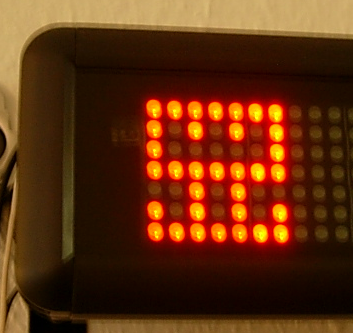
Wir haben also eine halbautomatisch aktivierbare Online-Hilfe für unsere Firma implementiert und die ersten Erfahrungen damit gesammelt. Was ist die einprägsamste Erfahrung? Wir brauchen kleine, portable Anzeigegeräte für spezielle Anwendungsfälle (siehe Bild).

Special WikiTag