Got issues? Treat them like micro-projects

Issues should be the smallest work unit available. But what if it is still larger than you can manage? Here’s a standard process for self-management while working on an issue.

Waterfall_modelEvery professional software developer organizes his work in some separable work tasks. These tasks are called issues and often managed in an issue tracker like Bugzilla or JIRA. In bigger teams, there is a separate project role for assigning and supervising work on the issue level, namely the project manager. But below the level of a single issue, external interference would be micro-management, a state that every sane manager tries to avoid at all costs.

Underneath the radar

But what if a developer isn’t that proficient with self-management? He will struggle on a daily basis, but underneath the radar of good project management. And there is nearly no good literature that deals specifically with this short-range management habits. A good developer will naturally exhibit all traits of a good project manager and apply these traits to every aspect of his work. But to become a good developer, most people (myself included!) need to go through a phase of bad project management and learn from their mistakes (provided they are able to recognize and reflect on them).

An exhaustive framework for issue processing

This blog entry outlines a complete set of rules to handle an work task (issue) like a little project. The resulting process is meant for the novice developer who hasn’t established his successful work routine yet. It is exhaustive, in the sense that it will cover all the relevant aspects and in the sense that it contains too much management overhead to be efficient in the long run. It should serve as a starting point to adopt the habits. After a while, you will probably adjust and improve it on your own.

A set of core values

The Schneide standard issue process was designed to promote a set of core values that our developers should adhere to. The philosophy of the value set itself contains enough details to provide another blog entry, so here are the values in descending order without further discussion:

  • Reliability: Your commitments need to be trustworthy
  • Communication: You should notify openly of changes and problems
  • Efficiency: Your work needs to make progress after all

As self-evident as these three values seem to be, we often discuss problems that are directly linked to these values.

The standard issue process

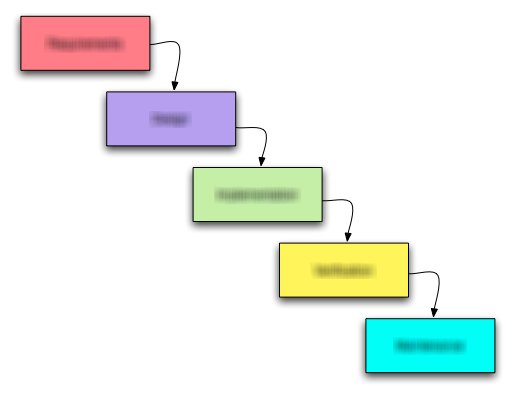
The aforementioned rules consist of five steps in a process that need to be worked on in their given order. Lets have a look:

  1. Orientation
  2. Assessment
  3. Development
  4. Feedback
  5. Termination

Steps three and four (development and feedback) actually happen in a loop with fixed iteration time.

Step 1: Orientation phase

In this phase, you need to get accustomed to the issue at hand as quickly as possible. Read all information carefully and try to build a mental model of what’s asked of you. Try to answer the following questions:

  • Do I understand the requirements?
  • Does my mental model make sense? Can I explain why the requirements are necessary?
  • Are there aspects missing or not sufficiently specified?

The result of this phase should be the assignment of the issue to you. If you don’t feel up to the task or unfamiliar with the requirements (e.g. they don’t make sense in your eyes), don’t accept the issue. This is your first and last chance to bail out without breaking a commitment.

Step 2: Assessment phase

You have been assigned to work on the issue, so now you need a plan. Evaluate your mental model and research the existing code for provisions and obstacles. Try to answer the following questions:

  • Where are the risks?
  • How can I partition the work into intermediate steps?

The result of this phase should be a series of observable milestones and a personal estimate of work effort. If you can’t divide the issue and your estimate exceeds a few hours of work, you should ask for help. Communicate your milestones and estimates by writing them down in the issue tracker.

Step 3: Development phase

You have a series of milestones and their estimates. Now it’s time to dive into programming. This is the moment when most self-management effort ends, because the developer never “zooms out” again until he is done or hopelessly stuck. You need periodic breaks to assess your progress and reflect on your work so far. Try to work for an hour (set up an alarm!) and continue with the next step (you will come back here!). Try to answer the following questions:

  • What is the most risky milestone/detail?
  • How long will the milestone take?

The result of this phase should be a milestone list constantly reordered for risk. We suggest a “cover your ass” strategy for novices by tackling the riskiest aspects first. After each period of work (when your alarm clock sets off), you should make a commit to the repository and run all the tests.

Step 4: Feedback phase

After you’ve done an hour of work, it’s time to back off and reflect. You should evaluate the new information you’ve gathered. Try to answer the following questions:

  • Is my estimate still accurate?
  • Have I encountered unforeseen problems or game-changing information?
  • What crucial details were discovered just yet?

The result of this phase should be an interim report to your manager and to your future self. A comment in the issue tracker is sufficient if everything is still on track. Your manager wants to know about your problems. Call him directly and tell him honestly. The documentation for your future self should be in the issue tracker, the project wiki or the source code. Imagine you have to repeat the work in a year. Write down everything you would want written down.
If your issue isn’t done yet, return to step three and begin another development iteration.

Step 5: Termination phase

Congratulations! You’ve done it. Your work is finished and your estimation probably holds true (otherwise, you would have reported problems in the feedback phases). But you aren’t done yet! Take your time to produce proper closure. Try to answer the following questions:

  • Is the documentation complete and comprehensible?
  • Have you thought about all necessary integration work like update scripts or user manual changes?

The result of this phase should be a merge to the master branch in the repository and complete documentation. When you leave this step, there should be no necessity to ever return to the task. Assume that your changes are immediately published to production. We are talking “going gold” here.

Recapitulation

That’s the whole process. Five steps with typical questions and “artifacts”. It’s a lot of overhead for a change that takes just a few minutes, but can be a lifesaver for any task that exceeds an hour (the timebox of step three). The main differences to “direct action” processes are the assessment and feedback phases. Both are mainly about self-observation and introspection, the most important ingredient of efficient learning. You might not appreciate at first what these phases reveal about yourself, but try to see it this way: The revelations set a low bar that you won’t fall short of ever again – guaranteed.

Designing an API? Good luck!

An API Design Fest is a great opportunity to gather lasting insights what API design is really about. And it will remind you why there are so few non-disappointing APIs out there.

If you’ve developed software to some extent, you’ve probably used dozens if not hundreds of APIs, so called Application Programming Interfaces. In short, APIs are the visible part of a library or framework that you include into your project. In reality, the last sentence is a complete lie. Every programmer at some point got bitten by some obscure behavioural change in a library that wasn’t announced in the interface (or at least the change log of the project). There’s a lot more to developing and maintaining a proper API than keeping the interface signatures stable.

A book about API design

practicalapidesignA good book to start exploring the deeper meanings of API development is “Practical API Design” by Jaroslav Tulach, founder of the NetBeans project. Its subtitle is “Confessions of a Java Framework Architect” and it holds up to the content. There are quite some confessions to make if you develop relevant APIs for several years. In the book, a game is outlined to effectively teach API design. It’s called the API Design Fest and sounds like a lot of fun.

The API Design Fest

An API Design Fest consists of three phases:

  • In the first phase, all teams are assigned the same task. They have to develop a rather simple library with an usable API, but are informed that it will “evolve” in a way not quite clear in the future. The resulting code of this phase is kept and tagged for later inspection.
  • The second phase begins with the revelation of the additional use case for the library. Now the task is to include the new requirement into the existing API without breaking previous functionality. The resulting code is kept and tagged, too.
  • The third phase is the crucial one: The teams are provided with the results of all other teams and have to write a test that works with the implementation of the first phase, but breaks if linked to the implementation of the second phase, thus pointing out an API breach.

The team that manages to deliver an unbreakable implementation wins. Alternatively, points are assigned for every breach a team can come up with.

The event

This sounds like too much fun to pass it without trying it out. So, a few weeks ago, we held an API Design Fest at the Softwareschneiderei. The game mechanics require a prepared moderator that cannot participate and at least two teams to have something to break in the third phase. We tried to cram the whole event into one day of 8 hours, which proved to be quite exhausting.

In a short introduction to the fundamental principles of API design that can withstand requirement evolution, we summarized five rules to avoid the most common mistakes:

  •  No elegance: Most developers are obsessed with the concept of elegance. In API design, there is no such thing as beauty in the sense of elegance, only beauty in the sense of evolvability.
  •  API includes everything that an user depends on: Your API isn’t defined by you, it’s defined by your users. Everything they rely on is a fixed fact, if you like it or not. Be careful about leaky abstractions.
  •  Never expose more than you need to: Design your API for specific use cases. Support those use cases, but don’t bother to support anything else. Every additional item the user can get a hold on is essentially accidental complexity and will sabotage your evolution attempts.
  •  Make exposed classes final and their constructor private: That’s right. Lock your users out of your class hierarchies and implementations. They should only use the types you explicitly grant them.
  •  Extendable types cannot be enhanced: The danger of inheritance in API design is that you suddenly have to support the whole class contract instead of “only” the interface/protocol contract. Read about Liskov’s Substitution Principle if you need a hint why this is a major hindrance.

The introduction closed with the motto of the day: “Good judgement comes from experience. Experience comes from bad judgement.” The API Design Fest day was dedicated to bad judgement. Then, the first phase started.

The first phase

No team had problems to grasp the assignment or to find a feasible approach. But soon, eager discussions started as the team projected the breakability of their current design. It was very interesting to listen to their reasoning.

After two hours, the first phase ended with complete implementations of the simple use cases. All teams were confident to be prepared for the extensions that would happen now. But as soon as the moderator revealed the additional use cases for the API, they went quiet and anxious. Nobody saw this new requirement coming. That’s a very clever move by Jaroslav Tulach: The second assignment resembles a real world scenario in the very best manner. It’s a nightmare change for every serious implementation of the first phase.

The second phase

But the teams accepted the new assignment and went to work, expanding their implementation to their best effort. The discussions revolved around possible breaches with every attempt to change the code. The burden of an API already existing was palpable even for bystanders.

After another two hours of paranoid and frantic development, all teams had a second version of their implementation and we gathered for a retrospective.

The retrospective

In this discussion, all teams laid down arms and confessed that they had already broken their API with simple means and would accept defeat. So we called off the third phase and prolonged the discussion about our insights from the two phases. What a result: everybody was a winner that day, no losers!

Some of our insights were:

  • Users as opponents: While designing an API, you tend to think about your users as friends that you grant a wish (a valid use case). During the API Design Fest, the developers feared the other teams as “malicious” users and tried to anticipate their attack vectors. This led to the rejection of a lot of design choices simply because “they could exploit that”. To a certain degree, this attitude is probably healthy when designing a real API.
  • Enum is a dead end: Most teams used Java Enums in their implementation. Every team discovered in the second phase that Enums are a dead end in regard of design evolution. It’s probably a good choice to thin out their usage in an API context.
  • The most helpful concepts were interfaces and factories.
  • If some object needs to be handed over to the user, make it immutable.
  • Use all the modifiers! No, really. During the event, Java’s package protected modifier experienced a glorious revival. When designing an API, you need to know about all your possibilities to express restrictions.
  • Forbid everything: But despite your enhanced expressibility, it’s a safe bet to disable every use case you don’t want to support, if only to minimize the target area for other teams during an API Design Fest.

The result

The API Design Fest was a great way to learn about the most obvious problems and pitfalls of API design in the shortest possible manner. It was fun and exhausting, but also a great motivator to read the whole book (again). Thanks to Jaroslav Tulach for his great idea.

Small cause – big effect (Story 2)

A short story about when Wethern’s Law of Suspended Judgement caused some trouble on the production system.

This is another story about a small misstep during programming that caused a lot of trouble in effect. The core problem has nothing to do with a specific programming language or some technical aspect, but the concept of assumptions. Let’s have a look at what an assumption really is:

assumption: The act of taking for granted, or supposing a thing without proof; a supposition; an unwarrantable claim.

A whole lot of our daily work is based on assumptions, even about technical details that we could easily prove or refute with a simple test. And that isn’t necessarily a bad thing. As long as the assumptions are valid or the results of false information are in the harmless spectrum, it saves us valuable time and resources.

A hidden risk

97thingsarchitectBut what if we aren’t aware of our assumptions? What if we believe them being fact and build a functionality on it without proper validation? That’s when little fiascos happen.

Timothy High cited in his chapter “Challenge assumptions – especially your own” in the book “97 Things Every Software Architect Should Know” the lesser known Wethern’s Law of Suspended Judgement:

Assumption is the mother of all screw-ups.

Much too often, we only realize afterwards that the crucial fact we relied on wasn’t that trustworthy. It was another false assumption in disguise.

Distributed updates

But now it’s storytime again: Some years ago, a software company created a product with an ever-changing core. The program was used by quite some customers and could be updated over the internet. If you want to have a current analogy, think about an anti-virus scanner with its relatively static scanning unit and the virus signature database that gets outdated within days. To deliver the update patches to the customer machines, a single update server was sufficient. The update patches were small and happened weekly or daily, so it could be handled by a dedicated machine.

To determine if it needed another patch, the client program contacted the update server and downloaded a single text file that contained the list of all available patches. Because the patches were incremental, the client program needed to determine its patch level, calculate the missing patches and download and apply them in the right order. This procedure did its job for some time, but one day, the size of the patch list file exceeded the size of a typical patch, so that the biggest part of network traffic was consumed by the initial list download.

Cutting network traffic

A short time measure was to shorten the patch list by removing ancient versions that were surely out of use by then. But it became apparent that the patch list file would be the system’s achilles heel sooner or later, especially if the update frequency would move up a gear, as it was planned. So there was a plan to eliminate the need to download the patch list if it had not changed since the last contact. Instead of directly downloading the patch list, the client would now download a file containing only the modification date of the patch list file. If the modification date was after the last download, it would continue to download the patch list. Otherwise, it would refrain from downloading anything, because no new patches could be present.

Discovering the assumption

The new system was developed and put into service shortly before the constant traffic would exhaust the capabilities of the single update server. But the company admins watched in horror as the traffic didn’t abate, but continued on the previous level and even increased a bit. The number of requests to the server nearly doubled. Apparently, the clients now always downloaded the modification date file and the patch list file, regardless of their last contact. The developers must have screwed up with their implementation.

But no error was found in the code. Everything worked just fine, if – yes, if (there’s the assumption!) the modification date was correct. A quick check revealed that the date in the modification date file was in fact the modification date of the patch list file. This wasn’t the cause of the problem either. Until somebody discovered that the number in the modification date file on the update server changed every minute. And that in fact, the patch list file got rewritten very often, regardless of changes in its content. A simple cron job, running every minute, pushed the latest patch list file from the development server to the update server, changing its modification date in the process and editing the modification date file accordingly.

The assumption was that if the patch list file’s content would not change, the same would be true for its modification date. This was true during development, but changed once the cron job got involved. The assumption hold true during development and went into sabotage mode on the live system.

Record and challenge your assumptions

The developers cannot be blamed for the error in this story. But they could have avoided it if they had adopted the habit of recording their assumptions and had them communicated to the administrators in charge of the live system. The first step towards this goal is to make the process of relying on assumptions visible to oneself. If you can be sure to know about your assumptions, you can record them, test against them (to make them fact in your world) and subsequently communicate them to your users. This whole process won’t even start if you aren’t aware of your assumptions.

Small cause – big effect (Story 1)

This is a story about a small programming error that caused a company-wide chaos.

Today’s modern software development is very different from the low-level programming you had to endure in the early days of computing. Computer science invented concepts like “high-level programming languages” that abstract a lot of the menial tasks away that are necessary to perform the desired functionality. Examples of these abstractions are register allocation, memory management and control structures. But even if we step into programming at a “high level”, we build whole cities of skyscrapers (metaphorically speaking) on top of those foundation layers. And still, if we make errors in the lowest building blocks of our buildings, they will come crashing down like a tower in a game of jenga.

Paris_Tuileries_Garden_Facepalm_statueThis story illustrates one such error in a small and low building block that has widespread and expensive effects. And while the problem might seem perfectly avoidable in isolation, in reality, there are no silver bullets that will solve those problems completely and forever.

The story is altered in some aspects to protect the innocent, but the core message wasn’t changed. I also want to point out that our company isn’t connected to this story in any way other than being able to retell it.

The setting

Back in the days of unreliable and slow dial-up internet connections, there was a big company-wide software system that should connect all clients, desktop computers and notebooks likewise, with a central server that should publish important news and documentation updates. The company developing and using the system had numerous field workers that connected from the hotel room somewhere near the next customer, let the updates run and disconnected again. They relied on extensive internal documentation that had to be up-to-date when working offline at the customer’s site.

Because the documentation was too big to be transferred completely after each change, but not partitioned enough to use a standard tool like rsync, the company developed a custom solution written in Java. A central server kept track of every client and all updates that needed to be delivered. This was done using a Set, more specifically a HashSet for each client. Imagine a HashMap (or Dictionary) with only a key, but no payload value. The Set’s entries were the update command objects itself. With this construct, whenever a client connected, the server could just iterate the corresponding Set and execute every object in it. After the execution had succeeded, the object was removed from the Set.

Going live

The system went live and worked instantly. All clients were served their updates and the computation power requirements for the central server were low because only few decisions needed to be made. The internet connection was the bottleneck, as expected. But it soon turned out to be too much of a bottleneck. More and more clients didn’t get all their updates. Some were provided with the most recent updates, but lacked older ones. Others only got the older ones.

The administrators asked for a bigger line and got it installed. The problems thinned out for a while, but soon returned as strong as ever. It wasn’t a problem of raw bandwidth apparently. The developers had a look at their data structure and discovered that a HashSet wouldn’t guarantee the order of traversal, so that old and new updates could easily get mixed up. But that shouldn’t be a problem because once the updates were delivered, they would be removed from the Set. And all updates had to be delivered anyways, regardless of age.

Going down

Then the central server instance stopped working with an OutOfMemoryError. The heap space of the Java virtual machine was used up by update command objects, sitting in their HashSets waiting to be executed and removed. It was clear that there were far too many update command objects to come up with a reasonable explanation. The part of the system that generated the update commands was reviewed and double-checked. No errors related to the problem at hand were found.

The next step was a review of the algorithm for iterating, executing and removing the update commands. And there, right in the update command class, the cause was found: The update command objects calculated their hashcode value based on their data fields, including the command’s execution date. Every time the update command was executed, this date field was updated to the most recent value. This caused the hashcode value of the object to change. And this had the effect that the update command object couldn’t be removed from the Set because the HashSet implementation relies on the hashcode value to find its objects. You could ask the Set if the object was still contained and it would answer “no”, but still include it into each loop over the content.

The cause

The Sets with update commands for the clients always grew in size, because once a update command object was executed, it couldn’t be removed but appeared absent. Whenever a client connected, it got served all update commands since the beginning, over and over again in semi-random order. This explained why sometimes, the most recent updates were delivered, but older ones were still missing. It also explained why the bandwidth was never enough and all clients lacked updates sooner or later.

The cost of this excessive update orgy was substantial: numerous clients had leeched all (useless) data they could get until the connection was cut, day for day, over expensive long-distance calls. Yet, they lacked crucial updates that caused additional harm and chaos. And all this damage could be tracked down to a simple programming error:

Never include mutable data into the calculation of a hashkey.

An experiment on recruitment seriousness

I had the chance to witness an experiment about the seriousness of companies to attract new developers. The outcome was surprisingly accurate.

Most software development companies in our area are desperately searching for additional software developers to employ. The pressure rose until two remarkable recruiting tools were installed. At first, every tram car in town was plastered with advertisement shouting “we search developers” as the only message. These advertisement have a embarrassing low average appeal to the target audience, so the second tool was a considerable bonus for every developer that was recruited by recommendation. This was soon called the “headhunter’s reward” and laughed upon.

Testing the prospects

The sad thing isn’t the current desperation in the local recruitment efforts, it’s the actual implementation of the whole process. Let’s imagine for a moment that a capable software developer from another town arrives at our train station, enters a tram and takes the advertisement serious. He discovers that the company in question is nearby and decides to pay them a visit – right now, right here. What do you think will happen?

I had the fortune to talk to a developer who essentially played the scenario outlined above through with five local software development companies that are actively recruiting and advertising. His experiences differed greatly, but gave a strangely accurate hint of the potential future employer’s actual company culture. And because the companies’ reactions were utmost archetypical, its a great story to learn from.

Meeting the company

The setting for each company was the same: The developer chose an arbitrary date and appeared at the reception – without an appointment, without previous contact, without any documents. He expressed interest in the company and generally in any open developer position they had open. He also was open to spontaneous talks or even a formal job interview, though he didn’t bring along a resume. It was the perfect simulation of somebody who got instantaneously convinced by the tram advertisement and rushed to meet the company of his dreams.

The reactions

Before we take a look at the individual reactions, lets agree to some acceptable level of action from the company’s side. The recruitment process of a company isn’t a single-person task. The “headhunter’s reward” tries to communicate this fact through monetary means. Ideally, the whole company staff engages in many little actions that add up to a consistent whole, telling everybody who gets in contact with any part of the company how awesome it is to work there. While this would be recruitment in perfection, it’s really the little actions that count: Taking a potentially valuable new employee serious, expressing interest and care. It might begin with offering a cool beverage on a exceptionally hot day or giving out the company’s image brochure. If you can agree to the value of these little actions, you will understand my evaluation scheme of the actual reactions.

The accessible boss

One company won the “contest” with great distance to all other participants. After the developer arrived at the reception, he was relayed to the local boss who really had a tight schedule, but offered a coffee talk for ten minutes after some quick calls to shift appointments. Both the developer and the company’s boss exchanged basic informations and expectations in a casual manner. The developer was provided with a great variety of company print material, like the obligatory image brochure, the latest monthly company magazine and a printout of current open job offerings. The whole visit was over in half an hour, but gave a lasting impression of the company. The most notable message was: “we really value you – you are boss level important”. And just to put things into perspective: this wasn’t the biggest company on the list!

The accessible office

Another great reaction was the receptionist who couldn’t reach anybody in charge (it was generally not the most ideal timing) and decided to improvise. She “just” worked in the accounting department, but tried her best to present the software development department and explain basic cool facts about the company. The visit included a tour through the office space and ended with providing generic information material about the company. The most notable message was: “We like to work here – have a look”.

The helpless reception

Two companies basically reacted the same way: The receptionist couldn’t reach anybody in charge, decided to express helplessness and hope for sympathy. Compared to the reactions above, this is is a rather poor and generic approach to the recruitment effort. In one case, the receptionist even forgot basic etiquette and didn’t offer the obligatory coffee or image brochure. The most notable message was: “We only work here – and if you join, you will, too”. To put things into perspective: one of them was the biggest company on the list, probably with rigid processes, highly partitioned responsibilities and strict security rules.

The rude reception

The worst first impression made the company with the reception acting like a defense position. Upon entering, the developer was greeted coldly by the two receptionists. When he explained the motivation of his visit, the first receptionist immediately zoned out while the second one answered: “We have an e-mail address for applications, please use it” and lost all interest in the guest. The most notable message was: “Go away – why do you bother us?”.

What can be learnt?

The whole experiment can be seen from two sides. If you are a developer looking for a new position in a similar job market situation, you’ll gain valuable insights about your future employer by just dropping by and assessing the reactions. If you are a software development company desperately looking out for developers, you should regard your recruitment efforts as a whole-company project. Good recruitment is done by everybody in your company, one thing at a time. Recruitment is a boss task, but to be handled positively, it has to be accompanied by virtually everybody from the whole staff. And a company full of happy developers will attract more happy developers just by convincing recruitment work done by them in the spare time, most of the time without being explicitly aware of it.

You probably forget too much, too soon and way too definite

Your stored data is probably worth a lot. To rule out accidental removal, you should interdict the delete operation for your application. Here’s why and how you can implement it.

eraser_1If you felt spoken to by the blog title, you might relax a bit: I didn’t mean you, but your application. And I don’t suggest that your application forgets things, but rather removes them deliberately. My point is that it shouldn’t be able to do so.

A disaster waiting to happen

Try to imagine a child that is given a sharp scissors to play with by its parents. It runs around the house, scissors in hand, cutting away things here and there. Inevitably, as mandated by Murphy’s law, it will stumble and fall, probably hurting itself in the process. This scenario is a disaster waiting to happen. It is a perfect analogy of your application as long as it is able to perform the delete operation.

A safe environment

Now imagine an application that is forbidden to delete data. The database user used by the program is forbidden to issue the SQL DELETE command. This is like the child in the analogy before, but with the scissors taken away. It will leave a mess behind while playing that needs an adult to clean up periodically and it will fall down, but it won’t stab itself. If you can run your application in such a restricted environment, you can guarantee a “no-vanish” data safety: No data element that is stored will disappear ever.

Data safety

In case you wonder, this isn’t the maximum data safety level you can (and perhaps should) have. There is still the danger of accidental alteration, where existing data is replaced or overwritten by other data. To achieve the highest “no-loss” data safety level, you need to have a journaling database system that tracks every change ever made in an ever-growing transaction log. If that sounds just like a version control system to you, it’s probably because it essentially will be such a thing.
But “no-vanish” data safety is the first and most important step on the data safety ladder. And it’s easy to accomplish if you incorporate it into your system right from the start, implementing everything around the concept that no deletion will occur on behalf of the system.

Why data safety?

But why should you attempt to adhere to such a restriction? The short answer is: because the data in your system is worth it. We recently determined the immediate monetary worth of primary data entries in one of our systems and found out that every entry is worth several thousand euros. And we have several hundred entries in this system alone. So accidentally deleting two or three entries in this system is equivalent to wrecking your car. Who wouldn’t buy a car when the manufacturer guarantees that wreckages cannot happen, by design? That’s what data safety tries to achieve: Giving a guarantee that no matter how badly the developers wreck their code, the data will not be affected (at least to a degree, depending on the safety level).

No deletion

The best way to give a guarantee and hold onto it is to eliminate the root cause of all risks. In our digital world, this is surprisingly easy to accomplish in theory: If you don’t want to lose data (by accidental removal), prohibit usage of the delete operation on the lowest layer (probably the database). If your developers still try to delete things, they only get some kind of runtime error and their application will likely crash, but the data remains intact.

Implementation using a RDBMS

If you are using a relational database system, you should be aware that “no-vanish” safety comes with a cost. Every time you fetch a list of something from your database, you need to add the constraint that the result must only contain “non-obsolete” entries. Every row in your main tables will adopt some sort of “obsolete” column, housing a boolean flag that indicates that this row was marked as deleted by the application. Remember, you cannot delete a row, you can only mark it deleted using your own mechanisms.
The tables in your database holding “derived data”, like join tables or data only referenced by foreign keys, don’t necessarily need the obsolete flag, but will clutter up over time. That’s not a problem as long as nobody thinks that all entries in these tables are “living data”. The entries that are referenced by obsolete entries in the main tables will simply be forgotten because they are inaccessible by normal means of data retrieval.

The dedicated hitman

Using this approach, your database size will grow constantly and never shrink. There will come the moment when you really want to compact the whole thing and weed out the unused data. Don’t give the delete right back to your application’s database user! You basically don’t trust your application with this (remember the child analogy). You want this job done by a professional. You need a dedicated hitman. Create a second database user that doesn’t has the right to alter the data, but can delete it. Now run a separate job (another application) on your database within this new context and remove everything you want removed. The key here is to separate your normal application and the removal task as far as possible to prohibit accidental usage. If you think you’ve heard this concept somewhere before: It basically boils down to a “garbage collector”. The term “hitman” is just a dramatization of the bleak reality, trying to remind you to be very careful what data you really want to assasinate.

Implementation using a graph database

If this seems like a lot of effort to you, perhaps the approach used by graph databases suits you better. In a graph database, you group your data using “graph connections” or “edges”. If you have a node “persons” in your database, every person node in the database will be associated to this node using such a connection. If you want to remove a person node (without throwing the data away), you remove the edge to the “persons” node and add a new edge to the “deleted_persons” node. You can probably see how this will be easier to handle in your application code than ensuring that the obsolete flag is considered everywhere.

Conclusion

This isn’t a bashing of relational database systems, and it isn’t a praise of graph databases. In fact, the concept of “no deletion” is agnostic towards your actual persistence technology. It’s a requirement to ensure some basic data safety level and a great way to guarantee to your customer that his business assets are safe with your system.

If you have thoughts on this topic, don’t hesitate to share them!

Summary of the Schneide Dev Brunch at 2013-06-16

If you couldn’t attend the Schneide Dev Brunch in June 2013, here are the main topics we discussed summarized as good as I remember them.

brunch64-borderedA week ago, we held another Schneide Dev Brunch. The Dev Brunch is a regular brunch on a sunday, only that all attendees want to talk about software development and various other topics. If you bring a software-related topic along with your food, everyone has something to share. The brunch was very well-attended this time. We had bright sunny weather and used our roof garden to catch some sunrays. There were lots of topics and chatter, so let me try to summarize a few of them:

Introduction to Dwarf Fortress

The night before the Dev Brunch, we held another Schneide event, an introduction to the sandbox-type simulation game “Dwarf Fortress“. The game thrives on its dichotomy of a ridiculous depth of details (like simulating the fate of every sock in the game) and a general breadth of visualization, where every character of ASCII art can mean at least a dozen things, depending on context. If you can get used to the graphics and the rather crude controls, it will probably fascinate you for a long time. It fascinated us that night a lot longer than anticipated, but we finally managed to explore the big underground cave we accidentally spudded while digging for gold (literally).

Refactoring Golf

A week before the Dev Brunch, we held yet another Schneide event, a Refactoring Golf contest. Don’t worry, this was a rather coincidental clustering of appointments. This event will have its own blog entry soon, as it was really surprising. We used the courses published by Angel Núñez Salazar and Gustavo Quiroz Madueño and only translated their presentation. We learned that every IDE has individual strongpoints and drawbacks, even with rather basic usage patterns. And we learned that being able to focus on the “way” (the refactorings) instead of the “goal” (the final code) really shifts perception and frees your thoughts. But so little time! When was real golf ever so time-pressured? It was lots of fun.

Grails: the wrong abstraction?

The discussion soon drifted to the broad topic of web application frameworks and Grails in particular. We discussed its inability to “protect” the developer from the details of HTTP and HTML imperfection and compared it to other solutions like Qt’s QML, JavaFX or EMF. Soon, we revolved around AngularJS and JAX-RS. I’m not able to fully summarize everything here, but one sentence sticks out: “AngularJS is the Grails for Javascript developers”.

Another interesting fact is that we aren’t sure which web application framework we should/would/might use for our next project. Even “write your own” seemed a viable option. How history repeats itself!

If you have to pick a web application framework today, you might want to listen to Matt Raibel of AppFuse fame for a while. Also, there is the definition of ROCA-style frameworks out there.

There were a few more mentions of frameworks like RequireJS, leading to Asynchronous Module Definition (AMD)-styled systems. All in all, the discussion was very inspiring to look at tools and frameworks that might not cross your path on other occassions.

Principle of Mutual Oblivion

The “Principle of Mutual Oblivion” or PoMO is an interesting way to think about dependencies between software components. The blog entries are german language only yet. We discussed the approach for a bit and could see how it leads to “one tool for one job”. But we could also see drawbacks if applied to larger projects. Interesting, nonetheless.

Kanban

We also discussed the project management process Kanban for a while. The best part of the discussion was the question “why Kanban?” and the answer “it has fewer rules than SCRUM”. It is astonishing how processes can produce frustration, or perhaps more specific, uncover frustration.

Object Calisthenics workshops

Yet another workshop report, this time from two identical workshops applying the Object Calisthenics rules to a limited programming task. The participants were students that just learned about the rules. This might also be worked up into a full blog entry, because it was very insightful to watch both workshops unfold. The first one ended in cathartic frustration while the second workshop was concluded with joy about working programs. To circumvent the restraining rules of the Object Calisthenics, the approach used most of the time was to move the problem to another class. Several moves and numerous classes later, the rules still formed an inpenetrable barrier, but the code was bloated beyond repair.

Epilogue

As usual, the Dev Brunch contained a lot more chatter and talk than listed here. The high number of attendees makes for an unique experience every time. We are looking forward to the next Dev Brunch at the Softwareschneiderei. And as always, we are open for guests and future regulars. Just drop us a notice and we’ll invite you over next time.

The vigilant’s hat

We put on a cowboy hat every time we connect to a live server. This article describes why.

In the german language, there is a proverb that means “being alert” or “being on guard”. It’s called “auf der Hut sein” and would mean, if translated without context, “being on hat”. That doesn’t make sense, even to germans. But it’s actually directly explainable if you know that the german word “Hut” has two meanings. It most of the time means the hat you put on your head. But another form of it means “shelter”, “protection” or “guard”. It turns up in quite a few derived german words like “Obhut” (custody) or “Vorhut” (vanguard). So it isn’t so strange for germans to think of a hat when they need to stay alert and vigilant.

Vigilant developers

Being mindful and careful is a constant state of mind for every developer. The computer doesn’t accept even the slightest fuzziness of thought. But there is a moment when a developer really has to take care and be very very precautious: When you operate on a live server. These machines are the “real” thing, containing the deployed artifacts of the project and connecting to the real database. If you make an error on this machine, it will be visible. If you accidentally wipe some data, it’s time to put the backup recovery process to the ultimate test. And you really should have that backup! In fact, you should never operate on a live server directly, no matter what.

Learning from Continuous Delivery

One of the many insights in the book “Continuous Delivery” by Jez Humble and David Farley is that you should automate every step that needs to take place on a live server. There is an ever-growing list of tools that will help you with this task, but in its most basic form, you’ll have to script every remote action, test it thoroughly and only then upload it to the live server and execute it. This is the perfect state your deployment should be in. If it isn’t yet, you will probably be forced to work directly on the live server (or the real database) from time to time. And that’s when you need to be “auf der Hut“. And you can now measure your potential for improvement in the deployment process area in “hat time”.

cowboy hats in action

We ain’t no cowboys!

In our company, there is a rule for manual work on live servers: You have to wear a hat. We bought several designated cowboy hats for that task, so there’s no excuse. If you connect to a server that isn’t a throw-away test instance, you need to wear your hat to remind you that you’re responsible now. You are responsible for the herd (the data) and the ranch (the server). You are responsible for every click you make, every command you issue and every change you make. There might be a safety net to prevent lethal damage, but this isn’t a test. You should get it right this time. As long as you wear the “live server hat”, you should focus your attention on the tasks at hand and document every step you make.

Don’t ask, they’ll shoot!

But the hat has another effect that protects the wearer. If you want to ask your collegue something and he’s wearing a cowboy hat, think twice! Is it really important enough to disturb him during the most risky, most stressful times? Do you really need to shout out right now, when somebody concentrates on making no mistake? In broadcasting studios, there is a sign saying “on air”. In our company, there is a hat saying “on server”. And if you witness more and more collegues flocking around a terminal, all wearing cowboy hats and seeming concerned, prepare for a stampede – a problem on a live server, the most urgent type of problem that can arise for developers.

The habit of taking off the hat after a successful deployment is very comforting, too. You physically alter your state back to normal. You switch roles, not just wardrobe.

Why cowboy hats?

We are pretty sure that the same effects can be achieved with every type of hat you can think of. But for us, the cowboy hat combines ironic statement with visual coolness. And there is no better feeling after a long, hard day full of deployments than to gather around the campfire and put the spurs aside.

Summary of the Schneide Dev Brunch at 2013-03-03

If you couldn’t attend the Schneide Dev Brunch in March 2013, here are the main topics we discussed summarized as good as I remember them.

brunch64-borderedYes, you’ve read it right in the title. The Dev Brunch I want to summarize now is over two month ago. The long delay can only partially be explained by several prolonged periods of illness on my side. So this will be a rather crisp summary, because all the lively details have probably vanished by now. But let me start by explaining what the Dev Brunch is:
The Dev Brunch is a regular brunch on a sunday, only that all attendees want to talk about software development and various other topics. If you bring a software-related topic along with your food, everyone has something to share. This brunch was very well-attended, but we still managed to sit around our main table. Let’s have a look at the main topics we discussed:

XFD presentation

In a presentation of a large german software company, our Extreme Feedback Devices were thoroughly mentioned. We found it noteworthy enough to mention it here.

Industrial Logic’s XP Playing Cards

This is just a deck of playing cards, but not the usual one. One hundred different cards with problems, solutions and values wait for you to make up some game rules and start to play. The inventors have collected a list of possible games on their website. It leads to hilarious results if you just distribute some cards in a group of developers (as we did on the brunch) and start with a problem. Soon enough, your discussion will lead you to the most unexpected topics. We ended with the “Power Distance Index“, but I have no recollection how we got there. These cards are a great facilitator to start technical discussions. They seem to be non-available now, sadly.

Distributed SCRUM

A short report on applying SCRUM to a multi-site team, using desktop sharing and video chat software. The project landscape is driven by an adaption of “scrum of scrums”. I cannot dive into details anymore, but these reports are a great reason to really attend the brunch instead of just reading the summary. The video chat meetings were crucial for team-building, but very time-consuming and wearying due to timezone reasons.

SCRUM User Group Karlsruhe

Speaking of SCRUM, there is a SCRUM User Group in our city, Karlsruhe in Germany. It might not be the biggest user group ever, but one attendant of our brunch reported that all participants are “socially very pleasing”. There are very interesting presentations or gatherings for specific topics. If you have to deal with SCRUM, this should be on your agends.

Retrospectives

We had a prolonged talk about retrospectives and how to apply them. Most retrospective activities tend to be formalized (like “cards and priorities”) and lose effectiveness due to the “comfort aspect”. A hypothesis during the talks was that when moderation isn’t necessary anymore, its more likely to be a negative smell. We talked about moderated vs. non-moderated retrospectives quite a bit, also exploring the question what role should/could be moderator and why. The “Happiness Metric” was mentioned, specifically its application by the swedish company Crisp, as described by Henrik Kniberg. Some sources of ideas for retrospectives were also mentioned: the Facilitator Gathering or some noteworthy books that I forgot to write down (sorry! Please ask for them in the comments).

Internal facilitator

We also discussed some problems that “internal” facilitators face day-to-day. Internal facilitators work within the team they try to facilitate.

Presentation about acceptance testing by Uncle Bob

A big event in February this year were the workshops and the presentation with Robert C. Martin about testing. His talk presented Fitnesse in the context of acceptance testing. There was some confusion about the amount of available seats, so most of us didn’t attend (because we weren’t able to register beforehands). Some of our participants were there, nonetheless and found the presentation worthwile. Only the usual pattern of Uncle Bob’s presentation lacked some virtue this time, but this can easily explained with the flu. Here’s an external summary of the event. Check out the comment section for potential first-hand accounts.

Definition of test types

In the wake of our talk about Uncle Bob’s presentation, we discussed different test categorization schemes. We’ve invented our own, but there is also a widely used definition from the International Software Testing Qualifications Board. We didn’t dive deep into this topic, so lets say it’s still open for discussion.

Book about money counterfeiter

Somehow, I’ve written down a notice about a german book about a famous money counterfeiter, Jürgen Kuhl: “Blütenträume”. This talented artist drew dollar notes by hand so perfectly that even experts couldn’t tell them apart. Regrettably, I don’t remember the context anymore. It might have something to do with Giesecke & Devrient, a manufacturer of money printing machines. But even then, I don’t remember what that context was about.

Traceability of software artifacts

Our last topic circled around the question how software artifacts are registered and traced in our practice. The interesting part of this question is the ability to make connections between different artifacts, like an automatic report about what existing features are tangented by a change and should be tested again (if manual tests are necessary). Or you want to record the specifics of your test environment alongside your tests. Perhaps you are interested in the relation between features and their accompanying tests. The easiest connection can be made between a change (commit) and the issue it belongs to. But changes without issue (like almost all refactorings) are problematic still. It was an interesting discussion with a lot input to think about.

Summary

One thing I’ve learnt from this Dev Brunch is that it isn’t enough to write down some notes and try to remember the details some weeks later. The summaries have to be written in a timely manner. I didn’t succeed with it this time and try to blame it on my lack of health. I promise a better summary next time. The worst part is that I know that I’ve forgotten a lot of important or interesting details (like a youtube channel about ideas – please provide the link in the comment section, Martin!) but cannot recreate the memories.

As usual, the Dev Brunch contained a lot more chatter and talk than listed here. The high number of attendees makes for an unique experience every time. We are looking forward to the next Dev Brunch at the Softwareschneiderei. And as always, we are open for guests and future regulars. Just drop us a notice and we’ll invite you over next time.