Thoughts on Design

There is a book I am currently reading (and recommend): “The design of everyday things” by Donald A. Norman. The author describes common design errors in an easy readable way and shows or outlines the solutions for them. Despite not beeing a book about software engineering, it covers pretty well one of its greatest problems: interaction with a human. What are the points a software developer should consider when creating new or changing old features?

Natural mapping

Natural mappings are the clues that we can map to known patterns and instinctively use to interpret new unknown things. These mostly date back to prehistoric times and address the animal in us to catch our attention. To animals big things, moving things, things that are different because of color, shape or some other distinctive property are important, because they must decide based on them whether to flee or to attack. Natural mappings require near zero conscious processing power and make the user to pay attention to crucial information instantly. If you have two buttons “cancel order” and “submit order” and you want the user to click on submit, you better make the submit button big and flashy and the cancel button normal size and color it in standard grey (Have a look at the publish button and the preview button of wordpress).

Visibility

Not all users read the manual (if any exists) before they use their programs. Not all users that read the manual, can understand it or find there the steps necessary to accomplish their task. To be still able to succeed, at every step the user asks himself the following questions:

  • What is already done?
  • What is my current position in the process?
  • What is to do now?
  • How far I am away from my goal?

Consider a user who only has 15 minutes and has to fill out an order form consisting of 15 pages. A user who does not even get the total number of pages stops frustrated after very few pages, because the process seems endless. Provide him with the page count and the current page and he will be able to plan ahead and esimate the needed time. If the mandatory fields are marked, the user will concentrate on them and progress faster, incresing the probability to complete the order in time.

Feedback

Every time a user has done something, he will want to ensure that everything happened as he wanted. A mute system will inspire confusion and fear (Want to try it out? Use ed). A status message is a great signal for the user that he accomplished some of the steps on the way to his goal. Without the message “Order submitted successfully” the user won’t know whether the system accepted his input or just jumped to an another page. Additional confirmations like emails allow the user to receive status information with the additional benefit of being persistent unlike a web page in a browser.

Errors

Like any human the users input bogus data or trigger unwanted actions. In this cases the user should get appropriate feedback. When the previous steps are considered, the user will know what field is affected, why the input is not accepted and what the steps are to correct the situation. Sometimes the errors are logical and not syntactical, making them hard to impossile to detect by the system. There is no way to tell whether the user wanted to buy one or ten books. The layout of elements can be adapted to minimize the risk of accidental use: the “Close Application” button is better not to be placed near the “Save” button. When the mistake has been done, the user should be offered an edit, or at least a withdrawal option. Not all systems allow reversal of actions, and present the user a confirmation dialog with an important choice, producing unnecessary stress. There are ways to conter that problem.

Conclusion

This are simple points that can be taken into consideration when carefully designing a system. Even if they are simple, we tend to forget them because we have deadlines or understand the system on such level that we cannot even imagine what steps an inexperienced user can take and what hints he need.

Grails / GORM performance tuning tips

Every situation and every code is different but here are some pitfalls that can cost performance and tips you can try to improve performance in Grails / GORM

First things first: never optimize without measuring. Even more so with Grails there are many layers involved when running code: the code itself, the compiler optimized version, the Grails library stack, hotspot, the Java VM, the operating system, the C libraries, the CPU… With this many layers and even more possibilities you shouldn’t guess where you can improve the performance.

Measuring the performance

So how do you measure code? If you have a profiler like JProfiler you can use it to measure different aspects of your code like CPU utilization, hotspots, JDBC query performance, Hibernate, etc. But even without a decent profiler some custom code snippets can go a long way. Sometimes we use dedicated methods for measuring the runtime:

class Measurement {
  public static void runs(String opertationName, Closure toMeasure) {
    long start = System.nanoTime()
    toMeasure.call()
    long end = System.nanoTime()
    println("Operation ${operationName} took ${(end - start) / 1E6} ms")
  }
}

or you can even show the growth in the Hibernate persistence context:

class Measurement {
  public static void grown(String opertationName, Closure toMeasure) {
    PersistenceContext pc = sessionFactory.currentSession.persistenceContext
    Map before = numberOfInstancesPerClass(pc)
    toMeasure.call()
    Map after = numberOfInstancesPerClass(pc)
    println "The operation ${operationName} has grown the persistence context: ${differenceOf(after, before)}"
  }
}

Improving the performance

So when you found your bad performing code, what can you do about it? Every situation and every code is different but here are some pitfalls that can cost performance and tips you can try to improve performance:

GORM hotspots

Performance problems with GORM can be in different areas. A good rule of thumb is to reduce the number of queries hitting the database. This can be achieved by combining results with outer join, eager fetching associations or improving caching. Another hotspot can be long running operations which you can improve via creating indices on the database but first analyze the query with database specific tools like ANALYZE.
Also a typical problem can be a large persistence context. Why is this a problem? The default flush mode in Hibernate and hence GORM is auto which means before any query the persistence context is flushed. Flushing means Hibernate checks every property of every instance if it has changed. The larger the persistence context the more work to do. One option would be to clear the session periodically after a flush but this could decrease the performance because once loaded and therefore cached instances need to be reloaded from the database.
Another option is to identify the parts of your code which only need read access on the instances. Here you can use a stateless session or in Grails you can use the Spring annotation @Transactional(readOnly = true). It can be beneficial for the performance to separate read only and write access to the database. You could also experiment with the flush mode but beware that this can lead to wrong query results.

The thin line: where to stop?

If you measure and improve you can get big and small improvements. The problem is to decide which of these small ones change the code in a good or minimal way. It is a trade off between performance and code design as some performance improvements can worsen the code quality. Another cup of tea left untouched in this discussion is scalability. Whereas performance concentrates of the actual data and the current situation, scalability looks on the performance of the system when the data increases. Some performance improvements can worsen scalability. As with performance: measure, measure, measure.

An experiment on recruitment seriousness

I had the chance to witness an experiment about the seriousness of companies to attract new developers. The outcome was surprisingly accurate.

Most software development companies in our area are desperately searching for additional software developers to employ. The pressure rose until two remarkable recruiting tools were installed. At first, every tram car in town was plastered with advertisement shouting “we search developers” as the only message. These advertisement have a embarrassing low average appeal to the target audience, so the second tool was a considerable bonus for every developer that was recruited by recommendation. This was soon called the “headhunter’s reward” and laughed upon.

Testing the prospects

The sad thing isn’t the current desperation in the local recruitment efforts, it’s the actual implementation of the whole process. Let’s imagine for a moment that a capable software developer from another town arrives at our train station, enters a tram and takes the advertisement serious. He discovers that the company in question is nearby and decides to pay them a visit – right now, right here. What do you think will happen?

I had the fortune to talk to a developer who essentially played the scenario outlined above through with five local software development companies that are actively recruiting and advertising. His experiences differed greatly, but gave a strangely accurate hint of the potential future employer’s actual company culture. And because the companies’ reactions were utmost archetypical, its a great story to learn from.

Meeting the company

The setting for each company was the same: The developer chose an arbitrary date and appeared at the reception – without an appointment, without previous contact, without any documents. He expressed interest in the company and generally in any open developer position they had open. He also was open to spontaneous talks or even a formal job interview, though he didn’t bring along a resume. It was the perfect simulation of somebody who got instantaneously convinced by the tram advertisement and rushed to meet the company of his dreams.

The reactions

Before we take a look at the individual reactions, lets agree to some acceptable level of action from the company’s side. The recruitment process of a company isn’t a single-person task. The “headhunter’s reward” tries to communicate this fact through monetary means. Ideally, the whole company staff engages in many little actions that add up to a consistent whole, telling everybody who gets in contact with any part of the company how awesome it is to work there. While this would be recruitment in perfection, it’s really the little actions that count: Taking a potentially valuable new employee serious, expressing interest and care. It might begin with offering a cool beverage on a exceptionally hot day or giving out the company’s image brochure. If you can agree to the value of these little actions, you will understand my evaluation scheme of the actual reactions.

The accessible boss

One company won the “contest” with great distance to all other participants. After the developer arrived at the reception, he was relayed to the local boss who really had a tight schedule, but offered a coffee talk for ten minutes after some quick calls to shift appointments. Both the developer and the company’s boss exchanged basic informations and expectations in a casual manner. The developer was provided with a great variety of company print material, like the obligatory image brochure, the latest monthly company magazine and a printout of current open job offerings. The whole visit was over in half an hour, but gave a lasting impression of the company. The most notable message was: “we really value you – you are boss level important”. And just to put things into perspective: this wasn’t the biggest company on the list!

The accessible office

Another great reaction was the receptionist who couldn’t reach anybody in charge (it was generally not the most ideal timing) and decided to improvise. She “just” worked in the accounting department, but tried her best to present the software development department and explain basic cool facts about the company. The visit included a tour through the office space and ended with providing generic information material about the company. The most notable message was: “We like to work here – have a look”.

The helpless reception

Two companies basically reacted the same way: The receptionist couldn’t reach anybody in charge, decided to express helplessness and hope for sympathy. Compared to the reactions above, this is is a rather poor and generic approach to the recruitment effort. In one case, the receptionist even forgot basic etiquette and didn’t offer the obligatory coffee or image brochure. The most notable message was: “We only work here – and if you join, you will, too”. To put things into perspective: one of them was the biggest company on the list, probably with rigid processes, highly partitioned responsibilities and strict security rules.

The rude reception

The worst first impression made the company with the reception acting like a defense position. Upon entering, the developer was greeted coldly by the two receptionists. When he explained the motivation of his visit, the first receptionist immediately zoned out while the second one answered: “We have an e-mail address for applications, please use it” and lost all interest in the guest. The most notable message was: “Go away – why do you bother us?”.

What can be learnt?

The whole experiment can be seen from two sides. If you are a developer looking for a new position in a similar job market situation, you’ll gain valuable insights about your future employer by just dropping by and assessing the reactions. If you are a software development company desperately looking out for developers, you should regard your recruitment efforts as a whole-company project. Good recruitment is done by everybody in your company, one thing at a time. Recruitment is a boss task, but to be handled positively, it has to be accompanied by virtually everybody from the whole staff. And a company full of happy developers will attract more happy developers just by convincing recruitment work done by them in the spare time, most of the time without being explicitly aware of it.

Testing Java with Grails 2.2

We have some projects that consist of both java and groovy classes. If you don’t pay attention, you can have a nice WTF moment.

Let us look at the following fictive example. You want to test a static method of a java class “BlogAction”. This method should tell you whether a user can trigger a delete action depending on a configuration property.

The classes under test:

public class BlogAction {
    public static boolean isDeletePossible() {
        return ConfigurationOption.allowsDeletion();
    }
}
class ConfigurationOption {
    static boolean allowsDeletion() {
        // code of the Option class omitted, here it always returns false
        return Option.isEnabled('userCanDelete');
    }
}

In our test we mock the method of ConfigurationOption to return some special value and test for it:

@TestMixin([GrailsUnitTestMixin])
class BlogActionTest {
    @Test
    void postCanBeDeletedWhenOptionIsSet() {
        def option = mockFor(ConfigurationOption)
        option.demand.static.allowsDeletion(0..(Integer.MAX_VALUE-1)) { -> true }

        assertTrue(BlogAction.isDeletePossible())
    }
}

As result, the test runner greets us with a nice message:

junit.framework.AssertionFailedError
    at junit.framework.Assert.fail(Assert.java:48)
    at junit.framework.Assert.assertTrue(Assert.java:20)
    at junit.framework.Assert.assertTrue(Assert.java:27)
    at junit.framework.Assert$assertTrue.callStatic(Unknown Source)
    ...
    at BlogActionTest.postCanBeDeletedWhenOptionIsSet(BlogActionTest.groovy:21)
    ...

Why? There is not much code to mock, what is missing? An additional assert statement adds clarity:

assertTrue(ConfigurationOption.allowsDeletion())

The static method still returns false! The metaclass “magic” provided by mockFor() is not used by my java class. BlogAction simply ignores it and calls the allowsDeletion method directly. But there is a solution: we can mock the call to the “Option” class.

@Test
void postCanBeDeletedWhenOptionIsSet() {
    def option = mockFor(Option)
    option.demand.static.isEnabled(0..(Integer.MAX_VALUE-1)) { String propertyName -> true }

    assertTrue(BlogAction.isDeletePossible())
}

Lessons learned: The more happens behind the scenes, the more important becomes the context of execution.

Your own perfection hinders you

Remember when you first started programming? A post against your (exaggerated) perfection.

Remember when you first started programming? Did you think about tests? Did you plan an architecture before coding? Did you look at your results and thought what a crap? No, you were lucky to see something, something done. Imperfect but in a sense beautiful. You had a feeling of accomplishment. That little pixel that responded to you pressing keys, the little web page that just saved some data. You did something.
Now fast forward to today. You now write software professionally. With tests, architecture, well thought out. You are practicing an agile methodology (whatever that means). Don’t get me wrong these are all important points and can help you to get a solid implementation. But what if you need to implement a prototype? Just to try something? Fire and forget. Quick and dirty. Can you do it? Do you start with writing tests? Planning the architecture? Writing a spec? And afterwards: what do you think of the result? is it ugly? is it not done “professionally”?
What if you start in another field of your profession? Maybe you made websites your whole career and now start with desktop or mobile apps. Or you implemented back end code and now start writing code for the front end. Do you feel insecure? Do you think you just write crap? You shouldn’t. Remember your beginnings. Yes, you have matured, you know more, you write better. But you should celebrate getting something done. Shipping something. Seeing something. That feeling of accomplishment. Don’t criticize too hard, don’t be too harsh to you and your code. Get something done and then improve along the way. Just like when you started. Just keep shipping.
And for you, young software engineers, who just start. We all went through this phase. Don’t look at other’s work and think: wow, this looks so good and my work doesn’t. Think: he went also through this phase and now he can make this wonderful work, I will, too.
Ira Glass, an american writer said it best.

You probably forget too much, too soon and way too definite

Your stored data is probably worth a lot. To rule out accidental removal, you should interdict the delete operation for your application. Here’s why and how you can implement it.

eraser_1If you felt spoken to by the blog title, you might relax a bit: I didn’t mean you, but your application. And I don’t suggest that your application forgets things, but rather removes them deliberately. My point is that it shouldn’t be able to do so.

A disaster waiting to happen

Try to imagine a child that is given a sharp scissors to play with by its parents. It runs around the house, scissors in hand, cutting away things here and there. Inevitably, as mandated by Murphy’s law, it will stumble and fall, probably hurting itself in the process. This scenario is a disaster waiting to happen. It is a perfect analogy of your application as long as it is able to perform the delete operation.

A safe environment

Now imagine an application that is forbidden to delete data. The database user used by the program is forbidden to issue the SQL DELETE command. This is like the child in the analogy before, but with the scissors taken away. It will leave a mess behind while playing that needs an adult to clean up periodically and it will fall down, but it won’t stab itself. If you can run your application in such a restricted environment, you can guarantee a “no-vanish” data safety: No data element that is stored will disappear ever.

Data safety

In case you wonder, this isn’t the maximum data safety level you can (and perhaps should) have. There is still the danger of accidental alteration, where existing data is replaced or overwritten by other data. To achieve the highest “no-loss” data safety level, you need to have a journaling database system that tracks every change ever made in an ever-growing transaction log. If that sounds just like a version control system to you, it’s probably because it essentially will be such a thing.
But “no-vanish” data safety is the first and most important step on the data safety ladder. And it’s easy to accomplish if you incorporate it into your system right from the start, implementing everything around the concept that no deletion will occur on behalf of the system.

Why data safety?

But why should you attempt to adhere to such a restriction? The short answer is: because the data in your system is worth it. We recently determined the immediate monetary worth of primary data entries in one of our systems and found out that every entry is worth several thousand euros. And we have several hundred entries in this system alone. So accidentally deleting two or three entries in this system is equivalent to wrecking your car. Who wouldn’t buy a car when the manufacturer guarantees that wreckages cannot happen, by design? That’s what data safety tries to achieve: Giving a guarantee that no matter how badly the developers wreck their code, the data will not be affected (at least to a degree, depending on the safety level).

No deletion

The best way to give a guarantee and hold onto it is to eliminate the root cause of all risks. In our digital world, this is surprisingly easy to accomplish in theory: If you don’t want to lose data (by accidental removal), prohibit usage of the delete operation on the lowest layer (probably the database). If your developers still try to delete things, they only get some kind of runtime error and their application will likely crash, but the data remains intact.

Implementation using a RDBMS

If you are using a relational database system, you should be aware that “no-vanish” safety comes with a cost. Every time you fetch a list of something from your database, you need to add the constraint that the result must only contain “non-obsolete” entries. Every row in your main tables will adopt some sort of “obsolete” column, housing a boolean flag that indicates that this row was marked as deleted by the application. Remember, you cannot delete a row, you can only mark it deleted using your own mechanisms.
The tables in your database holding “derived data”, like join tables or data only referenced by foreign keys, don’t necessarily need the obsolete flag, but will clutter up over time. That’s not a problem as long as nobody thinks that all entries in these tables are “living data”. The entries that are referenced by obsolete entries in the main tables will simply be forgotten because they are inaccessible by normal means of data retrieval.

The dedicated hitman

Using this approach, your database size will grow constantly and never shrink. There will come the moment when you really want to compact the whole thing and weed out the unused data. Don’t give the delete right back to your application’s database user! You basically don’t trust your application with this (remember the child analogy). You want this job done by a professional. You need a dedicated hitman. Create a second database user that doesn’t has the right to alter the data, but can delete it. Now run a separate job (another application) on your database within this new context and remove everything you want removed. The key here is to separate your normal application and the removal task as far as possible to prohibit accidental usage. If you think you’ve heard this concept somewhere before: It basically boils down to a “garbage collector”. The term “hitman” is just a dramatization of the bleak reality, trying to remind you to be very careful what data you really want to assasinate.

Implementation using a graph database

If this seems like a lot of effort to you, perhaps the approach used by graph databases suits you better. In a graph database, you group your data using “graph connections” or “edges”. If you have a node “persons” in your database, every person node in the database will be associated to this node using such a connection. If you want to remove a person node (without throwing the data away), you remove the edge to the “persons” node and add a new edge to the “deleted_persons” node. You can probably see how this will be easier to handle in your application code than ensuring that the obsolete flag is considered everywhere.

Conclusion

This isn’t a bashing of relational database systems, and it isn’t a praise of graph databases. In fact, the concept of “no deletion” is agnostic towards your actual persistence technology. It’s a requirement to ensure some basic data safety level and a great way to guarantee to your customer that his business assets are safe with your system.

If you have thoughts on this topic, don’t hesitate to share them!

Impressions from Java Forum Stuttgart 2013

Java Forum Stuttgart(JFS) is a yearly java focused conference primarily visited by developers. The conference lasts for a day, offering 45 minute long talks plus some time in between for discussions. This was my second visit and I am happy to tell you about my impressions.

vert.x: Polyglot – modular – Asynchron

Speaker: Eberhard Wolff from adesso AG

This was my first stop. The topic seemed interesting, because at Softwareschneiderei we are using a mix of different languages and frameworks for our projects. To learn about a new Framework was a nice thing. vert.x runs on a Java VM and can be written in a mixable variety of languages like Java, JavaScript or Groovy. The main points of the presentation were the examples in Java and JavaScript showing the asynchronous features and communication between different components. Judging by the function set and the questions asked, this seems to be a framework that provides java developers a smooth transition from the synchronous world to the event based asynchronous world. Compared to NodeJS, vert.x is currently a small project containing only a handful of modules.

Java 8 innovations

Speaker: Michael Wiedeking from MATHEMA Software GmbH

This one is somewhat special. After thousands of blog entries, presentations and whatever there is only a marginal chance to get fresh news about java features. The speaker did know this and spiced the presentation up with some jokes, while showing ever increasing complex code samples. Exactly what I hoped for: reading code and having fun.

Statical code analysis as a quality measurement?

Speaker: Dr. Karl-Heinz Wichert from iteratec GmbH

We are using grails in some of our projects. As any other highly dynamic language, grails suffers from its strength: weak type system. Without acceptance test support it is hard to verify whether a given code piece is correct or not. My hope was to hear something about new trends in statical analysis that allow me to detect simple errors faster, without firing up the system. Biggest mismatch between imagination and reality that day. The speaker presented the reasons why to use statical code analysys and its current shortcomings like the inability to verify that comments match the code commented or the inability to detect complex implementations of a simple algorithm. An interesting statement was that statical analysis fails if not every aspect is checked, the reason beeing the developer trying to optimize the code against the measured criteria while neglecting other aspects. From my point of view this is not a shortcoming of a statical analysis, but of the way the people use it. It is measurable that a maintainable product has proportionally more readable variable names than an unmaintainable one, but is not necessarily true that your product gets maintainable when you rename all your variables. All in one: the speaker managed to motivate me to look for holes in his argumentation and thus to actively think about the topic.

Enterprise portals with grails. Does it work?

Speakers: Tobias Kraft and Manuel Breitfeld from exentio GmbH

Like the previous presentation, this one attracted me because of the grails context. Additionally, because of the title, I was hoping for a nice description on pitfalls they encountered while building their portals. One part of the presentation was the description of the portal they built and the requirements it has to fullfill. Another part was a description of the grails platform. They use grails to deliver snippets for their portal that is organized as a collection of such snippets. Very valuable was the part about the problems one can encounter when using grails, where they honestly admitted that the migration from Grails 1.3.7 to 2.x did cost them some time. To detect regressions during platform upgrades they recommended to put extra effort in tests.

Car2Car systems – Java and Peer2Peer move into the car

Speaker: Adam Kovacs from msg-systems

After the impressive lunch break my brain waves almost reached zero. The program brochure missed any interesting titles for the next round so I went for the least common topic. The presentation turned out a lucky find. The speaker managed to keep the right level of detail, without diving too deep or scratching the surface. He described how Chord, an implementation of a distributed hash table, can be used to share locally relevant traffic data like traffic jams or accidents. To increase the stability and the security of the network he introduced the use of existing transmitting stations and certificate authorities.

Kotlin

Speaker: Dr Ralph Guderlei from eXXcellent Solutions

There were two reasons I wanted to visit this presentation. The first was: My colleague already showed me some features of this language. The second: the language is developed by the company that also develops the IntelliJ IDEA. Good IDE support is practically built in, isn’t it? The presentation covered syntax, lambdas, type inference extension methods and how kotlin handles null references. It looks like kotlin is going to become something like an improved java. I hope for the best.

Enterprise Integration Patterns

Speaker: Alexander Heusingfeld from First Point IT Solutions

Another Presentation that gets selected because of the least boring sounding title and another success. In the first minutes I expected an endless enumeration of common well known patterns. This was only true for the first minutes. The topic quickly shifted to asynchronous messaging and increasingly complex patterns to handle it. As two frameworks with similar range of functions he presented Apache Camel and Spring  Integration

Bottom line

The event was as always fun. Unfortunately it was not possible to visit more presentations due to their “parallel execution”. Have you been an JFS too and want to share your impressions about same or other presentations too? Post a comment!

Learning UX from your clients

One of our web apps is based around many lists of different domain specific things like special pdf documents with metadata, affiliations and users. In most places you need pagination and different filter options to effiecently work with the data. Since the whole development process is highly incremental these features are only added when needed. That way we learned something about user experience from our clients:

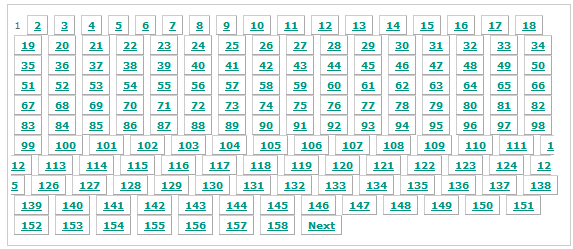
One day we did a large import of users and with around 2K user accounts our user management looked ugly because we had around 160 pages with default settings. Our client rightfully told us he will not use the pagination featureall-users-pagination. Our brains immediately thought about technical solutions to the problem when the client came up with a super-simple dramatic improvement: Instead of preselecting the "all" filter just preselect the "a" filter to only show the users starting with the letter 'a'.  This solution fixed 95% of the clients problems and was implemented in like 10 minutes.

In another place we were dealing with similar amounts of affiliations which consist of several lines of address information and the like. Again we immediately thought about pagination, better layouting to save space and various performance improvements to help the usability. The dead-simple solution here was using the context information available and pre-filling a filter text box to reduce the number of entries in the list to a handful of relevant items. No other changes were needed because an important thing was implemented already: The controls for the list were either at the top of the list or integrated with each item making selection and scrolling down unnecessary.

Conclusions

It often helps to listen to your client/users to learn about the workflows and the information/options really needed to accomplish the most relevant tasks. They might come up with really simple solutions to problems where it is easy to put days of thought into. Using available context information and sensible preselections may help immensly because you display the informations the users most likely needs first and above while still allowing him to navigate to less important or more seldom needed things.

Another take-away is that pagination does not scale well. In most applications with large amounts of user visible items you will need more modern features like filters, type-ahead search and tags to narrow down the results and let the users focus at the currently needed items.

Summary of the Schneide Dev Brunch at 2013-06-16

If you couldn’t attend the Schneide Dev Brunch in June 2013, here are the main topics we discussed summarized as good as I remember them.

brunch64-borderedA week ago, we held another Schneide Dev Brunch. The Dev Brunch is a regular brunch on a sunday, only that all attendees want to talk about software development and various other topics. If you bring a software-related topic along with your food, everyone has something to share. The brunch was very well-attended this time. We had bright sunny weather and used our roof garden to catch some sunrays. There were lots of topics and chatter, so let me try to summarize a few of them:

Introduction to Dwarf Fortress

The night before the Dev Brunch, we held another Schneide event, an introduction to the sandbox-type simulation game “Dwarf Fortress“. The game thrives on its dichotomy of a ridiculous depth of details (like simulating the fate of every sock in the game) and a general breadth of visualization, where every character of ASCII art can mean at least a dozen things, depending on context. If you can get used to the graphics and the rather crude controls, it will probably fascinate you for a long time. It fascinated us that night a lot longer than anticipated, but we finally managed to explore the big underground cave we accidentally spudded while digging for gold (literally).

Refactoring Golf

A week before the Dev Brunch, we held yet another Schneide event, a Refactoring Golf contest. Don’t worry, this was a rather coincidental clustering of appointments. This event will have its own blog entry soon, as it was really surprising. We used the courses published by Angel Núñez Salazar and Gustavo Quiroz Madueño and only translated their presentation. We learned that every IDE has individual strongpoints and drawbacks, even with rather basic usage patterns. And we learned that being able to focus on the “way” (the refactorings) instead of the “goal” (the final code) really shifts perception and frees your thoughts. But so little time! When was real golf ever so time-pressured? It was lots of fun.

Grails: the wrong abstraction?

The discussion soon drifted to the broad topic of web application frameworks and Grails in particular. We discussed its inability to “protect” the developer from the details of HTTP and HTML imperfection and compared it to other solutions like Qt’s QML, JavaFX or EMF. Soon, we revolved around AngularJS and JAX-RS. I’m not able to fully summarize everything here, but one sentence sticks out: “AngularJS is the Grails for Javascript developers”.

Another interesting fact is that we aren’t sure which web application framework we should/would/might use for our next project. Even “write your own” seemed a viable option. How history repeats itself!

If you have to pick a web application framework today, you might want to listen to Matt Raibel of AppFuse fame for a while. Also, there is the definition of ROCA-style frameworks out there.

There were a few more mentions of frameworks like RequireJS, leading to Asynchronous Module Definition (AMD)-styled systems. All in all, the discussion was very inspiring to look at tools and frameworks that might not cross your path on other occassions.

Principle of Mutual Oblivion

The “Principle of Mutual Oblivion” or PoMO is an interesting way to think about dependencies between software components. The blog entries are german language only yet. We discussed the approach for a bit and could see how it leads to “one tool for one job”. But we could also see drawbacks if applied to larger projects. Interesting, nonetheless.

Kanban

We also discussed the project management process Kanban for a while. The best part of the discussion was the question “why Kanban?” and the answer “it has fewer rules than SCRUM”. It is astonishing how processes can produce frustration, or perhaps more specific, uncover frustration.

Object Calisthenics workshops

Yet another workshop report, this time from two identical workshops applying the Object Calisthenics rules to a limited programming task. The participants were students that just learned about the rules. This might also be worked up into a full blog entry, because it was very insightful to watch both workshops unfold. The first one ended in cathartic frustration while the second workshop was concluded with joy about working programs. To circumvent the restraining rules of the Object Calisthenics, the approach used most of the time was to move the problem to another class. Several moves and numerous classes later, the rules still formed an inpenetrable barrier, but the code was bloated beyond repair.

Epilogue

As usual, the Dev Brunch contained a lot more chatter and talk than listed here. The high number of attendees makes for an unique experience every time. We are looking forward to the next Dev Brunch at the Softwareschneiderei. And as always, we are open for guests and future regulars. Just drop us a notice and we’ll invite you over next time.

Communication Through Code

In a previous post my colleague described our experiment on our ability to transfer the intention of the code by tests. The tests describe how the code behaves when called from the outside. Additional approach is to communicate through code.

To understand the code, at least the following two questions have to be answered:

  • How does the code work?
  • What is the reason behind the way the code is implemented?

Challenge

As long as the code is readable, it is possible to deduce its meaning. Improving readability is a common technique to help the reader. This includes using descriptive names, reducing complexity or hiding implementation details until they are absolutely necessary to understand the problem.

On the other hand deducing the reason why exactly this implementation was chosen by somebody is an impossible task without the knowledge (or lack thereof) of all implementors combined. One of the missing parts are the assumptions. Our code is full of them. Consider the following example:

void print(char* text)
{
  printf("program says %s", text);
}

In this function the writer assumes that:

  • the text is a valid pointer
  • the text is zero terminated
  • this program can write to stdout, i.e. is a console app
  • the reader speaks english

Or something nastier:

void* allocateBuffer(size_t size)
{
  void* buffer = malloc(size);
  if (!buffer) {
    printf("expect a segmentation fault!");
  }
  return buffer;
}

Here the writer assumes that malloc always returns either NULL or a pointer to dereferenceable memory. It is not always the case:

If size is zero, the return value depends on the particular library implementation (it may or may not be a null pointer), but the returned pointer shall not be dereferenced.

Assumptions not explicitly defined in the code lead sooner or later to hard to discover bugs.

Solution approaches

Comments are the quick and dirty way of writing down assumptions. They are easiest to read, but are never enforced and tend to diverge from the code with every edit made to it. However it is better to read “should never come here” and hear the alarm bells ringing than seeing nothing but whitespace.

Some of the assumptions can be documented and verified through tests, with varying level of detail. Unit tests will be most efficient on assumptions with little or no context, like verifying that only non-NULL-pointers are passed to a function. For more global assumptions integration or acceptance tests can be used. Together they ensure that no changes to the codebase break the assumptions made earlier. The drawback of unit tests is that they are locally decoupled from the code tested, forcing the reader to gather the information by searching for direct or indirect references to it.

When new code is written, assertions help to document how the API is meant to be used. Since they are executed not only during the test phase, they can capture wrong assumptions the authors made about the runtime environment. Writing down every possible assumption can quickly clutter the code with repeated statements like “assume pointer x is not NULL”, reducing readability and usefulness of this technique.

Conclusion

All of the shown approaches are not new. Each one has an aspect it excels at, so to get the most information out of the code they all have to be used. Their domains overlap partially, so it is possible to choose the approach depending on the situation, i.e. replacing assertions with unit tests for time critical code. One niche currently not filled by any of them is the description of global assumptions like the cultural background of the users.