Don’t ever not avoid negative logic

If you want to be nice to people with a challenged relationship with boolean logic, try to avoid negative formulations and negations.

I start this post with a confession: I’m not able to discern true from false. I wasn’t born with this inability, it got worse over time. The first time I knew I have this problem was in driver’s school when my teacher told me that most people cannot switch from forward to backward drive and still tell left from right. Left and right are the same to me ever since, even in forward motion. When I was taught boolean logic, my inability spread from “left and right” to “true and false” and led to funny results in some tests, especially multiple choice questions with negative statements. But my guess is that I’m not alone with this problem.

No negations

So I’m probably a little bit over-sensitive about this topic, but that should only make the point clearer: Don’t obscure your (boolean) statement with unnecessary layers of negation. See? I just did it, too. Let me rephrase: Always state your boolean logic without negation, if possible.

It’s really easy for us super-clever programmers to juggle several dozen variables in our head and evaluate any boolean statement on the fly by reading it once – regardless of parenthesis. Well, until it’s not. The thing about boolean logic is that you can’t be “unsure”. It’s only ever “true” or “false”, and just by wild guessing, you will be right about it half the time – try that with basic numerical algebra! So even if the statement looks daunting, you have a fifty-fifty chance of success.

Careful crafting

For me (and probably all people with “boolean disability”, as I call it), every boolean statement is a challenge. So you can be sure that I put maximum effort in succeeding. I write my statements carefully and with great emphasis on clarity (this blog post only covers one aspect). I re-read them several times, sometimes aloud (to my imaginary rubber duck). I thoroughly test them – most statements are factored into their own method to achieve direct testability. And I try them out before committing. Still, there is a valid chance that my boolean disability didn’t magically disappear when I wrote my unit tests and I happily asserted that the statement always has to decide the right things in the wrong way.

By painful introspection about the real nature of my boolean disability, I discovered a great easement: If a statement doesn’t flip everything on its head by negation or negative formulation, I can actually follow through most of the time. Let me rephrase for clarity: If a statement uses negation, it is hard for me to follow. And I guess everyone has a personal limit:

ow_owl

A workaround

The workaround for my boolean disability is really easy: Express the statement like it really was meant in the first place. Express it without “plot twist”. Instead of

if (!string.isEmpty())

try something like

if (string.hasContent())

Disclaimer: I know that the Java SDK (still) doesn’t provide this method. It was just an example.

A real-life example

A real-life example that caused us some troubles can be found in the otherwise excellent Greenmail plugin for Grails. In the configuration, you can set the property

greenmail.disabled = true

to disable the mail server that otherwise would start automatically. The positive formulation would be

greenmail.enabled = false

To tell the full story: The negated formulation was probably chosen to simplify the plugin’s implementation in Groovy. The side effect of this short-cut is that you can’t state

greenmail.disabled = false

and be sure that it will start the mail server. In fact, it won’t. As a developer challenged by boolean logic, this issue gave me nightmares.

The three-state trap

Using this rule as a guideline for boolean statements will also prohibit that you fall into the “three-state trap”. Imagine a Person object with the method

boolean isOlderThan(Person other)

But you want to know if a person is younger than another, so you just negate the result:

if (!personA.isOlderThan(personB))

just to be clear, following the rule of “no negations”, you would’ve written:

if (personA.isYoungerThan(personB))

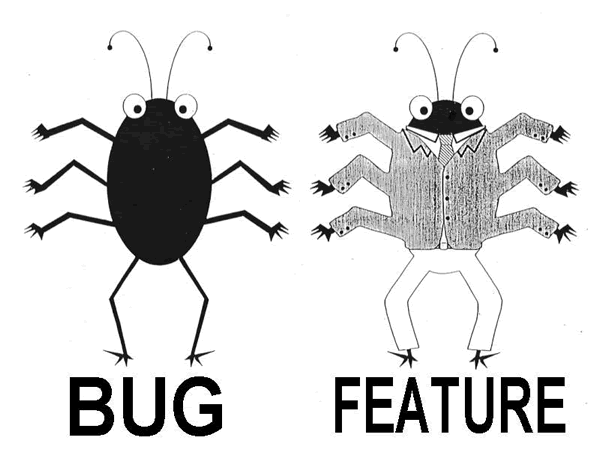
which isn’t quite the same! If both persons are of equal age (the “third state”), the negated statement returns true (if I evaluated it correct!), whereas the last statement gives the correct answer (false – not younger).

Use as a guideline

Don’t get me wrong: Avoiding negations isn’t always possible or the best available option. This isn’t a law, it’s a guideline or a rule of thumb. And just because some complex boolean statement is free of negations doesn’t make it acceptable automatically. It’s just a tiny step towards pain-free boolean statements. And that’s a bad thing… NOT.

Finally: return considered harmful

No wonder nobody wants to write explicit return statements anymore. They are more dangerous than you might think.

Ok, calm down already – I’m not going to take your return statement away. It’s a nice little statement that gets rarer and rarer,  mostly because many modern languages allow for implicit return values, e.g. in Scala, everything is an expression and the last expression of a method is its return value – except when it isn’t. You dont need to write an explicit return statement anymore, so our laziness takes over and we omit it.

And I’m not argueing that a finally block is a bad thing – quite the contrary. Even in the age of try-with-resources and autoclose closures, a well-crafted finally block is a beautiful piece of code at its right place.

But put the two together and you’ve got a recipe for desaster, at least in Java (try it in your language of choice with care). Let’s have a look at code:

public void doSomething() {
    try {
        throw new Error("drama!");
    } finally {
        // dispose resources here
    }
}

Ok, I could have spared you the drama of an Error and just thrown a RuntimeException (or a declared and checked Exception), but it’ll soon illustrate the effect all the better.

First, the code does exactly what it should: if you call the method, you’ll get to catch an Error and all resources that were used inside the method are cleaned up right before you catch it. And since the method has no return value, you don’t miss out there.

But what if I want to give one of those endangered return statements a new home and insert it into the finally block?

public void doSomething() {
    try {
        throw new Error("drama!");
    } finally {
        // dispose resources here
        return;
    }
}

Not much has changed. I’m still not missing any return value and the Error still gets thrown. The resources are cleaned up quite as thorough as before, but something important has changed: You won’t ever see the Error. You won’t catch it because it gets eaten by that return statement at the end of the finally block.

So in short: return statements are hungry little beasts that will eat your Throwables if you corral them inside a finally block.

No wonder nobody wants to have them in their code if they behave like that.

Oh, and rest assured that you will be warned: All modern IDEs will point you to the inevitable desaster waiting to happen, if only with a compiler warning.

But where do Throwables go when they got eaten? Good question. They don’t show up on any UncaughtExceptionHandler, they don’t even stay in memory. Probably, they just are digested, never to be seen again.

If you don’t regard return statements as a little more dangerous now, you probably also raise switch-statements for fun.

Recap of the Schneide Dev Brunch 2014-06-22

If you couldn’t attend the Schneide Dev Brunch at 22nd of June, here is a summary of the main topics.

brunch64-borderedYesterday, we held another Schneide Dev Brunch at last. The Dev Brunch is a regular brunch on a sunday, only that all attendees want to talk about software development and various other topics. If you bring a software-related topic along with your food, everyone has something to share. The brunch was smaller this time, but we held the last brunch only three weeks ago. We had bright sunny weather and used our roof garden, but hurdled in the shadows. There were lots of topics and chatter. As always, this recapitulation tries to highlight the main topics of the brunch, but cannot reiterate everything that was spoken. If you were there, you probably find this list inconclusive:

Student again – from full employee to university

One of our attendees worked as a full-time software developer in the recent years and decided to study again. He told us about the practical challenges of an employee turned student:

  • The bureaucracy at universities is highly developed and not on your side. It takes days to accomplish the tiniest step towards matriculation.
  • To listen again. In the developer world, two hours of highly concentrated programming is satisfying, but two hours of concentrated listening to somebody who tells the important stuff only once is very hard. You are allowed to doze off (just like in big meetings), but it won’t do you no good.
  • Higher-level mathematics. Suddenly, all that stuff about fourier transformation and matrices is very important again.
  • Running on a lower gear. It seems like heaven to replace a 40h work week with a 20h study week, but the irregular pace (one day no lectures, one day lectures around the clock, etc.) will take its toll.
  • Self-organization. Good developers are of course self-organized and know what to do: work on the most important issues in your issue tracker/todo list. But university will not write issues for you and you are the one to fill the todo list. We joked that a “master’s student JIRA” would actually be a good idea.

It was a very entertaining talk and we digressed lots of times. Let’s have a look at some artifacts we came across during our discussion:

  • There seems to be a growing influence from military concepts on management. On book was specifically mentioned: Turn the ship around” by David Marquet.
  • “Bad work, good work and great work”. It’s a marketing video, but contains a message nonetheless. One practical advice is to not include “bad work knowledge” in your curriculum vitae, even if you have expertise in it. This minimizes the risk that your next job will contain a lot of “bad work” again.

The current state of JavaFX

Last year, JavaFX was aggressively marketed by Oracle as the next big thing in desktop UI. The claims and promises seem to finally be fulfilled. The combination of Java 8 and the latest JavaFX is especially joy-bringing. The JavaFX core is included in Java 8 and brings a lot of little but essential improvements. You can layout and design your graphical interfaces with a WYSIWYG editor and store it in XML-based layout files. These layouts are loaded, combined with custom logic and bound to custom data sources. The styling is based on a slightly outdated CSS dialect, but very powerful and done right in comparison to styling in past toolkit like Swing or SWT.

The best thing about JavaFX is that much less GUI code is needed for more pleasant user experiences. The toolkit feels alive and the details tell that the developers care and eat their own dogfood. Integration in the Eclipse IDE is enhanced by the e(fx)clipse project.

Our attendee has hands-on experience with Swing, SWT/JFace and JavaFX. If pressed to choose the technology for a new project, he would choose JavaFX anytime now.

Efficiency killers

We also traded tales about the most efficient efficiency killers in software development that we actually observed or endured:

  • Taking away notebooks and desktop computers and replacing them with zero clients – for developers that really need their multi-cores and gigabytes.
  • Restricting every employee to one (and only one!) computer. If you happen to choose a notebook, you probably don’t need that extra monitor, do you?
  • Installing a “privilege management” software. Basically, this software works like a firewall against user inputs. You want to install a new printer driver? It will be cheaper and faster to carve your text in stone slabs.
  • Fragmenting the company networks. This is actually a very good idea. You can have a wild-west style network for developers and a “privilege managed” one for management. It gets complicated when you need to cross the canyons everytime to get work done. Just imagine that your repository is behind a firewall and you need a clearance every time you want to commit/push.

Introduction to warfare

The last main topic was an overview of a self-study on warfare. And because the typical software developer won’t move whole armies around, it concentrated more on the principles and strategies of “common” warfare, which includes everyday conflicts as well as campaigns for a certain goal (e.g. establishing a technology). Three books serve as stepping stones:

  • The art of war” by Sun Tzu. The ancient classic book about warfare. There are probably a dozen different translations of the original chinese text, but they will only serve as a starter. This book alone will probably don’t give you deep insights, but you will come back to it often when you venture deeper into the mindset of warriors and generals.
  • Die Kunst der List” by Harro von Senger. This german book describes the political and rhetorical battle moves that are often used in everyday life. These so-called strategems can be identified and parried if you know about them. Most of us can react to some strategems by learnt lessons, but it certainly helps to be keen about the rest of them, too.
  • The 33 Strategies of War” by Robert Greene. This book doesn’t mess around. It is part of the “immoral series” of books about topics that don’t get discussed in this clarity often. You’ll learn much about strategies, their actual application in history (not only on the battlefield, but on movie sets, offices and political stages) and how to counter them. The book has a lot of content and many ideas and concepts to think about. And it contains an exhaustive list of literature to continue reading.

Is TDD dead?

We continued our discussion about the debate around David Heinemeier Hansson’s frontal attack on the hype around Test Driven Development. There were some new insights and an improved understanding about the manyfold contents of the hangout discussions.

Epilogue

As usual, the Dev Brunch contained a lot more chatter and talk than listed here. The high number of attendees makes for an unique experience every time. We are looking forward to the next Dev Brunch at the Softwareschneiderei. And as always, we are open for guests and future regulars. Just drop us a notice and we’ll invite you over next time.

Recap of the Schneide Dev Brunch 2014-06-01

If you couldn’t attend the Schneide Dev Brunch at 1st of June, here is a summary of the main topics.

brunch64-borderedYesterday, we held another Schneide Dev Brunch at last. The Dev Brunch is a regular brunch on a sunday, only that all attendees want to talk about software development and various other topics. If you bring a software-related topic along with your food, everyone has something to share. The brunch was very well-attended this time. We had bright sunny weather and used our roof garden to catch some sunrays. There were lots of topics and chatter. As always, this recapitulation tries to highlight the main topics of the brunch, but cannot reiterate everything that was spoken. If you were there, you probably find this list inconclusive:

Home office in another time zone

One of our attendees is preparing to leave Germany for at least one year to work in another timezone one the same projects. He gave a quick overview about the setup and some considerations. The team is used to distributed, multi-timezone work, but will now span the whole scala of it. We are eager to have a first-hand report about how it all plays out and sad that we will not see him for quite a time in person. (Personal note: I will miss the developer beer meetings we held infrequently)

XP 2014 conference in Rome

Another one of our attendees just came back from the XP 2014 conference in Rome, still hungover. She reported a lot of impressions and single bits of insights impromptu and will work up a more refined talk for the next brunch. One thing that seems like a really good idea is the “Stop Work Authority Card”. Basically, it’s a card you can hold up like a referee in a sports match to clearly state that the safety of some of your most valueable assets is compromised or risking to be. You have the obligation to play the card if you perceive such a threat and the (temporary) authority to remove it or have it removed.

The idea of “safety” (in non-hazardous or friendly) was a big theme at the conference. The claim that “safety is the prerequisite of excellence” stood out.

The XP 2014 conference was a small one, but visited by insiders from all over the world. It certainly sparked a lot of ideas and food for thought. We are looking forward for the report at the next Dev Brunch.

Is TDD dead?

A most recent discussion we at the Softwareschneiderei follow with great interest is the debate around David Heinemeier Hansson’s frontal attack on the hype around Test Driven Development. There are lots of blog posts to read, some better, some not so much. But an highlight is probably the video chat series between Kent Beck (inventor of TDD), Martin Fowler (general loudmouth, here in a rather quiet role as a moderator) and David Heinemeier Hansson (general firestarter). And while the topic is hot and the discussion fresh, we soon deviated from the main questions and explored the state of art how knowledge and experience is transported in our profession. We concluded that while we all dislike populism, it’s an effective tool to transport messages (with the downside of losing nuances on the way).

Continuous improvement

One attendee asked about good ways to improve his skill and craft. Besides the obvious answers (sleep less, train more, read a lot), there were quite a few ideas. One source of inspiration could be “Jiro Dreams of Sushi”, a documentary movie about a famous sushi master and his quest to perfect the art of sushi (yes, the little snacks that are delicious even without mastery). The concept of “better every day, but never good enough” was identified to be prone to perfectionism, a trait often found in masters of their field, but probably not the most economically sound one. The author of this blog post wrote about his approach to professional passion three years ago.

Radical table

We agreed to consider our little discussion group “the radical table” because we don’t shy away from argueing in the extremes to get our messages across. This all was mentioned in good spirits and without personal insults. But if you read about the “radical table manifesto” some point in the future, don’t be surprised. It might include a plea to Uncle Bob to never give up his style to deliver keynotes and talks even if we don’t attend it twice.

Start-up software tools

In the end of the brunch, we split into several smaller groups to discuss more specific topics of personal interest. I can’t report for the talks I didn’t attend, but joined a discussion about recommendable and necessary tools for a software development start-up company. Some tools that were given included OpenERP, JIRA (including the whole Atlassian portfolio), FogBugz, Microsoft Office 365 and CAS Genesis World.

One controversial topic was the importance of integration (as in “one tool for everything”) versus requirement matching (as in “does exactly what we want”). Related was the topic of “plan ahead” versus “change tools mid-flight”. If you have experience with these questions, please leave a comment.

Epilogue

As usual, the Dev Brunch contained a lot more chatter and talk than listed here. The high number of attendees makes for an unique experience every time. We are looking forward to the next Dev Brunch at the Softwareschneiderei. And as always, we are open for guests and future regulars. Just drop us a notice and we’ll invite you over next time.

A hierarchy of project needs

We all know Maslow’s pyramid, so why not apply the idea to the needs of a software development project (note: not the developer of the project!).

A few weeks ago, I traded stories with a fellow software developer when he told me this little gem: A developer programs a web shop that looks pretty and runs smooth. But as soon as you place multiple items in the shopping cart, you’ll inevitably end up with an amount of XX.999999999998 euros (or whatever currency you want). When asked why the shopping cart “computes the wrong amounts”, the developer answered that the amount is correct and that’s just the way a floating point number behaves. He didn’t see a problem with the functionality. My immediate answer: “Wow, that’s very low on the Maslow pyramid”. We both understood, but since then, I tried to come up with a Maslow-like pyramid that would explain my sentence to a larger crowd. So here is how my attempt has grown so far.

Maslow’s hierarchy of needs640px-Maslow's_Hierarchy_of_Needs.svg

Abraham Maslow was an american psychologist that studied mental health and human potential. He invented an hierarchy of human needs that is also known as Maslow’s pyramid. On a side note, he also pointed out the human tendency to over-apply known tools. His pyramid has five stages (IT people would call them layers) of human needs that begin with the very basic ones (e.g. air, water) and scales to the abstracts like morality and creativity. If something is “low on the pyramid”, then it can be seen as granted by priviledged people. Most of us never think about our air supply requirements. Everything “high on the pyramid” can be seen as “expendable” in times of crisis. Morality will be forgotten as soon as we seriously lack water.

A hierarchy of project needs

My immediate answer to the story in the introduction suggested that I think an equivalent pyramid exists for the needs of a software development project. And a quick research on the internet reveals that I’m not the only one with that idea. For example, Scott Hanselman blogged about it in 2012, and Francis Shanahan came up with an extended version in 2009. Both adaptions are reasonable and stand on their own – I don’t want to invalidate or change them. Instead, I publish my attempt as an addition to the discussion, if there is any.

Here is my five-layered pyramid of project needs:

project maslovLayer 0: Executable

Let’s face it: If your project doesn’t compile or crashes right after being started, it isn’t much worth. And just because it runs on your machine doesn’t make it any more useful to others. So the most basic need a project has is to be executable on the target machine. This includes some form of correctness – if your program doesn’t perform the right operations, it can run indefinitely and not provide any value. Please note that the program doesn’t have to be bug-free or tested to be useful. It just has to adhere to the intended use case. In our introduction story, the web shop looks pretty and runs smoothly. It certainly is “Executable”.

Layer 1: Abstraction

This is where I placed the mishap in the introduction story. Every project needs some form of abstraction or separation between the internal representation of data and functionality and the external presentation to the user. This is probably trivial to most of you, but I’ve seen way to much code that uses external presentations (e.g. strings from the GUI) to make important decisions and others have, too. A key rule is “once data is formatted, it is eternally lost and unavailable to computing / data processing“. The rule for the other way is that you should never present data without proper (human-readable) formatting. The amount of work you save by not pretty-printing (formatting is just the formal term for adding syntactic sugar to make the data edible for humans) is largely offset by the amount of work your users will have to invest to decipher the output.

Layer 2: Architecture

You can call it design, architecture or whatever you like, any reasonably large code base needs some kind of structuring that prevents it from imploding. A whole theory of patterns was invented to keep code aerated enough to prevent it from decomposing to compost. And we all know what compost code looks and smells like. Applying architecture to your code keeps it maintainable and refactorable and in outstanding cases even modularizable. This is the layer where most projects fail on the long run. Even if at first there was a design, it gets watered down with every modification. Good principles to counter this effect are the “no broken windows” approach and the boy scout rule.

Layer 3: Verification

There is a moment in programming when you hand your code over to the next developer. Usually, this moment is called “commit” (if you don’t use version control, have a good look at Scott Hanselman’s lowest pyramid layer!). Oftentimes, the next developer is future you – and you have no clue what past you thought when he wrote that crap. You can’t even distinguish between features and bugs. That’s why your project wants verification. It’s not utmost important if you verify your code with unit tests, integration tests, acceptance tests, contracts or all of them together. It’s important that your code is accompanied by automated guardian angels that catch the most dangerous accidental modifications and help to point out the bugs among the features. Automated verification tells future you that whatever past you wanted to build, it’s still intact. This layer is the life insurance for functionality as much as the architecture layer was for code.

Layer 4: Style

Every program in the world can still do its job properly even if we would eliminate everything “stylish” in their codebase. Style is the most human-centered need in the pyramid. No machine or compiler has yet developed aesthetic likings. Scott Hanselman called this layer “bragging rights”, another thing computers don’t care about. This is the level where most bickering among developers takes place, but it’s also the level that can most easily be ignored without sacrificing critical project needs. Or, to put it bluntly: Your project most likely doesn’t care half as much about style as you do.

Where to go from here?

My most important message with the hierarchy of project needs is that we often focus on the higher needs and take the lower ones too much for granted. If your code lacks in the fundamental layers, the damage is much greater in terms of project value. A stylistic displeasing code will hurt the next developer, but a code lacking abstraction will hurt every user of your software, as exemplified by the story in the introduction. As we developers should be the advocates of our project’s needs, we have to think more in regard of its benefit than our personal self-actualization. But the required traits to do so properly aren’t even on the original Maslow’s pyramid, so it’s a big challenge for any of us.

Gigapixel images in pure Java

What you can do when you hit an ancient limitation of Java while working with gigapixel sized images.

Not long ago, I read this nice little blog entry about the basic properties and usages of Java arrays. It’s a long time since I last used an array in Java myself, because my programming style evolved to heavily leverage the power of collections (and Iterables in particular, the Java 5 poor man’s substitute for Java 8 Streams). But I immediately noticed that one important fact was missing from the array blog entry:

The maximum length of an array in Java is Integer.MAX_VALUE or ((2^32)-1), aka 2.147.483.647

This is indirectly specified in the Java language specification, chapter 10.4 Array Access:

Arrays must be indexed by int values.

This little fact crossed my path when writing a little tool in pure Java that operated on large numbers of large images, combining them to a gigantic image. The customer used the tool to create images that had a size of about 100 MB, but took several hours to print because the decompression tax kicked in. One day, he reported a strange bug:

array-error-cropped


“Oh, a negative array size, what a strange bug to appear in a tested application” was my first thought. Only after reading the stacktrace more carefully did it dawn on me: The array size wasn’t negative, it was just bigger than Integer.MAX_VALUE and got wrapped around into the negative numbers. And sure enough, 72350 times 44914 is a respectable 3.249.527.900 pixels, more than 1,5 times as much as an array in Java can hold. This image was right in the multi-gigapixel range where all kinds of technical obstacles appear. The maximum length of an array in Java was mine.

Trying to stay pure

One cornerstone of the tool was being lightweight. It shouldn’t carry around unnecessary luggage and weighted around 200 kB when the bug appeared – enough to just copy it into the data directories instead of pulling the directories into the program. But when I examined the root cause of the problem at hand, I found the frustrating truth that Java’s built-in imaging library also relies on one cornerstone: all data is stored in one array. And this array can only hold around 2G entries of data.

My approach was to “partition” the full image into smaller parts that only stored a fraction of the overall pixels. To hide this fact from the ImageIO that ultimatively writes all the data into one file, my PartitionedImage implements RenderedImage and has to translate every call into a series of appropriate subcalls to the partition images. Before we look at some code, let me show you the limitations of this approach:

Greedy JPEGs, credulous PNGs

In the RenderedImage interface, there are two methods that can be used to obtain pixel data:

  • Raster getData(): Returns the image as one large tile (for tile based images this will require fetching the whole image and copying the image data over).
  • Raster getData(Rectangle rect): Computes and returns an arbitrary region of the RenderedImage.

If an image writer calls the first method, my code is screwed. There is no mentally sane way to construct a Raster instance without colliding with the array length limitation. Unfortunately, the JPEG writer does just that: He gets greedy and demands all the pixels at once. I found it easier to avoid the JPEG format and therefore trade disk space for pragmatism.

The PNG writer uses the getData(Rectangle) method to obtain the pixel data. It calls the whole image line by line: the region has always the full width of the image, but is only one pixel in height. So I guess my tool will write a lot of large PNG images in the future.

Our partitions should adapt to this behaviour by always retaining the full width of the original image and only allowing enough height that the amount of pixels per partition doesn’t exceed Integer.MAX_VALUE.

The remaining trick is to implement an AdjustingRaster that knows the original Raster of the partition and translates the row asked by the PNG writer to the according row in the partition image. The AdjustingRaster needs to know about the vertical offset. The only pitfall here is that the vertical offset has to be zero while the AdjustingRaster gets written to and needs to be set once it switches into read mode.

Slow, but working

By composing a gigapixel image from several partitions (sometimes called tiles) you can circumnavigate the frustrating limitation of Java’s arrays (I mean, it’s 2014 and 64-bit systems are somewhat prevailing now. No need to stick to 32-bit limits without a good reason). The result isn’t overwhelmingly fast, but I suspect that’s caused by the PNG image writer more than by our indirections. And we shouldn’t forget that it’s a lot of pixels to write after all.

Conclusion

Sometimes when you explore bigger and bigger use cases, you hit some arbitrary limitation. And some are fundamental ones. In our case here, we’ve reached the limit of Java arrays and got stuck because the image library in Java never heard of real gigapixel imaging and coupled itself hard to the array limit. By introducing another indirection layer on top of the image library implementation and using composition to emulate a bigger image than we actually could create, we can convince non-sceptical image writers to save all those pixels for us and even manipulate the image beforehand.

What was your approach for gigapixel image processing? How did it work out in the long run? Share your story in the comments, please.

How to avoid premature optimization

Three simple rules to develop by if you really want to avoid falling into the trap of premature performance optimization.

eternityA common quote linked with Donald E. Knuth of TeX fame is “premature optimization is the root of all evil”. While this might sound a bit harsh, it holds a lot of truth.

Performance as an asset

If you consider software performance as an asset, you can determine its characteristics and derive your decisions about whether to work on it from them. For example, you will discover that while a good performance is paramount, there is a certain threshold when further optimizations are worthless from the asset’s point of view. If you happen to develop a game, you only need to draw as much frames as the monitor can handle. If you process sensor data in real time, there is no need for a prolonged pause between data packets, because computers don’t grow tired.
If you treat performance as an asset, you can also apply a worth to every optimization you want to make and contrast it to the cost of the work you expect to have to invest. This divides the possible optimizations into a group of lucrative and a (probably larger) group of unprofitable investments.

Simple rules

Treating performance as an asset gives you the mental tools to make profound decisions about when and what to optimize. But there are also three simple rules you can apply if you don’t want to write a business plan every time you think “if I just change this line, the code will run much smoother”.

First rule: Don’t

The first rule of performance optimization with a tendency to avoid premature optimization is to just don’t care. You ask yourself if a LinkedList is faster than an ArrayList for a given use case? The short (and ignorant) answer is: both will be fast enough. Is it better to explicitly set all references to null after usage? Why bother when the garbage collector won’t slow you down anyway. Following this rule, you deliberately act dumber than you are with the goal to delay action.

There is a disclaimer, though. There are two different kinds of performance optimization: The first one was referenced in the examples above and deals with actual, but rather local code changes. The second and more important type of performance consideration deals with complexity theory (the one with big O notation) and isn’t measured in milliseconds, but in scalability. You don’t want to be ignorant of the latter type because it will always ruin your runtime behaviour regardless of any optimization of the former type if you implement an exponential or even factorial algorithm. You can be ignorant of “real performance tuning”, but should always be aware of the complexity category your algorithm is living in.

Second rule: Not Yet

There will be a moment when you clearly see an opportunity to improve the runtime performance of your code with just this very small (and very clever) modification. This is when you are ready to break the first rule. Now you should adhere to the second rule: If the cost is as marginal as you say and the gain is profound, go for it – but not now. Performance tuning isn’t a time limited sale that you are only offered right now or never. You can make the same change and reap the same advantages next week or next month. You doubt that you will remember the details? Write an issue or insert some code comment about it. You probably have another task on your todo list that is more important than speeding up the functionality at hand.

The goal of the first rule was to delay action, and that’s the goal of the second rule, too. You’ve probably guessed it already: you avoid premature optimization best by not optimizing at all or at least not optimizing too early. You need to be sure about the value of an optimization before you implement it. As a result of the second rule, your code will be enriched with possibilities for performance improvement. And if you actually need to improve your performance, you can orient yourself along these possibilities or find them then. You want to invest in the tuning business as late as possible, for it is highly speculative.

Third rule: Measure

If you cannot hold on to the first two rules, for example when a real performance issue is reported, you need to take action. But as you are going to invest work into performance optimization, you can as well invest it efficiently. In most applications, there is a 90/10 rule in effect, stating that 90 percent of the runtime is spent in just 10 percent of the code. If you don’t know exactly where your performance bottleneck is, find it using a profiler and remember the 90/10 rule. It’s not efficient nor effective to improve the 90 percent of your code that doesn’t matter in regard to performance.

If you have identified the piece of code that most likely slows your application down, you should remember the second part of the third rule: Never make performance optimizations without a meaningful benchmark that you can run beforehand and afterwards. All to often, the clever performance trick you remember from long ago is actually hurting your performance now. A meaningful benchmark will tell you if you did good. To make a benchmark “meaningful”, you really need to read up on benchmarking in your target platform. In Java, for example, you need to know about proper warm-up of the VM and perform enough cycles to not include one-time effects in your numbers. If you’ve written such a benchmark, keep it! Try to fully automate it and let it be the cornerstone of your growing performance test suite. There might come the day when this test/benchmark tells you that your formerly clever optimization is now obsolete due to internal platform changes.

Conclusion

If you follow these three simple rules, you won’t automatically write high performance software. But you will spend your valuable time fixing real performance issues instead of tinkering with your code to no effect. You definitely won’t optimize prematurely and steer clear of this “root of all evil”.

Three essential developer values

We reflected on the inner values of our team and came up with a short list that might sound trivial to you, but is honest in its motivation.

value-coinThere is the notion of “professional attitude” in software development. In the recent years, the agile movement, the craftsmanship philosophy, the pragmatic approach and the clean code developer initiative all tried (and certainly kind of accomplished) to install a set of values in developers. Most of these values are important and probably self-evident to those of us that can transcribe them into actual work decisions. It just feels right to do certain things or do something a certain way.

Local values

But what if you are challenged to articulate your own core values without using a common template like “the values of the clean code developer”? Let’s say that recurring conflicts force you to spell out the (in your view) most self-evident things to be able to describe the root of your unease. Every group of collaborators shares a set of “unspoken laws” and common beliefs that lay below the threshold of conscious application and are hard to describe to outsiders. We reflected on these core values in the last time and came up with a set of “local values” that are important to us. This blog post tries to explain them.

Probably trivialities

Before I list our three essential developer values, I want to damp your expectation about a great revelation and a whole new set of values that nobody’s ever thought about. All the value set templates listed above had and still have a great influence on us and are explored in our daily work. So you’ve probably already heard about every thought we could come up with. And our results are probably trivialities to most of you. That’s great! We didn’t set out to research something new, we tried to articulate our most mundane motivations and standards.

The three values

The following list is ordered. I start with the least of the three values and end with the most important one. That’s not to say that this list includes all values of ours, it just lists the three most important ones to adhere to the spirit of brevity (and relevance).

Efficiency

Yes, efficiency is the third most important skill to master when working with us. It’s a platitude in the sense that “you should be efficient” – of course you should. But we defined some aspects of efficiency that are vital to our work culture. Our developers need a heightened capability of self-inspection in regard of “being stuck”. You know that feeling when your work breaks apart into an overwhelming amount of tedious little steps? Or when you always feel like success is right around the corner, but always just out of reach? That’s just two of many aspects of getting stuck. We expect our developers to raise their hands and ask for help as soon as they sense the faintest amount of “stuckness” in their work. It takes a lot of self-confidence to admit that the task at hand is too much to handle alone, at least right now. We don’t count your report of being stuck as a personal failure, but a team-wide possibility to gain efficiency by reducing waste (wasted time in this case).
To avoid getting overwhelmed by a task in the first place, we expect our developers to assess their abilities and “readiness” towards a specific task and give an honest evaluation if they think to be “the right one for the task”. There again, pride and over-confidence can prove utterly destructive and diminish overall efficiency.

Communication

While communication itself is a tool, not a value, we rely on the proper application of this tool enough to value it our second most important trait to master. The most important question to ask is “has anybody done something similar yet?”. There is no point in re-inventing the wheel or re-learning the same lessons again and again. Don’t make assumptions – ask for specific details if necessary. Don’t be afraid to appear dumb – you’ll look even dumber if you didn’t ask and screw up. There are many aspects to communication that can go wrong.
In accordance with the efficiency value, we also expect you to be proactive to report problems or even uncertainty. Every failure contains a failure in communication. Even if you can just announce that everything goes smoothly up to this point, this is an information worth noting. After each waypoint or iteration in your current task, make a commit and leave a comment in your issue. Stay in touch with your team and don’t retreat into a “me against the world” kind of solitude. In short, we expect our developers to be open, honest and proactive in their communication.

Reliability

Our most important value is reliability in the sense of trustworthiness. We want and need to trust our developers, their estimations and commitments and the repeatability of their successes. There is no benefit in “faking it” or taking credit for something you achieved by pure luck. We try to have a working atmosphere were we can rely on another, trust another and also be open with our shortcomings. There is no need to pretend, for we will ultimately see through the ruse. We want our developers to contribute to the team, not to groom their ego. In a reliable work relation, you can trust the other to deliver what was mutually agreed upon or report problems at the first moment possible. And you can expect to be valued and commended for “just doing your job”. There is a lot of the craftsman ideology in this approach and it ultimately resolves to the commandments of egoless programming. The result is a fearless, positive environment for everybody to develop their unique abilities and strength. And don’t you worry about your weak points – the team got you covered.

Epilogue

I hope that my shortcomings with the english language didn’t stop you from grasping the core concepts of our local value set. We mostly apply it subconsciously and definitely aren’t perfect in any aspect. But just to articulate our deeper motives helped a lot to dissect certain conflicts and gain a broader understanding exactly why we do certain things. I don’t suggest you should adopt our values, that wouldn’t probably work out. But I encourage you and your team to invest some time to reflect on your local value set and try to find a mutually understood verbalization of them. If you can share your insights on this topic, please leave a comment! We would love to hear from you.

Our recruitment process

We are a small company that doesn’t hire often. But when we do, we try to make the process as effective and pleasant for everybody involved as possible. Here’s what we do.

huerdenlaufWe are a small company with a focus on delivering high quality software to our customers. Therefore every developer represents a substantial share of our organization. Every time we hire, we need to make sure that the decision in favor or against a new employee is profound. So we established a recruitment process that tries to evaluate and communicate both our requirements and the possibilities of the candidate. Without going into details, this is how we will interact with you if you apply for a job.

First contact

The first contact is usually an application including a curriculum vitae sent to us by the candidate. We will read your application and look for possible matches with our required skill set. If there is a chance to work together in the future, we will answer back with an invitation for a first talk, usually done via telephone.

The first talk is mostly a getting to know each other on a communicative level. We might ask some questions about your curriculum or past jobs, but the main purpose is to establish a mutual understanding. We probably end the talk with an appointment for a first meeting.

First meeting

We really want to know who you are, not only what you can offer on a professional level. Remember that you will represent our company substantially if we hire you. Both sides need to be sure that they understand what they commit to. Because it always is a real commitment and a substantial investment for us to hire a new developer.

The first meeting will be rather short and kept on a casual level. We don’t want to build up pressure, we don’t want to judge your abilities as a developer, we want to get a first impression of you in person. And you will get a full tour of our company and get to know the whole development team, also as a first impression. If you like what you see, we will make an appointment for a second meeting that will go into the details.

Detailed meeting

The second meeting will be much longer and more stressful than the first meeting. The goal of this meeting is the examination of your professional skills. Most companies use trick questions or “how to approach this?” tasks to challenge your abilities to solve difficult problems and deduce your skills from that. We decided not to do that.

We want to see your performance in a normal work situation – as normal as it can be under the circumstances. So you will have to program a non-trivial assignment, with the help of the whole team. The assignment doesn’t contain any “tricks” or common pitfalls that you can fall into and a lot of different solutions are possible without us wanting to see exactly one (the “best”). If you are an experienced developer, you will feel at ease with the task.

Another important skill of every developer is the quick assessment of existing code in regard to bugs, security risks and bad practices. We have prepared a piece of code riddled with all kinds of quirks and will review it with you. None of us finds them all, too.

We orient our work around a set of core values that are very congruent with the values of the Clean Code Developer Initiative. So it helps tremendously if you are firm with the practices of a clean code developer. But we also want to know if you can convey the ideas and principles behind the actual practices, so you will have to explain some of them to us.

These are the three parts that we want to see of your professional skills:

  • Programming
  • Analysis
  • Introspection

After this meeting, we will have a fairly detailed picture of your abilities and you will know a lot about the level of skill that we require for daily work. If we come to the conclusion that everything matches, we will invite you to the last official step of our recruitment process, the recruitment internship or probationary work.

Internship

In the previous steps of our recruitment process, it was mostly us that examined your skills. Now, after we are sure that you might complete us, it’s time that you get a chance to examine us. So we invite you to accompany us for several days in our normal work. You can team up with whoever you want and join in his (or her) development task. You can ask questions. You can just watch. You can complete your picture of us. You can make sure that you will feel comfortable when joining us.

Welcome aboard

If you’ve seen nothing that scares you during your internship, we will discuss the details of your employment, but that’s a topic for another blog post.

Inspirational source

We don’t hire very often and couldn’t sustain the process for a large number of applicants because the effort required from everyone involved is substantial. But we wanted to make sure that we don’t hire blind and don’t torture our applicants. We compiled our process from a lot of sources, mostly blog posts around the internet and one noteworthy book by Johanna Rothman: “Hiring The Best Knowledge Workers, Techies & Nerds”. That’s exactly what we set out to do!

From ugly to pretty – Three steps is all it takes

A story about what can happen if you challenge your students to improve inferior code. With just three simple steps, the code gets beautiful.

makeupI hold lectures in software engineering for over a decade now. One major topic is testing, specifically unit tests. Other corner stones are refactorings and code readability. So whenever I have the chance to challenge my students in cross-topic aspects of software development, it’s almost always a source of insight for them and especially for me. But one golden moment holds a special place in my memory. This is the (rather elaborate, sorry) story of this moment.

During a lecture about unit tests with JUnit, my students had the task to develop tests for a bank account class. That’s about as boring as testing can be – the account was related to a customer and had a current balance. The customer can withdraw money, but only some customers can overdraw their account. To spice things up a bit, we also added the mock object framework EasyMock to the mix. While I would recommend other mock frameworks for production usage, the learning curve of EasyMock is just about right for first time exposure in a “sheep dip” fashion.

Our first test dealt with drawing money from an empty account that can be overdrawn:

@Test
public void canWithdrawOnCredit() {
  Customer customer = EasyMock.createMock(Customer.class);
  EasyMock.expect(customer.canOverdraw()).andReturn(true);
  EasyMock.replay(customer);
  Account account = new Account(customer);
  Euro required = new Euro(30);

  Euro cash = account.withdraw(required);

  assertEquals(new Euro(30), cash);
  assertEquals(new Euro(-30), account.balance());
  EasyMock.verify(customer);
}

The second test made sure that this withdrawal behaviour only works for customers with sufficient credit standing. We decided to pay out nothing (0 Euro) if the customer tries to withdraw more money than his account currently holds:

@Test
public void cannotTakeUpCredit() {
  Customer customer = EasyMock.createMock(Customer.class);
  EasyMock.expect(customer.canOverdraw()).andReturn(false);
  EasyMock.replay(customer);
  Account account = new Account(customer);
  Euro required = new Euro(30);

  Euro cash = account.withdraw(required);

  assertEquals(Euro.ZERO, cash);
  assertEquals(Euro.ZERO, account.balance());
  EasyMock.verify(customer);
}

As you can tell, a lot of copy and paste was going on in the creation of this test. Just look at the name of the local variable “required” – it’s misleading now. Right up to this point, my main topic was the usage of the mock framework, not perfect code. So I explained the five stages of normalized mock-based unit tests (initialize, train mocks, execute tested code, assert results, verify mocks) and then changed the topic by expressing my displeasure about the duplication and the inferior readability of the code (it even tries to trick you with the “required” variable!). Now it was up to my students to improve our situation (this trick works only a few times for every course before they preventively become even pickier than me). A student accepted the challenge and gave advice:

First step: Extract Method refactoring

The obvious first step was to extract the duplication in its own method and adjust the calls by their parameters. This is an easy refactoring that will almost always improve the situation. Let’s see where it got us. Here is the extracted method:

protected void performWithdrawalTestWith(
    boolean customerCanOverdraw,
    Euro amountOfWithdrawal,
    Euro expectedCash,
    Euro expectedBalance) {
  Customer customer = EasyMock.createMock(Customer.class);
  EasyMock.expect(customer.canOverdraw()).andReturn(customerCanOverdraw);
  EasyMock.replay(customer);
  Account account = new Account(customer);

  Euro cash = account.withdraw(amountOfWithdrawal);

  assertEquals(expectedCash, cash);
  assertEquals(expectedBalance, customer.balance());
  EasyMock.verify(customer);
}

And the two tests, now really concise:

@Test
public void canWithdrawOnCredit() {
  performWithdrawalTestWith(
      true,
      new Euro(30),
      new Euro(30),
      new Euro(-30));
}


@Test
public void cannotTakeUpCredit() {
  performWithdrawalTestWith(
      false,
      new Euro(30),
      Euro.ZERO,
      Euro.ZERO);
}

Well, that did resolve the duplication indeed. But the test methods now lacked any readability. They appeared as if somebody had extracted all the semantics out of the code. We were unhappy, but decided to interpret the current code as an intermediate step to the second refactoring:

Second step: Introduce Explaining Variable refactoring

In the second step, the task was to re-introduce the semantics back into the test methods. All parameters were nameless, so that was our angle of attack. By introducing local variables, we gave the parameters meaning again:

@Test
public void canWithdrawOnCredit() {
  boolean canOverdraw = true;
  Euro amountOfWithdrawal = new Euro(30);
  Euro payout = new Euro(30);
  Euro resultingBalance = new Euro(-30);

  performWithdrawalTestWith(
      canOverdraw,
      amountOfWithdrawal,
      payout,
      resultingBalance);
}


@Test
public void cannotTakeUpCredit() {
  boolean canOverdraw = false;
  Euro amountOfWithdrawal = new Euro(30);
  Euro payout = Euro.ZERO;
  Euro resultingBalance = Euro.ZERO;

  performWithdrawalTestWith(
      canOverdraw,
      amountOfWithdrawal,
      payout,
      resultingBalance);
}

That brought back the meaning to the test methods, but didn’t improve readability. The code wasn’t intentionally cryptic any more, but still far from being intuitively understandable – and that’s what really readable code should be. If even novices can read your code fluently and grasp the main concepts in the first pass, you’ve created expert code. I challenged the student to further transform the code, without any idea how to carry on myself. My student hesitated, but came up with the decisive refactoring within seconds:

Third step: Rename Variable refactoring

The third step doesn’t change the structure of the code, but its approachability. Instead of naming the local variables after their usage in the extracted method, we name them after their purpose in the test method. A first time reader won’t know about the extracted method (and preferably shouldn’t need to know), so it’s not in the best interest of the reader to foreshadow its details. Instead, we concentrate about telling the reader a coherent story:

@Test
public void canWithdrawOnCredit() {
  boolean aCustomerThatCanOverdraw = true;
  Euro heWithdraws30Euro = new Euro(30);
  Euro receivesTheFullAmount = new Euro(30);
  Euro andIsNow30EuroInTheRed = new Euro(-30);

  performWithdrawalTestWith(
      aCustomerThatCanOverdraw,
      heWithdraws30Euro,
      receivesTheFullAmount,
      andIsNow30EuroInTheRed);
}


@Test
public void cannotTakeUpCredit() {
  boolean aCustomerThatCannotOverdraw = false;
  Euro heTriesToWithdraw30Euro = new Euro(30);
  Euro butReceivesNothing = Euro.ZERO;
  Euro andStillHasABalanceOfZero = Euro.ZERO;

  performWithdrawalTestWith(
      aCustomerThatCannotOverdraw,
      heTriesToWithdraw30Euro,
      butReceivesNothing,
      andStillHasABalanceOfZero);
}

If the reader is able to ignore some crude verbalization and special characters, he can read the test out loud and instantly grasp its meaning. The first lines of every test method are a bit confusing, but necessary given Java’s lack of named parameters.

The result might remind you a lot of Behavior Driven Development notation and that’s probably not by chance. In a few minutes during that programming exercise, my students taught themselves to think in scenarios or stories when approaching unit tests. I couldn’t have taught it any better – instead, I got enlightened by this exercise, too.