Evolution of programming languages

Programming languages evolve over time. They get new language features and their standard library is extended. Sounds great, doesn’t it? We all know not going forward means your go backward.

But I observe very different approaches looking at several programming ecosystems we are using.

Featuritis

Java and especially C# added more and more “me too” features release after release making relatively lean languages quite complex multi-paradigm languages. They started object oriented and added generics, functional programming features and declarative programming (LINQ in C#) and different UI toolkits (AWT, Swing, JavaFx in Java; Winforms, WPF in C#) to the mix.

Often the new language features add their own set of quirks because they are an afterthought and not carefully enough designed.

For me, this lack of focus makes said language less attractive than more current approaches like Kotlin or Go.

In addition, deprecation often has no effect (see Java) where 20 year old code and style still works which increases the burden further . While it is great from a business perspektive in that your effort to maintain compatibility is low it does not help your code base. Different styles and old ways of doing something tend to remain forever.

Revolution

In Grails (I know, it is not a programming language, but I has its own ecosystem) we see more of a revolution. The core concept as a full stack framework stays the same but significant components are changed quite rapidly. We have seen many changes in technology like jetty to tomcat, ivy to maven, selenium-rc to geb, gant to gradle and the list goes on.

This causes many, sometimes subtle, changes in behaviour that are a real pain when maintaining larger applications over many years.

Framework updates are often a time-consuming hassle but if you can afford it your code base benefits and will eventually become cleaner.

Clean(er) evolution

I really like the evolution in C++. It was relatively slow – many will argue too slow – in the past but it has picked up pace in the last few years. The goal is clearly stated and only features that support it make it in:

  • Make C++ a better language for systems programming and library building
  • Make C++ easier to teach and learn
  • Zero-Cost abstractions
  • better Tool-support

If you cannot make it zero-cost your chances are slim to get your feature in…

C at its core did not change much at all and remained focused on its merits. The upgrades mostly contained convenience features like line comments, additional data type definitions and multithreading.

Honest evolution – breaking backwards compatibility

In Python we have something I would call “honest evolution”. Python 3 introduced some breaking changes with the goal of a cleaner and more consistent language. Python 2 and 3 are incompatible so the distinction in the version number is fair. I like this approach of moving forward as it clearly communicates what is happening and gets rid of the sins in the past.

The downside is that many systems still come with both, a Python 2 and a Python 3 interpreter and accompanying libraries. Fortunately there are some options and tools for your code to mitigate some of the incompatibilities, like the __future__ module and python-six.

At some point in the future (expected in 2020) there will only support for Python 3. So start making the switch.

Quick and dirty is a skill

This post is a reminder, first and foremost to myself, that it is important to work according to what’s essential right now: quality or speed.

Being clean coders we build our software based on quality and reflect on how we do it. We set internal standards in code and UIs, we write tests, we polish.
But there are times when all this focus on quality is obstructive. Times when we need to learn something. For example: at a start of a project when fundamental questions like is it feasible, how should this interaction work, what’s the right order of steps are unanswered, learning needs to be as cheap as possible.
Here quick and dirty is important. The problem is our ego. We want to polish it, we want to build real software with a sound structure. But quality takes time. The problem is quality is not important when answering the fundamental project questions, learning is. May be a mockup in Powerpoint is enough? (not even writing code? ugh). A simple sketch on a piece of paper. Or maybe just a quick demo hacked together in an afternoon.
I know these suggestions may insult our pride. But we need to focus on what’s important: sometimes that’s quality, sometimes that’s speed.
Decades ago when I started coding, quick and dirty wasn’t a problem. Everything I wrote was quick and dirty. I was learning all the time. Over time I got better at developing software, structuring applications and building robust systems. But quick and dirty was lost along the way.
When you write something for the purpose of learning it can happen that you are wrong and all the code has to be thrown away. If it was just 2 hours patching something together that’s okay, but what if you spent a whole week? Just like writing quality software, quick and dirty is a skill in itself and as with other skills we need to practice it.
But beware this is not only a problem at the start of a project: often as developers we tend to overthink something, we plan for every possible outcome, imagine scenarios with weirdly acting users or systems. This is the time to stop and implement something to learn. To get feedback. Not to overanalyse or overdesign. Just release something and test it with real users, it doesn’t need to be part of the software in production, just use a demo or a staging environment. But if you need to learn something, focus on that, not on quality.

A Tale of Two Languages

Recently, I presented my mysteriously titled talk “A Tale of Two Languages” at our local C++ user group. Before the talk, I was not really sure whether it would resonate with my audience. But it did, and helped to engage people in a healthy discussion about how to use C++.

Essentially, the talk was about how I am using two different modes or dialects of C++ to write and maintain applications. The title suggests two languages – and it sure can be thought of that way, but for now I’m using the word “modes” to distinguish it from the term programming languages.

You write the application in one mode, while keeping the style relatively easy. In the other mode, you make sure that you can write easy and efficient code in the other, while leveraging the full power of C++.

I call the first application mode and the second library mode.

Library mode

As I said before, this the power mode. One of C++’s design paradigms is self-extension. You are extending the language from the language itself. It’s a very powerful mechanism, the same one that drives the standard library. It’s also why C++ does not have the need for a built-in string type.

This power is a bit of a double-edged sword. On the one hand, it allows you to adapt the language specifically for your needs, for example with application specific value types. For a 3D application, a well designed 2d vector or point type will make your code easier and probably faster. On the other hand, a badly designed type on this level will haunt your application for years to come. I have seen both.

That’s a simple example though. More powerful primitives, such as domain-specific-language like constructs also belong into this mode. In general, things in this mode are less discoverable and less maintainable, but they strive to improve discoverability, efficiency and maintainability on the other side. As a consequence, this code needs more stringent documentation and specification.

Application mode

This is the mode that you use to write the majority of your application. Application mode is all about agility and leveraging opportunities. You intentionally restrict yourself in order to keep your development speed up. Simplicity trumps most other qualities in this mode. If you need another quality to be the defining factor, for example because you need some code to be a little more complex in order to run faster, you should put it into library mode instead.

Unlike code in library mode, this code needs to speak for itself. Therefore, documentation is usually nothing but a duplication.

One important aspect is that this code should be devoid of all subtleties.

Parameter passing and its consequences

That last bit is especially uncommon in C++, where most decisions are really a catch-22. Hence the resulting code hints at the struggles endured while writing it.

For example, to write an efficient function in C++, you need to decide whether to pass each parameter by value, or by reference, or by a pointer. The decision on which to use depends largely on your implementation, i.e. what you are doing with the parameter after it was passed to the function. That usually couples your implementation too tightly to its interface and degrades programmer productivity by giving too many options.

Using a shared-ownership smart-pointer such as std::shared_ptr by default is a good middle ground here. It does the right thing most of the time and is not to far off at most other times. Many other mainstream languages, such as python, go this route. Some frameworks, such as Qt, use that semantic as well.
Like const-correctness, passing all parameters in a std::shared_ptr is viral. Object thus passed need to be created on a the stack, preferably with std::make_shared. You will also store those smart pointers in other objects, so shared_ptr will have quite a lot of screen space. Therefore I usually make an alias:

template using Ptr = std::shared_ptr;

If it’s going to be the default, it should not clutter your code. Since objects are transported in a Ptr by default, they usually do not even need a copy constructor or other “value-like” semantics. These objects are less about maintaining invariants, and more about implementing abstract interfaces and bundling functionality in maintainable chunks. I usually use boost::noncopyable to mark them, though Herb Sutter’s Metaclasses proposal could make this even nicer.
Note that you can still promote them to value types in library mode, should the need arise. But they will become more costly to maintain.

Other simplifications

There are plenty of other things to avoid in application mode. Writing templated types makes your code inherently non-local and dependent on a type that can be anywhere. Note that instantiation of templates from library mode is fine – at that point, all the facts are known.

Another thing that makes your code non-local, and therefore unfitting for application mode, is overloading. Especially in the presence of ADL. For example, which functions are in your actual overload set depends on which headers you include and which using-directives and declarations are active. Sometimes, that is desirable. But not in application mode.

Resolution

Since using this “two modes” approach, I have found that my productivity is much higher – even in older code that went through a lot of evolution. The code does not actually get a lot slower, even with all the smart pointers. In fact, I am sure that I could only optimize a few cases because the design in application mode is a lot more flexible, and the structure more visible.

Text editing tricks

Multiple cursors

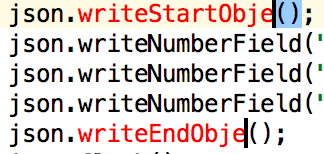
Recently I was in a pair programming session, when I noticed that there were three cursors blinking in the editor window of the IDE. I initially assumed it was a bug in the IDE (which is not that uncommon), but it acutally turned out it was a feature. In IntelliJ based IDEs you can place multiple cursors in the editor window, start typing and the typed text gets inserted at all of these positions. To achieve this press Shift+Alt while clicking the mouse to position the cursor carets.

When I start using a new IDE I usually look up and memorize the shortcuts for refactoring operations like “rename” or “extract method” or other essential operations like “quick fix”.

But of course there are many other neat tricks for advanced text editing in most IDEs and programming editors. Here are some of them, in this case for IntelliJ based IDEs.

Rectangular selection

Rectangular selection

This one comes in handy when you have to select a column of text, for example a common prefix of keys in a properties file. I initially knew this type of selection from Vim, but many other programming editors allow it too. For a rectangular selection in IntelliJ based IDEs press Ctrl+Shift+Alt (Shift+Alt+Cmd on Mac) and drag the mouse pointer.

Multiselection

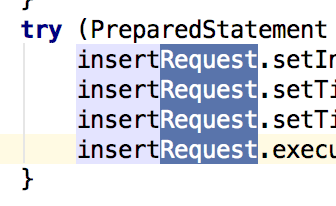
Similar to the multiple cursors feature mentioned at the beginning of this post, you can also select multiple parts of a text at once and then cut, copy or delete them. To achieve this multi-selection press Shift+Alt while selecting text.

Multiple selction

Extending selection

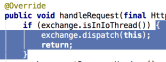
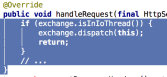
By pressing Ctrl+W repeatedly within a fragment of code the selection will progressively extend. First the current expression under the cursor is selected, then the surrounding code block, then the code block surrounding this code block, etc.

Extending selection

Conclusion

Take some time and look up some of the more advanced text editing capabilities of your IDE or text editor. Adopt them if you find them helpful and share them with your colleagues, for example in a pair programming session.

How do I start a project

On my quest to build better software for people and their needs I try to move my current agile project approach to a more user centered and outcome oriented one.

This starts right at the beginning of a project. After getting the go from the client I start with meeting the project leads on the client side, the ones who will make decisions and control the way of the project.
I like to take an assumption driven process or learning focussed one to ask questions and clear my assumptions on my way.
The first questions I have are:

  • who will use the software
  • who will be affected by the software/project
  • what are their goals/expected outcomes, what if they could choose only one
  • what do they expect from the software
  • what will happen if the project stalls or even fails

The people using the software aka the users are one of the main focus during the project but also the people who get benefits from the software without directly using it are really important and should not be neglected. These can be the people responsible for operating the software or managers getting reports from actual users. I keep them in mind so that other parts which are often missed during a user centered approach are considered.
All these people have some expectations how the software will affect them, some even have goals or need something to come out of the project. These outcomes cover a great range: from measureable business goals like increasing revenue or retention rate, to personal benefits like visibility. It is important to get a rough priority, I use a narrowing question like ‘what if you could choose only one’.
Besides from goals and outcomes people have also imaginations how the software will be used by them, in which context and how often.
These are the positive effects of the project and the software but all is not sunshine, so I also look at what will happen if the project is delayed, stops or even *shudder* fails. These are the risks that I need to consider and may be even plan for.
All these questions help me frame the project from the end. I know what goals to aim for and in which direction the journey goes.
This is my first step to build a shared understanding among the project participants. The steps to learn about what picture they have in mind. My questions and their answers help me to clarify the direction. After that I need to plan the first phase. For this I have to clear my mind and start with a beginner’s mind to find my hidden assumptions. Every assumption I or other have need to be called out explicitly. I have to capture it and formulate a corresponding learning step.

But this is a topic for another post…

The definition of done

From large to small, from projects to issues, a team needs to define when they are considered done.

From large to small, from projects to issues, a team needs to define when they are considered done.
This decision differs from team to team, some have steps to done, others just one state. Even the words used in your issue tracker reflect your choices: what does ‘fixed’ mean, what is ‘closed’ used for…
Even some practices like test driven development define a state of done: the code is done if all tests are green and it is refactored.

What’s your definition of done?

Let’s take a look at some examples:

  • tests are green and code is refactored
  • QA says ok
  • customer/stakeholder/product owner accepts the issue
  • developer thinks the code reflects the description in the issue
  • a predefined spec, maybe even with an acceptance test, is fulfilled
  • no bugs were found while clicking through
  • the code is merged with the master branch
  • the continuous integration tool has found no errors

The problem with this ‘definition of done’s is that either they look for an external person to accept by their opinion/guideline or concentrate on some output. But the people needing the software do not want the software in its own regard. They want to reach a goal through the software. The software is a mean to an end: their goals. Without defining the goals and needs beforehand you are either doomed to guess them and are at the mercy of arbitariness (from your point of view) or concentrate on some measurable output like code, tests or a completed feature.

Defining what the user wants to do with this new feature or project should be the first thing in a project right after the initial introductions. Who will use the app or the feature? (the intended audience, the users) What do they expect from it? (the benefits) What goal do they want to reach?
With this questions and answers you have a target. After completing the issues or project you can see if the target has been reached, if the goals are met. It might be the same with an acceptance process from a stakeholder but here you know the target beforehand not after.

Kotlin and null-safety

This week I installed the Android Studio 3.0 preview in preparation for the development of an Android tablet app. Android Studio is based on JetBrains’ IntelliJ IDE. Google recently announced that Android Studio will support Kotlin as an official programming language for Android starting with version 3.0. The language has been designed and developed by JetBrains since 2010.

Kotlin is a language for the Java ecosystem like Scala, Groovy or Clojure that targets both the JVM and Google’s Dalvik VM, which is used for Android. It’s a statically typed language and it has a similar feature set as Scala and C#. Compared to Java it adds things like operator overloading, short syntax for properties, type inference, extension functions, string templates and it supported lambda expressions since before Java 8. But it also fixes some of Java’s inconsistencies. For example, it provides a unified type system with the Any type at the top of the type hierarchy and without special raw types. Arrays in Kotlin are invariant, and it uses declaration-site variance instead of use-site variance (see my other blog post for an explanation of these terms: Declaration-site and use-site variance explained). However, in my opinion the most interesting of Kotlin’s features is null-safety.

Null-safety

In Kotlin all types are non-nullable by default. You can’t assign null to a variable declared as

var s: String = "hi";

If you really want to be able to assign null to a variable you have to declare it with a question mark after the type, for example

var s: String? = null;

However, if you want to access a member of nullable reference or call a method on it, you have to perform a null check before doing so. This is enforced by the compiler. 

if (s != null) {
    return s.toUpperCase();
}

The compiler keeps track of the null checks before accessing a member of a nullable reference. Without the check the code wouldn’t compile. Kotlin offers some additional operators to simplify these null checks, like the safe navigation operator ?. (also known from Groovy and C# 6.0) or the “Elvis” operator ?:

person?.address?.country?.name
s?.toUpperCase() ?: ""

With Kotlin’s null-safety feature NullPointerExceptions are a thing of the past.

Kotlin has a lot more to offer and we haven’t decided yet if we will use it for our new Android app project, but it’s definitely an option to consider.

Do most language make false promises?

Some years ago I stumbled over this interesting article about C being the most effective of programming language and one making the least false promises. Essentially Damien Katz argues that the simplicity of C and its flaws lead to simple, fast and easy to reason about code.

C is the total package. It is the only language that’s highly productive, extremely fast, has great tooling everywhere, a large community, a highly professional culture, and is truly honest about its tradeoffs.

-Damien Katz about the C Programming language

I am Java developer most of the time but I also have reasonable experience in C, C++, C#, Groovy and Python and some other languages to a lesser extent. Damien’s article really made me think for quite some time about the languages I have been using. I think he is right in many aspects and has really good points about the tools and communities around the languages.

After quite some thought I do not completely agree with him.

My take on C

At a time I really liked the simplicity of C. I wrote gtk2hack in my spare time as an exercise and definitely see interoperability and a quick “build, run, debug”-cycle as big wins for C. On the other hand I think while it has a place in hardware and systems programming many other applications have completely different requirements.

  • A standardized ABI means nothing to me if I am writing a service with a REST/JSON interface or a standalone GUI application.
  • Portability means nothing to me if the target system(s) are well defined and/or covered by the runtime of choice.
  • Startup times mean nothing to me if the system is only started once every few months and development is still fast because of hot-code replacement or other means.
  • etc.

But I am really missing more powerful abstractions and better error handling or ressource management features. Data structures and memory management are a lot more painful than in other languages. And this is not (only) about garbage collection!

Especially C++ is making big steps in the right direction in the last few years. Each new standard release provides additional features making code more readable and less error prone. With zero cost abstractions at the core of language evolution and the secondary aim of ease of use I really like what will come to C++ in the future. And it has a very professional community, too.

Aims for the C++11 effort:

  • Make C++ a better language for systems programming and library building
  • Make C++ easier to teach and learn

-Bjarne Stroustup, A Tour of C++

What we can learn from C

Instead of looking down at C and pointing at its flaws we should look at its strengths and our own weaknesses/flaws. All languages and environments I have used to date have their own set of annoyances and gotchas.

Java people should try building simple things and having a keen eye on dependencies especially because the eco system is so rich and crowded. Also take care of ressource management – the garbage collector is only half the deal.

Scala and C++ people should take a look at ABI stability and interoperability in general. Their compile times and “build, run, debug”-cycle has much room for improvement to say the least.

C# may look at simplicity instead of wildly adding new features creating a language without opinion. A plethora of ways implementing the same stuff. Either you ban features or you have to know them all to understand code in a larger project.

Conclusion

My personal answer to the title of this blog: Yes, they make false promises. But they have a lot to offer, too.

So do not settle with the status quo of your language environment or code style of choice. Try to maintain an objective perspective and be aware of the weaknesses of the tools you are using. Most platforms improve over time and sometimes you have to re-evaluate your opinion regarding some technology.

I prefer C++ to C for some time now and did not look back yet. But I also constantly try different languages, platforms and frameworks and try to maintain a balanced view. There are often good reasons to choose one over the other for a particular project.


C++ modules example

Two weeks back, I blogged about C++ modules, and why we so desperately need them. Now I have actually played with the implementation in Visual Studio 2017, and I want to share my findings.

The Files

My example consists of four files in two “components”, i.e. one library and one executable. The executable only has one file, main.cpp:

import pets;
import std.core;
import std.memory;

int main()
{
  std::unique_ptr<Pet> pet = std::make_unique<Dog>();
  std::cout << "Pet says: "
    << pet->pet() << std::endl;
}

The library consists of three files. First is pet.cpp, which contains the abstract base class for all pets:

import std.core;
module pets.pet;

export class Pet
{
public:
  virtual char const* pet() = 0;
};

Then there is dog.cpp – our only concrete implementation of that base class (yes, I’m not a cat person).

module pets.dog;
import std.core;
import pets.pet;

export class Dog : public Pet
{
public:
  char const* pet() override;
};

char const* Dog::pet()
{
  return "Woof!";
}

Notice they each define their own submodule. Finally, there is interface.cpp, which just cobbles those submodules together into one single “parent” module:

module pets;

export module pets.pet;
export module pets.dog;

You can get the full source code including the CMake setup at our github repository. I was not able to get the standard library path setup automated so far, so you probably want to adjust that.

Discussion

There are no headers at all, which was one of my goals of laying it out like this. I think that alone means an enormous increase in productivity.

The information that was previously in the header files is now in .ifc files that the microsoft compiler generates automatically from the module definitions.
When trying this out, a couple of things stood out to me:

  • Intellisense does not work with the new keywords yet.
  • The way I used it, interface.cpp needs to be compiled after pet.cpp and dog.cpp, so that the appropriate .ifc file exists. Having an order dependency like that within a single library is a new challenge.
  • I was not able to use the standard lib in the library. That would compile, but not link.
  • Not having to duplicate the function declaration feels very strange in C++.
  • There are a lot of paradigm changes required. For example, include paths are a thing of the past – you will need to configure correct module search paths in the future.
  • We will need to get the naming straight: right now, “modules” is already used as a “distinct software component”. The new meaning is similar, but still competes with it. since the granularity is no longer so flexible. I already started using “components” as a new word for the former.

What are your experiences with modules so far? Do you have another way of composing modules? I really like to hear about it! I think the biggest challenge right now is how to use these new possibilities to improve the design of bigger C++ projects.

Learning about Class Literals after twenty years of Java

The story about a customer request that led to my discovery of a cool feature of Java: Class Literals (you’ve probably already heard about them).

I’ve programmed in Java nearly every day for twenty years now. At the beginning of my computer science studies, I was introduced to Java 1.0.x and have since accompanied every version of Java. Our professor made us buy the Java Language Specification on paper (it was quite a large book even back then) and I occassionally read it like you would read an encyclopedia – wading through a lot of already known facts just to discover something surprising and interesting, no matter how small.

With the end of my studies came the end of random research in old books – new books had to be read and understood. It was no longer efficient enough to randomly spend time with something, everything needed to have a clear goal, an outcome that improved my current position. This made me very efficient and quite effective, but I only uncover surprising facts and finds now if work forces me to go there.

An odd customer request

Recently, my work required me to re-visit an old acquaintance in the Java API that I’ve never grew fond of: The Runtime.exec() method. One of my customer had an recurring hardware problem that could only be solved by rebooting the machine. My software could already detect the symptoms of the problem and notify the operator, but the next logical step was to enable the software to perform the reboot on its own. The customer was very aware of the risks for such a functionality – I consider it a “sabotage feature”, but asked for it anyway. Because the software is written in Java, the reboot should be written in Java, too. And because the target machines are exclusively running on Windows, it was a viable option to implement the feature for that specific platform. Which brings me to Runtime.exec().

A simple solution for the reboot functionality in Java on Windows looks like this:


Runtime.exec("shutdown /r");

With this solution, the user is informed of the imminent reboot and has some time to make a decision. In my case, the reboot needed to be performed as fast as possible to minimize the loss of sensor data. So the reboot command needs to be expanded by a parameter:


Runtime.exec("shutdown /r /t 0");

And this is when the command stops working and politely tells you that you messed up the command line by printing the usage information. Which, of course, you can only see if you drain the output stream of the Process instance that performs the command in the background:


final Process process = Runtime.exec("shutdown /r /t 0");
try (final Scanner output = new Scanner(process.getInputStream())) {
    while (output.hasNextLine()) {
        System.out.println(output.nextLine());
    }
}

The output draining is good practice anyway, because the Process will just stop once the buffer is filled up. Which you will never see in development, but definitely in production – in the middle of the night on a weekend when you are on vacaction.

Modern thinking

In Java 5 and improved in Java 7, the Runtime.exec() method got less attractive by the introduction of the ProcessBuilder, a class that improves the experience of creating a correct command line and a lot of other things. So let’s switch to the ProcessBuilder:


final ProcessBuilder builder = new ProcessBuilder(
        "shutdown",
        "/r",
        "/t 0");
final Process process = builder.start();

Didn’t change a thing. The shutdown command still informs us that we don’t have our command line under control. And that’s true: The whole API is notorious of not telling me what is really going on in the background. The ProcessBuilder could be nice and offer a method that returns a String as it is issued to the operating system, but all we got is the ProcessBuilder.command() method that gives us the same command line parts we gave it. The mystery begins with our call of ProcessBuilder.start(), because it delegates to a class called ProcessImpl, and more specific to the static method ProcessImpl.start().

In this method, Java calls the private constructor of ProcessImpl, that performs a lot of black magic on our command line parts and ultimately disappears in a native method called create() with the actual command line (called cmdstr) as the first parameter. That’s the information I was looking for! In newer Java versions (starting with Java 7), the cmdstr is built in a private static method of ProcessImpl: ProcessImpl.createCommandLine(). If I could write a test program that calls this method directly, I would be able to see the actual command line by myself.

Disclaimer: I’m not an advocate of light-hearted use of the reflection API of Java. But for one-off programs, it’s a very powerful tool that gets the job done.

So let’s write the code to retrieve our actual command line directly from the ProcessImpl.createCommandLine() method:


public static void main(final String[] args) throws Exception {
    final String[] cmd = {
            "shutdown.exe",
            "/r",
            "/t 0",
    };
    final String executablePath = new File(cmd[0]).getPath();

    final Class<?> impl = ClassLoader.getSystemClassLoader().loadClass("java.lang.ProcessImpl");
    final Method myMethod = impl.getDeclaredMethod(
            "createCommandLine",
            new Class[] {
                    ????, // <-- Damn, I don't have any clue what should go here.
                    String.class,
                    String[].class
            });
    myMethod.setAccessible(true);

    final Object result = myMethod.invoke(
            null,
            2,
            executablePath,
            cmd);
    System.out.println(result);
}

The discovery

You probably noticed the “????” entry in the code above. That’s the discovery part I want to tell you about. This is when I met Class Literals in the Java Language Specification in chapter 15.8.2 (go and look it up!). The signature of the createCommandLine method is:


private static String createCommandLine(
        int verificationType,
        final String executablePath,
        final String cmd[])

Note: I didn’t remove the final keyword of verificationType, it isn’t there in the original code for unknown reasons.
When I wrote the reflection code above, it occurred to me that I had never attempted to lookup a method that contains a primitive parameter – the int in this case. I didn’t think much about it and went with Integer.class, but that didn’t work. And then, my discovery started:


final Method myMethod = impl.getDeclaredMethod(
        "createCommandLine",
        new Class[] {
                int.class, // <-- Look what I can do!
                String.class,
                String[].class
        });

As stated in the Java Language Specification, every primitive type of Java conceptionally “has” a public static field named “class” that contains the Class object for this primitive. We can even type void.class and gain access to the Class object of void. This is clearly written in the language specification and required knowledge for every earnest usage of Java’s reflection capabilities, but I somehow evaded it for twenty years.

I love when moments like this happen. I always feel dumb and enlightened at the same time and assume that everybody around me knew this fact for years, it is just me that didn’t get the memo.

The solution

Oh, and before I forget it, the solution to the reboot command not working is the odd way in which Java adds quote characters to the command line. The output above is:


shutdown /r "/t 0"

The extra quotes around /t 0 make the shutdown command reject all parameters and print the usage text instead. A working, if not necessarily intuitive solution is to separate the /t parameter and its value in order to never have spaces in the parameters – this is what provokes Java to try to help you by quoting the whole parameter (and is considered a feature rather than a bug):


final String[] cmd = {
        "shutdown",
        "/r",
        "/t",
        "0",
};

This results in the command line I wanted from the start:


shutdown /r /t 0

And reboots the computer instantaneous. Try it!

Your story?

What’s your “damn, I must’ve missed the memo” moment in the programming language you know best?