Exploring Tango Admin Devices

We are using the open-source control system framework TANGO in several projects where coordinated control of multiple hardware systems is needed.

What is TANGO good for?

TANGO provides uniform, distributed access and control of heterogeneous hardware devices. It is object-oriented in nature and usually one hardware device is represented by one (or more) software devices.

The device drivers can be written in either C++, Java or Python and client libraries exist for all of these languages. Using a middleware adapter like TangoGQL any language can access the devices.

All that makes TANGO useful for building SCADA systems ranging from a handful controlled devices to several hundreds you want to supervise and control.

Lesser know features of TANGO

All of the above is well known in the TANGO and SCADA community and quite straightforward. What some people may not know is that TANGO automatically provides an Admin-device for each TANGO server (an executable running one or more TANGO devices).

These admin devices have an address of the form dserver/<server_name>/<instance_name> and provide numerous commands for controlling and querying the TANGO device server instance:

You can for example introspect the device server to find available device classes, device instances and needed device properties (think of them as configuration settings).

In addition to introspection you can also control some aspects of the TANGO server like polling and logging. The Admin-device also allows restarting individual devices or even the whole server instance. This can be very useful to apply configuration changes remotely without shell access or something similar to the remote machine.

Wrapping it up

Admin-devices automatically exist and run for each TANGO device server. Using them allows clients to explore what devices are available, what they offer and how they can be configured. They also allow some aspects to be changed remotely at runtime.

We use these features to provide a rich web-base UI for managing the control system in a convenient way instead of relying on the basic tools (like Jive and Astor) that TANGO offers out-of-the-box.

Trying ChatGPT as a professional software developer

We are a company of software developers that does not sell a product but provides a wide range of services. Our primary service is developing individual software or maintaining existing software for our customers.

Most of us are polyglot developers each sufficiently fluent in a couple of languages. While I see this as a strength it also means that I do not know the idiomatic solution for a task in all ecosystems in use in our projects by heart.

A few days ago I had a remote-pair-programming session with one of our customers and we wondered how to idiomatically trim certain characters from a string in JavaScript. My customer came up with the idea of asking ChatGPT for a solution while I would have asked Google or stackoverflow.

Being curious we took the ChatGPT route and it delivered a correct solution after I clarified what I mean with “trim”:

function trimCharacterFromStartAndEnd(str, char) {
  // Create a regular expression to match the specified character at the beginning and end of the string
  const regex = new RegExp(`^${char}+|${char}+$`, 'g');
  
  // Use the replace() function to remove the character from the start and end of the string
  const trimmedStr = str.replace(regex, '');
  
  return trimmedStr;
}

// Example usage
const originalString = '###Hello World!###';
const trimmedString = trimCharacterFromStartAndEnd(originalString, '#');
console.log(trimmedString); // Output: Hello World!

But from a professional perspective the code was not simple, concise and idiomatic. I intuitively knew there must be a better way.

So I did what ChatGPT does best: I chatted with it to improve the solution to arrive at a solution a was satisfied with:

function trimCharacterFromStartAndEnd(str, char) {
  return str.replace(/^${char}+|${char}+$/g, '');
}

// Example usage
const originalString = '###Hello World!###';
const trimmedString = trimCharacterFromStartAndEnd(originalString, '#');
console.log(trimmedString); // Output: Hello World!

However, you possibly need to handle regex special characters like '.', '*' etc. if they can part of your characters to trim.

Some of the intermediate steps also have their uses depending on the needed flexibility. See the full conversation at trim character from string chat.

Similarily, stackoverflow provides some comprehensive answers you can adapt to your specific situation.

Evaluation

Using ChatGPT can actually provide you useful results. To make the most out of it, you have to be able to judge the solution provided by the AI and try to push it in the wanted direction.

After my experiment our students got the inofficial advice that their solutions should not be worse than what ChatGPT delivers. 😀

Arriving at a good solution was not faster or easier than the traditional developers’ approach using Google and/or stackoverflow. Nevertheless it was more interactive, more fun and most importantly it worked.

It was a bit disappointing to lose context at some points in the conversation, with the g-flag for example. Also the “shortest” solution is longer than the variant with the regex-literal, so strictly speaking ChatGPT’s answer is wrong…

I will not radically change my style of work and jump on the AI-hype-train but I plan to continue experimenting with it every now and then.

ChatGPT and friends certainly have some potential depending on the use case but still require a competent human to judge and check the results.

Using Message Queuing Telemetry Transport (MQTT) for communication in a distributed system

If you have several participants who are interested in each other’s measurements or events, you can use the MQTT protocol for this. In the following, I will present the basics.

The Mqtt protocol is based on publish and subscribe with asynchronous communication. Therefore it can also be used in networks with high latency. It can also be operated with low bandwidth.

At the center is an MQTT broker. It receives published messages and forwards them to the subscribing clients. The MQTT topics are used for this purpose. Each message is published to a topic. The topics look like a file path and can be chosen almost freely. The only exception are names beginning with $, because these are used for MQTT-own telemetry data. An example for such a topic would be “My/Test/Topic”. Attention, the topic is case sensitive. Every level of the topic can be subscribed to. For example “My/Test/Topic/#”, “My/Test/#” or “My/#”. In the latter case, a message published to “My/Productive/Things” would also be received by the subscriber. This way you can build your own message hierarchy using the Topics.

In the picture a rough structure of the MQTT infrastructure is shown. Two clients have subscribed to a topic. If the sensor sends data to the topic, the broker forwards it to the clients. One of the clients writes the data into a database, for example, and then processes it graphically with a tool such as Grafana.

How to send messages

For the code examples I used Python with the package paho-mqtt. First, an MQTT client must be created and connected.

self.client = mqtt.Client()
self.client.connect("hostname-broker.de", 1883)
self.client.loop_start()

Afterwards, the client can send messages to the MQTT broker at any time using the publish command. A topic and the actual message are sent as payload. The payload can have any structure. For example Json format or xml. In the code example json is used

self.client.publish(topic="own/test/topic", payload=json.dumps(payload))

How to subscribe topics

Even when subscribing, an MQTT client must first be created and a connection established. However, the on_connect and on_message functions are also used here. These are always called when the client establishes a connection or a new message arrives. It makes sense to make the subscriptions in the on_connect method, since they are created so with a new connection also always new and are not lost.

self.client = mqtt.Client()
self.client.on_connect = on_connect
self.client.on_message = on_message
self.client.connect("hostname-broker.de", 1883)
self.client.loop_start()

Here you can see an example on_connect method that outputs the result code of the connection setup and subscribes to a topic. For this, only the respective topic must be specified.

def on_connect(client, userdata, flags, rc):
      print(Connected with result code " + str(rc))
      self.client.subscribe("own/test/topic/#")

In the on_message method you can specify what should happen to an incoming message.

Conclusion

MQTT is a simple way to exchange data between a variety of devices. You can customize it very much and have a lot of freedom. All messages are TSL encrypted and you can set up client authentication in the broker, which is why it is also considered secure. For asynchronous communication, this is definitely a technology to consider.

Running a containerized ActiveDirectory for developers

If you develop software for larger organizations one big aspect is integrating it with existing infrastructure. While you may prefer simple deployments of services in docker containers a customer may want you to deploy to their wildfly infrastructure for example.

One common case of infrastructure is an Active Directory (AD) or plain LDAP service used for organization wide authentication and authorization. As a small company we do not have such an infrastructure ourselves and it would not be a great idea to use it for development anyway.

So how do you develop and test your authentication module without an AD being available for you?

Fortunately, nowadays this is relatively easy using tools like Docker and Samba. Let us see how to put such a development infrastructure up and where the pitfalls are.

Running Samba in a Container

Samba cannot only serve windows shares or act as an domain controller for Microsoft Windows based networks but includes a full AD implementation with proper LDAP support. It takes a small amount of work besides installing Samba in a container to set it up, so we have two small shell scripts for setup and launch in a container. I think most of the Dockerfile and scripts should be self-explanatory and straightforward:

Dockerfile:

FROM ubuntu:20.04

RUN DEBIAN_FRONTEND=noninteractive apt-get update && DEBIAN_FRONTEND=noninteractive apt-get -y install samba krb5-config winbind smbclient 
RUN DEBIAN_FRONTEND=noninteractive apt-get update && DEBIAN_FRONTEND=noninteractive apt-get -y install iproute2
RUN DEBIAN_FRONTEND=noninteractive apt-get update && DEBIAN_FRONTEND=noninteractive apt-get -y install openssl
RUN DEBIAN_FRONTEND=noninteractive apt-get update && DEBIAN_FRONTEND=noninteractive apt-get -y install vim

RUN rm /etc/krb5.conf
RUN mkdir -p /opt/ad-scripts

WORKDIR /opt/ad-scripts

CMD chmod +x *.sh && ./samba-ad-setup.sh && ./samba-ad-run.sh

samba-ad-setup.sh:

#!/bin/bash

set -e

info () {
    echo "[INFO] $@"
}

info "Running setup"

# Check if samba is setup
[ -f /var/lib/samba/.setup ] && info "Already setup..." && exit 0

info "Provisioning domain controller..."

info "Given admin password: ${SMB_ADMIN_PASSWORD}"

rm /etc/samba/smb.conf

samba-tool domain provision\
 --server-role=dc\
 --use-rfc2307\
 --dns-backend=SAMBA_INTERNAL\
 --realm=`hostname`\
 --domain=DEV-AD\
 --adminpass=${SMB_ADMIN_PASSWORD}

mv /etc/samba/smb.conf /var/lib/samba/private/smb.conf

touch /var/lib/samba/.setup

Using samba-ad-run.sh we start samba directly instead of running it as a service which you would do outside a container:

#!/bin/bash

set -e

[ -f /var/lib/samba/.setup ] || {
    >&2 echo "[ERROR] Samba is not setup yet, which should happen automatically. Look for errors!"
    exit 127
}

samba -i -s /var/lib/samba/private/smb.conf

With the scripts and the Dockerfile in place you can simply build the container image using a command like

docker build -t dev-ad -f Dockerfile .

We then run it like follows and use the local mounts to preserve the data in the AD we will be using for testing and toying around:

 docker run --name dev-ad --hostname ldap.schneide.dev --privileged -p 636:636 -e SMB_ADMIN_PASSWORD=admin123! -v $PWD/:/opt/ad-scripts -v $PWD/samba-data:/var/lib/samba dev-ad

To have everything running seamlessly you should add the specified hostname – ldap.schneide.dev in our example – to /etc/hosts so that all tools work as expected and like it was a real AD host somewhere.

Testing our setup

Now of course you may want to check if your development AD works as expected and maybe add some groups and users which you need for your implementation to work.

While there are a bunch of tools for working with an AD/LDAP I found the old and sturdy LdapAdmin the easiest and most straightforward to use. It comes as one self-contained executable file (downloadable from Sourceforge) ready to use without installation or other hassles.

After getting the container and LdapAdmin up and running and logging in you should see something like this below:

LdapAdmin Window showing our Samba AD

Then you can browse and edit your active directory to fit your needs allowing you to develop your authentication and authorization module based on LDAP.

I hope you found the above useful for you development setup.

Packaging Java-Project as DEB-Packages

Providing native installation mechanisms and media of your software to your customers may be a large benefit for them. One way to do so is packaging for the target linux distributions your customers are running.

Packaging for Debian/Ubuntu is relatively hard, because there are many ways and rules how to do it. Some part of our software is written in Java and needs to be packaged as .deb-packages for Ubuntu.

The official way

There is an official guide on how to package java probjects for debian. While this may be suitable for libraries and programs that you want to publish to official repositories it is not a perfect fit for your custom project that you provide spefically to your customers because it is a lot of work, does not integrate well with your delivery pipeline and requires to provide packages for all of your dependencies as well.

The convenient way

Fortunately, there is a great plugin for ant and maven called jdeb. Essentially you include and configure the plugin in your pom.xml as with all the other build related stuff and execute the jdeb goal in your build pipeline and your are done. This results in a nice .deb-package that you can push to your customers’ repositories for their convenience.

A working configuration for Maven may look like this:

<build>
    <plugins>
        <plugin>
            <artifactId>jdeb</artifactId>
            <groupId>org.vafer</groupId>
            <version>1.8</version>
            <executions>
                <execution>
                    <phase>package</phase>
                    <goals>
                        <goal>jdeb</goal>
                    </goals>
                    <configuration>
                        <dataSet>
                            <data>
                                <src>${project.build.directory}/${project.build.finalName}-jar-with-dependencies.jar</src>
                                <type>file</type>
                                <mapper>
                                    <type>perm</type>
                                    <prefix>/usr/share/java</prefix>
                                </mapper>
                            </data>
                            <data>
                                <type>link</type>
                                <linkName>/usr/share/java/MyProjectExecutable</linkName>
                                <linkTarget>/usr/share/java/${project.build.finalName}-jar-with-dependencies.jar</linkTarget>
                                <symlink>true</symlink>
                            </data>
                            <data>
                                <src>${project.basedir}/src/deb/MyProjectStartScript</src>
                                <type>file</type>
                                <mapper>
                                    <type>perm</type>
                                    <prefix>/usr/bin</prefix>
                                    <filemode>755</filemode>
                                </mapper>
                            </data>
                        </dataSet>
                    </configuration>
                </execution>
            </executions>
        </plugin>
    </plugins>
</build>

If you are using gradle as your build tool, the ospackage-plugin may be worth a look. I have not tried it personally, but it looks promising.

Wrapping it up

Packaging your software for your customers drastically improves the user experience for users and administrators. Doing it the official debian-way is not always the best or most efficient option. There are many plugins or extensions for common build systems to conveniently build native packages that may easier for many use-cases.

Improving Windows Terminal

As mentioned in my earlier post about hidden gems in the Windows 10 eco system a very welcomed addition is Windows Terminal. Finally we get a well performing and capable terminal program that not only supports our beloved tabs and Unicode/UTF-8 but also a whole bunch of shells: CMD, PowerShell, WSL and even Git Bash.

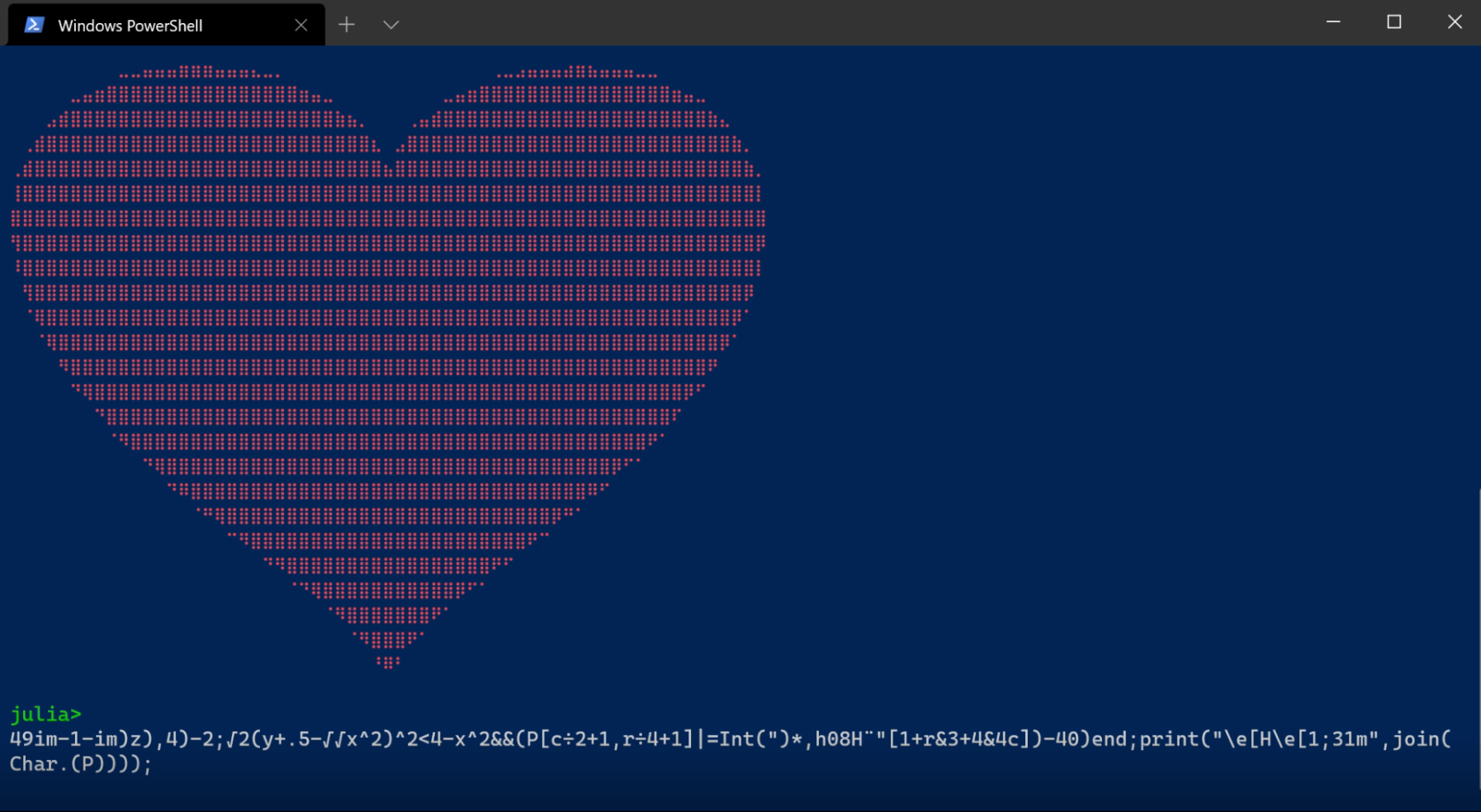
See this video of a small ASCII-art code golf written in Julia and executed in a Windows Terminal PowerShell:The really curious may try running the code in the standard CMD-Terminal or the built-in PowerShell-Terminal…

But now on to some more productive tipps for getting more out of the already great Windows Terminal.

Adding a profile per Shell

One great thing in Windows Terminal is that you can provide different profiles for all of the shells you want to use in it. That means you can provide visual clues like Icons, Fonts and Color Schemes to instantly visually recognize what shell you are in (or what shell hides behind which tab). You can also set a whole bunch of other parameters like transparency, starting directory and behaviour of the tab title.

Nowadays most of this profile stuff can simply be configured using the built-in windows terminal settings GUI but you also have the option to edit the JSON-configuration file directly or copy it to a new machine for faster setup.

Here is my settings.json provided for inspiration. Feel free to use and modify it as you like. You will have to fix some paths and provide icons yourself.

Pimping it up with oh-my-posh

If that is still not enough for you there are a prompt theme engine like oh-my-posh using a command like

Install-Module oh-my-posh -Scope CurrentUser

and try different themes with Set-PoshPrompt -Theme <name>. Using your customized settings for a specific Windows Terminal profile can be done by specifying a commandline to execute expressions defined in a file:

powershell.exe -noprofile -noexit -command \"invoke-expression '. ''C:/Users/mmv/Documents/PowerShell/PoshGit.ps1

where PoshGit.ps1 contains the commands to set up the prompt:

Import-Module oh-my-posh

$DefaultUser = 'Your Name'

Set-PoshPrompt -Theme blueish

Even Microsoft has some tutorials for highly customized shells and prompts

How does my Window Terminal look like?

Because seeing is believing take a look at my setup below, which is based on the instructions and settings.json above:

I hope you will give Windows Terminal a try and wish a lot of fun with customizing it to fit your needs. I feel it makes working with a command prompt on Windows much more enjoyable than before and helps to speed you up when using many terminal windows/tabs.

A final hint

You may think, that you cannot run Windows Terminal as an administrator but the option appears if you click the downward-arrow in the start menu:

Migrating from Oracle to PostgreSQL

We are maintaining several applications with a SQL-Database as our data storage. If we can decide freely, we usually opt for PostgreSQL as the database management system (DBMS). But sometimes our clients have specific requirements because they are running the services on-premises so we use our customers’ choice. SQL is SQL anyway, is it not?

No it isn’t. And this year one of our customers asked us to migrate our application from Oracle to PostgreSQL. The migration was challenging even though we are using an object-relational mapper (ORM) and the necessary changes to our application code were very limited.

In this post I want to explain the general, application-agnostic challenges of such a migration. A follow-up will cover the application- and framework-specific issues.

Why is it not easy?

Luckily, PostgreSQL supports most common SQL features of Oracle, especially sequences, PL/SQL like scripts, triggers, foreign keys etc. and all the important datatypes. So you are mostly migrating from an inferior to a more powerful solution, at least feature and capability-wise from a client perspective. Please note that I am not judging the performance, replication, clustering and other administrative features here!

Unfortunately there is no simple and powerful enough tool to simply dump the oracle database into some standard SQL text format that you could pipe into psql or use with pg_restore. In addition there is also a challenge to convert the different number-types of Oracle to sematically equivalent PostgreSQL types etc.

Another challenge is coping with the referential integrity. Especially data in complex schemas with a lot of foreign keys are harder to migrate without proper tool support as you have to figure out the correct order of tables to restore.

Nevertheless, such a migration is doable, especially if you do not have too much scripting logic in your database. And there is a free tool to help you with all this stuff called Ora2Pg.

What can Ora2Pg do for you?

It can export the full database schema including constraints, convert datatypes based on configuration provided by you and offers a basic automatic conversion of PL/SQL code to PLPGSQL. When running the migration you can interactively choose what to migrate and what to skip. That allows you to only migrate the data into a readily prepared schema, for example.

How to run Ora2Pg?

Ora2Pg is a collection of perl scripts and configuration files so you need a system capable of running these. If you do not want to mess with your whole system and install all of the dependencies I prepared a Dockerfile able to run Ora2Pg:

FROM centos:7

# Prepare the system for ora2pg 
RUN yum install -y wget
RUN wget https://yum.oracle.com/RPM-GPG-KEY-oracle-ol7 -O /etc/pki/rpm-gpg/RPM-GPG-KEY-oracle

COPY ol7-temp.repo /etc/yum.repos.d/
RUN yum install -y oraclelinux-release-el7
RUN mv /etc/yum.repos.d/ol7-temp.repo /etc/yum.repos.d/ol7-temp.repo.disabled
RUN yum install -y oracle-instantclient-release-el7
RUN yum install -y oracle-instantclient-basic
RUN yum install -y oracle-instantclient-devel
RUN yum install -y oracle-instantclient-sqlplus

RUN yum install -y perl perl-CPAN perl-DBI perl-Time-HiRes perl-YAML perl-local-lib make gcc
RUN yum install -y perl-App-cpanminus

RUN cpanm CPAN::Config
RUN cpanm CPAN::FirstTime

ENV LD_LIBRARY_PATH=/usr/lib/oracle/21/client64/lib
ENV ORACLE_HOME=/usr/lib/oracle/21/client64

RUN perl -MCPAN -e 'install DBD::Oracle'

COPY ora2pg-21.1.tar.gz /tmp

WORKDIR /tmp
RUN tar zxf ora2pg-21.1.tar.gz && cd ora2pg-21.1 && perl Makefile.PL && make && make install

RUN mkdir -p /migration
RUN ora2pg --project_base /migration --init_project my_project
WORKDIR /migration/my_project

# uncomment this if you have a customized ora2pg.conf
#COPY ora2pg.conf /migration/my_project/config/

CMD ora2pg -t SHOW_VERSION -c config/ora2pg.conf && ora2pg -t SHOW_TABLE -c config/ora2pg.conf\
 && ora2pg -t SHOW_REPORT --estimate_cost -c config/ora2pg.conf\
 && ./export_schema.sh && ora2pg -t INSERT -o data.sql -b ./data -c ./config/ora2pg.conf

Here are the commands and the workflow to export the oracle database using the above docker image:

docker build -t o2pg .
# this will fail initially but create the project structure and generate a default configuration file
docker run --name oracle-export o2pg
# copy the project structure to the host system
docker cp oracle-export:/migration/my_project ./my_project_migration/

Now you can edit the configuration in my_project_migration/config and copy it to the directory you have built and run the docker commands. Most importantly you have to change the connection parameters at the top of the ora2pg.conf file. When you are ready to make the first go you need to enable configuration copying in the Dockerfile and rebuild the image. Now you should get your first somehow usable export.

The most import config options we changed for our projects are:

  • Connection parameters
  • Excluded tables that you do not want to migrate
  • Deletion of the contents of the target tables
  • Conversion of some datatypes like NUMBER(*,0) to bigint and NUMBER:1 to boolean for some columns

Most of the defaults are sensible to begin with but you can tailor the export specifically to your needs. If you feel ready to try the import you can run the import using a second docker image based on the following Dockerfile-import:

FROM centos:7

# Prepare the system for ora2pg 
RUN yum install -y wget
RUN wget https://yum.oracle.com/RPM-GPG-KEY-oracle-ol7 -O /etc/pki/rpm-gpg/RPM-GPG-KEY-oracle

COPY ol7-temp.repo /etc/yum.repos.d/
RUN yum install -y oraclelinux-release-el7
RUN mv /etc/yum.repos.d/ol7-temp.repo /etc/yum.repos.d/ol7-temp.repo.disabled
RUN yum install -y oracle-instantclient-release-el7
RUN yum install -y oracle-instantclient-basic
RUN yum install -y oracle-instantclient-devel
RUN yum install -y oracle-instantclient-sqlplus
RUN yum install -y postgresql-server

RUN yum install -y perl perl-CPAN perl-DBI perl-Time-HiRes perl-YAML perl-local-lib make gcc
RUN yum install -y perl-App-cpanminus

RUN cpanm CPAN::Config
RUN cpanm CPAN::FirstTime

ENV LD_LIBRARY_PATH=/usr/lib/oracle/21/client64/lib
ENV ORACLE_HOME=/usr/lib/oracle/21/client64

RUN perl -MCPAN -e 'install DBD::Oracle'

COPY ora2pg-21.1.tar.gz /tmp

WORKDIR /tmp
RUN tar zxf ora2pg-21.1.tar.gz && cd ora2pg-21.1 && perl Makefile.PL && make && make install

# you need to mount the project volume to /my_project
WORKDIR /my_project

ENV pg_port=5432

CMD ./import_all.sh -d $pg_db -h $pg_host -p $pg_port -U $pg_user -o $pg_user

To run the import with your exported project run build and run the import container as follows:

docker build -t postgres-import -f Dockerfile-import .
docker run -it --rm -e pg_host=target-db.intranet -e pg_db=my_project_db -e pg_user=my_db_user -v ./my_project_migration:/my_project postgres-import

Then you can interactively provide the database password and decide which migration steps to perform.

Caveat

Depending on your schema, data and privileges in the target database it may be necessary to disable all triggers before importing and reenable them after a successful import. This can done by replacing all occurences of TRIGGER USER by TRIGGER ALL in the file data/data.sql. You may need appropriate privileges for this to work.

Final words

Such a migration is not an easy task but may be worth it in total cost of ownership and maybe developer satisfaction as Oracle has some oddities and limitations for backend developers.

I will tackle some application specific issues with such a migration in a follow-up article that we encountered when migrating our system from Oracle to PostgreSQL using the above approach and tools.

git-submodules in Jenkins pipeline scripts

Nowadays, the source control git is a widespread tool and work nicely hand in hand with many IDEs and continuous integration (CI) solutions.

We use Jenkins as our CI server and migrated mostly to the so-called pipeline scripts for job configuration. This has the benefit of storing your job configuration as code in your code repository and not in the CI servers configuration. Thus it is easier to migrate the project to other Jenkins CI instances, and you get versioning of your config for free.

Configuration of a pipeline job

Such a pipeline job is easily configured in Jenkins merely providing the repository and the location of the pipeline script which is usually called Jenkinsfile. A simple Jenkinsfile may look like:

node ('build&&linux') {
    try {
        env.JAVA_HOME="${tool 'Managed Java 11'}"
        stage ('Prepare Workspace') {
            sh label: 'Clean build directory', script: 'rm -rf my_project/build'
            checkout scm // This fetches the code from our repository
        }
        stage ('Build project') {
            withGradle {
                sh 'cd my_project && ./gradlew --continue war check'
            }
            junit testResults: 'my_project/build/test-results/test/TEST-*.xml'
        }
        stage ('Collect artifacts') {
            archiveArtifacts(
                artifacts: 'my_project/build/libs/*.war'
            )
        }
    } catch (Exception e) {
        if (e in org.jenkinsci.plugins.workflow.steps.FlowInterruptedException) {
            currentBuild.result = 'ABORTED'
        } else {
            echo "Exception: ${e.class}, message: ${e.message}"
            currentBuild.result = 'FAILURE'
        }
    }
}

If you are running GitLab you get some nice features in combination with the Jenkins Gitlab plugin like automatic creation of builds for all your branches and merge requests if you configure the job as a multibranch pipeline.

Everything works quite well if your project resides in a single Git repository.

How to use it with git submodules

If your project uses git-submodules to connect other git repositories that are not directly part of your project the responsible line checkout scm in the Jenkinsfile does not clone or update the submodules. Unfortunately, the fix for this issue leads to a somewhat bloated checkout command as you have to copy and mention the settings which are injected by default into the parameter object of the GitSCM class and its extensions…

The simple one-liner from above becomes something like this:

checkout scm: [
    $class: 'GitSCM',
    branches: scm.branches,
    extensions: [
        [$class: 'SubmoduleOption',
        disableSubmodules: false,
        parentCredentials: false,
        recursiveSubmodules: true,
        reference: 'https://github.com/softwareschneiderei/ADS.git',
        shallow: true,
        trackingSubmodules: false]
    ],
    submoduleCfg: [],
    userRemoteConfigs: scm.userRemoteConfigs
]

After these changes projects with submodules work as expected, too.

Modern substring search

Nowadays many applications need a good search functionality. They manage large amounts of content in sometimes complex structures so looking for it manually quickly becomes unfeasible and annoying.

ElasticSearch is a powerful tool for implementing a fast and scalable search functionality for your applications. Many useful features like scoring and prefix search are available out-of-the-box.

One often requested feature needs a bit of thought and special implementation: A fulltext search for substrings.

Wildcard search

An easy way is to use an wildcard query. It allows using wildcard characters like * and ? but is not recommended due to low performance, especially if you start you search patterns with wildcards. For the sake of completeness I mention the link to the official documentation here.

Aside from performance it requires using the wildcard characters, either by the user or your code and perhaps needs to be combined with other queries like the match or term queries. Therefore I do not advise usage of wildcard queries.

Using n-grams for indexing

The trick here is to break up the tokens in your texts into even smaller parts – called n-grams – for indexing only. A word like “search” would be split into the following terms using 3-grams: sea, ear, arc, rch.

So if the user searches for “ear” a document/field containing “search” will be matched. You can configure the analyzer to use for individual fields an the minimum and maximum length of the n-grams to work best for your requirements.

The trick here is to use the n-gram analyzer only for indexing and not for searching because that would also break up the search term and lead to many false positives.

See this example configuration using the C# ElasticSearch API NEST:

var client = new ElasticClient(settings);
var response = client.Indices.Create("device-index", creator => creator
  .Settings(s => s
		.Setting("index.max_ngram_diff", 10)
		.Analysis(analysis => analysis
			.Analyzers(analyzers => analyzers
				.Custom("ngram_analyzer", analyzerDescriptor => analyzerDescriptor
					.Tokenizer("ngram_tokenizer")
					.Filters("lowercase")
				)
			)
			.Tokenizers(tokenizers => tokenizers
				.NGram("ngram_tokenizer", ngram => ngram
					.MinGram(3)
					.MaxGram(10)
				)
			)
		)
	)
	.Map<SearchableDevice>(device => device
		.AutoMap()
		.Properties(props => props
			.Text(t => t
				.Name(n => n.SerialNumber)
				.Analyzer("ngram_analyzer")
				.SearchAnalyzer("standard")
			)
			.Text(t => t
				.Name(n => n.InventoryNumber)
				.Analyzer("ngram_analyzer")
				.SearchAnalyzer("standard")
			)
			.Text(t => t
				.Name(n => n.Model)
				.Analyzer("ngram_analyzer")
				.SearchAnalyzer("standard")
			)
		)
	)
));

Using the wildcard field

Starting with ElasticSearch 7.9 there is a new field type called “wildcard”. Usage is in general straight forward: You simply exchange the field type “text” or “keyword” with this new type “wildcard”. ElasticSearch essentially uses n-grams in combination with a so called “binary doc value” to provide seemless performant substring search. See this official blog post for details and guidance when to prefer wildcard over the traditional field types.

Conclusion

Generally, search is hard. In the old days many may have used SQL like queries with wildcards etc. to implement search. With Lucene and ElasticSearch modern, highly scalable and performant indexing and search solutions are available for developers. Unfortunately, this great power comes with a bunch of pitfalls where you have to adapt your solution to fit you use-case.

Using credentials in scripted Jenkins pipelines

The Jenkins continuous integration (CI) server allows job configuration to be scripted and version controlled instead of being configured using the web interface. That makes is easier to migrate jobs to another environment and changes easier to trace.

Such jobs are called “pipeline jobs” and come in two flavours: declarative and scripted. We prefer scripted pipelines because they offer you the full power of the groovy language.

One common problem in CI jobs is that you need credentials to log into other systems, e.g. for storing build artifacts or deploying to some staging server.

The credentials should of course never be stored as plain text in your repository, like directly in your Jenkinsfile. Also you do not want to appear them in build logs and the like.

Solution for scripted pipelines

Fortunately there is a nice solution available in the withCredentials-step.

First you need to manage the credentials in the central Jenkins credential management. There are several credential types like username and password, api token, secret text or username and private key.

Then you can reference them in your pipeline script like below:

// stuff to build the docker images...
    stage ('Transfer release images to registry') {
       withCredentials([usernamePassword(credentialsId: 'private-artifactory', passwordVariable: 'dockerKey', usernameVariable: 'dockerUser')]) {
            // avoid using credentials in groovy string interpolation
            sh label: 'Login to docker registry', script: '''
docker login --username $dockerUser --password $dockerKey ''' + my-artifactory.intranet

            // do something while being logged in
            sh label: 'Logout from docker registry', script: '''
                docker logout my-artifactory.intranet
            '''
    }
// stuff after publishing the docker images

Note that we do not use the injected environment variables in groovy’s string interpolation as that would expose the credentials on the underlying OS as the documentation states.