On developer workplace ergonomics

Most developers don’t care much about their working equipment, especially their intimate triple. That’s a missed opportunity.

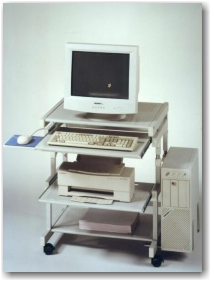
workplace_failMost developers don’t care much about their working equipment. The company they work in typically provides them a rather powerful computer with a mediocre monitor and a low-cost pair of keyboard and mouse. They’ll be given a regular chair at a regular desk in a regular office cubicle. And then they are expected (and expect themselves) to achieve outstanding results.

The broken triple

First of all, most developers are never asked about their favorite immediate work equipment: keyboard, mouse and monitor.

With today’s digitally driven flat-screens, the monitor quality is mostly sufficient for programming. It’s rather a question of screen real estate, device quantity and possibility of adjustments. Monitors get cheaper continuously.

The mouse is the second relevant input device for developers. But most developers spend more money on their daily travel than their employer spent for their mices. A good mouse has an optimal grip, a low monthly mouse mile count, enough buttons and wheels for your tasks, your favorite color and is still dirt cheap compared to the shirt you wear.

The keyboard is the most relevant device on a programmer’s desk. Your typing speed directly relies on your ability to make friends with your keyboard. Amazingly, every serious developer has her own favorite layout, keystroke behavior and general equipment. But most developers still stick to a bulk keyboard they were never asked about and would never use at home. A good keyboard matches your fingertips perfectly and won’t be much more expensive than the mouse.

Missed opportunities

The failure is two-fold: The employer misses the opportunity to increase developer productivtiy with very little financial investment and the developer misses the opportunity to clearly state her personal preferences concerning her closest implements.

Most employers will argue that it would place a heavy burden on the technical administration and the buying department to fit everybody with her personal devices. That’s probably true, but it’s nearly a one-time effort multiplied by your employee count, as most devices last several years. But it’s an ongoing effort for every developer to deliver top-notch results with cumbersome equipment. Most developers will last several years, too.

Some developers will state that they are happy with their devices. It really might be optimal, but it’s likely that the developer just hasn’t tried out alternatives yet.

Perhaps your organizational culture treats uniformity as professionality. Then why are you allowed to have different haircuts and individual ties?

Room for improvement

Our way to improve our workplaces was to introduce an annual “Creativity Budget” for every employee. It’s a fair amount of money destined to use one’s own creativity to improve productivity. It could also have been named “Productivity Budget”, but that would miss the very important part about creative solutions. There is no formal measurement of productivity and only loose rules on what not to do with the money. Above all, it’s a sign to the developer that she’s expected to personally care for her work environment, her equipment and her productivity. And that she’s not expected to do that without budget.

The Creativity Budget outcome

The most surprising fact about our budgets was that nearly none got fully spent. Most developers had very clear ideas on what to improve and just realized them – without further budget considerations. On top of that, everybody dared to express their preferences, without fear of overbearance. It’s not a big investment, but a very worthwile one.

Evil operator overloading of the day

The other day we encountered a strange stack overflow when cout-ing an instance of a custom class. The stream output operator << was overloaded for the class to get a nice output, but since the class had only two std::string attributes the implementation was very simple:

using namespace std;

class MyClass
{
   public:
   ...
   private:
      string stringA_;
      string stringB_;

   friend ostream& operator << (ostream& out, const MyClass& myClass);
};

ostream& operator << (ostream& out, const MyClass& myClass)
{
   return out << "MyClass (A: " << myClass.stringA_ 
              <<", B: " << myClass.stringB_ << ")"  << std::endl;
}

Because the debugger pointed us to a completely separate code part, our first thought was that maybe some old libraries had been accidently linked or some memory got corrupted somehow. Unfortunately, all efforts in that direction lead to nothing.

That was the time when we noticed that using old-style printf instead of std::cout did work just fine. Hm..

So back to that completely separate code part. Is it really so separate? And what does it do anyway?

We looked closer and after a few minutes we discovered the following code parts. Just look a little while before you read on, it’s not that difficult:

// some .h file somewhere in the code base that somehow got included where our stack overflow occurred:

...
typedef std::string MySpecialName;
...
ostream& operator << (ostream& out, const MySpecialName& name);

// and in some .cpp file nearby

...
ostream& operator << (ostream& out, const MySpecialName& name)
{
   out << "MySpecialName: " << name  << std::endl;
}
...

Got it? Yes, right! That overloaded out-stream operator << for MySpecialName together with that innocent looking typedef above put your program right into death by segmentation fault.  Overloading the out-stream operator for a given type can be a good idea – as long as that type is not a typedef of std::string. The code above not only leads to the operator << recursively calling itself but also sucks every other part of the code into its black hole which happens to include the .h file and wants to << a std::string variable.

You just have to love C++…

Branching support missing in JIRA

JIRA is a really great tool when it comes to issue tracking. It is powerful, extensible, usable and widespread. We and many of our clients use it for years and are quite satisfied coming from other tools like Bugzilla.

One thing we find is missing though is the concept of branching. In JIRA you have projects and can define a roadmap consisting of versions that follow each other. Many software products require sooner or later a development line which is only maintained getting bug and security fixes while feature development happens on a separate branch.

Tracking issues for a software with different branches is a bit more demanding because you have to identify the branches one issue affects and possibly separately fix them on each branch. One and the same issue could have different resolutions per branch, i.e. invalid if a broken functionality does not exist anymore. Nevertheless, all branches have to be checked, likely in different time frames.

Unfortunately JIRA does not support the notion of branches. You have to emulate the behaviour using different schemes like:

  • One issue per version that represents a branch
  • Multiple fix versions for an issue
  • Subtasks for an issue or issue links to ckeck and fix the issue for different versions

To me all those are workarounds which lack polished usability and add overhead to your issue management. Real branching support could help you check on which branch an issue is done, where it has still to be resolved and so on without adding more and more (perhaps loosely connected) issues to your system or forgetting to fix the issue on some branch (no question/warning when resolving an issue with multiple fix versions).

[Update:]

I created a new feature request for JIRA where you can vote or track progress on this issue.

Grails Web Application Security: XSS prevention

XSS (Cross Site Scripting) became a favored attack method in the last years. Several things are possible using an XSS vulnerability ranging from small annoyances to a complete desaster.
The XSS prevention cheat sheet states 6 rules to prevent XSS attacks. For a complete solution output encoding is needed in addition to input validation.
Here I take a further look on how to use the built in encoding methods in grails applications to prevent XSS.

Take 1: The global option

There exists a global option that specifies how all output is encoded when using ${}. See grails-app/conf/Config.groovy:

// The default codec used to encode data with ${}
grails.views.default.codec="html" // none, html, base64

So every input inside ${} is encoded but beware of the standard scaffolds where fieldValue is used inside ${}. Since fieldValue uses encoding you get a double escaped output – not a security problem, but the output is garbage.
This leaves the tags from the tag libraries to be reviewed for XSS vulnerability. The standard grails tags use all HTML encoding. If you use older versions than grails 1.1: beware of a bug in the renderErrors tag. Default encoding ${} does not help you when you use your custom tags. In this case you should nevertheless encode the output!
But problems arise with other tags like radioGroup like others found out.
So the global option does not result in much protection (only ${}), double escaping and problems with grails tags.

Take 2: Tainted strings

Other languages/frameworks (like Perl, Ruby, PHP,…) use a taint mode. There are some research works for Java.
Generally speaking in gsps three different outputs have to be escaped: ${}, <%%> and the ones from tags/taglibs. If a tainted String appears you can issue a warning and disallow or escape it. The problem in Java/Groovy is that Strings are value objects and since get copied in every operation so the tainted flag needs to be transferred, too. The same tainted flag must also be introduced for GStrings.
Since there isn’t any implementation or plugin for groovy/grails yet, right now you have to take the classic route:

Take 3: Test suites and reviews

Having a decent test suite in e.g. Selenium and reviewing your code for XSS vulnerabilities is still the best option in your grails apps. Maybe the tainted flags can help you in the future to spot places which you didn’t catch in a review.

P.S. A short overview for Java frameworks and their handling of XSS can be found here

An highly profitable investment

Some analysis on the financial aspects of using a second monitor on your computer. Dual monitoring is an investment with high payoff rates.

coinsWhen it comes to workplace ergonomics, oftentimes money matters most. And money is always short, except for a really good investment. A profitable investment is what every businessman will understand. Here is an investment that boosts both, ergonomics and finance.

The goal

In my definition, an highly profitable investment is money you get a return of an additional 25% in just a year. After that year, the investment does not vanish, but continues to pay off. The investment is socially acceptable at best: Everyone involved will feel happy as long as the investment runs. And the investment can be explained to every developer at your shop with just two words: dual monitors.

The maths

Ok, lets have some hard calculus about it. Here are some modest assumptions about the investment:

You already own a decent monitor, as you are a screen worker. Buying another one of the same type will cost you about 300 EUR, with 25% return on our investment, it needs to earn us about 400 EUR. A monitor that earns money?

Your income, without any additional costs for your employer, is at 40.000 EUR per year. If you happen to have an higher income, the investment just gets more profitable. You work for 200 days a year, according to the usual employment. If you look at the numbers, you see that you earn 200 EUR per day. The new monitor needs to earn two days worth of your work or one percent of your yearly working time.

If the monitor speeds you up by just one percent of your time, it’s a highly profitable investment.

A productivity boost by one percent

How much is one percent of your daily working time? If you work for eight hours a day, it’s about five minutes. You need to accelerate your work by using the second monitor by five minutes or one percent every day, that’s all. All the other goodies come for free: Better mood, higher motivation, lower defect rate, improved code quality.

Some minor limitations

We experimented with setups of N monitors, with N being a natural number. Three or more monitors do not pay off as much as the second one does. Hardware issues rear their ugly heads and generally, overview decreases. This might not be true with rapid context switching tasks like customer support, but with focussed software development, it is.

When using dual monitors, it’s crucial to get used to them and really utilize all their possibilities. Perhaps you might need additional software to fully drive your dual power home. You might have to rethink your application window layout habits.

Assigning a second monitor to a developer is an irreversible action. If you take it away again, the developer will feel jailed with too less screen real estate and might even suffer a mild form of claustrophobia. Morale and motivation will plummet, too.

Conclusion

Introducing dual monitoring to developers is a win-win situation for both the company and the developers. It’s a highly profitable investment while boosting staff morale and productivity. If there is one reason not to do it, it’s because of the irreversibility of the step. But a last word of secret to the management: You can even use it to raise employee loyalty, as nobody wants to work in a single monitor environment anymore.

How much boost does a C++ newbie need?

The other day, I talked to a C++ developer, who is relatively new in the language, about the C++ training they just had at his company. The training topics were already somewhat advanced and contained e.g. STL containers and their peculiarities, STL algorithms and some boost stuff like binders and smart pointers. That got me thinking about how much of STL and boost does a C++ developer just has to know in order to survive their C++ projects.

There is also another angle to this. There are certain corners of the C++ language, e.g. template metaprogramming, which are just hard to get, even for more experienced developers. And because of that, in my opinion, they have no place in a standard industry C++ project. But where do you draw the line? With template meta-programming it is obvious that it probably will never be in every day usage by Joe Developer. But what about e.g. boost’s multi-index container or their functional programming stuff? One could say that it depends on the skills of team whether more advanced stuff can be used or not. But suppose your team consist largely of C++ beginners and does not have much experience in the language, would you want to pass on using Boost.Spirit when you had to do some serious parsing? Or would you want to use error codes instead of decent exceptions, because they add a lot more potentially “invisible” code paths? Probably not, but those are certainly no easy decisions.

One of the problems with STL and boost for a C++ beginner can be illustrated with the following easy problem: How do you convert an int into a std::string and back? Having already internalized the stream classes the beginner might come up with something like this:

 int i = 5;
 std::ostringstream out;
 out << i;
 std::string i_string = out.str();  

 int j=0;
 std::istringstream in(i_string);
 in >> j;
 assert(i == j);

But if he just had learned a little boost he would know that, in fact, it is as easy as this:

 int i=5;
 std::string i_string = boost::lexical_cast<std::string>(i);

 int j = boost::lexical_cast<int>(i_string);

So you just have to know some basic boost stuff in order to write fairly decent C++ code. Besides boost::lexical_cast, which is part of the Boost Conversion Library, here is my personal list of mandatory boost knowledge:

Boost.Assign: Why still bother with std::map::push_back and the likes, if there is a much easier and concise syntax to initialize containers?

Boost.Bind (If you use functional programming): No one should be forced to wade through the mud of STL binders any longer. Boost::bind is just so much easier.

Boost.Foreach: Every for-loop becomes a code-smell after your first use of BOOST_FOREACH.

Boost.Member Function: see Boost.Bind

Boost.Smart Pointers: No comment is needed on that one.

As you can see, these are only the most basic libraries. Other extremely useful things for day-to-day programming are e.g. Boost.FileSystem, Boost.DateTime, Boost.Exceptions, Boost.Format, Boost.Unordered and Boost.Utilities.

Of course, you don’t have to memorize every part of the boost libraries, but boost.org should in any case be the first address to look for a solution to your daily  C++ challenges.

Don’t trust micro versions

Normally you would think, that upgrading a third party dependency where its micro version (after the second dot, like x in 2.3.x) changes should make your software work (even) better and not break it. Sadly enough it can easily happen. Some time ago we stumbled over a subtle change in the JNDI implementation of the Jetty webserver and servlet container: In version 6.1.11 you specified (or at least could specify) JNDI resources in jetty-env.xml with URLs like jdbc/myDatabase. After the update to 6.1.12 the specified resource could not be found anymore. Digging through code changelogs and the like provided a solution that finally worked with 6.1.12: java:comp/env/jdbc/myDatabase. The bad thing is that the latter does not work with 6.1.11 so that our configuration became micro-version-dependent on Jetty.

It seems that a new feature around JETTY-725 in the update from 6.1.11 to 6.1.12 broke our software.

Conclusion

Always make sure that your dependencies are fixed for your software releases and test your software everytime when upgrading a dependency. Do not trust some automatic dependency update system or the version numbers of a project. In the end they are just numbers and should indicate the impact of the changes but you never can be sure the changes do not break something for you.

Small gaps in the grails docs

Just for reference, if you come across one of the following problems:

Validation only datasource

Looking at the options of dbCreate in Datasource.groovy I only found 3 values: create-drop, create or update. But there is a fourth one: validate!
This one helps a lot when you use schema generation with Autobase or doing your schema updates external.

Redirect

Controller.redirect has two options for passing an id to the action id and params, but if you specify both which one will be used?

controller.redirect(id:1, params:[id:2])

Trying this out I found the id supersedes the params.id.

Update:
Thanks to Burt and Alvaro for their hints. I submitted a JIRA issue

A guide through the swamp – The CrapMap

Locate your crappy methods quickly with this treemap visualization tool for Crap4J report data.

One of the most useful metrics to us in the Softwareschneiderei is “CRAP”. For java, it is calculated by the Crap4J tool and provided as an HTML report. The report gives you a rough idea whats going on in your project, but to really know what’s up, you need to look closer.

A closer look on crap

The Crap4J tool spits out lots of numbers, especially for larger projects. But from these numbers, you can’t easily tell some important questions like:

  • Are there regions (packages, classes) with lots more crap than others?
  • What are those regions?

So we thought about the problem and found it to be solvable by data visualization.

Enter CrapMap

If you need to use advanced data visualization techniques, there is a very helpful project called prefuse (which has a successor named flare for web applications). It provides an exhaustive API to visualize nearly everything the way you want to. We wanted our crap statistics drawn in a treemap. A treemap is a bunch of boxes, crammed together by a clever layouting strategy, each one representing data, for example by its size or color.

The CrapMap is a treemap where every box represents a method. The size gives you a hint of the method’s complexity, the color indicates its crappyness. Method boxes reside inside their classes’ boxes which reside in package boxes. That way, the treemap represents your code structure.

A picture worth a thousand numbers

crapmap1

This is a screenshot of the CrapMap in action. You see a medium sized project with few crap methods (less than one percent). Each red rectangle is a crappy method, each green one is an acceptable method regarding its complexity.

Adding interaction

You can quickly identify your biggest problem (in terms of complexity) by selecting it with your mouse. All necessary data about this method is shown in the bottom section of the window. The overall data of the project is shown in the top section.

If you want to answer some more obscure questions about your methods, try the search box in the lower right corner. The CrapMap comes with a search engine using your methods’ names.

Using CrapMap on your project

CrapMap is a java swing application, meant for desktop usage. To visualize your own project, you need the report.xml data file of it from Crap4J. Start the CrapMap application and load the report.xml using the “open file” dialog that shows up. That’s all.

In the near future, CrapMap will be hosted on dev.java.net (crapmap.dev.java.net). Right now, it’s only available as a binary executable from our download server (1MB download size). When you unzip the archive, double-click the crapmap.jar to start the application. CrapMap requires Java6 to be installed.

Show your project

We would be pleased to see your CrapMap. Make a screenshot, upload it and leave a comment containing the link to the image.

Dancing the TANGO

One of our customers is an administration department at a research center, which is responsible to operate and maintain a synchrotron light source. They are in charge of a whole bunch of “normal” IT infrastructure as well as a wide variety of electronic devices which are used in all kinds of experiment settings. These can be cameras, electronic motors, detectors of all sorts, etc. One of their main day-to-day challenges is to integrate all those devices such that they can be controlled in a uniform way with standard measurement and control tools.

In order to provide a common solution to this task the TANGO platform has been developed in a collaborative effort of some the the main European synchrotron institutes. TANGO is an object-oriented distributed control system in which every device is represented in an abstract way by a so-called Device Server. A device server provides access to a given piece of hardware by exposing its attributes, properties, states, events and supported commands in a uniform way. CORBA is used as middleware which shows that it is still popular in real-time and embedded environments. Device server instances are registered at a central database and can be accessed and controlled using a variety of TANGO tools.

The typical TANGO development process is as follows: Each device comes with some vendor provided driver library and corresponding interface documentation (C interfaces in many cases). Starting with that information, all attributes, states and supported commands are defined using a tool called POGO. The resulting model of the device is then used to generate skeleton code for the device server. Right now, POGO supports C++, Java and Python. Then, the device server skeleton code is completed by accessing the actual device using the driver library.

For example, one of our latest projects was an X-ray detector which is roughly like a CCD camera for X-rays. As such it has read-only TANGO attributes Width and Height which corresponds to the width and height of the CCD chip. Furthermore it has a read-write attribute called ROI (region of interest) which is an array of four integer values (X0, Y0, X1, X2), Exposure Time, an integer value in milliseconds and a variety of other attributes. One obvious TANGO command is Start which tells the camera to start exposure and store resulting images.

So, if you happen to have a synchrotron light source in your garage (or of course any other bunch of hardware that you want to integrate), consider dancing the TANGO.