At your service, master!

One of the most important lessons that I had to learn in my job is that you have to be aware of the client. As a service provider, it is my duty to satisfy my client’s needs – and without knowing him, I will not be able to succeed. In this blog post I describe some insights that helped me to gain a better understanding of my clients.

The main connection between the service provider and his client is the communication between them. In an ideal world, the two parties would be able to understand each other perfectly, however, humans and their language are fallible and to me, this seems to be the root of most problems. Of course, both parties are responsible, nevertheless, the service provider should not only deal with his own defeciencies, but also with his client’s, in order to attract and keep clients. Next, I will list five instructions that can reduce or sometimes even prevent the incomprehension in the communication.

Be prepared

This is maybe the clearest rule: Before meeting a client, you should know the basics of the domain he is working in and of the problem he wants to solve. It is not the client’s job to explain his request, but rather the service provider’s job to comprehend it. Besides, if a client feels understood, he will also feel that you can solve his problem – and at that stage this matters more than whether you can actually solve his problem.

Be attentive

You and your client are different persons and, as a result, have a different understanding of the same things. Your client might quickly slur over some little details in a software he wants, so you could assume that they are of no importance – but you will be unpleasantly surprised when it turns out to be a critical aspect of the program. And this is not necessarily a flaw in the customer’s communication: Maybe to a domain expert – and your customer might be one – the importance of these details is totally obvious.

Furthermore, sometimes even language will lead you nowhere. For example, people do not always realize why a system is hard to use or where they make mistakes and hence cannot tell you about it, but by watching them you might find the problems. In such a situation, it is crucial to grasp not only the words the client is saying, but also other signals he is emitting.

Be without bias

As soon as I start listening to a client’s problem, sometimes I can literally watch myself constructing a solution in my head. I create a mental model composed of the components the customer is talking about, think about their relationships – and suddenly, I find myself thrown a curve because the client added a thought that objects my conception.

Of course, a model can improve the understanding of a client’s demands, however, one has to constantly question the validity of the model and – in case it is disproved – one must drop it without hesitation. Do not become attached to a model just because it is so elegant – in most cases, you will be betrayed. In contrast, it will probably become easier to adapt your mental models if you stay open-minded.

And even if your view seems to suit the customer’s requirements perfectly, you should hesitate to present it to him, you should not ask for confirmation early on. In fact, the better the concept seems, the more careful you should be: You might lead your client into thinking that it is a adequate solution, and by focusing on the conformity between the concept and his problem, you and your client may fail to see flaws.

Instead, you should try to ditch your assumptions, try to listen without bias. You still have to prepare yourself before you meet your client, but you should be willing to scrutinize your knowledge and to discard incorrect information.

Be concrete

The human language is a wonderful medium, but unfortunately terribly inaccurate. If, instead of writing, you can talk with your customer, you should usually choose the latter. Even better, if you can meet him in person, do it – there are so many more options to communicate if you are in one room that you will almost surely benefit from it.

For instance, if your client wishes a feature with some user interface, you can sketch it or build a paper prototype; you could even prepare a real prototype consisting only of the user interface. This allows your customer to play with it and facilitates the communication. And do not be abstract, do not fill your widgets with texts as “Lorem ipsum” – it does not matter if the content is made-up, but it should be realistic.

User interface design is a neat example since it is graphical, nevertheless, you can apply this principle to other tasks. It does not matter if you talk about a processes, some architecture, domain models or other structures: Even though most of them have no inherent graphical representation, it is usually easier to describe them graphically then by using text.

Seek for the why, not the what

Often, I tend to ask my clients about the problem they wish to solve – I ask what they wish to solve, not why. Usually, this is sufficient; he knows his situation and is able to express his needs. Unfortunately, it also happens that albeit the customer’s problem is solved according to his description, his wants are not satisfied – and the reason for this is that even he did not know what he actually needed. Even worse, sometimes I get caught by the “how”, that is, I quickly find a nice solution for some parts of a client’s problem, so I stick to it, maybe even implement it – and in the end I realize that it actually prevents me from solving the complete problem.

Hence, it is not only important to find out what your client wants to achieve, but also why he wants to achieve it, you have to understand his motivation. This can enable you to correct your client’s mistakes and to lead him to the question he actually wants to answer. Furthermore, this is a great handle to control the effort of a project: It becomes easier to identify indispensable core functionality and to find features whose usefulness is questionable, and hence, one can communicate with the client if some of the latters might be dropped. Simon Sinek gave an interesting TED talk to a similar topic found here.

Conclusion

Understanding your customers is difficult, but not impossible. I think that actively directing the attention at your counterpart, being open for input and questioning your assumptions and knowledge can strongly improve the communication with your clients.

Thinking in immutability

The way I learned programming is dictated by objects and states. Besides advantages and on going efforts in the industry I couldn’t help but thinking: immutability is nice. I can use it in some cases and keep it quietly stored in the corner. But it didn’t remain silent.

The way I learned programming is dictated by objects and states. According to my thinking data is packed into objects which are later modified to reflect the changes over time. State and modification are a central modelling technique. For me programming and OOP in particular resolved around this common theme. Mutating objects pervade my thinking even beyond the code into the database and even the architecture of the whole system.
Besides advantages and on going efforts in the industry I couldn’t help but thinking: immutability is nice. I can use it in some cases and keep it quietly stored in the corner.
But it didn’t remain silent.
So I asked myself: How do you construct programs that build upon immutability? How do you (mostly) avoid mutable objects? How do you think in immutability?
The first step was to unlearn. No updates. No modifications. Read, create, copy. That’s about it. No more CRUD only CR. No more SQL updates, only inserts.

Events and logs

To illustrate I use a simple example. Creating, moving, translating and deleting a point. In the traditional OO way it looks like this:

Point p = new Point(40, 30);
p.translateXBy(5);
p.moveTo(10, 20);
p.delete();

Or using SQL might be something like this (omitting primary keys and where clauses here):

insert into points (x, y) values (40, 30)
update points p set p.x = p.x + 5
update points p set p.x = 10, p.y = 20
delete from points

In our memory (or database if we use one) every line updates our point:

Point p = new Point(40, 30); // p = {x: 40, y: 30}
p.translateXBy(5); // p = {x: 45, y: 30}
p.moveTo(10, 20); // p = {x: 10, y: 20}
p.delete(); // p = ?

But what if we do not store the results of the operations but the operations themselves? The events.
Imagine your state changes as a series of events. Just imagine.

new PointCreated(40, 30); // pointEvents = [{created[x: 40, y:30]}]
new PointTranslatedXBy(5); // pointEvents = [{created[x: 40, y:30]}, {translated[x: 5]}]
new PointMovedTo(10, 20); // pointEvents = [{created[x: 40, y:30]}, {translated[x: 5]}, {moved:[x: 10, y:20]}]
new PointDeleted(); // pointEvents = [{created[x: 40, y:30]}, {translated[x: 5]}, {moved:[x: 10, y:20]}, {deleted}]

Even in the database we would just use inserts, no more updates and no more deletes. The events are stored in a log (ironically the database does this the same way). A log is a fully ordered, append only queue. Once we use and store events we have some extras besides immutability: an audit trail, an undo stack, recovering, …
We could externalize the event stream in a message queue and could monitor it, replay it to reproduce bugs, distribute it. The possibilities are endless.

But. That’s all nice and fine. I have one more question: what’s the current state? A user should see the current state and other parts of the system also (not mentioning that I – coming from a mutable state kind of thinking – would also feel better seeing it).

So what’s the current state?

All events applied in order.

OK. But isn’t this expensive doing this all the time?

Yes!

Here another concept from databases helps us: materialized views. We can easily translate in our mind between the new immutable event driven way and the old in place update way. It is just the same data in different representations (if we only are interested in the current state). If we store the current state as a materialized view (or cache) besides the event log we can have both.
Every part of the program which needs the current state gets an immutable copy of it. If this part needs to know when something changes, it can observe the events and act accordingly. This way mutability is pushed to the borders, to the parts where the current state is shown (like the UI layer).

Universal skills every software developer can benefit from

I develop software. Professionally for almost 15 years. These are some skills that helped and help me and I think they could help any software developer.

Disclaimer: I develop software. Professionally for almost 15 years. These are some skills that helped and help me and I think they could help any software developer.

Debug

I cannot tell you how many times debugging saved me. I debug with print statements, with IDEs, with command line debuggers and with my brain. Understanding how a system works is crucial. Which parts are connected and which are not. Asking what if. And asking what happened.

Profile

If things go slow, I need to know why. Users and stakeholders expect a certain speed. And rightly so. But beware: if you optimize for one scenario, others might suffer. Profiling and optimizations are a thing of priority: which tasks should be fast and which can be slow.

Sketch

If I work with or for others, understanding each other and the models and concepts they use is essential. Sketching helps me to illustrate my view, my understanding of their view and the misunderstandings between us. Even when not communicating with others I can communicate with myself. Sketching a model of what is in my head or what I plan helps me reason about it. You don’t need to be a master artist, simple shapes like lines, rectangles, circles and arrows get you a long way.

Concepts (domain and technical)

Everybody thinks in concepts and models. May they be from a technical or a user domain. In my daily work I need to understand, to develop, to extract and to communicate concepts. Concepts come from very different places: code has concepts, domains have concepts, our profession has concepts and all kinds of people have concepts. Concepts form the base for my communication.

Budgeting

Time is limited. Concentration is limited. Constraints in a project help me to focus. To be pragmatic. But they also push me to plan and to estimate. I need to develop a notion of how long a feature takes, how important it is, how risky.

Evaluate

In my work I constantly evaluate. From small scale: which implementation is better, to large scale: which technology, which architecture should I use. To evaluate, I need to know the goals and the criteria. My experience helps me and hinders me. I know that no evaluation can be objective. Every one has his personal favorites (and dislikes). Some things can only be seen afterwards. So I have to remind me that I don’t take too long with evaluation and start using it.

Talk

With other developers I can talk in IT lingo. With designers I need to use words from design. With users and stakeholders I speak so that they understand. My job is not only writing code. My job is to explain my job to others. If they do not understand me, it is my fault, not theirs. I do not need to bother them with every detail but sometimes they are the only ones who can decide. I need to tell them what their options are and what the consequences for each of them is – in their words.

Plan and prepare

They are two kinds of people: the ones who like to prepare and the ones who like to improvise. I am in the middle. Some things can be prepared and planned. It is useful when you can move work ahead of time or when you have (more) options when you need to improvise. Don’t overplan. Remember: a plan is there to be changed.

Improvise

During my career I face new situations every now and then. I cannot plan for them or I didn’t. When I am in a client meeting, in a demo presentation, at the production system and something goes not as planned, I need to do something. Sometimes now. It helps me to have a emergency mode. In these situations I focus on what I have: my brain and my voice and on what I can (maybe) get: help from others, a pencil and a paper, time. And sometimes I need to say: I am sorry.

Lead / own

If I work on an issue, I need to own it. If I lead a project, I need to own it. My career: I need to own it. I am the one who is responsible. That does not mean I have to perform the work myself. I also need to know when I am not the right person for the job. But I need to decide. The work, the project, the career is not a boat which drifts in a giant ocean, I need to take the paddle and use it.

Collaborate

I work not alone. I have teammates. I have clients. My goal is to work with them to a common goal. For this I need to collaborate. To delegate. To talk and to ask. To lead and to follow.

Define goals

Goals are measurable. I can ask: did I reach that goal? And answer with yes or no. Often we define something like: I want to get better at X as a goal. But that isn’t a goal. Think of a goal as a destination, not a direction. It is important to strike the balance between focusing too little or too much on our goals. But without even knowing what the goals are we just wander around.

Reflect and how to get feedback

I confess: I cannot live without feedback for too long. Am I on my way to the goal? Is this code any good? Was this the right decision? Do I make progress? Does it work? Reflection and feedback are stepping stones for me. A base from which I can move to higher mountains.

Ask

Asking is hard. Asking for help is hard. Asking for things you don’t (and maybe should) know is hard. But it helps immensely in learning. Be curious. Asking so that the other understands your question and you get the answers you need, needs practice. So: feel free to ask 🙂

A small example of domain analysis

One thing I’ve learned a lot about in recent years is domain analysis and domain modeling. Every once in a while, an isolated piece of code or a separable concept shows me just how much I’ve missed out all the years before. A few weeks ago, I came across such an example and want to share the experience and insight. It’s a story about domain exploration with heightened degree of difficulty – another programmer had analyzed it before and written code that I should replace. But first, let’s talk about the domain.

The domain

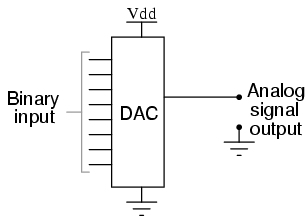
04250The project consisted of a machine control software that receives commands and alters the state of a complex electronic circuitry accordingly. The circuitry consists of several digital-to-analog converters (DAC), among other parts. We will concentrate on the DACs in this story. In case you don’t know what a DAC is, let me explain. Imagine a little integrated circuit (IC), the black bug-like electronic parts on a circuit board. On one side, you provide it a digital number in binary representation and on the other side, you’ll get an analog voltage that represents your number. Let’s say you drive a 8-bit DAC and give it a digital zero, the output will be zero volt. If you give the same DAC the number 255, it will output the maximum possible voltage. This voltage is given by the “reference voltage” pin and is usually tied to 5 V in traditional TTL logic circuits. If you drive a 12-bit DAC, the zero will still yield 0 V, while the 255 will now only yield about 0,3 V because the maximum digital number is now 4095. So the resolution of a DAC, given in bits, is a big deal for the driver.

DAC0800How exactly you have to provide that digital number, what additional signals need to be set or cleared to really get the analog voltage is up to the specific type of DAC. So this is the part of behaviour that should be encapsulated inside a DAC class. The rest of the software should only be able to change the digital number using a method on a particular DAC object. That’s our modeling task.

The original implementation

My job was not to develop the machine control software from scratch, but re-engineer it from existing sources. The code is written in plain C by an electronics technician, and it really shows. For our DAC driver, there was a function that took one argument – an integer value that will be written to the DAC. If the client code was lazy enough to not check the bounds of the DAC, you would see all kinds of overflow effects. It worked, but only if the client code knew about the resolution of the DAC and checked the bounds. One task the machine control software needed to do was to translate the command parameters that were given in millivolts to the correct integer number to feed it into the DAC and receive the desired millivolts at the analog output pin. This calculation, albeit not very complicated, was duplicated all over the place.


writeDAC(int value);

My original translation

One primary aspect when doing re-engineering work is not to assume too much and don’t change too many places at once. So my first translation was a method on the DAC objects requiring the exact integer value that should be written. The method would internally check for the valid value range because the object knows about the DAC resolution, while the client code should subsequently lose this knowledge. The original code translated nicely to this new structure and worked correctly, but I wasn’t happy with it. To provide the correct integer value, the client code needs to know about the DAC resolution and perform the calculation from millivolts to DAC value. Even if you centralize the calculation, there are still calls from everywhere to it.


dac.write(int value);

My first relevation

When I finally had translated all existing code, I knew that every single call to the DAC got their parameter in millivolts, but needed to set the DAC integer. Now I knew that the client code never cared about DAC integers at all, it cared about millivolts. If you find such a revelation, act on it – even just to see where it might lead you to. I acted and replaced the integer parameter of the write method on the DAC object with a voltage parameter. I created the Voltage domain type and had it expose factory methods to be easily created from millivolts that were represented by integers in the commands that the machine control software received. Now the client code only needed to create a Voltage object and pass it to the DAC to have that voltage show up at the analog output pin. The whole calculation and checking part happened inside the DAC object, where it belongs.


dac.write(Voltage required);

This version of the code was easy to read, easy to reason about and worked like a charm. It went into production and could be the end of the story.

The second insight

But the customer had other plans. He replaced parts of the original circuitry and upgraded most of the DACs on the way. Now there was only one type of DAC, but with additional amplifier functionality for some output pins (a typical DAC has several output pins that can be controlled by a pin address that is provided alongside the digital number). The code needed to drive the DACs, that were bound to 5 V reference voltage, but some channels would be amplified to double the voltage, providing a voltage range from 0 V to 10 V. If you want to set one of those channels to 5 V output voltage, you need to write half the maximum number to it. If the DAC has 12-bit resolution, you need to write 2047 (or 2048, depending on your rounding strategy) to it. Writing 4095 would yield 10 V on those channels.

Because the amplification isn’t part of the DAC itself, the DAC code shouldn’t know about it. This knowledge should be placed in a wrapper layer around the DAC objects, taking the voltage parameters from the client code and changing it according to the amplification of the channel. The client code would want to write 10 V, pass it to the wrapper layer that knows about the amplification and reduces it to 5 V, passing this to the DAC object that transforms it to the maximum reference voltage (5 V) that subsequently gets amplified to 10 V. This sounded so weird that I decided to review my domain analysis.

It dawned on me that the DAC domain never really cared about millivolts or voltages. Sure, the output will be a specific voltage, but it will be relative to your input in relation to the maximum value. The output voltage has the same percentage of the maximum value as the input value. It’s all about ratios. The DAC should always demand a percentage from the client code, not a voltage. This way, you can actually give it the ratio of anything and it will express this ratio as a voltage compared to the reference voltage. The DAC is defined by its core characteristics and the wrapper layer performs the translation from required voltage to percentage. In case of amplification, it is accounted for in this translation – the DAC never needs to know.


dac.write(Percentage required);

Expressiveness of the new concept

Now we can really describe in code what actually happens: A command arrives, requiring us to set a DAC channel to 8 volt. We create the voltage object for 8 volt and pass it on to the DAC wrapper layer. The layer knows about the 2x amplification and the reference voltage. It calculates that 8 volt will be 80% of the maximum DAC value (80% of 5 V being 4 V before and 8 V after amplification) and passes this information to the DAC object. The DAC object, being the only one to know its resolution, sets 0.8 * maximum_DAC_value to the required register and everything works.

The new concept of percentages decouples the voltage information from the DAC resolution information and keeps both informations where they belong. In fact, the DAC chip never really knows about the reference voltage, either – it’s the circuit around it that knows.

Conclusion

While it is easy to see why the first version with voltages as parameters has its charms, it isn’t modeling the reality accurately and therefor falls short when flexibility is required. The first version ties DAC resolution and reference voltage together when in fact the DAC chip only knows the resolution. You can operate the chip with any reference voltage within a valid range. By decoupling those informations and moving the knowledge about reference voltages outside the DAC object, I modeled the reality more accurate and every requirement finds its natural place. This “natural place finding” is what makes a good model useful for reasoning. In our case, the natural place for the reference voltage was outside the DAC in the wrapper layer. Finding a real name for the wrapper layer was easy, I called it “circuit board”.

Domain analysis is all about having the right abstractions for your model. Your model is suitable for your task when everything fits and falls into place nearly automatically. When names needn’t be found but kind of obtrude themselves from the real domain. The right model (for the given task) feels good and transports a lot of domain knowledge. And domain knowledge is the most treasurable knowledge for any developer.

Assumptions – how to find, track and eliminate them

Assumptions can kill a project. Like a house built on sand we don’t know when and where it will collapse.
The problem with assumptions is that they disguise as truths. We believe them.

Assumptions can kill a project. Like a house built on sand we don’t know when and where it will collapse.
The problem with assumptions is that they disguise as truths. We believe them. They are the project’s reality. Just like the matrix.
Assumptions are shortcuts. Guesses at reality. We cannot fully grasp reality, so we assume. But we can find evidence for our decisions. For this we need to uncover the assumptions, assess their risk and gather evidence. But how do we know what we assume?

Find assumptions

Watch your language

‘I think’, ‘In my opinion’, ‘should be’, ‘roughly’, ‘circa’ are all clues for assumptions. Decisions need to be based on evidence. When we use vague language or personal opinions to describe our project we need to pause. Under this lurks insecurity and assumptions.
Another red flag are metaphors. Metaphors might be great to present, paint a picture in our head or describe a vision. But in decision making they are too abstract and meaningless. We may use them to describe our strategy but when we need to design and implement we need borders that constrain our decisions. Metaphors usually cover only some aspects of the project and vice versa. There’s a mismatch. We need concrete language without ambiguity.

Be dumb

We know so much that we think others have the same experience, education, view point, familiarity, proficiency and imprinting. We know so little that we think the other way is also true. We transfer. We assume. Dare to ask dumb questions. Adopt a beginner’s mind. Challenge traditions and common beliefs.
We take age old decisions for granted. They were made by people smarter than us, so they must be right. Don’t do this. Question them. Even the obvious ones.
In the book ‘Hidden in plain sight’ Jan Chipchase enters a typical cafe where people sit and talk, drink coffee and typing on their laptops. The question he poses: should the coffeshop owner sell diapers? So that everybody can continue what they do without the need to go to the bathroom. This question challenges our cultural and imprinted beliefs. And this is good.

Be curious

Ask: why? We need to get to the root of the problem. Dig deeper. Often under layers of reasoning and thoughtful decisions lies an assumption. The chain is only so strong as its weakest link. If we started with an assumption, the reasoning building on it is also assumed. Children often ask why and don’t stop even when we think it is all said and logical. So when we find the root, we need to continue to ask: is this really the root? Why is it the way it is.
Another question we need to ask repeatedly is: what if? What if: our target audience changes? we try to follow the opposite of the goals of our project? what if the technology changes?

Change perspectives

We see what we want to see. Seeing is an active process. We can stretch our thinking only so far. To stretch it even further we need to change roles. For just some hours do the work our users do. Feel their pains. Their highs and lows.
Or adopt the role of the browser. Good interfaces are conversations. Play a dialog with your user. Be the browser.
Only by embracing constraints of other perspectives we can force ourselves to stretch. In this way we find things which are assumed by us because of our view of the world.

Track them

After we have collected the assumptions we need to track them to later prove or disprove them. For this a simple spreadsheet or table is sufficient. This learning plan consists of 5 columns (taken from Leah Buley’s The UX Team of one):

  • the assumption: what we believe is true
  • the certainty: a 3 or 5 point scale showing how sure we are that we are right
  • notes: additional notes of why we think the assumption is right or wrong
  • the evidence: results which we collected to support this assumption
  • the research: things we can do to collect further evidence

Eliminate them

Now that we know what we assume and with which certainty we think we are right, we can start to collect further information to support or disprove our claims. In short: We research. Research can take many different forms. But all forms are there to gain further insights. Some basic forms we use to bring light into the darkness of uncertainty are:

  • Stakeholder interviews
  • (Contextual) user interviews
  • Heuristic evaluation
  • Prototyping
  • Market research

Other methods we don’t use (yet) include:

  • A/B tests (paired with analytics)
  • User tests

The point behind all these methods is to build a chain of reasoning. Everything in our software needs a reason to exist. The users and the stakeholders are the primary sources of insight. But also our experience, the human psychology and common patterns or conventions help us to decide which way to go.
Not only the method of collecting is important but also how the results are documented. We should present the essential information in a way that it is easy to get a glimpse of it just by looking at the respective documents. On the other side we should all keep this pragmatic and not go overboard. Our goal is to get insight and not build a proof of the system.

Declare war on your software

If we believe Robert Greene, life is dominated by fierce war – and he does not only refer to obvious events such as World War II or the Gulf Wars, but also to politics, jobs and even the daily interactions with your significant other.

The book

Left aside whether or not his notion corresponds to reality, it is indeed possible to apply many of the strategies traditionally employed in warfare to other fields including software development. In his book The 33 Strategies of War, Robert Greene explains his extended conception on the term war, which is not restricted to military conflicts, and describes various methods that may be utilized not only to win a battle, but also to gain advantage in everyday life. His advice is backed by detailed historic examples originating from famous military leaders like Sun Tsu, influential politicans like Franklin D. Roosevelt and even successful movie directors like Alfred Hitchcock.

Examples

While it is clear that Greene’s methods are applicable to diplomacy and politics, their application in the field of software development may seem slightly odd. Hence, I will give two specific examples from the book to explain my view.

The Grand Strategy

Alexander the Great became king of Macedon at the young age of twenty, and one of his first actions was to propose a crusade against Persia, the Greek’s nemesis. He was warned that the Persian navy was strong in the Mediterranean Sea and that he should strengthen the Greek navy so as to attack the Persians both by land and by sea. Nevertheless, he boldly set off with an army of 35,000 Greeks and marched straight into Asia Minor – and in the first encounter, he inflicted a devastating defeat on the Persians.

Now, his advisors were delighted and urged him to head into the heart of Persia. However, instead of delivering the finishing blow, he turned south, conquering some cities here and there, leading his army through Phoenicia into Egypt – and by taking Persia’s major ports, he disabled them from using their fleet. Furthermore, the Egyptians hated the Persians and welcomed Alexander, so that he was free to use their wealth of grain in order to feed his army.

Still, he did not move against the Persian king, Darius, but started to engage in politics. By building on the Persion government system, changing merely its unpopular characteristics, he was able to stabilize the captured regions and to consolidate his power. It was not before 331 B. C., two years after the start of his campaign, that he finally marched on the main Persian force.

While Alexander might have been able to defeat Darius right from the start, this success would probably not have lasted for a long time. Without taking the time to bring the conquered regions under control, his empire could easily have collapsed. Besides, the time worked in his favor: Cut off from the Egyptian wealth and the subdued cities, the Persian realm faltered.

One of Greene’s strongest points is the notion of the Grand Strategy: If you engage in a battle which does not serve a major purpose, its outcome is meaningless. Like Alexander, whose actions were all targeted on establishing a Macedonian empire, it is crucial to focus on the big picture.

It is easy to see that these guidelines are not only useful in warfare, but rather in any kind of project work – including software projects. While one has to tackle the main tasks at some point, it is important to approach it reasoned, not rashly. If anaction is not directed towards the aim of the project, one will be distracted and endager its execution by wasting resources.

The Samurai Musashi

Miyamoto Musashi, a renowned warrior and duellist, lived in Japan during the late 16th and the early 17th century. Once, he was challenged by Matashichiro, another samurai whose father and brother had already been killed by Musashi. In spite of the warning of friends that it might be a trap, he decided to oppose his enemy, however, he did prepare himself.

For his previous duels, he had arrived exorbitantly late, making his opponents lose their temper and, hence, the control over the fight. Instead, this time he appeared at the scene hours before the agreed time, hid behind some bushes and waited. And indeed, Matashichiro arrived with a small troop to ambush Musashi – but using the element of surprise, he could defeat them all.

Some time later, another warrior caught Musashi’s interest. Shishido Baiken used a kusarigama, a chain-sickle, to fight and had been undefeated so far. The chain-sickle seemed to be superior to swords: The chain offered greater range and could bind an enemy’s weapon, whereupon the sickle would deal the finishing blow. But even Baiken was thrown off his guard; Musashi showed up armed with a shortsword along with the traditional katana – and this allowed him to counter the kusarigama.

A further remarkable opponent of Musashi was the samurai Sasaki Ganryu, who wore a nodachi, a sword longer than the usual katanas. Again, Musashi changed his tactics: He faced Ganryu with an oar he had turned into a weapon. Exploiting the unmatched range of the oar, he could easily win the fight.

The characteristic that distinguished Musashi from his adversaries most was not his skill, but that he excelled at adapting his actions to his surroundings. Even though he was an outstanding swordsman, he did not hesitate to follow different paths, if necessary. Education and training facilitate becoming successful, but one has to keep an open mind to change.

Relating to software development, it does not mean that we have to start afresh all the time we begin a new project. Nevertheless, it is dangerous if one clings to outdated technologies and procedures, sometimes may be helpful to regard a situation like a child, without any assumptions. In this manner, it is probably possible to learn along the way.

Summary

Greene’s book is a very interesting read and even though in my view one should take its content with a pinch of salt, it is a nice opportunity to broaden one’s horizon. The book contains far more than I addressed in this article and I think most of its findings are indeed in one way or another applicable to everyday life.

The typography of source code

All of our source code has typical (macro) typographical properties. This structure can tell us something about the language used, about the type of artifact and even about the composition of the individual parts of a class or file itself.

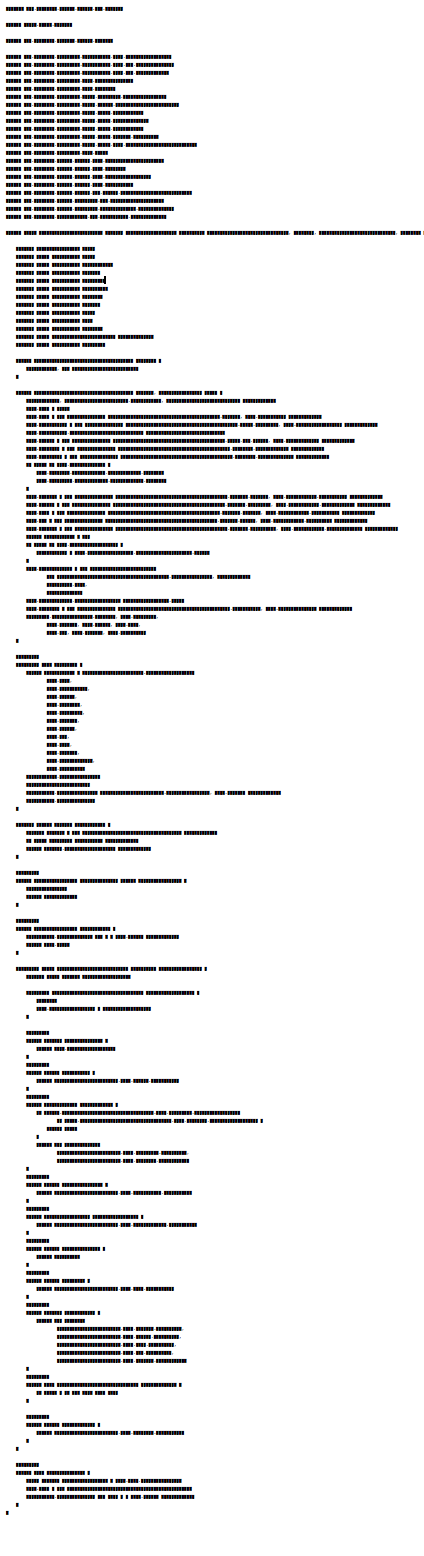
Take a look at the following source code, can you guess which language this is written in?

It’s CSS. CSS has a typical layout with a minimal indentation depth where a group of selectors embraces lines of attribute / value pairs. Take a look:

As with the example above all of our source code has typical (macro) typographical properties. This features can tell us something about the language used, about the type of artifact and even about the composition of the individual parts of a class or file itself.
Here’s another typical file in a common language:

In this case it is a Java class. It reveals itself by its block of imports at the top (1). The class declaration (2) is rather long probably due to generics. The typical block of field declarations (3) starts the class body. Quickly a short constructor follows (4). It is too short but has parameters so it is a convenience constructor. The real constructor is next (5). Here we see the constructor is too long. It does so much we almost take it for a normal method. At (6) we see parameters for a method call one on each line. The slight change in indentation at (7) indicates an inner class. The block at (8) confirms the inner class: here parameters from the outer class are referenced by prefixing it with OuterClassName.this.
Even subtle things like annotations (9) can be seen at macro level.

Let’s compare two object oriented languages one is Java, the other one Ruby.

Several things can be noticed (besides the Java version is much longer than the Ruby one). First the Java block of imports is missing in Ruby. The field block seems to be small in Ruby but another big block follows in the middle. The Ruby class shown here is a Rails domain class. The block in the middle contains the associations (has_many and friends). Looking closer one can glimpse that the closing part of the methods seems a bit thicker in Ruby (Ruby closes the method with end whereas Java closes with }). But besides the difference a similarity is also there: both classes have a couple of short methods near the bottom.
Even within one language and one framework classes with different purpose have different shapes. Seeing a Rails model and a controller side by side shows some interesting patterns.

While controllers have a block at the end of the class (which is for permitting request parameters), model classes have blocks of scope declarations and associations typical at the center. Whereas model methods are short in both dimensions, the controller methods have a level of indentation (which is a typical if which checks for the success or failure of the operation).

But why does this all matter? The first thing when we look a block of text is its (macro) structure. Typical patterns can help us to identify the type of class or language. Inconsistencies could be bugs or parts which were difficult to write. Kevlin Henney advocates in his talk Seven Ineffective Coding Habits Of Many Programmers for formatting techniques that are stable and produce a minimal set of alignments. Because:

You convey information by the way you arrange a design’s elements in relation to each other. This information is understood immediately, if not consciously, by the people viewing your designs.

Daniel Higginbotham, http://www.visualmess.com/

I think many more things can be seen by looking at the macro level but for now I leave you with another picture of a sourcecode of a well known language. Can you guess what it is?

What developers can learn from designers

Looking beyond the tellerrand into what and how and why other disciplines do something can teach us more about our craft.

Slow down

Technology demands speed. Our industry focuses on speed and efficiency. Even our processes measure speed. (Scrum calls it velocity) But thinking needs time. Planning takes time. Caring needs time. Details need time. Testing needs time. Hearing, researching, observing, listening. All these need time. Designers know this.
We need to slow down. In order to see and design the details without losing the big picture we need to slow down. Great designs come from thinking hard. How do you do that? You concentrate on the essence. What matters most. How do you identify the essence? By thinking hard. And that needs time.

Design is about intention

Take a look at your code: is every line there for a reason? Every line? The order of the methods. The name of the variables. The separation in classes, interfaces, packages. How much of it is accidentally? Good designers choose everything with a reason. The place of this button? No coincidence. This color? This control? This flow of actions? Everything has an intention behind it. The information presented. Even the information not presented. The wording? Is part of the overall character. The menu structure? Grounded in good decisions.
On the other side when I look at my code (especially after some months) it doesn’t look so organized and determined. The order of the methods? Grown. The reason for this interface when there is only one implementation? Maybe I thought there would be more. Using this pattern here? What part of your code tells you its intent? And how much cries: incidental complexity? Think about it: did you choose what to include and what to left out?

Test for change, build to learn

What was the subtitle of the first XP book? Embrace change. This sounds like we are victims. Change is coming and we need to cope with it. But what when change is really coming? Are we prepared? 58 unit tests for the garbage?! The whole architecture and patterns I developed, tested and refactored countless times? Delete them?! In reality we still fear change.
But it does not have to be this way. What do designers do? They test for change. They build wireframes, mockups, prototypes. If some of them didn’t work out they can abandon them. The cost to create them is low. And even when it was not the right design they learned something. They build the prototypes to test their hypotheses. They build them to proof or falsify their assumptions. They build to learn.
The learning effect is more important than the artifact itself.
And when the application is in production? They also test for change. They do A/B tests (again for learning). Designers don’t wait until change comes to them and then they have to embrace it, they test for change.

Listen

Listen. Truly listen. Shut down your preconceptions. How often do we ask too fast, too much? Suggestive questions? Questions with constrained possibilities to answer? I often ask goal directed questions. To further find out. To define what the requirements are.
Then one day I made a mistake. I asked an open ended question. And got an answer. Not what I expected. I thought I would know the shape of the problem. I thought: okay, we need a chart, the possibility to switch between different scales and a second view for the deviation. But no. Suddenly the customer tells me: just show one series in one scale. The deviation can be displayed in a table. We do not need other scales. In previous meetings he nodded in agreement when I presented the other solution. What happened? Did the customer change his mind? No. He told me his thoughts. Not the other way around. I did not tell him what I think and he agrees. He had to think for himself. He had to shape his thoughts in order to explain them to me. He had to think it through.

Net effect matters most

Developers like to think in features. When you ask a developer what did you do for customer X, he might tell you: we created a system to manage the complex process of submitting proposals for a great variety of technologies in an efficient manner. Features: submission of proposals, complexity management, flexibility and efficiency. The what.
A designer might answer: through our work scientists all over the world have access to advanced technology to explore the future of science. The effect on the world, users and customers.
Think what is made possible through our creations, how it improves lives. Start with why.

Documentation is essential

There is this notion in our craft that the code is all the documentation you need. Why is this the way it is? Take a look at the code. The code is the documentation. Look at the commit message. This is all you need.
No. In our experience code as documentation sucks. It is too low level. What is the goal you want to reach with this piece? What is the information you collected. What are the decisions you made. What is omitted. What is rethought. What alternatives were abandoned.
Designers use all kind of artifacts to learn and record their findings and decisions. They create and keep only the essential ones and keep it pragmatic. Easy to create. Easy to update. Easy to note down what you learned and what was wrong in your assumptions. The code is just one level of abstraction and usually the end result of the thought and decision process. Record and keep the way of the decisions, not just the end result.

Focus on the whole

Developers like to divide and conquer. To separate everything into small manageable pieces. Agile demands that. First services. Then microservices. What’s next? Nanoservices?
Designers on the other hand keep the complete experience in mind. For them the whole product matters. The whole is more than the sum of its parts. The dream of the developer is that all pieces fit like Lego stones together in the end. But they forget to imagine and plan the whole creation they wanted to build. A house is not the same as another house. The composition of rooms matter. The lighting. The connections between rooms and floors. The placement of windows and doors. The whole experience. The same is valid for applications that people use.

Solution alternatives

As developers we are natural problem solvers. We are given a problem and create a solution. Designers are problem solvers, too. They identify a problem and create many solutions, test them, rate them and present them. They explore. They test and learn. They collect data and evidence. They know that every solution has its trade offs. The most promising ones are evaluated. With a plan. With hypotheses. They crave for feedback.

Reduced and emphasized – It’s about the connection

YAGNI. KISS. We know them. But what do we do with the time saved? We solve other problems. Designers carve out the details. They think of interactions, clear wording, better defaults. The little things that delight the user. Going the extra mile. The user of the applications feels cared for. He feels that there was a human that thought about his situation. There’s a connection between designers and users through the application.
When we saw Bret Victor presenting his jaw dropping talk about “Inventing on principle” he made one important point: creators must feel a connection to their creation. I think everyone should feel a connection to the software he uses. He should feel cared for and delighted. Applications are not just tools, they are experiences, they create emotions, they connect us.

Programming mistakes of my past self – Part I

As a Clean Code Developer, I often reflect on my work. This led me to investigate the mistakes I made in the past and to analyze them in detail. Here are three mistakes I really made, why I did them and how to fix them.

One thing that fascinates me about software development is the fact that we aren’t done yet as a profession, we just barely started. New paradigms, programming languages and concepts, even new technologies are invented, discovered and refined at every moment. Add a personal journey of skill acquisition and improvement, and it’s enough for a fulfilled professional life. But as a Clean Code Developer, I often pause and reflect – on me, my work and why I do it in this particular way. I’m aware that I’m on a perpetuating process of self-improvement, always better than yesterday (hopefully), but never as good as I want to be. Reflecting the changes and transformations I made in the past helps me to understand changes in the present or even in the future. So this is a blog entry about mistakes, probably embarrassing ones, that I really made and didn’t think anything was wrong at some point in my professional career.

But before I make my confessions, please keep this disclaimer in mind: Most of these mistakes, I made in the ancient days of my schooling and early steps. I’ve come a long way since, read a ton of books, wrote several big software systems and switched programming languages several times. I didn’t write this to make fun of my past self, but to gather (and provide) insight into the mind of an apprentice and how he rationalizes aspects of software development that seem out of place or even funny to more experienced developers. The purpose is to be more aware of more recent sketchy rationalizations, not to laugh about how stupid I was – even if I’ve probably been stupid.

No indentation

Origin:
Yes, really. I started my professional/academic career with strictly left-aligned code and no sense of the value of indentation. It just seemed meaningless “additional effort” to me. Let me explain why while you laugh. I started my career with BASIC, and after years of tinkering around and finally reading books about it (this was long before the world wide web, mind you!), discovered that I could circumvent the limitations of the runtime by directly PEEKing and POKEing to the memory. Essentially, I began to write machine code in BASIC. As soon as I had this figured out, my language of choice was now assembler, because why drill holes into BASIC every time I wanted to do something meaningful (like changing the VGA palette mid-frame to have more than 256 colours available). Years of assembler programming followed. Assembler isn’t like any other programming language, it’s more of a halfway de-scrambled machine code and as such has no higher concepts like loops or if-else statements. This is more or less like every program in assembler looks like:

push    20h
call    401010
add     esp,4
xor     eax,eax
ret

You’ve probably already guessed where this leads to: In assembler, all scoping/blocking of code has to be done by the programmer in his head. There was no value in indentation because there was no hierarchy of statements and everything was on the same level of (nearly non-existent) abstraction. I got used to the level of attention you have to maintain to keep track of your code. So when I started programming in Java during my study, the hard nut to crack was object orientation, not the simple task of understanding code without indentation.

Mistake:
It didn’t occur to me that my code was hard to understand for other readers (e.g. my tutor) without proper formatting. Code was cryptic and hard to understand, so what? I didn’t regard obfuscation as a problem, but was proud to be “one of the few” who could actually understand what was going on.

Remedy:
I’ve come a long way since. Nearly two decades in application development taught me to write, structure and format my code as clearly as I can – and always add some extra effort into clarity. Good code is readable, and readable code is understandable by virtually everybody, not only a chosen few. Indentation is a very important tool to lead the reader (and yourself) through your program. It’s no coincidence that the first rule of the Object Calisthenics deals with indentation.

Single return functions

Origin:
This one also roots in my first years of programming BASIC and assembler. In assembler, you never think about anything other than one clear exit from a subroutine, because you need to restore all register context before the jump back by hand. In BASIC, there was that lingering danger that you couldn’t break free from a loop or a routine too early because the interpreter would mess up its internal context. If you were inside a loop and left the subroutine by “Exit Sub” command, the loop context was still present and ready to bite you.
In short, everything else but a clearly cut exit strategy from a function was dangerous and error prone. The additional code infrastructure needed to maintain such a programming style, e.g. additional local variables and blown-up conditionals were necessary costs in my book. To be honest, I didn’t even think about any alternative, because in my reality, you needed to care about your stack content even in BASIC.

Mistake:
I didn’t think about ways to minimize my effort in micromanaging the computer. In my defense, this would have totally alienated assembler programming for me. Assembler is all about micromanagement and CPU nursery. It didn’t occur to me that my value system (stack handling is coder’s work) limited my ability to express the goals of a function (instead of its minutiae).

Remedy:
Great recapulations of most arguments against single return functions can be found in the C2 wiki and various other internet sources like this great question on stackexchange.com
I dropped this style quickly when finally wrapping my head around the fact that the Java VM handles all memory including the stack for me and doesn’t want me to interfere (or “optimize”). Once freed from micromanagement issues, you can adapt your stylistic choice to the matter at hand and write code that supports your problem domain instead of adhering to limitations from the technical domain.

Special naming conventions for interfaces

Origin:
One of the hardest topics in object-oriented programming for me was the concept of “abstract” classes or even those mysterious interfaces. What’s the use of an interface anyway when it doesn’t even contain code? It seemed like additional work without benefit for me. And with a programming style that stores everything in primitive data types (where else?), interfaces just don’t cut it. So I adopted a style that marks everything dubious with extra prefixes to move it out of the way when it comes to naming. Let’s say I want to program a class that represents a user (class User), but are somehow forced or tempted to create an interface for it? Just name it IUser! It’s such a no-brainer that interfaces didn’t require any effort in their creation. And while we are at it, let’s name all abstract classes AbstractXYZ, because that’s much better than the alternative – to name the concrete class XYZImpl (disclaimer: both options are flawed). Cool, a new concept in Java 5 were Enums, let’s prefix them with “big E” so we can always tell them apart. And while we are at it, every exception should end with… well, I think you can guess.

Mistake:
I’m happy to announce that I never fell in the Hungarian notation trap. But that doesn’t serve as an excuse for the type name prefix mess I maintained longer than I’m willing to admit. The mistake was to overburden type names with implementation details and let the technical domain leak into my type system.

Remedy:
One day, I decided to cut it out and began to eliminate prefixes and suffixes in type names. It started a process of discoveries, insights and new possibilities much like in the case of single return functions. And the process isn’t even finished yet. Just recently, Kevlin Henney came along and gave me another push forward on my journey to really good type names (Seven ineffective coding habits of many programmers). As a reminder: The compiler doesn’t care about your names. Most readers don’t care about the actual technical realization of a type as long as they know what the type is for in the problem domain. Even you yourself don’t care about prefixes in the name once the name-finding phase is past. Let me phrase this facetious: “Equal naming rules for all types of types!”

Only the beginning

These three examples are only the beginning of a whole list of mistakes, misconceptions and plain falsities of mine. I hope you’ll see the intention behind the confession, not only the amusing part of self-revelation. Try it on yourself! Think back to your early days as a software developer and write down the funny things you worked with and were proud of. Then try to fit them into the scheme: How did you start doing it? Why exactly was it a mistake (in the long run)? And what was the aspect that drove you away from it? How did you fix your mistake?

I would love to hear and learn from your mistakes, too.

Snowflakes are a bad sign

Snowflake servers are brittle and expensive. Treating hardware like cattle instead of pets is one strategy to overcome the snowflake syndrome. Here are some strategies to foster this mindset.

snowflakeFirst, allow me a bad joke: If you enter your server room and find real snowflakes, it might be a sign that your air conditioning is over-ambitious. But even if you just enter your server room, you probably see some snowflakes, but in the metaphorical sense.

Snowflake servers

Snowflakes are servers with an unique layout. I cannot say it better than Martin Fowler two years ago in his Bliki posting SnowflakeServer, but I’m trying to add some insights and more current tools. The term probably originates in the motto that everybody is a “precious unique snowflake”. This holds true for humans and animals, but not for machines. Let’s examine how a snowflake is born. Imagine that in the beginning, all servers are the same: standard hardware, a default operating system and nothing more. You pick one server to host a special application and adjust the hardware accordingly. Now you already have an hardware snowflake – not the worst thing, but you better document your rationale behind the adjustment in an accessible way – a wiki page specifically for that server perhaps. Because sooner or later, that machine will fail (or become hopelessly obsolete) and needs to be replaced – with adequate hardware. Without your documentation, you’ll have to remember why the old machine had that specific layout – and if it was sufficient. I’ve seen the “ancient server” anti-pattern much too often: A dusted machine, buzzing like an asthmatic pensioner in the last corner of the server room, and nobody was allowed near. Because there are no spare parts (VESA local bus isn’t supported anymore), if one part fails, the whole system is doomed – operating system and software included. Entire organizations rely on the readiness for duty of one hardware assembly – and almost always a crude one.

Server as cattle

The ancient server happens more likely when you treat your servers like pets. This is the crucial mental switch you’ll have to make: servers are cattle, not pets. They have numbers, not names. They can be monitored, upgraded and fostered, but at the end of the day, they serve a clearly defined business case and deserve no emotional investment of the owner. If a pet gets hurt, you take it to the veterinary and cure it. If cattle gets sick, you call the veterinary to make sure it’s not contagious and then replace the affected individuals – to cure them would be more expensive. Pets live as long as they can, cattle has a dacattlete of expiry. And our cattle (servers) really isn’t sentient, so stop treating it like pets.

Strategies to run a ranch

Our current answer to make the transition from pet zoo to cattle ranch without significantly increasing the amount of metal in our server room can be boiled down to three strategies:

  • Virtualize the logical machines. Instead of working on “real metal machines”, more and more of our services run inside virtual machines. This allows for a clearer separation of concerns (one duty per machine) and keeps the emotional commitment towards the machine low. Currently, we use VirtualBox and Docker for this task. Both are easy to set up and fulfill their task well.
  • Remove the names from real metal machines. We really number our real machines now. Giving clever names to virtual machines is still possible, but not necessary: they are probably only accessed using DNS aliases that specify their use, like “projectX-database” or “projectY-webserver”. We even choose the computer cases for our machines accordingly to separate the pets (unique cases) from cattle (uniform cases).
  • Specify the machine. The virtualized hardware must be described and explained (e.g. why this particular machine needs twice the normal RAM ration). Currently, we use Vagrant to specify the hardware and operating system of our virtual machines. The specifications are stored in a version controlled repository, so there is a place where most of our server infrastructure is described in a deployable fashion. Even more, all necessary third-party software products are specified, too. Imagine a todo list of what to install and prepare, like the one you’ve handed over to your admin in the past, but automatically executable. We currently use Ansible for our configuration management because it has very low requirements for the target platform itself and has a low learning curve.

Applying these three strategies, every (logical) machine in our server room should be reproduceable. They are still individuals, specifically tailored for their jobs, but completely specified and virtualized. The real metal machines only run the bare minimum of software necessary to host the logical machines. None of the machines promote emotional attachment – they are tools for their job.

Data is snow

One important insight is that persistent data will turn your machine into a snowflake over time (we use the term as a verb: “data will snowflake your machine”). You will become emotionally and financially attached to this data – otherwise, there is no need to persist it in the first place. We don’t have a panacea here yet. You probably want to use a database and a sophisticated backup strategy here. Just make sure that the presence of precious data on it doesn’t obscure your stance towards the machine. You want to keep the data and still be able to throw the machine away.

Don’t stop at machines

We are software developers, so we cannot deny that the concept of snowflaking is very helpful for our own projects, too. Every dependency that we can bring with us during deployment (called “self-containment” or “batteries included” in our slang) is one less thing of “snowflaking” the target machine. Every piece of infrastructure (real, virtualized or purely conceptual) we implicitly rely on (like valid certificates, SSH keys or passwords and database locations) will snowflake the target machine and should be treated accordingly: documented, specified and automated. If you hot-fix a production server, it’s definitely a huge snowflaking action that needs to be at least carefully documented. You can’t avoid snowflaking completely, but strive to mimize the manual amount of it and then sanitize the automated part.

Snowflaking is a concept

We’ve found the term of “snowflaking” very useful to transport the necessity and value in documenting, specifying and automating everything that doesn’t happen on a developer machine (and even there, the build process is fully automated). Snowflaked enviroments tend to be expensive in maintainance and brittle in operations. The effort to mitigate the effects of snowflaking pays off very soon and is highly reuseable. But even more powerful is the change in the mindset as soon as the concept of “snowflaking” is understood. It’s a short term for a broad range of strategies and values/beliefs. It’s a powerful and scalable concept.

We’d love to hear your experiences

You’ve probably experimented with various tools and concepts to manage your servers, too. What were your experiences and insights? Add a comment below, we are looking forward to your input.