TANGO device server architecture

In my previous post I explained the basics of TANGO and why you probably want to use TANGO for development of a distributed system. Now I would like to explain how to build and design a TANGO device server. There are several best practices and even a comprehensive and ever evolving guide you should definately have a look at.

General Approach

I like to think about TANGO as a thin wrapper around some software object. That means almost all logic and hardware/platform dependent stuff is implemented in the software object which should provide all services the TANGO wrapper needs. Usually you will design an opinionated library supporting your use cases and encapsulating platform, hardware and driver issues and leaves out the stuff you do not need.

TANGO Server - ArchitectureThe opinionated library has no dependencies on TANGO and can be use in different clients independently of TANGO. The TANGO device classes mostly delegate to the library and manage just the TANGO specific things like device state, synchronisation, allowed methods and so on.

TANGO Server Architecture

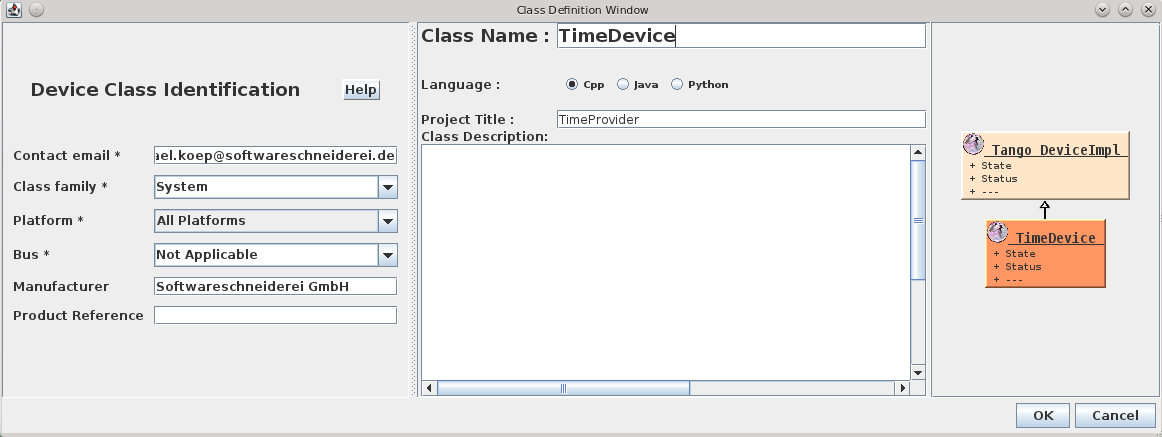
As said before the TANGO device that makes use of the software component developed with TANGO in mind contains only short methods doing parameter conversion and some TANGO book keeping and life-cycle-management. The design of the server itself is an interesting part in itself though. Often it pays off to implement several devices in one (or more) TANGO servers that perform different tasks and provide special interfaces to their clients.

For example, a multi-axis motor controller could export one device per axis, so clients can move the axes independently in a natural fashion by denoting the respective axis by its device name. Alongside there may be some controller device that provides access to controller functionality not specific to a single axis like a stop all axes command. Sometimes it is helpful to let the axis devices talk to the controller and not directly to the component you are trying to expose via TANGO. That way you can for example synchronise access to the component with TANGO framework functionality on the controller device.

For imaging systems like CCD cameras or other detectors additional devices for image transformations, persisting the images or additional buffering may be a good decision. Such devices can be made largely independent of the actual hardware or imaging system which makes for nice reuse and plug-able functionality.

So it is good to think about the different tasks and aspects your TANGO server should perform and separate them into specialised devices. That should make each device itself clearer and enables specialised service interfaces for different clients. Your devices become easier to use and many parts may be even reusable. We try to standardise on device interfaces every time we identify general abstractions. That makes it much easier for the clients to work with your exposed TANGO devices.

Successful patterns for software developers

Some lessons I learned

Be good at everything but better at something

Diversify. Knowing and working in different domains, using different programming languages and tools and handling diverse tasks enriches your creativity as a developer. It keeps your mind flexible and inspires you. Many can agree on that. But on the other hand you should find your niche, your personal joy, your home ground. Different developers have different personalities, different talents and different preferences. People shine when they work with something they like. They are more happy, more productive and more creative. But not all developers in a team or company have the same favorites. Your company should encourage you getting better at your specialty. Work on your strengths.
I like dynamic languages, others prefer static languages. Some developers like to craft desktop software, some web applications. Others concentrate on the UI or controlling robots or sensors. Some ponder over algorithms while others are happy with designing visualizations.
When your team has a common ground but everybody has strengths in different fields everybody can learn from and supplement each other. Synergy is created.

Be support, project manager, admin, …

Developers in our company wear many hats. Sometimes even literally (but that’s another story). If a developer is responsible or takes part in other roles of the project his view is widened. When he talks with customers he not only understands their needs better but also can suggest different ways or solutions. His domain knowledge grows and he can identify pain points. Working with the platforms where the application is deployed and the systems involved also strengthens his grasp of the environment the application lives in. As a project manager he learns to juggle time and scope. He learns to work with constraints and different forces pulling not only the code but the whole project.

Optimize for forgiveness

A user deleted a post accidentally. What do we normally do? We introduce a security question to establish a barrier for deletion. What’s this? We make the UX worse because we think it is the user’s fault and we need to protect him from himself. A better way would be to don’t delete the post but make it invisible. This way he can undo if he wrongly deleted the post. But what about updates? Updating a post overwrites the old content. What if this happened not on purpose? A better way would be to record the last state of the post and undo the update if necessary. Todays computers have so much memory and are so powerful that an application can be allowed to be merciful. It can forgive its users when they did something wrong and want to revert it.

It is not about you

This is one of the hardest lessons to learn. Your work is not about you. Yes, it reflects you in a way. But it does not define you, you define the work. If your code has bugs or you make a mistake and accidentally delete important data, take a deep breath and think. Get help. Plan your steps, discuss with others what to do. Tell them you made a mistake. Everybody does. Do not try to fix it yourself. Do not hide it. Focus on the problem at hand. Not your shame or feeling of guilt. (This goes hand in hand with optimizing for forgiveness)

Talk and listen

Feedback. One of the most important things in software development. Talk to your users. Listen. Again and again. Often talking 10 minutes about a task or problem can result in hours of work saved. The bug you couldn’t reproduce? It was in a different area. The feature you thought was nearly impossible? With a slight change it is much easier. This also goes for everything else. Deployments and commits. Design decisions. You are the expert in your domain, the customer in his. Act accordingly. Tell him the options he has and what will be the consequences. Don’t let him guess. He shouldn’t do your work.

Programming mistakes of my past self – Part I

As a Clean Code Developer, I often reflect on my work. This led me to investigate the mistakes I made in the past and to analyze them in detail. Here are three mistakes I really made, why I did them and how to fix them.

One thing that fascinates me about software development is the fact that we aren’t done yet as a profession, we just barely started. New paradigms, programming languages and concepts, even new technologies are invented, discovered and refined at every moment. Add a personal journey of skill acquisition and improvement, and it’s enough for a fulfilled professional life. But as a Clean Code Developer, I often pause and reflect – on me, my work and why I do it in this particular way. I’m aware that I’m on a perpetuating process of self-improvement, always better than yesterday (hopefully), but never as good as I want to be. Reflecting the changes and transformations I made in the past helps me to understand changes in the present or even in the future. So this is a blog entry about mistakes, probably embarrassing ones, that I really made and didn’t think anything was wrong at some point in my professional career.

But before I make my confessions, please keep this disclaimer in mind: Most of these mistakes, I made in the ancient days of my schooling and early steps. I’ve come a long way since, read a ton of books, wrote several big software systems and switched programming languages several times. I didn’t write this to make fun of my past self, but to gather (and provide) insight into the mind of an apprentice and how he rationalizes aspects of software development that seem out of place or even funny to more experienced developers. The purpose is to be more aware of more recent sketchy rationalizations, not to laugh about how stupid I was – even if I’ve probably been stupid.

No indentation

Origin:
Yes, really. I started my professional/academic career with strictly left-aligned code and no sense of the value of indentation. It just seemed meaningless “additional effort” to me. Let me explain why while you laugh. I started my career with BASIC, and after years of tinkering around and finally reading books about it (this was long before the world wide web, mind you!), discovered that I could circumvent the limitations of the runtime by directly PEEKing and POKEing to the memory. Essentially, I began to write machine code in BASIC. As soon as I had this figured out, my language of choice was now assembler, because why drill holes into BASIC every time I wanted to do something meaningful (like changing the VGA palette mid-frame to have more than 256 colours available). Years of assembler programming followed. Assembler isn’t like any other programming language, it’s more of a halfway de-scrambled machine code and as such has no higher concepts like loops or if-else statements. This is more or less like every program in assembler looks like:

push    20h
call    401010
add     esp,4
xor     eax,eax
ret

You’ve probably already guessed where this leads to: In assembler, all scoping/blocking of code has to be done by the programmer in his head. There was no value in indentation because there was no hierarchy of statements and everything was on the same level of (nearly non-existent) abstraction. I got used to the level of attention you have to maintain to keep track of your code. So when I started programming in Java during my study, the hard nut to crack was object orientation, not the simple task of understanding code without indentation.

Mistake:
It didn’t occur to me that my code was hard to understand for other readers (e.g. my tutor) without proper formatting. Code was cryptic and hard to understand, so what? I didn’t regard obfuscation as a problem, but was proud to be “one of the few” who could actually understand what was going on.

Remedy:
I’ve come a long way since. Nearly two decades in application development taught me to write, structure and format my code as clearly as I can – and always add some extra effort into clarity. Good code is readable, and readable code is understandable by virtually everybody, not only a chosen few. Indentation is a very important tool to lead the reader (and yourself) through your program. It’s no coincidence that the first rule of the Object Calisthenics deals with indentation.

Single return functions

Origin:
This one also roots in my first years of programming BASIC and assembler. In assembler, you never think about anything other than one clear exit from a subroutine, because you need to restore all register context before the jump back by hand. In BASIC, there was that lingering danger that you couldn’t break free from a loop or a routine too early because the interpreter would mess up its internal context. If you were inside a loop and left the subroutine by “Exit Sub” command, the loop context was still present and ready to bite you.
In short, everything else but a clearly cut exit strategy from a function was dangerous and error prone. The additional code infrastructure needed to maintain such a programming style, e.g. additional local variables and blown-up conditionals were necessary costs in my book. To be honest, I didn’t even think about any alternative, because in my reality, you needed to care about your stack content even in BASIC.

Mistake:
I didn’t think about ways to minimize my effort in micromanaging the computer. In my defense, this would have totally alienated assembler programming for me. Assembler is all about micromanagement and CPU nursery. It didn’t occur to me that my value system (stack handling is coder’s work) limited my ability to express the goals of a function (instead of its minutiae).

Remedy:
Great recapulations of most arguments against single return functions can be found in the C2 wiki and various other internet sources like this great question on stackexchange.com
I dropped this style quickly when finally wrapping my head around the fact that the Java VM handles all memory including the stack for me and doesn’t want me to interfere (or “optimize”). Once freed from micromanagement issues, you can adapt your stylistic choice to the matter at hand and write code that supports your problem domain instead of adhering to limitations from the technical domain.

Special naming conventions for interfaces

Origin:
One of the hardest topics in object-oriented programming for me was the concept of “abstract” classes or even those mysterious interfaces. What’s the use of an interface anyway when it doesn’t even contain code? It seemed like additional work without benefit for me. And with a programming style that stores everything in primitive data types (where else?), interfaces just don’t cut it. So I adopted a style that marks everything dubious with extra prefixes to move it out of the way when it comes to naming. Let’s say I want to program a class that represents a user (class User), but are somehow forced or tempted to create an interface for it? Just name it IUser! It’s such a no-brainer that interfaces didn’t require any effort in their creation. And while we are at it, let’s name all abstract classes AbstractXYZ, because that’s much better than the alternative – to name the concrete class XYZImpl (disclaimer: both options are flawed). Cool, a new concept in Java 5 were Enums, let’s prefix them with “big E” so we can always tell them apart. And while we are at it, every exception should end with… well, I think you can guess.

Mistake:
I’m happy to announce that I never fell in the Hungarian notation trap. But that doesn’t serve as an excuse for the type name prefix mess I maintained longer than I’m willing to admit. The mistake was to overburden type names with implementation details and let the technical domain leak into my type system.

Remedy:
One day, I decided to cut it out and began to eliminate prefixes and suffixes in type names. It started a process of discoveries, insights and new possibilities much like in the case of single return functions. And the process isn’t even finished yet. Just recently, Kevlin Henney came along and gave me another push forward on my journey to really good type names (Seven ineffective coding habits of many programmers). As a reminder: The compiler doesn’t care about your names. Most readers don’t care about the actual technical realization of a type as long as they know what the type is for in the problem domain. Even you yourself don’t care about prefixes in the name once the name-finding phase is past. Let me phrase this facetious: “Equal naming rules for all types of types!”

Only the beginning

These three examples are only the beginning of a whole list of mistakes, misconceptions and plain falsities of mine. I hope you’ll see the intention behind the confession, not only the amusing part of self-revelation. Try it on yourself! Think back to your early days as a software developer and write down the funny things you worked with and were proud of. Then try to fit them into the scheme: How did you start doing it? Why exactly was it a mistake (in the long run)? And what was the aspect that drove you away from it? How did you fix your mistake?

I would love to hear and learn from your mistakes, too.

MSBuild Basics

MSBuild is Microsoft’s build system for Visual Studio. Visual Studio project files (*.csproj, *.vbproj) do not only describe the project structure, but are also build scripts for MSBuild. They’re executed when you click the run button in the IDE, but they can also be called via the MSBuild command line utility.

> MSBuild.exe Project.csproj

These project files / build scripts are in XML format, comparable to Ant scripts in the Java land.

Edit project files

You can edit these files in any text editor, of course. But if you want to edit them within Visual Studio, you have to unload the project first:

  • Right click on the project in the Solution Explorer -> Unload Project
  • Right click on the project in the Solution Explorer -> Edit MyProject.csproj

After you’re done editing you can reload the project again via the context menu.

Targets and tasks

The concepts of MSBuild are comparable to many other build systems: a build script contains a set of named targets, and each target consists of a sequence of task calls.

A project can have one or more default targets, referenced by the DefaultTargets attribute of the Project root element:

<Project DefaultTargets="Build" ...>

Multiple targets can be separated by semicolons.

Targets are declared via Target tags containig the task calls:

  <Target Name="Clean">
    <Delete Files="xyz.tmp" />
    ...
  </Target>

MSBuild comes with a set of common tasks, such as Message, Copy, Delete, Exec, …

If you need more tasks you should have a look at these community provided task collections:

Both are available as NuGet packages and can be checked into your code repository alongside the project for self-containment. For the Extension Pack you have to set the ExtensionTasksPath property correctly before importing the tasks, for example:

<PropertyGroup>
  <ExtensionTasksPath Condition="'$(ExtensionTasksPath)' == ''">$(MSBuildProjectDirectory)\packages\MSBuild.Extension.Pack.1.5.0\tools\net40</ExtensionTasksPath>
</PropertyGroup>

<Import Project="$(ExtensionTasksPath)MSBuild.ExtensionPack.tasks">

Properties

Properties are defined within PropertyGroup tags, containing one or many property tags. The names of these tags are the property names and the tag contents are the property values. Properties are referenced via $(PropertyName). A property definition can have an optional Condition attribute, which determines whether a property should be set or not. The condition ‘$(PropertyName)’ == ”, for example, checks if a property is not yet set.

Here’s an example build target that uses the ZIP compression task from the Extension Pack and some properties to create a ZIP file artifact from the build results:

<Target Name="AfterBuild">
  <MSBuild.ExtensionPack.Compression.Zip TaskAction="Create" CompressPath="$(OutputPath)" ZipFileName="bin\$(ProjectName)-$(BuildNumber).zip" />
</Target>

You can also set property values from the outside via the MSBuild call:

> MSBuild.exe /t:Build /p:Configuration=Release;BuildNumber=1234 Project.csproj

  • The /t switch determines which targets to run. Multiple targets can be separated by semicolons.
  • The /p switch sets properties in the form of PropertyName=value, also separated by semicolons.

This way you can pass environment variables like $BUILD_NUMBER from your Continuous Integration system (e.g. Jenkins) to your build script:

> MSBuild.exe /t:Build /p:Configuration=Release;BuildNumber=$BUILD_NUMBER Project.csproj

Now you could use the MSBuild.ExtensionPack.Framework.AssemblyInfo task to write the $(BuildNumber) property into your AssemblyInfo file.

TANGO – Making equipment remotely controllable

Usually hardwareTango_logo vendors ship some end user application for Microsoft Windows and drivers for their hardware. Sometimes there are generic application like coriander for firewire cameras. While this is often enough most of these solutions are not remotely controllable. Some of our clients use multiple devices and equipment to conduct their experiments which must be orchestrated to achieve the desired results. This is where TANGO – an open source software (OSS) control system framework – comes into play.

Most of the time hardware also can be controlled using a standardized or proprietary protocol and/or a vendor library. TANGO makes it easy to expose the desired functionality of the hardware through a well-defined and explorable interface consisting of attributes and commands. Such an interface to hardware –  or a logical piece of equipment completely realised in software – is called a device in TANGO terms.

Devices are available over the (intra)net and can be controlled manually or using various scripting systems. Integrating your hardware as TANGO devices into the control system opens up a lot of possibilites in using and monitoring your equipment efficiently and comfortably using TANGO clients. There are a lot of bindings for TANGO devices if you do not want to program your own TANGO client in C++, Java or Python, for example LabVIEW, Matlab, IGOR pro, Panorama and WinCC OA.

So if you have the need to control several pieces of hardware at once have a look at the TANGO framework. It features

  • network transparency
  • platform-indepence (Windows, Linux, Mac OS X etc.) and -interoperability
  • cross-language support(C++, Java and Python)
  • a rich set of tools and frameworks

There is a vivid community around TANGO and many drivers for different types of equipment already exist as open source projects for different types of cameras, a plethora of motion controllers and so on. I will provide a deeper look at the concepts with code examples and guidelines building for TANGO devices in future posts.

Web, your users deserve better

The web has come a long way since its inception. But nevertheless many applications fail to serve the user appropriately. We talk a lot about new presentation styles, approaches and enhancements. These are all good endeavors but we should not neglect the basics.

The web has come a long way since its inception. But nevertheless many applications fail to serve the user appropriately. We talk a lot about new presentation styles, approaches and enhancements. These are all good endeavors but we should not neglect the basics. Say you have crafted a beautiful application. It is fast, reliable and has all features the client, user or product manager has envisioned. But is it usable? Is its design up to the task? How should you know? You are no designer. But you can evaluate if your application has the fundamental building blocks, the basics. How?
Fortunately there is an ISO standard about the proper behaviour of information systems: ISO 9241-110. It defines seven principles for dialogues (in a wider sense):

  • Suitability for the task: the dialogue is suitable for a task when it supports the user in the effective and efficient completion of the task.
  • Self-descriptiveness: the dialogue is self-descriptive when each dialogue step is immediately comprehensible through feedback from the system or is explained to the user on request.
  • Controllability: the dialogue is controllable when the user is able to initiate and control the direction and pace of the interaction until the point at which the goal has been met.
  • Conformity with user expectations: the dialogue conforms with user expectations when it is consistent and corresponds to the user characteristics, such as task knowledge, education, experience, and to commonly accepted conventions.
  • Error tolerance: the dialogue is error tolerant if despite evident errors in input, the intended result may be achieved with either no or minimal action by the user.
  • Suitability for individualization: the dialogue is capable of individualization when the interface software can be modified to suit the task needs, individual preferences, and skills of the user.
  • Suitability for learning: the dialogue is suitable for learning when it supports and guides the user in learning to use the system.

This sounds pretty abstract so let’s take a look at each principle in detail.

Suitability for the task

bloated app

Simple and easy. You all know the bloated applications from the desktop with myriads of functions, operations, options, settings, preferences, … These are easy to spot. But often the details are left behind. Many applications try to collect too much information. Or in the wrong order. Scattered over too many dialogues. This is such a big problem in today’s information systems that there’s even a German word for preventing this: Datensparsamkeit. Your application should only collect and ask for the information it needs to fulfill its tasks.
But not only collecting information is a problem. Help in little things like placing the focus on the first input field or prefilling fields with meaningful values which can be automatically derived improve the efficience of task completion. Todays application has many context information available and can help the user in filling out these data from the context she is in like the current date, location, selected contexts in the application or previous values.
Above all you have to talk to your users and understand them to adequately support their goals. Communication is key. This is hard work. They might not know what is important to them. Then watch them using your application, look at how they reached their goals before your application was there. What were their problems? What went well? What (common) mistakes did they make? How can your application avoid those?

Self descriptiveness

In every part of your application the user needs to know what is the function of every item on the screen. A recent trend in design generates widgets on the screen that are too ambiguous. Is this a link, a button or just text? What is clickable? Or editable? UX calls this an affordance:

“a situation where an object’s sensory characteristics intuitively imply its functionality and use”

So just from looking at it the user has to have an idea what the control is for. So when you look at the following input field, what is the format of the date you need to enter?

date format

So if your application accepts a set of formats you should tell the user beforehand. Same with required fields or constraints like maximum or minimum length or value ranges. But nowadays applications can go a step further: you can tell the user while she enters her data that her input contradicts another input or value in your database. You can tell her that the username she wants is already taken, the date of the appointment is already blocked.

username taken

Controllability

Everybody has seen this dreaded message:

Item was deleted

Despite any complex confirmations needed to delete an item items get deleted accidentally. What now? Adding levels of confirmation or complex rituals to delete an item does not value the users and their time. Some applications only mark an item as deleted and remove this flag if necessary. That is not enough. What if the user does not delete but overwrites a value of an item by mistake? Your application needs an undo mechanism. A global one. Users as all humans make mistakes. The technology is ready to and should not make them feel bad about it. It can be forgiving. So every action an user does must be revocable. Long running processes must be cancelable. Updates must be undoable.
I know there are exceptions to this. Actions which cause processes in the real world to start can sometimes be irrevocable. Sometimes. Nobody thought that sending an email can be undone. Google did it. How? They delay sending and offer an option to cancel this process. Think about it. Maybe you can undone the actions taken.
Your application should not only allow to reverse a process but also to start a process and complete it. This sounds obvious. But many applications set so many obstacles to find how to start an action. Show the actions which can be started. Provide shortcuts to the user to start and to advance. If your process has multiple steps make it easy for the user to return to where she left.

Conformity with user expectations

Especially in web design where there is so much freedom how your application looks: avoid fancy- or cleverness.

fancyness - blog post without borders and title

There are certain standards how widgets look, stick to them. If the users clicks a button on a form she expects that the content she entered is submitted. If she wants to upload a file the button should be labelled accordingly. Use clear words. Not only conventions determine how something is worded but also the task at hand. If the user expects to see a chart of her data, “calculate” or “generate” might not be the right button label even if the application does that. So again: talk to your users, understand them and their experience. Choose clarity over cleverness. Make it obvious. Your application might look “boring” but if the user knows where and what to do this is some much more worth.

Error tolerance

Oh! Your application accepts scientific notation. Entering 9e999999999… and

boom!

Users don’t enter malicious data by purpose (at least not always). But mistakes happen. Your application should plan for that. Constrain your input values. Don’t blow up when the users attachs a 100 GB file. Tell them what values you accept and when and why their entered information does not comply. Help them by showing fuzzy matches if their search term doesn’t yield an exact match. Even if the user submitted data is correct, data from other sources might not be. Your application needs to be robust. Take into account the problem and error cases not just the sunshine state.

Suitability for individualisation

Users are different. They have differ in skills, education, knowledge, experience and other characteristics. Some might need visual assistance like a color blind mode. Your application needs to provide this. Due to the different levels of experience and the different approachs a user takes your application should provide options to define how much and how the presented information is shown. Take a look at the following table of values. Do you see what is shown?

sinus curve values

Now take a look at a graph with the same values.

sinus curve values as graph

Sometimes one representation is better as another. Again talk to your users they might prefer different presentations.

Suitability for learning

You know your application. You know where to start an action and where to click. You know how the search is used and what filters are. You know where to find the report generation. You built it. But for first time users it is as entering a foreign city. Some things might be familiar and some strange. You need to think about the entry of your application. Users need help. Think about the blank slate, when your user or your application does not have any data. How do you guide the user to create her first project or enter information for the first item. She needs help with where to find the appropiate buttons and links to start the processes. She might not recognize the function behind an icon at first glance. Sometimes a tooltip helps. Sometimes you need a legend. And sometimes you should use a text instead of an icon.

icon glory

Database Migration Categories

Most long-running projects need to manage changes to the database schema of the system and data migrations in some way. As the system evolves new datatypes/tables and properties/columns are added, some are removed and others are changed. Relationships between objects also change in unpredictable ways so that you have to deal with these changes in some way. Not all changes are equal in nature, so we handle them differently!

One tool we use to manage our database is liquibase. The units of change are called migrations and are logged in the database itself (table “databasemigrations”) so that you can actually see in which state the schema is. Our experience using such tools for several years is very positive because there is no manual work on the database of some production system needed and new installations automatically create the database schema matching the running software. There are however a few situations when you want to do things manually. So we identified three types of changes and defined how to handle them:

1. structural changes

Structural changes modify the database schema but no data. In some cases you have to care about the default values for not null columns. These changes are handled by database management/versioning tools. They are relevant for all instances and specific for each deployed version of the system. The changes are stored with the source code under version control. Most of the time they are needed when extending the functionality of the system and implementing new features. In SQL the typical commands are CREATE, DROP and ALTER.

2. data rule changes

Changes to the way how the data is stored we call data rule changes. Examples for this are changing the representation of an enum from integer to string or a relation from one-to-many to many-to-many. In such a case the schema and importantly existing data has to be changed. For these migrations you do not need explicit ids of an object in the database but you change all entries in the same way according to the new rules. The changes can be applied to each instance of the system that is update to the new database (and software) version. Like structural changes they are executed using the database migration tool and stored under version control. The typical SQL command after the involveld structural changes needed is UPDATE with an where clause and sometimes CASE WHEN statements.

3. data modifications

Sometimes you have to change individual data sets of one instance of a system. That may be because of a bug in the software or corrupted/wrong entries that cannot by fixed using the system itself, e.g. as super user. Here you fix the entries of one instance of the system manually or with a SQL script. You will usually name specific object ids of the database and perform these exact changes only on this instance. It may be necessary to perfom similar tasks on other instances using different object ids. Because of this one-time and instance-specific nature of the changes we do not use a migration tool but some kind of SQL shell. Such manual changes have to be performed with extra caution and need to be thoroughly documented, e.g. in your issue tracker and wiki. If possible use a non-destructive approach and make backups of the data before executing the changes. Typical SQL statements are UPDATE or DELETE containing ids or business keys.

Conclusion

With categories and guidelines above developers can easily figure out how to deal with changes to the database. They can keep the software, database schema and customer data up-to-date, nice and clean over many years while improving and evolving the system and managing several instances running possibly different versions of the system.

Build your own performance and log monitoring solution

Tips for a better performance only help when you know where you can improve performance. So to find the places where speed is needed you can monitor the performance of your app in production. Here we build a simple performance and log monitoring solution.

Tips for a better performance like using views or reducing the complexity of your algorithms only help when you know where you can improve performance. So to find the places where speed is needed you can build extensive load and performance tests or even better you can monitor the performance of your app in production. Many solutions exists which give you varying levels of detail (the costs of them also varies). But often a simple solution is enough. We start with a typical (CRUD) web app and build a monitor and a tool to analyse response times. The goal is to see what are the ten worst performing queries of the last week. We want an answer to this question continuously and maybe ask additional questions like what were the details of the responses like user/role, URL, max/min, views or persistence. A web app built on Rails gives us a lot of measurements we need out of the box but how do we extract this information from the logs?
Typical log entries from an app running on JRuby on Rails 4 using Tomcat looks like this:

Sep 11, 2014 7:05:29 AM org.apache.catalina.core.ApplicationContext log
Information: I, [2014-09-11T07:05:29.455000 #1234]  INFO -- : [19e15e24-a023-4a33-9a60-8474b61c95fb] Started GET "/my-app/" for 127.0.0.1 at 2014-09-11 07:05:29 +0200

...

Sep 11, 2014 7:05:29 AM org.apache.catalina.core.ApplicationContext log
Information: I, [2014-09-11T07:05:29.501000 #1234]  INFO -- : [19e15e24-a023-4a33-9a60-8474b61c95fb] Completed 200 OK in 46ms (Views: 15.0ms | ActiveRecord: 0.0ms)

Important to identify log entries for the same request is the request identifier, in our case 19e15e24-a023-4a33-9a60-8474b61c95fb. To see this in the log you need to add the following line to your config/environments/production.rb:

config.log_tags = [ :uuid ]

Now we could parse the logs manually and store them in a database. That’s what we do but we use some tools from the open source community to help us. Logstash is a tool to collect, parse and store logs and events. It reads the logs via so called inputs, parses, aggregates and filters with the help of filters and stores by outputs. Since logstash is by Elasticsearch – the company – we use elasticsearch – the product – as our database. Elasticsearch is a powerful search and analytcs platform. Think: a REST frontend to Lucene – only much better.

So first we need a way to read in our log files. Logstash stores its config in logstash.conf and reads file with the file input:

input {
  file {
    path => "/path/to/logs/localhost.2014-09-*.log"
    # uncomment these lines if you want to reread the logs
    # start_position => "beginning"
    # sincedb_path => "/dev/null"
    codec => multiline {
      pattern => "^%{MONTH}"
      what => "previous"
      negate => true
    }
  }
}

There are some interesting things to note here. We use wildcards to match the desired input files. If we want to reread one or more of the log files we need to tell logstash to start from the beginning of the file and forget that the file was already read. Logstash remembers the position and the last time the file was read in a sincedb_path to ignore that we just specify /dev/null as a path. Inputs (and outputs) can have codecs. Here we join the lines in the log which do not start with a month. This helps us to record stack traces or multiline log entries as one event.
Add an output to stdout to the config file:

output {
  stdout {
    codec => rubydebug{}
  }
}

Start logstash with

logstash -f logstash.conf --verbose

and you should see your log entries as json output with the line in the field message.
To analyse the events we need to categorise them or tag them for this we use the grep filter:

filter {
  grep {
    add_tag => ["request_started"]
    match => ["message", "Information: .* Started .*"]
    drop => false
  }
}

Grep normally drops all non matching events, so we need to pass drop => false. This filter adds a tag to all events with the message field matching our regexp. We can add filters for matching the completed and error events accordingly:

  grep {
    add_tag => ["request_completed"]
    match => ["message", "Information: .* Completed .*"]
    drop => false
  }
  grep {
    add_tag => ["error"]
    match => ["message", "\:\:Error"]
    drop => false
  }

Now we know which event starts and which ends a request but how do we extract the duration and the request id? For this logstash has a filter named grok. One of the more powerful filters it can extract information and store them into fields via regexps. Furthermore it comes with predefined expressions for common things like timestamps, ip addresses, numbers, log levels and much more. Take a look at the source to see a full list. Since these patterns can be complex there’s a handy little tool with which you can test your patterns called grok debug.
If we want to extract the URL from the started event we could use:

grok {
    match => ["message", ".* \[%{TIMESTAMP_ISO8601:timestamp} \#%{NUMBER:}\].*%{LOGLEVEL:level} .* \[%{UUID:request_id}\] Started %{WORD:method} \"%{URIPATHPARAM:uri}\" for %{IP:} at %{GREEDYDATA:}"]
 }

For the duration of the completed event it looks like:

grok {
    match => ["message", ".* \[%{TIMESTAMP_ISO8601:timestamp} \#%{NUMBER:}\].*%{LOGLEVEL:level} .* \[%{UUID:request_id}\] Completed %{NUMBER:http_code} %{GREEDYDATA:http_code_verbose} in %{NUMBER:duration:float}ms (\((Views: %{NUMBER:duration_views:float}ms \| )?ActiveRecord: %{NUMBER:duration_active_record:float}ms\))?"]
 }

Grok patterns are inside of %{} like %{NUMBER:duration:float} where NUMBER is the name of the pattern, duration is the optional field and float the data type. As of this writing grok only supports floats or integers as data types, everything else is stored as string.
Storing the events in elasticsearch is straightforward replace or add to your stdout output an elasticsearch output:

output {
  elasticsearch {
    protocol => "http"
    host => localhost
    index => myindex
  }
}

Looking at the events you see that start events contain the URL and the completed events the duration. For analysing it would be easier to have them in one place. But the default filters and codecs do not support this. Fortunately it is easy to develop your own custom filter. Since logstash is written in JRuby, all you need to do is write a Ruby class that implements register and filter:

require "logstash/filters/base"
require "logstash/namespace"

class LogStash::Filters::Transport < LogStash::Filters::Base

  # Setting the config_name here is required. This is how you
  # configure this filter from your logstash config.
  #
  # filter {
  #   transport { ... }
  # }
  config_name "transport"
  milestone 1

  def initialize(config = {})
    super
    @threadsafe = false
    @running = Hash.new
  end 

  def register
    # nothing to do
  end

  def filter(event)
    if event["tags"].include? 'request_started'
      @running[event["request_id"]] = event["uri"]
    end
    if event["tags"].include? 'request_completed'
      event["uri"] = @running.delete event["request_id"]
    end
  end
end

We name the class and config name ‘transport’ and declare it as milestone 1 (since it is a new plugin). In the filter method we remember the URL for each request and store it in the completed event. Insert this into a file named transport.rb in logstash/filters and call logstash with the path to the parent of the logstash dir.

logstash --pluginpath . -f logstash.conf --verbose

All our events are now in elasticsearch point your browser to http://localhost:9200/_search?pretty or where your elasticsearch is running and it should return the first few events. You can test some queries like _search?q=tags:request_completed (to see the completed events) or _search?q=duration:[1000 TO *] to get the events with a duration of 1000 ms and more. Now to the questions we want to be answered: what are the worst top ten response times by URL? For this we need to group the events by URL (field uri) and calculate the average duration:

curl -XPOST 'http://localhost:9200/_search?pretty' -d '
{
  "size":0,
  "query": {
    "query_string": {
      "query": "tags:request_completed AND timestamp:[7d/d TO *]"
     }
  },
  "aggs": {
    "group_by_uri": {
      "terms": {
        "field": "uri.raw",
        "min_doc_count": 1,
        "size":10,
        "order": {
          "avg_per_uri": "desc"
        }
      },
      "aggs": {
        "avg_per_uri": {
          "avg": {"field": "duration"}
        }
      }
    }
  }
}'

See that we use uri.raw to get the whole URL. Elasticsearch separates the URL by the /, so grouping by uri would mean grouping by every part of the path. now-7d/d means 7 days ago. All groups of events are included but if we want to limit our aggregation to groups with a minimum size we need to alter min_doc_count. Now we have an answer but it is pretty unreadable. Why not have a website with a list?
Since we don’t need a whole web app we could just use Angular and the elasticsearch JavaScript API to write a small page. This page displays the top ten list and when you click on one it lists all events for the corresponding URL.

<!DOCTYPE html>
<html>
  <head>
    <script type="text/javascript" src="https://ajax.googleapis.com/ajax/libs/angularjs/1.2.11/angular.min.js"></script>
    <script type="text/javascript" src="elasticsearch-js/elasticsearch.angular.js"></script>
    <script type="text/javascript" src="monitoring.js"></script>

    <link rel="stylesheet" href="http://netdna.bootstrapcdn.com/bootstrap/3.1.0/css/bootstrap.min.css">
    <link rel="stylesheet" href="http://netdna.bootstrapcdn.com/bootstrap/3.1.0/css/bootstrap-theme.min.css">
  </head>
  <body>
    <div ng-app="Monitoring" class="container" ng-controller="Monitoring">
      <div class="col-md-6">
        <h2>Last week's top ten slowest requests</h2>
        <table class="table">
          <thead>
            <tr>
              <th>URL</th>
              <th>Average Response Time (ms)</th>
            </tr>
          </thead>
          <tbody>
            <tr ng-repeat="request in top_slow track by $index">
              <td><a href ng-click="details_of(request.key)">{{request.key}}</a></td>
              <td>{{request.avg_per_uri.value}}</td>
            </tr>
          </tbody>
        </table>
      </div>
      <div class="col-md-6">
        <h3>Details</h3>
        <table class="table">
          <thead>
            <tr>
              <th>Logs</th>
            </tr>
          </thead>
          <tbody>
            <tr ng-repeat="line in details track by $index">
              <td>{{line._source.message}}</td>
            </tr>
          </tbody>
        </table>
      </div>
    </div>
  </body>
</html>

And the corresponding Angular app:

var module = angular.module("Monitoring", ['elasticsearch']);

module.service('client', function (esFactory) {
  return esFactory({
    host: 'localhost:9200'
  });
});

module.controller('Monitoring', ['$scope', 'client', function ($scope, client) {
var indexName = 'myindex';
client.search({
index: indexName,
body: {
  "size":0,
  "query": {
    "query_string": {
      "query": "tags:request_completed AND timestamp:[now-1d/d TO *]"
     }
  },
  "aggs": {
    "group_by_uri": {
      "terms": {
        "field": "uri.raw",
        "min_doc_count": 1,
        "size":10,
        "order": {
          "avg_per_uri": "desc"
        }
      },
      "aggs": {
        "avg_per_uri": {
          "avg": {"field": "duration"}
        }
      }
    }
  }
}
}, function(error, response) {
  $scope.top_slow = response.aggregations.group_by_uri.buckets;
});

$scope.details_of = function(url) {
client.search({
index: indexName,
body: {
  "size": 100,
  "sort": [
    { "timestamp": "asc" }
  ],
  "query": {
    "query_string": {
      "query": 'timestamp:[now-1d/d TO *] AND uri:"' + url + '"'
     }
  },
}
}, function(error, response) {
  $scope.details = response.hits.hits;
});
};
}]);

This is just a start. Now we could filter out the errors, combine logs from different sources or write visualisations with d3. At least we see where performance problems lie and take further steps at the right places.

The power of analysis

A short story about the power of good analysis. Thinking in terms of the problem domain is a key ingredient.

Quite some years ago, I heard a story about the power of analysis that happened even deeper in the past. Its moral holds true until today, though. It’s the insight that to fully analyse a particular challenge or task, you have to think outside your own box. Let’s hear the story before we analyse it:

The problem

A small company for sensor technology usually solved customer problems like distance measurement without contact or gas mixture control. The team was informed about all the latest sensors and trained to come up with solutions even to really challenging tasks. This lead to a word of mouth recommendation for a new customer that promptly described his problem.

christmas-star-lamp-smallThe customer ran a workshop for physically handicapped people that mostly worked with wood and produced a wide variety of products that got sold on various markets. One product was the Christmas lamp in shape of a star. It proved to be a best-seller and had a good economic ratio. At least it could have, if only the rejects rate would be lower. To assemble the lamp from little wooden laths was difficult for skilled workers and even harder for skilled handicapped workers. The main difficulty was to glue the laths in just the right angle to result in the desired star shape. The customer needed some set-up of sensors that would indicate to the worker when the angle was right. He imagined something like a cheap navigation system that would yell/display “left” and “right” until the angle was “correct”.

The solution finding

The team accepted the task and started the creative solution process that lasted several days of thinking, doodling, researching and scribbling. Then, the team gathered for a solution finding session. A multitude of ideas were presented and almost instantly rejected. From laser distance measurement over acoustic ultrasonic sensors to camera-based image evaluation, everything cool and remotely feasible was presented and rejected because nothing had an even remote chance to succeed outside of laboratory settings. Not one approach survived the applicability check. The team was devastated and returned to the creative phase, if not as reckless as the first time.

The solution

A few days later, the second solution finding session had only a few new ideas, none standing a chance. Finally, a student spoke up: “This isn’t a problem that should be solved with sensors!”. Well, this was a bold sentence in a team of sensor technologists. The student explained: “The real problem is the placement of the small laths, not the correct angle itself. Even if we build a sensor that can reliably indicate right and wrong angles, it would just tell the worker that whatever he tries, he won’t get it right. These workers don’t need supervision, they need assistance. No sensor is going to deliver that.” The team was baffled. The student went on: “I thought about a solution that will assist the worker during the assembly, but it’s nothing we will get rich with. A simple mould in the right shape, perhaps non-adhering to the glue they use for the wood, would let them produce one half of the lamp. Glue two of those halves together and everything fits. No need for batteries even.”

christmas-lamp-star-sideWhen the sensor technology company proposed this solution to the customer, he laughed loud and long. It was the most elegant and inexpensive solution he never thought of. It was exactly what was needed. It worked perfectly from the first prototypes onward. The Christmas lamp rejects rate dwindled to almost zero instantly. In short: perfect score. Just that the sensor technology company wouldn’t earn anything with maintenance or improvements was a minor drawback.

Good analysis

This story is my illustrative material when I have to explain what good analysis is. Let’s take a look at the bafflement of the team: They had all started their solution finding with the premise that this was a problem inside their area of expertise. Even the customer said so. Good analysis works out the real nature of a problem regardless of what anybody says about it. This includes any description given by the customer or even the wood workers in charge of the actual work. Good analysis finds a solution that fits the problem, not the field of expertise of the analyst.

Analysis is the process of thinking in terms of the problem space. In this story, an important part of the analysis was already done by the customer: Most of the rejects have wrong angles, so we need to make sure the angles are correct and we need a machine to tell us, because apparently the workers themselves can’t. The machine needs sensors, so lets assign a sensor company on the task. This was the initial premise that nobody except the student questioned. And this was half of the analysis that nobody bothered to repeat. You cannot really understand the problem if you begin your thinking mid-flight.

Applying good analysis

It’s easy to tell a story (even if it really happened) and derive insights from it. It’s much harder to apply these insights in the own work. The crucial step is to fully understand the actual problem that should be solved (in the story: correct justification instead of correct angle). The next step is to incorporate the value system of the customer: if I alter some key characteristics of the solution, will it still serve the customer’s actual needs? In the story: A cheap aluminium mould serves the customer even better than some expensive fancy machine. The mould can be duplicated nearly infinitely, the machine probably not. The mould is grasped instantly, the machine needs instructions. The mould keeps working long after the machine ran out of battery. The mould assists, the machine merely scolds.

If, after thoroughly working on these two steps, the solution lies still inside your field of expertise, you can proceed to design the solution. You’ve just left the analysis process to concentrate on one possible solution. That’s all right, but remember to return to the earliest steps of analysis when you get stuck. Designing a solution for a falsely analysed premise almost always leads nowhere in the long run.

Ansible: Play it again, Sam

Recently we started using Ansible for the provisioning of some of our servers. Ansible is one of many configuration management / provisioning tools that are popular right now. Puppet and Chef are probably more widely known representatives of their kind, but what attracted us to Ansible was the fact that it’s agentless: the target machines don’t need an agent installed, all you need is remote access via SSH. Well, almost. It turns out that Python is also required on the remote machines, otherwise you’ll be limited to a very basic set of functionality (the raw module). Fortunately, most Linux distributions have Python installed by default.

With Ansible you describe the desired target configuration as a sequence of tasks in a YAML file called Playbook: package installation, copying files, enabling and starting services, etc. The playbook is semi-declarative. Each step usually describes a goal, e.g. package XY should be present. Action is only taken if necessary. On the other hand it’s also very imperative: steps are executed sequentially and you can have conditionals and loops (e.g. “with_items”). You can also define handlers, which are executed once after they have been notified, for example if you want to restart the Apache web server after its configuration has changed.

Before a playbook is applied to a remote machine Ansible will query “facts” about this machine. These facts are available as variables in the playbook. You can also define your own variables.

A playbook is usually applied to a set of machines. Available machines are listed in a separate file, the inventory, where they can be grouped by roles. With one command you can configure or update all the machines of a specific role at once. You can also execute a “dry run”, which simulates a playbook run and tells you what changes would be applied.

So far our experience with Ansible has been good. The concepts are easy to grasp. YAML syntax requires getting used to, but at least it’s not XML. On the website the actual documentation is a bit hidden among promotion for their commercial products, but you can also directly visit docs.ansible.com.