A Game Optimization War Story

As our customers surely know, I’m not working here on fridays. This is because that’s the time I allocate to my side project, an arcade real-time strategy game called abstractanks. It is a passion project above all else, but of course, I am also learning a lot, much of which I can apply to my “day job” here as well. Today I want to share the story of how I optimized a critical bit of code in that game.

The Big Slowdown

While working on scripted missions, one main element I am using is to make a group of units attack when you enter an area (a.k.a. a zone-trigger). This seems easy enough, but was causing massive slowdowns as soon as the enemy group started moving. My average logic frame-time jumped from 0.3 ms to more than 1500 ms, which essentially makes the game unplayable. When seeing a performance problem, your first instinct should always be to profile it. So I booted up WPR/WPA and did just that. Once I had the profile, I followed the most-sampled path in the stack and found my way to the supposed culprit: the parking algorithm.

Context

When optimizing, you need as much context as you possible to find the best possible course of action. So let me explain how that algorithm fits into the broader picture.

Parking

My main game-mechanic is moving around your units. You do this by selecting a group and then clicking somewhere on the map to issue the move-order. In addition to path-finding process, this also runs an algorithm I call park-planning (as in parking a car). It makes sure that the units know to position themselves around the target point in a roughly circular shape once they arrive. It is essential to the interaction of this mechanic with the capturing of objectives, which are circular as well. Before this was implemented, the units would just decelerate after passing the target point. This caused them to “overshot” and miss the objectives, which was frustrating to the players: they clicked in the right place, but the units would not stop there, but slightly behind it. To make things worse, units arriving later, would bump into those that were already there, further pushing them away and clumping up.

AI Moving

In my particular case, the AI enemy was repeatedly issuing move-orders to close in on the intruder – the player. Since the player group usually also moved, the AI was trying to adapt by changing the move order every frame (effectively working at around 2000 APMs).

Diving into the code

My park-planning implementation is divided into two steps: finding enough parking spots, and then assigning units to it. The profiler was showing that the first part was the problem while the assignment was negligible in terms of run-time. Historically, the first step was reusing and extending some code I first wrote for spawning units, which worked like this:

optional<v2> GameWorld::FindFreePosition(v2 Center, std::vector<v2> const& Occupied)
{
  auto CheckPosition = [&](v2 Candiate)
  {
    if (!IsPassable(Candidate))
      return false;

    if (OverlapsWith(Occupied))
      return false;

    return !FriendlyUnitOccupies(Candidate);   
  };

  if (CheckPosition(Center))
    return Center;

  auto Radius = UNIT_SIZE;
  while (Radius < MAX_SEARCH_RADIUS)
  {
    // Roll a random starting angle
    auto AngleOffset = RandomAngle();
    auto Angle = 0.f;
    while (Angle < 2*Pi)
    {
      auto Candidate = Center + AngleVector(Angle + AngleOffset)*Radius;
      if (CheckPosition(Candidate))
        return Candidate;

      // Move along this circle
      Angle += 2*Pi*Radius / UNIT_SIZE / OVERSAMPLING_FACTOR;
    }

    // Increase the Radius
    Radius += UNIT_SIZE;
  }
  return none;  
}

Note that all the functions in the CheckPosition lambda are “size aware” and respect the UNIT_SIZE – so they are slightly more complex than what the pseudo-code here would have you believe.
The occupied parameter was added for the parking-position finding. It successively fills up the std::vector with positions and uses them once it found enough.

Back to the profiling results: They were showing that most of the time was spent in the FriendlyUnitOccupies, followed by IsPassable and and then OverlapsWith. FriendlyUnitOccupies dominated the time by about 8x times the rest. That function uses a quad-tree to accelerate spatial queries for other units.

Next steps

Obviously, this code uses pretty simplistic approach to the problem – basically just brute-forcing it. But that’s good now there are many different paths to take, many optimization opportunities. My approach was a relatively simple change that got the frame time back down below 1 ms, but before I did that, I considered many and tested a few other different approaches. I will talk about that in detail in my next post. How would you approach this?

Handling database warnings with JDBC

Database administrators have the possibility to set lifetimes for user passwords. This can be considered a security feature, so that passwords get updated regularly. But if one of your software services logs into the database with such an account, you want to know when the password expires in good time before this happens, so that you can update the password. Otherwise your service will stop working unexpectedly.

Of course, you can mark the date in your calendar in order to be reminded beforehand, and you probably should. But there is an additional measure you can take. The database administrator can not only set the lifetime of a password, but also a “grace period”. For example:

ALTER PROFILE app_user LIMIT PASSWORD_LIFE_TIME 180 PASSWORD_GRACE_TIME 14;

This SQL command sets the password life time to 180 days (roughly six months) and the grace period to 14 days (two weeks). If you log into the database with this user you will see a warning two weeks before the password will expire. For Oracle databases the warning looks like this:

ORA-28002: the password will expire within 14 days

But your service logs in automatically, without any user interaction. Is it possible to programmatically detect a warning like this? Yes, it is. For example, with JDBC the following code detects warnings after a connection was established:

// Error codes for ORA-nnnnn warnings
static final int passwordWillExpireSoon = 28002;
static final int accountWillExpireSoon = 28011;

void handleWarnings(Connection connection) throws SQLException {
    SQLWarning warning = connection.getWarnings();
    while (null != warning) {
        String message = warning.getMessage();
        log.warn(message);

        int code = warning.getErrorCode();
        if (code == passwordWillExpireSoon) {
            System.out.println("ORA-28002 warning detected");
            // handle appropriately
        }
        if (code == accountWillExpireSoon) {
            System.out.println("ORA-28011 warning detected");
            // handle appropriately
        }
        warning = warning.getNextWarning();
    }
}

Instead of just logging the warnings, you can use this code to send an email to your address, so that you will get notified about a soon-to-be-expired password in advance. The error code depends on your database system.

With this in place you should not be unpleasantly surprised by an expired password. Of course, this only works if the administrator sets a grace period, so you should agree on this approach with your administrator.

Analysing a React web app using SonarQube

Many developers especially from the Java world may know the code analysis platform SonarQube (formerly SONAR). While its focus was mostly integration all the great analysis tools for Java the modular architecture allows plugging tools for other languages to provide linter results and code coverage under the same web interface.

We are a polyglot bunch and are using more and more React in addition to our Java, C++, .Net and “what not” projects. Of course we would like the same quality overview for these JavaScript projects as we are used to in other ecosystems. So I tried SonarQube for react.

The start

Using SonarQube to analyse a JavaScript project is as easy as for the other languages: Just provide a sonar-project.properties file specifying the sources and some paths for analysis results and there you go. It may look similar to the following for a create-react-app:

sonar.projectKey=myproject:webclient
sonar.projectName=Webclient for my cool project
sonar.projectVersion=0.3.0

#sonar.language=js
sonar.sources=src
sonar.exclusions=src/tests/**
sonar.tests=src/tests
sonar.sourceEncoding=UTF-8

#sonar.test.inclusions=src/tests/**/*.test.js
sonar.coverage.exclusions=src/tests/**

sonar.junit.reportPaths=test-results/test-report.junit.xml
sonar.javascript.lcov.reportPaths=coverage/lcov.info

For the coverage you need to add some settings to your package.json, too:

{ ...
"devDependencies": {
"enzyme": "^3.3.0",
"enzyme-adapter-react-16": "^1.1.1",
"eslint": "^4.19.1",
"eslint-plugin-react": "^7.7.0",
"jest-junit": "^3.6.0"
},
"jest": {
"collectCoverageFrom": [
"src/**/*.{js,jsx}",
"!**/node_modules/**",
"!build/**"
],
"coverageReporters": [
"lcov",
"text"
]
},
"jest-junit": {
"output": "test-results/test-report.junit.xml"
},
...
}

This is all nice but the set of built-in rules for JavaScript is a bit thin and does not fit React apps nicely.

ESLint to the recue

But you can make SonarQube use ESLint and thus become more useful.

First you have to install the ESLint Plugin for SonarQube from github.

Second you have to setup ESLint to your liking using eslint --init in your project. That results in a eslintrc.js similar to this:

module.exports = {
  'env': {
    'browser': true,
    'commonjs': true,
    'es6': true
  },
  'extends': 'eslint:recommended',
  'parserOptions': {
    'ecmaFeatures': {
      'experimentalObjectRestSpread': true,
      'jsx': true
    },
    'sourceType': 'module'
  },
  'plugins': [
    'react'
  ],
  'rules': {
    'indent': [
      'error',
      2
    ],
    'linebreak-style': [
      'error',
      'unix'
    ],
    'quotes': [
      'error',
      'single'
    ],
    'semi': [
      'error',
      'always'
    ]
  }
};

Lastly enable the ESLint ruleset for your project in sonarqube and look at the results. You may need to tune one thing or another but you will get some useful static analysis helping you to improve your code quality further.

UX tips: Forms

User experience is a vast field which can be overwhelming at start. To make it easier for others I want to break it down to specific areas.
The start makes a rather narrow field of software: forms.

User experience is a vast field which can be overwhelming at start. To make it easier for others I want to break it down to specific areas.
The start makes a rather narrow field of software: forms.

Forms are ubiquitous: almost every software user interface has them. Most of them are too big and overwhelm the user. But in complex software you cannot “just” leave out some inputs to make a small form. Here are some tips to improve your next form:

  • use a grid – your labels and inputs (and indeed every UI element) should be layouted on a grid, the goal is to improve scanability and readability and to reduce visual clutter
  • align all labels in the same way – this one should be obvious, but often it is missed, it doesn’t matter if the labels are left or above the input, all should be aligned in the same way
  • use labels – another obvious one but often labels are omitted to make the UI look cleaner, but if the user cannot see from looking at your interface where he inputs his username or password something went really wrong
  • put fields in chunks – if the form gets too big (and most of them do), use blocks with whitespace around them to chunk fields, how do find out the groups for the chunking? You should know the domain and you can always ask the user
  • use specialized inputs – if only a date can be entered use a calendar widget, if you need a color use a palette input, the goal is to reduce errors made by the user, which also reduces his frustrations
  • provide format helps – if you cannot provide a specialized input, provide format helps, describe how the input should be formatted and what formats are accepted, again to reduce errors
  • order the fields – ask the user and a domain expert what the mental model of the fields is, what order should the inputs be made, what is optional, what is important
  • distinct the mandatory from the optional – nothing is more frustrating than to fill out a form, click submit and get told 10 times which fields are missing
  • use different sizes – if the input is just a one digit number the input should be sized to indicate this, if you want 3 lines of text, use three rows, the goal is to visually communicate what kind of input is expected, but remember: please align them properly

I hope these tips help you to make better forms and make your users less frustrated.

Ten books that shaped me as a software developer – Part II (Books 5 to 9)

I was asked what books shaped me as a software developer the most. Here is the second part of my answer.

In the first part of my answer (books 0 to 4), I highlighted five books that influenced my career as a software developer. The list is not ordered, so the next five books aren’t inferior or better than the first ones. Every book on the complete list made a significant contribution to my knowledge and work ethic.

Clean Code
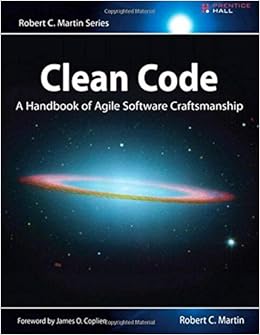
If we were to choose the holy book of software development, we probably couldn’t agree on one or even a dozen titles. And that is a good thing, because there is no one true way of software development. Clean Code by Robert C. Martin would maybe show up in the late contenders. But if we were to choose the most preachy book of software development, well, I have a favorite. This book is so loud that you cannot ignore it. And it is so opinionated that you’re either nodding your head like a heavy metal fan or writhing in averseness. That’s a good thing, too. Because it forces you to think. Your immediate emotional answer needs support by rational arguments and this book will provide you with ample opportunity to gather arguments for your consent or rejection. What this book probably won’t do is leave you unaffected. When it came out in 2008, it was an instant classic. You could spice up any gathering of software developers by making a statement about this book, be it pro or contra. And even today, ten years later, I would say that even if the loudness is deafening, the clarity of the messages makes this book a worthwhile read for every software developer. My grief with it is foremost that for a book called “Clean Code”, some examples of actual code are quite dirty or even plain wrong. Read it with an active mind and it will be a cornerstone of your professional career. But be careful, it seems that currently printed instances have physical quality problems.

Growing Object-Oriented Software, Guided by Tests
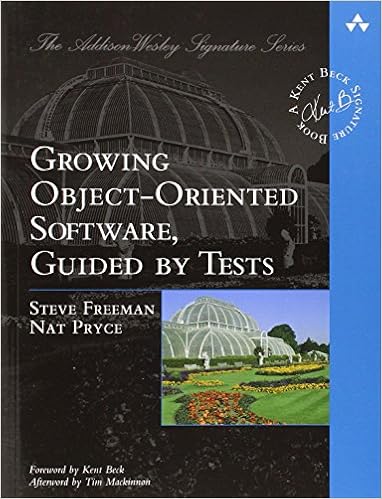
Ever since Extreme Programming hit the (european) scene in 1999, I was curious about Test Driven Development (TDD). I tried automated testing and unit tests whenever I could, read books and later watched videos about the topic. But I never grokked it. It just didn’t work for me and I didn’t even know why. My most feared trap was the one-two-everything syndrome, where you write two simple tests and then have to implement the whole algorithm to fulfill the third test. It was always the third test that broke my rhythm. I tried to exchange experience with TDD practitioners, but their own examples were mostly trivial and my examples always led nowhere (for reference: Try a simple Game of Life in TDD style). I felt dumb and inadequate. When Robert C. Martin (the author of Clean Code) told the developer world that you are either “TDD or not professional” (read the original from 2007 behind this paywall or the reprise from 2014 here or, even better, watch this discussion from 2012), that didn’t make me feel exactly great, too. But imagine my surprise when I started to read a book by two authors I hadn’t heard much of before with a title that reveals its intent only after a comma: “Growing Object-Oriented Software, Guided by Tests” (henceforth called the GOOS book). The book spoke clearly to me. Every step was actionable, even more so, the book acted it out right before my eyes. It was as if Steve Freeman and Nat Pryce, the two authors, were sitting left and right at my table and discussing actual code with me. It didn’t help that I read this book during a summer beach holiday. The beach and even the sun didn’t see much of me that year. I was busy learning about Acceptance Test Driven Development (ATDD), ports and adapters and all the other great content in this book. And the best thing was: it wasn’t theoretical, the examples in the books could be followed one a line-to-line basis. My experience with this book was unique and still is. It’s the best book about actual software development that I’ve read. You might enjoy it, too.

Domain Driven Design
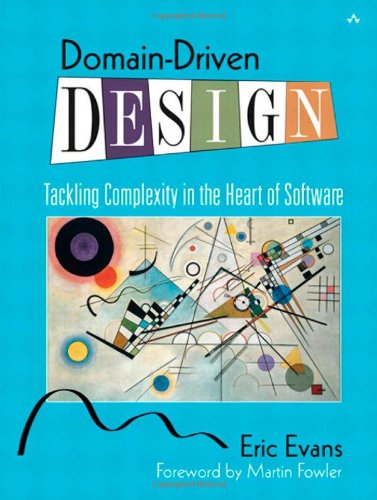
Some years after the GOOS experience, another summer beach holiday was due and as usual, I included a software development book in my luggage. “Domain Driven Design” by Eric Evans came out in 2003 and was praised by some and ignored by most, including me. It took me ten years to finally read it and when I did, it hit me hard. Since my early days as a programmer, I tried to build a meaningful data model with actual types for each program I developed. But it occurred to me that I did it half-heartedly all the time. It shouldn’t stop at a data model, it should be a complete domain model. And for that to work, you need to grok the domain. I review a lot of my code before that insight and always find it funny how I invested effort in my models but more often than not stayed in the technical realm. I cannot say that my programming has changed much from the book, as most concepts meandered through the community since 2003 and were picked up by me mostly under different names. But my software development approach has changed dramatically. I don’t start my thinking from the technical side anymore. And that helps with “business alignment” and all the other magic words that finally have real tangible benefit. And I can now pinpoint when that alignment loosens and employ counter-measures instead of ending up in a special case hell. The best thing was that this book doesn’t require a laptop so I got to sit on the beach that summer with the book in my hands and my head in the clouds. It might be old, but it’s still gold.

Clean Architecture

I anxiously waited for this book to be printed. Not because I pre-ordered, but because I held talks, workshops and lectures about the topic before the book was available. And I wanted to make sure that I’m not telling nonsense. But Robert C. Martin took his time and delayed the deadline month after month. Then, nearly a year later, the book reached the stores in late 2017. So I would have to wait for my winter holiday to read it. I couldn’t wait and began right away. The book is a slow burner and feels like a long introduction. By the time the central proposition is revealed (and yes, it reads like good unagitated spy thriller at times), you’ve probably already figured it out yourself. And that’s a good thing in my mind, because it feels as if it was your idea and Uncle Bob is just there to nod and congratulate you for your intellect. This book is so many times less preachy than “Clean Code”. If we compare spy thriller literature, this is a John le Carré while Clean Code would be an Ian Fleming (James Bond). “Clean Architecture” is not about programming, it talks about software architecture, a topic that I missed greatly in my early developer years. I liked this book so much I even wrote a full review about it.

The Inmates Are Running the Asylum

All the other books talk about different aspects of programming, software development or related technical topics. But what about a book that raises a simple question: “Why is IT technology so complicated?”. And gives the answer: “Because we want it this way.”. That’s actually true. In a world without most of the restrictions of the physical world, we were unable to build solutions that actually helped us and came up with machines and software that overwhelmed most people. It needed a whole new generation of “digital natives” until concepts like internal operation modes (e.g. insert vs. overwrite) were intuitively understood. Not because they became simpler, we were just used to the complexity. Alan Cooper described the problem and gave at least hints for solutions in 1999, nearly 20 years ago. That’s the timespan of a generation. This book made me think hard about the status quo I silently had accepted with technology. It just was like it was, what else could there be? If I reveal a tiny bit of different approaches I can think of now, I’m often confronted with incomprehension. Not because I’m particularly clever and everyone else is dumb, but because there seems to be no problem if you’ve grown accustomed to it. If you want to see some of the pain other (older) people feel when interacting with technology and software, read this book. It is an eye-opener to common problems no software developer ever had. It is the first step into the world of UX (user experience), where it’s not as important if the developer feels alright but if the user feels at least adequate. It might be a classic and feel a bit outdated and weak on the solution side, but to understand the problem properly is the first step to appreciate possible answers. And Alan Cooper didn’t stop there. Read his ongoing series “About Face” (current version: 4.0) for lots of solution ideas.

Epilogue

And that’s it. These are the ten books I recommend everybody who wants to read good books about software development. And just a few days ago, another student asked me if I’m seriously recommending twenty years old books about topics that change fundamentally every five years. I am serious. If you read just one book of this list and judge afterwards, you’ll see what I mean when I say that there are timeless topics even in an ever-changing field like software development. Maybe you want to begin with “Refactoring” and compare it to the second edition (Java vs. JavaScript). The underlying concepts stay the same, no matter the syntax.
I hope you enjoyed this list. And I hope the student who originally asked the question got his answer. Are there books you want to recommend? Drop a comment below or blog about them! The average software developer reads less than one book per year. Maybe our insistence can change that a bit.

C++ header-only libraries are bad

A somewhat more recent trend in the C++ community is the popularity of header-only single-file libraries. Prominent examples are catch2, JSON for Modern C++ and spdlog. These are all great, modern and popular libraries, and I personally enjoy using all of them.

But back to the provoking title. This may be a bit of an over-generalization, and it is meant to be a little bit ambiguous. Mathieu Ropert already pointed out that header-only files are but a symptom of the whole C++ modules and package misery. The aforementioned libraries are all great pieces of software but it is bad that:

  • they are exclusively header-only
  • header-only is seen as a sign of quality these days

Historically, header-only libraries have been a thing in C++ because of templates. Templates are not functions or variables that can be referenced by the linker. No, as the name so fittingly suggests, they are just templates for those, with the potential to become, or better, be instantiated into, something that actually survives the trip to the executable code. Header-only libraries used to be code that could only materialized in the context of other code.

But the focus has shifted to portability. I guess by coincidence, people discovered that header-only libraries are also relatively easy to import into your project.

It is actually about inlining

Splitting code between headers and implementation files is a trade off, one that is often synonymous with marking functions inline or not. Inlining is just one more fine-tuning tool that C++ programmers have at their disposal to make the resulting application behave as they want. Carefully considering whether to inline helps to manage compile times, transitive dependencies and code-bloat.

Even for template-heavy libraries, not all of it has to to be inlined. It is often beneficial for compilation-time, code-size and run-time to use techniques such as thin templates to make sure some of the code is properly insulated.

Another way?

Promoting “header-only” as the new buzzword for portability has the side-effect of implying which code is not marked as inline: None.

That is just ignorant of that dimension of the code. It is equivalent to not making a choice about insulation and inlining.

Sure, header-only is marginally better for dropping into your code, but adding a portable implementation file should be just as easy. Why not deliver portable libraries as a single implementation file and a single header instead? Those could easily be generated by a preprocessing step E.g. catch2’s single-header is generated anyways, so it should not be much harder to split that output into two files. Of course the implementation file should be able to work within your compilation environment. But the same restrictions apply to the single-header file, so there’s really no additional difficulty. And it is really easy to go from the two-file version to the single file by just marking everything in the implementation file as inline and including it in the header.

.NET Core for platform independent web development

Several of our projects are based on the .NET platform. Until recently all of them used the classic .NET Framework. With a new project we had the opportunity to give .NET Core a try. The name stands for a moderized variant of the .NET Framework. It is developed by The .NET Foundation and Microsoft as a platform independent open-source project.

Not every type of project is currently suitable for .NET Core. If you want to develop a Windows desktop application (WinForms, WPF) you still have to use the classic .NET Framework. However, for server based applications .NET Core is a really good fit. Our application, for example, is implemented as a JSON API server with .NET Core and a React/Redux based client interface.

The Benefits

Since .NET Core is platform independent it runs on Linux, MacOS and Windows. We no longer need a Window machines to build the project from our CI server. Microsoft provides Docker images for building and running .NET Core projects.

ASP.NET Core applications are no longer bound to Microsoft’s IIS or IIS Express. You can also host them on Apache or Nginx servers as well.

With .NET Core you also have a vast choice of IDEs. Of course, you can use Visual Studio on Windows. But you also have the option to use JetBrains’ Rider (on any platform), Visual Studio for Mac or Visual Studio Code (Mac, Linux, Windows). If you don’t want to use an IDE for everything .NET Core also has a nice command-line interface. For example, the following command sets up a new ASP.NET Core project with React and Redux:

$ dotnet new reactedux

To compile an run the project:

$ dotnet run

The Entity Framework Core also has a feature I missed in the Entity Framework for the classic .NET Framework: a pure in-memory database provider, which is very useful for testing.

The Downsides

When you browse the NuGet packages list you have to be aware that not every package is compatible with .NET Core yet, but the list is growing. And, as mentioned above, you can’t develop desktop GUI applications with .NET Core.

Ansible in Jenkins

Ansible is a powerful tool for automation of your IT infrastructure. In contrast to chef or puppet it does not need much infrastructure like a server and client (“agent”) programs on your target machines. We like to use it for keeping our servers and desktop machines up-to-date and provisioned in a defined, repeatable and self-documented way.

As of late ansible has begun to replace our different, custom-made – but already automated – deployment processes we implemented using different tools like ant scripts run by jenkins-jobs. The natural way of using ansible for deployment in our current infrastructure would be using it from jenkins with the jenkins ansible plugin.

Even though the plugin supports the “Global Tool Configuration” mechanism and automatic management of several ansible installations it did not work out of the box for us:

At first, the executable path was not set correctly. We managed to fix that but then the next problem arose: Our standard build slaves had no jinja2 (python templating library) installed. Sure, that are problems you can easily fix if you decide so.

For us, it was too much tinkering and snowflaking our build slaves to be feasible and we took another route, that you can consider: Running ansible from an docker image.

We already have a host for running docker containers attached to jenkins so our current state of deployment with ansible roughly consists of a Dockerfile and a Jenkins job to run the container.

The Dockerfile is as simple as


FROM ubuntu:14.04
RUN DEBIAN_FRONTEND=noninteractive apt-get update && apt-get -y dist-upgrade && apt-get -y install software-properties-common
RUN DEBIAN_FRONTEND=noninteractive apt-add-repository ppa:ansible/ansible-2.4
RUN DEBIAN_FRONTEND=noninteractive apt-get update && apt-get -y install ansible

# Setup work dir
WORKDIR /project/provisioning

# Copy project directory into container
COPY . /project

# Deploy the project
CMD ansible-playbook -i inventory deploy-project.yml

And the jenkins build step to actually run the deployment looks like


docker build -t project-deploy .
docker run project-deploy

That way we can tailor our deployment machine to conveniently run our ansible playbooks for the specific project without modifying our normal build slave setups and adding complexity on their side. All the tinkering with the jenkins ansible plugin is unnecessary going this way and relying on docker and what the container provides for running ansible.

Ten books that shaped me as a software developer – Part I (Books 0 to 4)

I was asked what books shaped me as a software developer the most. Here is my answer, or the first part of it.

Last week, I’ve done a question and answers event with students when the question came up what the most influential books were that I have read as a software developer. I couldn’t answer the question right away but promised to compile the list with short descriptions of the book’s influence. And here it is – my list of books that left a big mark in my day-to-day work. Others have done the list of books thing before me, and most lists contain the same books over and over again. I take it as an indicator that my list isn’t too far off.

Prologue

Before I start the list, I want to say a few things. The list isn’t ordered or ranked. I describe the effects of each book from my current standpoint, sometimes 20 years after the fact. I read a lot more good, interesting and inspiring books in the last 20 years and they all added to my work personality. But with all the books on my list, I felt enlightened and vibrant with new ideas. They didn’t just inspire me, they elevated my thinking. And because of this criteria of immediate improvement, one book is missing from the list. It’s the first “serious” software development book I’ve ever read in 1998: “Design Patterns. The book was just too much for me (and my study group peers) to handle such early in our careers. We were in our first year of study and had a lot of other battles to fight. I crossed it from my reading list and moved on. Years later, I re-read it and saw so much insight I plainly missed the first time, but gathered elsewhere since. If you want to read this classic, don’t hesitate! If you “only” want to know about design patterns, there’s a better book for that: “Head First Design Patterns“.

The Pragmatic Programmer

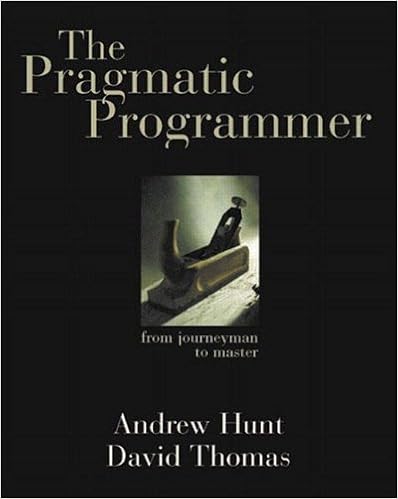
https://images-na.ssl-images-amazon.com/images/I/41BKx1AxQWL._SX396_BO1,204,203,200_.jpgMore by chance, my co-founder stumbled upon “The Pragmatic Programmer” in 1999 and devoured it. Then he gave the book to me and it shattered me to my core. I thought I was a decent software developer and here are Dave Thomas and Andy Hunt and talk about things I didn’t even knew existed. A healthy dose of Dunning-Kruger effect is crucial in everybody’s upbringing, but this book ended my overestimation once and for all and gave my studies a focus and direction I wouldn’t have thought to be possible before. I own my whole career to this book, at least in terms of work ethics. I cannot fathom how my professional life would have played out otherwise.
Refactoring

https://images-na.ssl-images-amazon.com/images/I/51K-M5hR8qL._SX392_BO1,204,203,200_.jpg

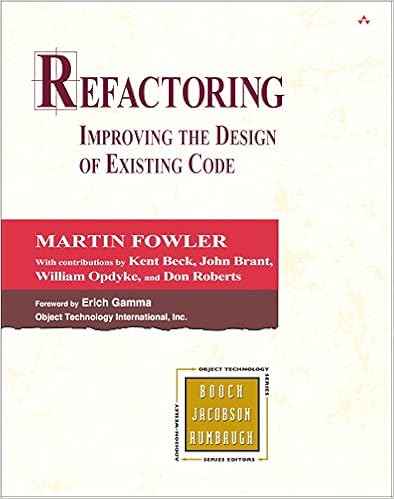
Also in 1999, Martin Fowler wrote his instant classic “Refactoring“. We bought this book at the first chance we got and raced through the pages. I was a Java developer back then and with most of the examples being in Java, the book needed no explanation nor translation. It was directly applicable knowledge that gave me years of experience virtually for free. This book is a must-read even 20 years later, and has just recently had the second edition announced, this time with code examples in JavaScript. I thought it was a joke first, but I guess it makes sense.

Working Effectively With Legacy Code

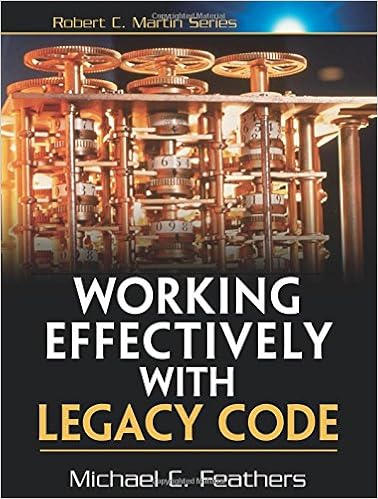
https://images-na.ssl-images-amazon.com/images/I/51EgCCLOWxL._SX376_BO1,204,203,200_.jpgIn 2004, Michael Feathers wrote a book that contains his 20+ years of experience with software development and named it “Working Effectively With Legacy Code“. Well, joke’s on you – I don’t write legacy code, my code is perfect. That wasn’t my attitude since 1999 (see list entry #1) and I took this book everywhere. It’s a heavy one, but I read it in the tram, right before the movie starts in cinema, during breakfast, lunch and dinner and virtually any other circumstance. I realized that reading this book will gain me experience a lot faster than actually writing code, so I just stopped for a few weeks. This book answered a lot of mysteries in the form of “is there really no better way to do this?” for me. And it introduced the concept of code seams for me that permeates my work ever since. I can clearly remember the day when I looked at my existing code again and saw the seams for the first time. It was truly eye-opening for me.
Analysis Patterns

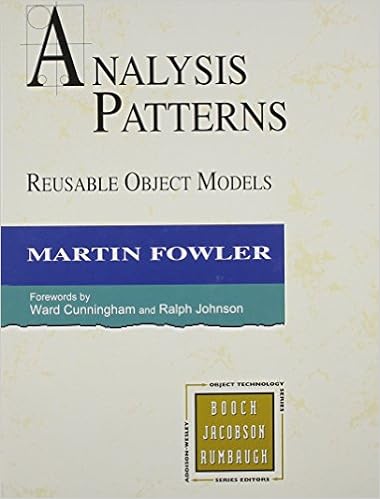
https://images-na.ssl-images-amazon.com/images/I/41uNHkTq8NL._SX378_BO1,204,203,200_.jpgMartin Fowler was a very productive author in the late nineties. I’ve read most of his books from this period, if maybe with a few years delay. “Analysis Patterns” from 1996 arrived in my bookshelf in the early 2000’s and was my wake-up call to seeing models instead of actualities. I’ve given this book to many peers, but haven’t received the reactions that I had with this book: Being taught a language (with a graphical notation) that can express actual problems in terms of an overarching solution. Since then, I’ve seen the same solutions applied in many different forms, with many different names and a lot of different special requirements. But they all derive from the same model. This effect was promised by the “Design Patterns” book, but for me, delivered by “Analysis Patterns”. Even Martin Fowler admits that the book is showing its age, but for me, its timeless.
Peopleware

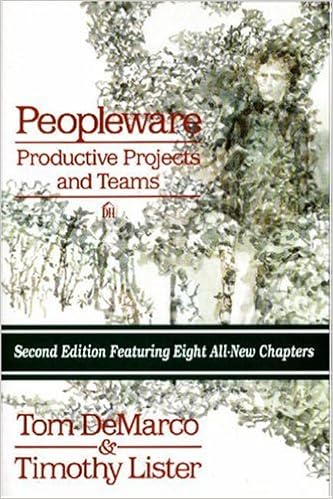
https://images-na.ssl-images-amazon.com/images/I/51MlUgcSICL._SX331_BO1,204,203,200_.jpgSince the late 80’s, Tom DeMarco and Timothy Lister wrote one book after the other. Each book describes a common business-oriented problem and at least one working solution for it. And yet, the very same problems still persist in the business world. It’s as if nobody reads books. “Peopleware” was written in 1987, 30 years ago, and discovered by me and my peers in the late 1990’s. We talked about this book a lot, as it described a (business) world where we didn’t want to work in. We wanted to do better. In a way, this book was a spark to found our own company and don’t repeat the mistakes that seemed to be prevalent in our industry. If you’ve ever shaken your head about “the management”, do yourself a favor and read this book. It will pinpoint the precise problem you’ve felt and give you the words to describe it. And if you’ve read “Peopleware”, liked it and want more, there is good news: There is a whole series waiting for you (not just Vienna).

Epilogue to Part I

These are the first five books from my list, with the last entry being more of a catch-all for a whole series. Remember that this isn’t a generic “go and read these books if you want to call yourself a professional software developer” list. I’m not gatekeeping and it would be useless to even try to do so. These books helped me further my career in the last 20 years, they won’t necessarily help you for the next 20 years. Good books are published every year, you just have to read them.

I’m looking forward to share the second part of my list in the next blog post of this series. Stay tuned!

uninitialized_tag in C++

No doubt, C++ is one of those languages you can use to squeeze out every last drop of your CPU’s processing power. On the other hand, it also allows a high amount of abstraction. However, micro-optimization seldom works well with nice abstractions.

The dilemma

One such case is the matter of default-initialization with “math types”, such as three-dimensional vectors used in computer graphics. Do you let your default constructor zero initialize by default or do you leave the elements uninitialized and risk undefined behavior?

One way around this dilemma is to use tag dispatching to enable both:

template <class T> struct v3 {
  v3(T v={}) : x{v}, y{v}, z{v} {}
  v3(uninitialized_tag) {}
  T x,y,z;
};

Now a v3 zero-initializes by default, while you can still avoid the initialization costs by calling it with:

v3<float>{uninitialized_tag{}};

Drawbacks

This approach is not without drawbacks. It’s a bit of an uphill battle to find a good test for this. You need to overwrite the values before you use them, or the compiler is free to do whatever it wants when you use them. It’d be undefined behavior. But you also do not want it to figure out that you are overwriting all the values – because in that case, it can optimize out the zero-initialization anyways.
It does work for a few simple cases though, and you scan see the zero-initialization getting removed, e.g. in the compiler explorer.

However, it will often not let you do what you set out to do – leave some some vectors uninitialized. Consider this:

std::vector<v3<float>> v(N, uninitialized_tag{});

This does not, in fact, transport the uninitialized_tag to the v3 constructor. It first converts the tag to a v3, and then uses that value to initialize all the other N elements with the uninitialized data. This is actually a lot of copying, and creates a whole lot more code than the zero initialization would have. You can get this to work with a container that uses the given initializer value to initialize the elements without converting first. You’re probably better of with a mechanism like the std::vector::reserve that essentially gives you the ability to leave elements uninitialized.

Conclusion

This is a very specialized method for very few niche cases, and you need to carefully select your infrastructure to see any gain that cannot be achieved by simpler means. Use with caution!