The tables will eventually turn for every optimization

Nearly all performance optimizations turn sour sooner or later. Here’s a story that illustrates the concept and gives a simple ruleset to avoid the effect.

An inconvenient truth

One of the things every software developer has to learn the hard way is that performance optimizations are a bad thing most of the time. The lesson is counter-intuitive because it is in conflict with several fundamental motivations of our artist/engineer attitude:

  • We want our code to be as fast as possible or even faster. (We really like the prospect of making the impossible happen!)
  • We don’t want to waste resources if it can be avoided. (Digital resources have always been scarce. Development in abundance wasn’t taught!)
  • We want to be clever and one-up everybody with the latest trick/hack. (This ego boost driven development attitude is a major problem on its own!)

But we can’t deny that clever guys exist since forever and that their wisdom should be considered. Here’s one clever guy fourty years ago:

premature optimization is the root of all evil.

said Donald Knuth in 1974. A typical computer had RAM in the lower kilobyte range these days and clocked with around a megahertz. The Intel 8080 was introduced in this year. No sign of abundance all around.

Coming from this insight, i teach the “three rules of performance optimization” to my students:

  1. Don’t
  2. Not Yet
  3. Measure

A little disclaimer: Performance optimizations are measured in milliseconds. You are still responsible for complexity optimizations and should engage them. Complexity is measured in O(n).

I blogged about the rules some time ago, so I won’t repeat the whole meaning behind them. Today, I want to tell a story related to rule three (“Measure”) and why it’s generally a good idea to stay clear of optimizations if not absolutely necessary.

An accidental observation

by ortodoxfoto / fotolia

In one of our long-running projects, we store data in a 24/7 manner since more than ten years. The project started on Pentium IV boxes with 120 GB harddisks. Soon enough, the available disk space vanished rapidely. Our customer wanted to optimize the storage efficiency. We told him that we can always trade storage space versus computation time or the other way around (the infamous space/time tradeoff), but if we compress the data in the system’s archive to save space, it will result in slower archive access. Our customer understood the tradeoff and decided he wanted storage efficiency over access speed for the archive.

So we added a compression step when certain data types were stored in the archive. Because the data was text based (XML and other formats), the compression rate was at 90% and even higher, meaning that we could fit ten times more data on the disk than before. We certainly met the customer’s goal of store efficiency. But what about the access speed? We needed to add the decompression step for certain data types at the place where our system loads from the archive. After that, we hoped that the speed didn’t suffer too badly. We measured the access times before and after the change and couldn’t believe our eyes: The access time was nearly ten times faster than before. There was no tradeoff, we actually shrank memory consumption and computation time at once and in the same ballpark figure. We felt like heros.

Discovering false premises

Why did this happen? Our explanation is that at some specific point in time, the CPUs became too fast for a tradeoff. In the good old days, there really was a tradeoff: if you needed to compress parts of your harddisk to save space, loading these parts became slower. Because the CPU had to perform extra work on top of the loading, you had to wait longer. Loading more data directly from disk was faster than loading less data from disk and decompressing it. When the CPU became fast enough to actually decompress during the I/O delay of the harddisk, that’s when the raw amount of data that needed to be transferred from disk determined the loading speed. And since uncompressed data is larger, it now took longer to load than compressed data.

At some specific point in time, the old wisdom that compressed data is slower became a lie. Nobody told us. We weren’t heros, we just lived on false premises.

Our customer was pleased and continued to be pleased for years. Every few years, the CPUs of the target machines would become even faster, but the harddisk performance would hardly improve. The new wisdom was truer than ever: Less data is faster, regardless of what the CPU has to do with it. This was a performance optimization that could be used everywhere. You want to increase I/O speed? Compress the data.

The tables begin to turn

Fast forward to modern days. A new technology promised to improve harddisk performance by orders of magnitude: The solid state disk (SSD) delivers impressive amounts of data per second, but more important, gets rid of the initial seek time that magnetic spindle disks had (those few milliseconds to locate the data on the disk that felt like ages for modern CPUs). We started our migration to SSD in 2010 and were SSD-exclusive at the end of 2013. Our customer was a bit more hesistant, but the latest generation of target machines run on SSDs, too. So how did this affect our performance optimization?

As you can probably deduce by now, the decompression work of the CPU re-emerged in the archive access time. It’s by no means as bad as in ancient times, but the days of “no tradeoff” are gone, again. The performance optimization isn’t an optimization anymore. We still have it in the system, because it was never meant to improve performance, but storage efficiency, and it still does that perfectly. And needs to, because SSD are still expensive and don’t offer storage space in abundance. But the old wisdom is back (partially): compressed data is slower, if not by much.

What do we learn from this?

Over the course of a few years, a specific feature (transparent storage compression) in our system was a performance burden, then a performance booster and a burden again. We didn’t change the code, we just changed the hardware circumstances. The best lesson to be learnt is that no performance optimization lasts forever. Premises will change. Effects will be negated. Bottlenecks will be shifted. It’s best to know when that happens. And then it’s best to be able to revoke the optimization. Or, if all this sounds way too much trouble for such a tiny performance gain, remember the first rule of performance optimization (Don’t) and just leave it alone. You can always tell yourself that you’ve just optimized your code for the machine it will run on in ten years.

Recap of the Schneide Dev Brunch 2015-12-13

If you couldn’t attend the Schneide Dev Brunch at 13th of December 2015, here is a summary of the main topics.

brunch64-borderedTwo weeks ago, we held another Schneide Dev Brunch, a regular brunch on the second sunday of every other (even) month, only that all attendees want to talk about software development and various other topics. So if you bring a software-related topic along with your food, everyone has something to share. The brunch was small this time, but with enough stuff to talk about. As usual, a lot of topics and chatter were exchanged. This recapitulation tries to highlight the main topics of the brunch, but cannot reiterate everything that was spoken. If you were there, you probably find this list inconclusive:

Company strategies

Our first topic was about the changes that happen in company culture once a certain threshold is overstepped. The founders lose touch with their own groundwork and then with their own employees. Compliance frameworks are installed and then enforced, even if the rules make no sense in specific cases. A new hierarchy layer, the middle management, springs into existence and is populated by people that never worked on the topic but make all the decisions. The brightest engineers are promoted to a management position and find themselves helpless and overburdened. Adopting a new technology or tool takes forever now. The whole company stalls technologically.

Sounds familiar? We discussed several cases of this dramaturgy and some ways around it. One possible remedy is to never grow big enough. Stay small, stay fast and stay agile. That’s the Schneide way.

Code analysis with jDeodorant

We devoted a lot of time on getting to know jDeodorant, an eclipse-based code smell detection tool for Java. We grabbed a real project and analyzed it with the tool. Well, this step alone took its time, because the plugin cannot be operated in an intuitive manner. It presents itself as a collection of student thesis work without overarching narrative and a clear disregard of expectation conformity. If several experienced eclipse users cannot figure out how a tool works despite having used similar tools for years, something is afoul. We got past the bad user experience by viewing several screencasts, the most noteworthy being a plain feature demonstration.

Once you figure out the handling, the tool helps you to find code smells or refactoring opportunities. In our case, most of the findings were false alarms or overly picky. But in two cases, the tool provided a clear hint on how to make the code better (both being feature envies). If the project would really benefit from the proposed refactorings is subject for discussion. The tool acts like a very assiduous colleague in a code review when every improvement gets rewarded.

We really don’t know how to rate this tool. It’s hard to learn and provides little value on first sight, but might be useful on larger legacy code bases. We’ll keep it at the back of our minds.

Naming and syntax rules

During the discussion about jDeodorant, we talked about naming schemes and other syntax rules. We remembered horrific conventions like prefixed I and E or suffixed Exception. The last one got some curious looks, because it’s still a convention in the Java SDK and some names won’t make it without, like the beloved IOException. But what about the NullPointerException? Wouldn’t NullPointer describe the problem just as good? Kevlin Henney already talked about this and other ineffective coding habits (if you have audio degradation halfway through, try another video of the talk). It’s a good eye-opener to (some of) the habits we’ve adopted without questioning them. But challenging the status quo is a good thing if done in reasonable doses and with a constructive attitude.

Unit testing

When we played around with jDeodorant and surfed the code of the project that served as our testing ground, the Infinitest widget raised some questions. So we talked about Continuous Testing, unit tests and some pitfalls if your tests aren’t blazing fast. The eclipse plugin for MoreUnit was mentioned soon. Those two plugins really make a difference in working with tests. Especially the unannounced shortcut Ctrl+J is very helpful. I’ve even blogged about the topic back in 2011.

Epilogue

As usual, the Dev Brunch contained a lot more chatter and talk than listed here. The number of attendees makes for an unique experience every time. We are looking forward to the next Dev Brunch at the Softwareschneiderei. And as always, we are open for guests and future regulars. Just drop us a notice and we’ll invite you over next time.

Renaming is hard work

Imagine you’ve developed a software solution for one of your customers, for example a custom CRM. Everything in this system revolves around the concept of a customer as the key entity. Of course, this is reflected in your code as well. The code is crowded with variable and class names like customerThis and CustomerThat. But now your customer wants you to change the term customer to client.

The minimal and lazy solution would be to change only those occurrences of the word, which are visible to the users. This includes:

  • Texts displayed in the user interface. If your application is internationalized or at least prepared for internationalization, they are usually neatly contained in translation files and can be easily updated.
  • User documentation like manuals. Don’t forget to update the screenshots.

However, if you do not want to let the code diverge from the language of the domain, you have to rename and update a lot more:

  • identifiers in the code (types, namespaces/packages, variables, constants)
  • source files and directories
  • code comments
  • log output strings
  • internationalization keys
  • text protocol strings (e.g. JSON keys) and HTTP API routes/parameters. Of course you can only do that if you are allowed to break the protocol! Don’t accidentaly break your API or formats, e.g. if JSON keys or XML tags are generated via reflection from code identifiers.
  • IDs of HTML tags in views, CSS class names and selector strings in referencing Javascript code
  • internal documentation (e.g. Wiki)

IDE support for renaming can help a lot. Especially the renaming of identifiers is reliable in statically typed languages. However, local variables, function parameters, and fields usually have to be renamed separately. In dynamically typed languages automated renaming of identifiers is often guesswork. Here you must rely on a good test coverage. Even in statically typed languages identifiers can be referenced via strings if reflection is used.

If you use a grep-like tool or the search feature of your IDE or editor to assist you, keep in mind that composite terms can occur in many different forms like FooBar, fooBar, foo-bar, foo_bar, foo.bar, foo bar or foobar. Don’t forget about irregular plural forms, e.g. technology – pl. technologies. Also think of abbreviations, otherwise a

for (Option opt : options)

might end up as

for (Alternative opt : alternatives)

But this is not the end of the story. A lot of renamings require migration scripts or update scripts to be executed at the time of the next update or deployment:

  • database tables and columns
  • some ORMs like Hibernate store class names in the database for the “table-per-hierarchy” mapping
  • string-based enum values in database entries
  • configuration keys and values
  • keys and values in data formats (JSON, XML, …) of stored data. You probably have to provide backward-compatibility for the old formats if the data files are not stored all in one place and can’t be converted in one go
  • names of data folders

If you don’t rename everything all at once, but decide to use the new term only in newly written code and to leave the old term in the existing code until it eventually gets replaced, you will probably end up with a long transition phase and lots of confusion for new project members who don’t know about the history of the project.

Learning UX design: UX is like a text adventure

Designing with a beginner’s mind. Question everything. Get to the whys, the reasons. But how do I translate this information to a software interface?

In the first part I emphasized how important it is to think for the user. Normally I tried to think like the user. The problem is: the users of my software have a totally different view point and experience. They are experts in their respective domain and have years of working knowledge in it. So I try a more naive approach: thinking with a beginner’s mind. Question everything. Get to the whys, the reasons. But how do I translate this information to a software interface?

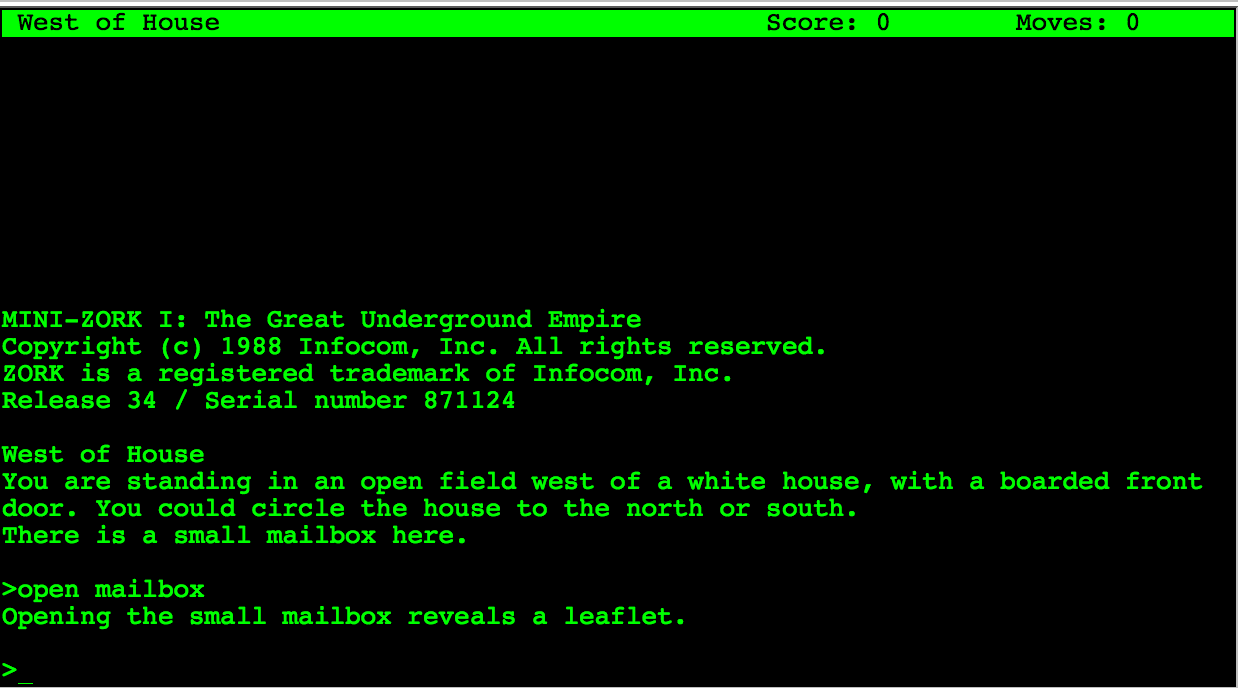
zork

A text adventure

I remember playing (and programming) my first text adventures, later on with simple static images. Many of them had a rich and fascinating atmosphere in spite of having any graphic gizmos or sophisticated real time action.
One of the most important parts of your user interface is text and the words need to be carefully chosen from the user’s domain. But here I want to highlight another similarity between a text adventure and thinking for the user. A text adventure presents the user with a short but sufficient description. These small snippets of text is all the information the user needs at this step of his journey.
A user interface should be the same. Think about the crucial information the user needs at this step. But the description does not stop here: it highlights important parts which further the story. Think about the necessary information and the most important information. Think about a simple hierarchy of information.
For atmosphere and fun the text adventures add small sentences or even unusual phrasing. Besides highlighting things by contrast these parts help the user to get a sense where in the part of the journey he is. Where he came from and where he can go. It connects different rooms.
A business process from the user’s domain is like a journey through the software. He needs to know what the next steps are, what is expected and what is already accomplished. Furthermore the actions which can be done are of utmost importance. In text adventures objects which can be interacted with are emphasized by giving them an extra wording or sentence at the end of a paragraph. Actions are revealed by the domain (common wisdom or specific domain knowledge like fantasy).
For this we need to determine which actions can be done in this part of the process, on this screen.

Information and actions

After listening and reflecting on the information we collected from the user’s view point of their domain, we need to divide it up into steps of a process and form a consistent journey which resembles the imagination of the process the users have in mind. Ryan Singer uses a simple but effective notation for jotting down the needed information and the possible actions.
The information forms the base. Without it the user does not know where in the process he is, what process he works on and what are the next steps. In order to extract this information form the vast knowledge we already collected we need to abstract.
Imagine you have only the information present in this step and want to reach this goal. Is this possible? Is the information sufficient? What information is lacking? Is the missing information part of the common domain knowledge? Did you verify it is common domain knowledge? And if you have enough information: do you know what the expected actions are? What should be done to get further to the goal?

The big picture

Thinking about every step on the way to the goal helps designing each step. But it is also important to not lose sight of the big picture, the goal. Maybe some steps are not necessary or can be circumvented in special cases. Here you need the knowledge of the domain experts. But remember you need to question the assumptions behind their reasoning. Some steps may be mandated by law, some steps may be needed as a mental help. Do not try to cram everything into one step. The steps and their order need to resemble the mental image of the users. But you can help to remove cruft and maybe even delight them on their journey. But this is part of another post.

Our voyage to service separation – Part II

We transformed our evolutionary grown IT landscape to a planned setup. Here is what we learned on the way (part 2/2).

Recap of the situation

In the first part of this blog series, we introduced you to our evolutionary grown IT landscape. We had a room full of snow- flaked servers and no overall concept how to use them. We wanted our services to be self-contained and separated. So we chose the approach of virtualization to host one VM per service on a uniform platform. We chose VirtualBox, Vagrant and Ansible to help us along the way.
This blog entry tells you about the way and our experiences and insights.

The migration

In order to migrate every service you use to its own virtual machine (VM), you’ll need a list or map of your services first. We gathered our list, compared it to reality, adjusted it, reiterated everything, added the forgotten services, drew the map, compared again, drew again and even then missed some services that are painfully obvious in hindsight, like DNS or SMTP. We identified more than 15 distinct services and estimated their resource profile. Then we planned the VM layouts and estimated the required computation power to host all of them. Then we bought the servers.

We started with three powerful hosting servers but soon saw that there is a group of “alpha VMs” with elevated requirements on availability and bought a fourth hosting server with emphasis on redundancy. If some seldom used backoffice service goes down, that’s one thing. The most important services of our company should not go down because of a harddisk failure or such.

Four nearly identical hosting servers to run 15+ VMs on required a repeatable process to set things up. This is where the first tip comes into play:

  • Document everything. Document all the details. Have your Wiki ready and write a step-by-step tutorial for every task you perform. It’s really tedious and probably a bit cumbersome at first, but it will pay of sooner and better than you’d imagine.

We started the migration process with the least important services to get a feeling for the required steps. It turned out later that these services were also the most time-consuming ones. The most essential and seemingly complex services took the least time. We essentially experienced the pareto effect but in reverse: We started with the lowest benefit for the highest cost. But we can give two tips from this experience:

  • Go the extra mile. Just forget about the pareto effect and migrate all services. It’s so much more fun to have a clean IT landscape map than one where most things are tidy but there’s an area marked “here be dragons”.
  • Migration effort and service importance aren’t linked. Our most important service was migrated in about half an hour. Our least important service needed nearly three days. It’s all about the system architecture of the service and if it values self-containment.

The migration took place over the course of a few months with frequent address changes of our tools and an awful lot of communication for cutoff dates. If you need to migrate a service, be very open about the process and make sure that the old service address won’t work after the switch. I cannot count the amount of e-mails I wrote with the subject prefix “IMPORTANT!”. But the transition went smooth and without problems, so we probably added some extra caution that might not have been necessary.

After the migration

When we had migrated our last service in its own VM, there were a lot of old servers without any purpose anymore. We switched them off and got rid of them. Now we had nearly two dozen new servers to care for. One insight we had right after the start of our journey is that virtualized servers require the same amount of administration as physical ones. Just using our old approaches for the new IT landscape wouldn’t cut it. So we invested heavily in automation and scripted everything. Want to set up a new CI build slave? Just add its address into Ansible’s inventory and run the script (“playbook”). All servers need security updates? Just one command and a little wait.

Gears by Pete BirkinshawLearning to automate the administrative tasks in the right way had a steep curve, but it’s the only feasible way. We benefit heavily from the simple fact that we forced ourselves to do it by making it impossible to handle the tasks manually. It’s a “burned bridges” approach, but upon reaching the goal, it really pays off. So another tip:

  • Automate everything. Even if you think you’ll perform this task just a few times – that’s exactly the scenario to automate it to never have to bother with the details again. Automation is key if you want to scale your IT landscape to reasonable sizes.

Reaping the profit

We’ve done the migration and have a fully virtualized setup now. This would not be very beneficial in itself, but opens the door for another level of capabilities we simply couldn’t leverage before. Let me just describe two of them:

  • Rethink your backup strategy. With virtual machines, you can now backup your services on an appliance level. If you wanted to perform this with a real server, you would need to buy the exact same hardware, make exact copies of the harddisks and store this “clone machine” somewhere safe. Creating an appliance level backup means to stop the VM, export it and restart it. You’ll have some downtime, but everything else is just a (big) file.
  • Rethink your service maintainance strategy. We often performed test upgrades to newer versions of our important services on test machines. If the upgrade went well, we would perform it again on the live server and hope for the best. With virtual machines and appliance backups, you can try the upgrade on an exact copy of the live server over and over again. And if you are happy with the result, you just swap your copy with the live server and everything’s fine. No need for duplicated procedures, you always work with the real deal – well, an indistinguishable copy of it.

Conclusion

We’ve migrated our IT landscape from evoluationary to a planned virtualized state in just about a year. We’ve invested weeks of work in it, just to have the same services available as before. From a naive viewpoint, nothing much has changed. So – was it worth it?

The answer is short and clear: Absolutely yes. Even in the short time after the migration, the whole setup performs smoother and more in a planned way than just by chance. The layout can be communicated clearer and on different levels. And every virtual machine has its own use case, to the point and dedicated. We now have an IT landscape that obeys our rules and responds to our needs, whereas before we often needed to make hard compromises.

The positive effects of documentation and automation alone are worth the journey, even if they are mere side effects of the main goal. +1, would migrate again.

Simple C++11 – Part I – Unit Structure

C++ has long had the stigma of an overlay complex and unproductive language. Lately, with the advent of C++11, things have brightened a bit, but there are still a lot of misconceptions about the language. I think this is mostly because C++ was taught in a wrong way. This series aims to show my, hopefully somewhat simpler, way of using C++11.

Since it is typically the first thing I do when starting a new project, I will start with how I am setting up a new compile unit, e.g. a header and compile unit pair.

Note that I will try not to focus on a specific C++11 paradigm, such as object-oriented or imperative. This structure seems to work well for all kinds of paradigms. But without much further ado, here’s the header file for my imaginary “MyUnit” unit:

MyUnit.hpp

#pragma once

#include <vector>
#include "MyStuff.hpp"

namespace MyModule { namespace MyUnit {

/** Does something only a good bar could.
*/
std::vector<float> bar(int fooCount);

/** Foo is an integral part of any program.
    Be sure to call it frequently.
*/
void foo(MyStuff::BestType somethingGood);

}}

I prefer the .hpp file ending for headers. While I’m perfectly fine with .h, I think it is helpful to differentiate pure C headers from C++ headers.

#pragma once

I’m using #pragma once here instead of include guards. It is not an official part of the standard, but all the big compilers (Visual C++, g++ and clang) support it, making it a de-facto standard. Unlike include guards, you only have to add only one line, which says exactly what you want to achieve with it. You do not have to find a unique identifier for your include guard that will most certainly break if you rename the file/unit. It’s more readable, more resilient to change and easier to set up.

Namespaces

I like to have all the contents of a unit in a single namespace. The actual structure of the namespaces – i.e. per unit or per module or something else entirely depends on the specifics of the project, but filling more than one namespace is a guarantee for chaos. It’s usually a sign that the unit should be broken up into smaller pieces. An exception to this would be the infamous “detail” namespace, as seen in many of the Boost libraries. In that case, the namespace is not used to structure the API, but to explicitly omit things from the API that have to be visible for technical reasons.

Documentation

Documentation goes into the header, not into the implementation. The header describes the API, not only to the compiler, but also to humans. It is by no means an implementation detail, but part of the seam that isolates it from the rest of the code. Note that this part of the documentation concerns the API contract only, never the implementation. That part goes into the .cpp file.

But now to the implementation file:

MyUnit.cpp

#include "MyUnit.hpp"

#include "CoolFunctionality.hpp"

using namespace MyModule;
using namespace MyUnit;

namespace {

int helperFunction(float rhs)
{
  /* ... */
}

}// namespace

std::vector<float> MyUnit::bar(int fooCount)
{
  /* ... */
}

void MyUnit::foo(MyStuff::BestType somethingGood)
{
  /* ... */
}

Own #include first

The only rule I have for includes is that the unit’s own include is always the first. This is to test whether the header is self-sufficient, i.e. that it will compile without being in the context of other headers or, even worse, code from an implementation file. Some people like to order the rest of their includes according to their “origin”, e.g. sections for system headers or library headers. I think imposing any extra order here is not needed. If anything, I prefer not waste time sorting include directives and just append an include when I need it.

Using namespace

I choose using-directives of my unit’s namespaces over explicitly accessing the namespaces each time. Unlike the headers, the implementation file lives in a locally defined context. Therefore, it is not a problem to use a very specific view onto the unit. In fact, it would be a problem to be overly generic. The same argument also holds for other “local” modules that this unit is only using, as long as there are no collisions. I avoid using namespaces from external libraries to mark the library boundary (such as std, boost etc.).

Unnamed namespace

The unnamed namespace contains all the implementation helpers specific to this unit. It is quite common for this to contain a lot of the “meat” of an actual unit, while the unit’s visible functions merely wrap and canonize the functionality implemented here. I try to keep only one unnamed namespace in each file, to have a clear separation of what is supposed to be visible to the outside – and what is not.

Visible implementation

The implementation of the visible API of the module is the most obvious part of the .cpp file. For consistency reasons, the order of the functions should be the same as in the header.

I’d advice against implementing in a file wide open namespace. That means balancing an unnecessary pair of parenthesis over the whole implementation file.  Also, you can not only define functions and types, but also declare them – this leads to a function further down in the implementation to see a different namespace than one before it.

Conclusion

This concludes the first part. I’ve played with the thought of using a 3-piece setup instead, extending the header/implementation with a unit-test file, but have not gathered any sharable experience yet. This setup, however, has worked for me for a long time and with many different projects. Have you had similar – or completely different – setups that worked for you? Do tell!

Synchronizing asynchronous calls in JavaScript

In Node.js all I/O performing operations like HTTP requests, file access etc. are designed to be non-blocking. The functions for these operations usually take a callback function argument as last parameter, which will be called once the operation is finished. The asynchronous nature of these operations often requires special means of synchronization, as exemplified in this post.

Let’s assume we want to download a set of files from a list of URLs:

var urls = [
    'http://example.org/file1',
    'http://example.org/file2',
    'http://example.org/file3',
];

If we were to use a classic, synchronous blocking function for the download operation the implementation might look like this:

urls.forEach(function(url) {
    downloadSync(url);
    console.log('Downloaded ' + url);
});
console.log('Downloads complete.')

Output:

Downloaded http://example.org/file1
Downloaded http://example.org/file2
Downloaded http://example.org/file3
Downloads complete.

The program loops through the list of URLs and downloads one file after the other. Each subsequent download is only started after the previous download has finished. No two downloads are active at the same time. Finally, the program prints a message indicating that all downloads are complete.

Now we want to embrace the asynchronous programming style of Node.js. We have a different function, downloadAsync, which is a non-blocking asynchronous function. The function uses the callback convention of Node.js to let the programmer handle the completion of the asynchronous operation:

urls.forEach(function(url) {
    downloadAsync(url, function() {
        console.log('Downloaded ' + url);
    });
});
console.log('Downloads complete.')

Output:

Downloads complete.
Downloaded http://example.org/file2
Downloaded http://example.org/file3
Downloaded http://example.org/file1

The download operations are now started at the same time and finish in a different order, depending on how long it takes each file to download. The quickest download finishes first, the slowest last. The total time for all downloads to finish is probably shorter than before, because slower connections do not make faster connections wait for them to finish.

However, there is one problem with this code: the message “Downloads complete.” is shown before the downloads are actually completed, which is obviously not the intended behavior. The reason why this happens is because the control flow immediately continues after the forEach loop has started all the downloads.

The ‘async’ module

What we need to correct this behavior is a way to wait for all asynchronous download operations started by the loop to finish before we print the “Downloads complete” message.

The async module for JavaScript provides various synchronization mechanisms for exactly these kinds of situations. In our case we’re going to use async.each:

var async = require('async');

async.each(urls, function(url, callback) {
    downloadAsync(url, function() {
        console.log('Downloaded ' + url);
        callback();
    });
}, function done() {
    console.log('Downloads complete.')
});

The async.each function is similar to JavaScript’s forEach function. However, the function called for each iteration has an additional callback parameter, which must be called when each iteration is considered to be completed. The third parameter to async.each is also a callback function. This function is called after all iterations reported their completion. This is where we place the output of the “Downloads complete” message.

Conclusion

The async module provides a rich toolset for the synchronization of asynchronous operations in JavaScript. Go check it out!

Multi-Page TIFFs with C++

If you are dealing with high-speed cameras or other imaging equipment capable of producing many images in a short time you may find it handy to put many images into a single file. There are several reasons to do so:

  • Dealing with thousands of files in a single directory or spreading them over a directory hierarchy may be slow and cumbersome depending on the tools.
  • Storing many images together may communicate better that they belong together, e.g. to the same scan.
  • Handling and transmitting fewer files is often easier than juggling with many.

TIFF is a wide-spread lossless image format capable of handling many individual images in a single file. Many image viewers and image manipulation tools are able to work with multi-page TIFF files so you are quite flexible in working with such files.

But how do you produce these files from your programs? I found some solutions with different strengths and weaknesses:

Using Magick++

Magick++ is the C++ API for ImageMagick – a powerful image manipulation library. If you can hold all the images for one file in memory the code is easy and straightforward:

#include &amp;lt;string&amp;gt;
#include &amp;lt;Magick++.h&amp;gt;

class TiffWriter
{
public:
    TiffWriter(std::string filename);
    TiffWriter(const TiffWriter&amp;amp;) = delete;
    TiffWriter&amp;amp; operator=(const TiffWriter&amp;amp;) = delete;
    ~TiffWriter();

    void write(const unsigned char* buffer, int width, int height);

private:
    std::vector&amp;lt;Magick::Image&amp;gt; imageList;
    std::string filename;
};

TiffWriter::TiffWriter(std::string filename) : filename(filename) {}

// for example for a 8 bit gray image buffer
void TiffWriter::write(const unsigned char* buffer, int width, int height)
{
    Magick::Blob gray8Blob(buffer, width * height);
    Magick::Geometry size(width, height);
    Magick::Image gray8Image(gray8Blob, size, 8, "GRAY");
    imageList.push_back(gray8Image);
}

TiffWriter::~TiffWriter()
{
    Magick::writeImages(imageList.begin(), imageList.end(), filename);
}

The caveat is that you need to  hold all your images in memory before writing it to the file on disk. I did not manage to add and persist images on the fly to disk.

In our environment it was absolutely necessary to do so because of the amount of data and the I/O required to persist all image in time. So I had to implement a slightly more low-level solution using libtiff and its C API.

Using libtiff

#include &amp;lt;string&amp;gt;
#include &amp;lt;tiffio.h&amp;gt;

class TiffWriter
{
public:
    TiffWriter(std::string filename, bool multiPage);
    TiffWriter(const TiffWriter&amp;amp;) = delete;
    TiffWriter&amp;amp; operator=(const TiffWriter&amp;amp;) = delete;
    ~TiffWriter();

    void write(const unsigned char* buffer, int width, int height);

private:
    TIFF* tiff;
    bool multiPage;
    unsigned int page;
};

TiffWriter::TiffWriter(std::string filename, bool multiPage) : page(0), multiPage(multiPage)
{
    tiff = TIFFOpen(filename.c_str(), "w");
}

void TiffWriter::write(const unsigned char* buffer, int width, int height)
{
    if (multiPage) {
        /*
         * I seriously don't know if this is supposed to be supported by the format,
         * but it's the only we way can write the page number without knowing the
         * final number of pages in advance.
         */
        TIFFSetField(tiff, TIFFTAG_PAGENUMBER, page, page);
        TIFFSetField(tiff, TIFFTAG_SUBFILETYPE, FILETYPE_PAGE);
    }
    TIFFSetField(tiff, TIFFTAG_PLANARCONFIG, PLANARCONFIG_CONTIG);
    TIFFSetField(tiff, TIFFTAG_IMAGEWIDTH, width);
    TIFFSetField(tiff, TIFFTAG_IMAGELENGTH, height);
    TIFFSetField(tiff, TIFFTAG_SAMPLEFORMAT, SAMPLEFORMAT_UINT);
    TIFFSetField(tiff, TIFFTAG_ROWSPERSTRIP, TIFFDefaultStripSize(tiff, (unsigned int) - 1));

    unsigned int samples_per_pixel = 1;
    unsigned int bits_per_sample = 8;
    TIFFSetField(tiff, TIFFTAG_BITSPERSAMPLE, bits_per_sample);
    TIFFSetField(tiff, TIFFTAG_SAMPLESPERPIXEL, samples_per_pixel);

    std::size_t stride = width;
    for (unsigned int y = 0; y &amp;lt; height; ++y) {
        TIFFWriteScanline(tiff, buffer + y * stride, y, 0);
    }

    TIFFWriteDirectory(tiff);
    page++;
}

TiffWriter::~TiffWriter()
{
    TIFFClose(tiff);
}

Note that line 14 is needed if you do not know the number of images to store in the file in advance!

Learning UX design: where do I start?

Where do I start? A typical question when trying to step into a new field. So many resources, so many definitions, concepts, opinions.

Where do I start? A typical question when trying to step into a new field. So many resources, so many definitions, concepts, opinions. A needle in a haystack. Most of the beginner articles for UX are tailored for design students. Many of the resources for teaching design to developers aim at getting better at visual design or interaction design. But what if your goal is to make life better for users of the software you develop ?
A simple question. ‘It depends’ I hear a lot. I think there are two things everybody can do or learn to do that have a profound effect on the UX of your products.

Think

Increasingly – since beginning to focus on UX – I get the following feedback by our customers and users: “You surely put much thought into it.” Much thought. What does that even mean? Why do they say that?
Common wisdom says you should think like a user in order to create a better experience for him. In my view you should think for the user. Think about what he wants and what he needs. The goals he want to reach and the information and guidance he needs.
Don’t stop at the what. As developers we often only consider what needs to be done. The user stories. The functional specifications. What functionality needs to be implemented. Fixed scope. We do not need to create exactly what the spec says.
Remember our goal? Make life better for our users. We need to understand what this means. Besides understanding the processes, methods and concepts of our user’s domain, we need to find out what the goals are and why the user wants to reach it.
Nobody wants to use a writing application. Nobody wants to write a letter. We need to dig deeper. Maybe he wants to cancel a magazine subscription or a contract. Or he wants to express his feelings to a loved one. That’s better. But what is his goal? In case of the cancellation letter: To save money? To reduce waste?
The why is important to the user and therefore it should be important to us. Not only our focus is changed from the things we need to implement to the goals the user wants to reach, we also have more freedom and a guiding post at the same time. We can find solutions which are outside of the initial user story or even outside the computer. And on the other hand we can evaluate decisions we need to make against helping our users reach their goals.
Think of our work as a bridge. The user wants to reach the other side of the river. Our bridge should be the most efficient and pleasurable way to get there.

Pleasurable

This is where the feelings from the journey of our user comes in. As a developer we try to find a balance between the goals of the business and the technological constraints. When we consider making the lives of our users better, the goals and needs of the users add a new force to be weighted. This is the primary task of the UX designer. We need to find the underlying goals and intentions on the one side and the needs on the other. All of them need to be balanced with the goals of the business.
So how do I find these intentions and needs?

Listen

Really, really listen to your users. The notion that users do not know what they want is poisonous. They don’t need to tell you directly what they want. You need to listen. You need to observe. Start with a beginner’s mind. Let the user explain. Do not assume. I tend to think ahead, to formulate ideas and solutions while listening. Now I am rather naive. I ask why. Why is it this way. Why after why. Do not settle but also do not stress your users. Get to the goals. Discover the needs from the current office environment of the user or the difficulty of the task. Learn what is important for the user and what not. Learn to listen for specific naming and phrasing. Human needs stem from our basic nature, look at Maslow’s hierarchy of needs.
After you collected all sorts of information you need to resolve conflicts, balance the trade offs, reach consensus. You need to construct a whole from the parts of your listening. Therefore you need to think. Prioritize. Sort out. Reflect. Again: you should not assume. Use your whys.

Start with thinking and listening

UX design is a broad field with a simple goal: making life better for our users. In order to reach this we need to think. We need to listen. We need to care. No tool or method will change that. As developers we like to learn tools, languages and have recipes and methods. We would love to have a top ten resources list. The books to read. The course to learn. But all that does not save us from thinking. UX design is even more so: thinking for the user is the core of UX design.

Our voyage to service separation – Part I

We transformed our evolutionary grown IT landscape to a planned setup. Here is what we learned on the way.

What you need to know

We are a small software development company with a home-grown IT infrastructure. The euphemism for such a state is “evolutionary grown”, denoting a process that was shaped by the most elementary forces, often implicitely. One such implicit force is laziness: If there is a quick way to do things, it will be done this way. Why invest effort if everything works just fine?
During an internal safety review, we identified our IT landscape as a risk factor. It was designed to meet yesterday’s and perhaps today’s demands, but in no way aligned to our strategic vision. We decided to invest in our IT to bring it to a planned state that we are confident will sustain our demands of tomorrow – or be easily adaptable.

Where we started

Our starting point was a room full of servers that were bought at some point to serve a specific need like “be the build box”. Every server started with a good reason to exist and evolved from there. Some gathered more and more services, some were repurposed and some idled along. We identified only two servers that were essential for the company: one was the continuous integration server master and one hosted nearly all mission-critical services at once. The latter server was also our oldest machine in production usage. It was secured against data loss, but not against outages. So everytime this server went down, our company essentially came to a stop because all services were offline. Luckily, it went down very infrequently, but it still identified as a clear single point of failure.

Where we wanted to go

containersIn April 2014, the heartbleed vulnerability was published. We luckily weren’t affected on a large scale, but took it as a wake-up call to review our IT setup and to develop a strategy to mitigate the effects of disasters similar in scope to heartbleed while we still have time. We wanted to have our IT in a condition where we actually choose which risks we take instead of just hoping for the best. So we sat before a whiteboard and outlined the goals: We wanted to separate and self-contain every essential service, so that the compromising or outage of one service doesn’t affect the others. That means one machine (or container) per service. To gain flexibility, we also planned to separate our IT landscape into two layers: The “metal layer” provides the computation power, while the “appliance layer” realizes the services. We wanted to be able to implement the appliance layer nearly independtly to the metal layer, which means to use some sort of virtualization. In modern words, we wanted to have a “cloud platform” to deploy our service applications on. We just don’t wanted it out on the internet but in our computer center. To sum up, we wanted to separate hardware and software and move every service in its own compartment.

What technologies we chose

We thought about fitting technology for a long time but settled for a small-scale, bottom-up approach: Start with just a few metal machines (hosts) and use a familiar virtualization product. In our case, this meant two standard servers, Linux and Oracle’s VirtualBox to run the virtual computers. There sure are more professional and powerful virtualization products out there, but we had years of experience (and sometimes frustration) with VirtualBox and didn’t want to rely on an unknown technology. It’s not exciting, but works well enough for our use case – and we knew that beforehands.
We decided against any fancy cloud or grid software to combine the hosts to a pool and just planned the hosting of the virtual machines (VMs) statically by hand. This might mean that one host gets bored while another host cannot handle the pressure anymore. It will be our responsibility to take that problem into account. This approach primarily achieves one thing: it keeps everything rather simple. Each host has a list of VMs and that’s it. If we want to migrate a VM to another host, we have to do it manually.
To create the VMs, we used Vagrant, which turned out fine for three-quarters of our machines, but proved toxic for the remaining ones. Vagrant is a very handy tool for developers to quickly launch a VM, but it makes a lot of assumptions that might not match your specific requirements. We essentially abandoned Vagrant after the initial phase.
During the migration phase of our services, we adopted another tool to solve the problem of scaling effects in maintainance. It’s another story to maintain 20+ servers instead of the handful we had beforehands. Luckily, Ansible proved useful to automate most of our normal administration tasks. This transition from manual to automated administration wasn’t part of the original plan, but is one of the biggest payoffs. But that’s stuff for the next blog entry.

What’s next?

In this first part of our story to regain control of our IT landscape, we described the starting point, the plan and the tools. In the next part, you’ll hear about the migration and where we ended up. We will also point out our experiences along the way and hopefully give some useful tips if you think of reshaping your services, too: Click here to read part two of the series.