Solution for ng-quiz #1: LetterCrush

The solution for ng-quiz #1 using Angularjs with services, controllers and the File API.

In this solution for the first ng-quiz you learn about Angularjs in general using controller and services. Also you learn about using the HTML File API. You can download the source at my GitHub repository.

The HTML for this solution is pretty straightforward: (we omit the CSS here)

<!DOCTYPE html>
<html>
  <head>
    <script type="text/javascript" src="https://ajax.googleapis.com/ajax/libs/angularjs/1.2.11/angular.min.js"></script>
    <script type="text/javascript" src="lettercrush.js"></script>

    <link rel="stylesheet" href="http://netdna.bootstrapcdn.com/bootstrap/3.1.0/css/bootstrap.min.css">
    <link rel="stylesheet" href="http://netdna.bootstrapcdn.com/bootstrap/3.1.0/css/bootstrap-theme.min.css">
    <link rel="stylesheet" href="lettercrush.css">
  </head>
  <body>
    <div ng-app="LetterCrush" class="container">
      <div ng-controller="LetterCrush" class="col-md-9">
        <div class="jumbotron">
          <h1>Letter Crush</h1>
          <p>Fun with words</p>
        </div>
        <div class="col-md-7">
          <div class="form-group">
            <label for="dictionary" class="control-label">Please choose a dictionary to play with (one word per line)</label>
            <input type="file" id="dictionary" ng-model="file">
          </div>
        </div>
        <div class="col-md-5">
          <form ng-submit="testWord()">
            <div class="form-group">
              <label for="score" class="control-label">Your score</label>
              <span class="form-control-static"><big>{{score}}</big></span>
            </div>
            <div class="form-group">
              <label for="word" class="control-label">Your word</label>
              <input ng-model="word" type="text" id="word">
            </div>
          </form>
        </div>
        <div class="col-md-12">
          <table class="table">
            <tr ng-repeat="row in board.content track by $index"><td ng-repeat="cell in row track by $index">{{cell}}</td></tr>
          </table>
        </div>
    </div>
  </body>
</html>

The bits you should take a deeper look at are the attributes starting with ng (called Angularjs directives) and the variables enclosed in double curly braces. Directives are the glue between JavaScript and the DOM. The first important ng attribute is ng-app in line 12. The value of the ng-app attribute is the name of the module used inside the JavaScript.

var module = angular.module("LetterCrush", []);

Everything inside this div is treated specially by Angularjs. So you can use references like {{score}}. These references enclose expressions which evaluate properties defined on the Angularjs $scope object. For bundling functionality you can use controllers. Controllers are used by setting ng-controller. In line 13 we declare a controller named LetterCrush. This controller is defined inside the JavaScript like

module.controller('LetterCrush', ['$scope', 'board', 'dictionary', 'util',
                  function ($scope, board, dictionary, util) {
}]);

The strings in the array are the dependencies which should be injected. Every declared dependency needs to be a parameter in the function which implements the functionality of the controller. Angularjs’ own objects are prefixed with $ as you see with $scope. All other ones are defined by us using a concept called services. These services are defined similar to controllers but with a factory.

// with no special dependencies, just jQueryLite $q and log
module.factory('fileReader', function($q, $log) {
});

// with our own dependencies
module.factory('board', ['letterGenerator', 'wordFinder', function(letterGenerator, wordFinder) {
}]);

The factory returns an object. Services are singletons and are commonly used for backend access, service like functionality or model like objects. Services can be injected into other services, directives or controllers.

All expressions enclosed in double curly braces or as value of a ng-model directive are used for two way data binding. These expressions are evaluated on the $scope object and all changes either from the DOM or via JavaScript are reflected on the other side. This means when the user enters text into the input in line 32 $scope.word is updated with the value. Also if the code updates $scope.word the value of the input is updated accordingly.

In this solution we use two other directives: ng-submit and ng-repeat. ng-submit just calls a function when the form is submitted and ng-repeat repeats the enclosed DOM subtree for every item in the passed array. Note here the track by in line 38. Normally Angularjs tracks the item by its value but since we can have the same letter more than once we need a different tracking mechanisms, so we use the index of the array here.

Accessing local files can only be done when they are inside a file input. We adapted a solution from ode to code for handling the details of the file API.

// FileReader service
// adapted from http://odetocode.com/blogs/scott/archive/2013/07/03/building-a-filereader-service-for-angularjs-the-service.aspx
module.factory('fileReader', function($q, $log) {
  var onLoad = function(reader, deferred, scope) {
    return function () {
      scope.$apply(function () {
        deferred.resolve(reader.result);
      });
    };
  };
  var onError = function (reader, deferred, scope) {
    return function () {
      scope.$apply(function () {
        deferred.reject(reader.result);
      });
    };
  };
  var onProgress = function(reader, scope) {
    return function (event) {
      scope.$broadcast("fileProgress", {
                        total: event.total,
                        loaded: event.loaded
                      });
    };
  };
  var getReader = function(deferred, scope) {
    var reader = new FileReader();
    reader.onload = onLoad(reader, deferred, scope);
    reader.onerror = onError(reader, deferred, scope);
    reader.onprogress = onProgress(reader, scope);
    return reader;
  };
  var readAsText = function (file, scope) {
    var deferred = $q.defer();
            
    var reader = getReader(deferred, scope);         
    reader.readAsText(file);
            
    return deferred.promise;
  };

  return {readAsText: readAsText};
});

We can then use this service to read out the file. Therefore we need to listen to changes of the input and then read out the content:

module.factory('dictionary', ['fileReader', 'util', function(fileReader, util) {
  var dictionary = [];
  var init = function(scope) {
    var getFile = function (evt) {
      fileReader.readAsText(evt.target.files[0], scope).then(function(result) {
        dictionary = result.split("\n");
      });
    };
    document.getElementById('dictionary').addEventListener('change', getFile, false);
  };
  var containsWord = function(w) {
    return util.containsIgnoreCase(dictionary, w);
  };
  var isEmpty = function() {
    return dictionary.length === 0;
  };
  return {init: init, containsWord: containsWord, isEmpty: isEmpty};
}]);

The fibonacci sequence for calculating the score and the random letter generation are pretty straightforward.

module.factory('util', function($q, $log) {
  var containsIgnoreCase = function(array, e) {
    for (var i = 0; i < array.length; i++) {
      if (e.toUpperCase() === array[i].toUpperCase()) {
        return true;
      }
    }
  return false;                        
  };
  var fib = function(n) {
    if (n === 0) {
      return 0;
    }
    if (n === 1) {
      return 1;
    }
    return fib(n - 1) + fib(n - 2);
  };
  return {containsIgnoreCase: containsIgnoreCase, fib: fib};
});

module.factory('letterGenerator', function($q, $log) {
    var frequencies = [8.167,1.492,2.782,4.253,12.702,2.228,2.015,6.094,6.966,0.153,0.772,4.025,2.406,6.749,7.507,1.929,0.095,5.987,6.327,9.056,2.758,0.978,2.360,0.150,1.974,0.074];
    var codeA = 65;
    var newLetter = function() {
        var frequency = Math.random() * 100;
        for (var i = 0; i < frequencies.length; i++) {
            frequency -= frequencies[i];
            if (frequency <= 0) {
                return String.fromCharCode(codeA + i);
            }
        }
        return 'Z';
    };
    return {newLetter: newLetter};
});

One slightly more difficult piece is the algorithm for finding the word on the board. Here we used a depth first search and represent the neighbours as an array instead of two loops which improves the readability of the algorithm.

module.factory('wordFinder', function($q, $log) {
  var insideBoard = function(board, row, column) {
    return row >= 0 && column >= 0 && row < board.length && column < board[row].length;
  };
  var neighboursOf = function(cell) {
    return [
      [cell[0] - 1, cell[1] - 1], [cell[0] - 1, cell[1]], [cell[0] - 1, cell[1] + 1],
      [cell[0],     cell[1] - 1],                         [cell[0],     cell[1] + 1],
      [cell[0] + 1, cell[1] - 1], [cell[0] + 1, cell[1]], [cell[0] + 1, cell[1] + 1]
    ];
  };
  var contains = function(array, e) {
    for (var i = 0; i < array.length; i++) {
      if (e[0] === array[i][0] && e[1] === array[i][1]) {
        return true;
      }
    }
    return false;                        
  };
  var findNextLetter = function(board, word, path) {
    if (word.length === 0) {
      return path;
    }
    var position = path[path.length - 1];
    var neighbours = neighboursOf(position);
    for (var i = 0; i < neighbours.length; i++) {
      var neighbour = neighbours[i];
      if (!insideBoard(board, neighbour[0], neighbour[1])) {
        continue;
      }
      if (contains(path, neighbour)) {
        continue;
      }
      if (word.charAt(0).toUpperCase() === board[neighbour[0]][neighbour[1]]) {
        var foundPath = findNextLetter(board, word.slice(1), path.concat([neighbour]));
        if (foundPath) {
          return foundPath;
        }
      }
    }
    return null;
  };
  var find = function(board, word) {
    var foundPath;
    angular.forEach(board, function(row, i) {
      angular.forEach(row, function(column, j) {
        if (word.charAt(0).toUpperCase() === column) {
          var path = findNextLetter(board, word.slice(1), [[i, j]]);
          if (path) {
            foundPath = path;
          }
        }
      });
    });
    return foundPath;
  };

  return {find: find};
});

For the board we use an Angularjs service and encapsulate the letters as a two dimensional array, the word finding algorithm, the letter generation and the logic for clearing and falling of letters.

module.factory('board', ['letterGenerator', 'wordFinder', function(letterGenerator, wordFinder) {
  var content = [];
  var init = function(boardSize) {
    for (var lineNo = 0; lineNo < boardSize; lineNo++) {
      var line = [];
      for (var count = 0; count < boardSize; count++) {
        line.push(letterGenerator.newLetter());
      }
      content.push(line);
    }
  };
  var fall = function() {
    for (var i = content.length - 1; i > 0; i--) {
      for (var j = 0; j < content[i].length; j++) {
        if (content[i][j] === '') {
          for (var k = i - 1; k >= 0; k--) {
            if (content[k][j] !== '') {
              content[i][j] = content[k][j];
              content[k][j] = '';
              break;
            }
          }
        }
      }
    }
  };
  var fillEmpty = function() {
    angular.forEach(content, function(row, i) {
      angular.forEach(row, function(column, j) {
        if (column === '') {
          content[i][j] = letterGenerator.newLetter();
        }
      });
    });
  };
  var clear = function(path) {
    angular.forEach(path, function(pos, i) {
      content[pos[0]][pos[1]] = '';
    });
    fall();
    fillEmpty();
  };
  var find = function(word) {
    return wordFinder.find(content, word);
  };
  return {content: content, init: init, clear: clear, find: find};
}]);

Finally we glue everything together inside the controller:

module.controller('LetterCrush', ['$scope', 'board', 'dictionary', 'util',
                  function ($scope, board, dictionary, util) {
    var penalty = 1;

    $scope.score = 0;
    $scope.board = board;
    board.init(5);
    
    dictionary.init($scope);
    
    $scope.testWord = function() {
      if (dictionary.isEmpty()) {
        alert('Please specify a dictionary file.');
        return;
      }
      if (!dictionary.containsWord($scope.word)) {
        $scope.score -= penalty;
        alert($scope.word + ' is no word.');
        $scope.word = '';
        return;
      }
      var found = $scope.board.find($scope.word);
      if (!found) {
        $scope.score -= penalty;
        alert($scope.word + ' is not on the board.');
        $scope.word = '';
        return;
      }
      $scope.score += $scope.calculateScore(found.length);
      $scope.word = '';
      $scope.board.clear(found);
    };
    $scope.calculateScore = function(len) {
        return util.fib(len);
    };
}]);

This concludes our first ng-quiz. We hope you had fun and learned something along the way. If you have questions or improvements please don’t hesitate to comment. In the next ng-quiz we tackle a smaller piece of functionality since this first one seemed a bit too big.

Three essential developer values

We reflected on the inner values of our team and came up with a short list that might sound trivial to you, but is honest in its motivation.

value-coinThere is the notion of “professional attitude” in software development. In the recent years, the agile movement, the craftsmanship philosophy, the pragmatic approach and the clean code developer initiative all tried (and certainly kind of accomplished) to install a set of values in developers. Most of these values are important and probably self-evident to those of us that can transcribe them into actual work decisions. It just feels right to do certain things or do something a certain way.

Local values

But what if you are challenged to articulate your own core values without using a common template like “the values of the clean code developer”? Let’s say that recurring conflicts force you to spell out the (in your view) most self-evident things to be able to describe the root of your unease. Every group of collaborators shares a set of “unspoken laws” and common beliefs that lay below the threshold of conscious application and are hard to describe to outsiders. We reflected on these core values in the last time and came up with a set of “local values” that are important to us. This blog post tries to explain them.

Probably trivialities

Before I list our three essential developer values, I want to damp your expectation about a great revelation and a whole new set of values that nobody’s ever thought about. All the value set templates listed above had and still have a great influence on us and are explored in our daily work. So you’ve probably already heard about every thought we could come up with. And our results are probably trivialities to most of you. That’s great! We didn’t set out to research something new, we tried to articulate our most mundane motivations and standards.

The three values

The following list is ordered. I start with the least of the three values and end with the most important one. That’s not to say that this list includes all values of ours, it just lists the three most important ones to adhere to the spirit of brevity (and relevance).

Efficiency

Yes, efficiency is the third most important skill to master when working with us. It’s a platitude in the sense that “you should be efficient” – of course you should. But we defined some aspects of efficiency that are vital to our work culture. Our developers need a heightened capability of self-inspection in regard of “being stuck”. You know that feeling when your work breaks apart into an overwhelming amount of tedious little steps? Or when you always feel like success is right around the corner, but always just out of reach? That’s just two of many aspects of getting stuck. We expect our developers to raise their hands and ask for help as soon as they sense the faintest amount of “stuckness” in their work. It takes a lot of self-confidence to admit that the task at hand is too much to handle alone, at least right now. We don’t count your report of being stuck as a personal failure, but a team-wide possibility to gain efficiency by reducing waste (wasted time in this case).
To avoid getting overwhelmed by a task in the first place, we expect our developers to assess their abilities and “readiness” towards a specific task and give an honest evaluation if they think to be “the right one for the task”. There again, pride and over-confidence can prove utterly destructive and diminish overall efficiency.

Communication

While communication itself is a tool, not a value, we rely on the proper application of this tool enough to value it our second most important trait to master. The most important question to ask is “has anybody done something similar yet?”. There is no point in re-inventing the wheel or re-learning the same lessons again and again. Don’t make assumptions – ask for specific details if necessary. Don’t be afraid to appear dumb – you’ll look even dumber if you didn’t ask and screw up. There are many aspects to communication that can go wrong.
In accordance with the efficiency value, we also expect you to be proactive to report problems or even uncertainty. Every failure contains a failure in communication. Even if you can just announce that everything goes smoothly up to this point, this is an information worth noting. After each waypoint or iteration in your current task, make a commit and leave a comment in your issue. Stay in touch with your team and don’t retreat into a “me against the world” kind of solitude. In short, we expect our developers to be open, honest and proactive in their communication.

Reliability

Our most important value is reliability in the sense of trustworthiness. We want and need to trust our developers, their estimations and commitments and the repeatability of their successes. There is no benefit in “faking it” or taking credit for something you achieved by pure luck. We try to have a working atmosphere were we can rely on another, trust another and also be open with our shortcomings. There is no need to pretend, for we will ultimately see through the ruse. We want our developers to contribute to the team, not to groom their ego. In a reliable work relation, you can trust the other to deliver what was mutually agreed upon or report problems at the first moment possible. And you can expect to be valued and commended for “just doing your job”. There is a lot of the craftsman ideology in this approach and it ultimately resolves to the commandments of egoless programming. The result is a fearless, positive environment for everybody to develop their unique abilities and strength. And don’t you worry about your weak points – the team got you covered.

Epilogue

I hope that my shortcomings with the english language didn’t stop you from grasping the core concepts of our local value set. We mostly apply it subconsciously and definitely aren’t perfect in any aspect. But just to articulate our deeper motives helped a lot to dissect certain conflicts and gain a broader understanding exactly why we do certain things. I don’t suggest you should adopt our values, that wouldn’t probably work out. But I encourage you and your team to invest some time to reflect on your local value set and try to find a mutually understood verbalization of them. If you can share your insights on this topic, please leave a comment! We would love to hear from you.

Introducing ng-quiz – a JavaScript / Angular quiz: #1 Letter Crush

Learning a new language or framework can be quite daunting. It helps me when I have small tasks which motivate me to explore my chosen field further and in a fun and goal driven way. So in the spirit of the Ruby quiz I introduce ng-quiz, a quiz for learning Angularjs.

Learning a new language or framework can be quite daunting. It helps me when I have small tasks which motivate me to explore my chosen field further and in a fun and goal driven way. So in the spirit of the Ruby quiz I introduce ng-quiz, a quiz for learning Angularjs. Every month I post a small task which should be solved in a short time and helps you to learn and deepen your Angularjs and JavaScript skills. It will touch different areas and explores other JavaScript libraries. You can post your solutions (as a link to a jsfiddle or github) as a comment. Two weeks later I will update the post with the solutions.

ng-quiz #1: Letter Crush

In the first quiz you will implement a simple game named ‘Letter Crush’. In ‘Letter Crush’ a player tries to find letters forming a word in a random letter ‘soup’. The board consists of nxn quadratic cells containing a random letter.

A	G	H	M	I
T	C	O	U	E
F	E	P	R	Q
K	D	S	A	N
V	L	F	T	Y

The player can enter a word. This word must be in an english dictionary and needs to be found without overlapping. If both criteria are satisified, the word is removed from the board, the letters above the empty cells fall down and the top most empty cells are filled with new random letters.

Example

A	G	H	M	I
T	C	O	U	E
F	E	P	R	Q
K	D	S	A	N
V	L	F	T	Y

If the player enters the word ‘test’ (case insensitive) and since it is a real word the letters are removed from the board.

A	G	H	M	I
 	C	O	U	E
F	 	P	R	Q
K	D	 	A	N
V	L	F	 	Y

Now the letters above fall down.

 	 	 	 	I
A	G	H	M	E
F	C	O	U	Q
K	D	P	R	N
V	L	F	A	Y

The top most empty cells are filled again.

I	W	S	T	I
A	G	H	M	E
F	C	O	U	Q
K	D	P	R	N
V	L	F	A	Y

Now the next turn begins and the player could enter RUN, ACORN, MOURN, THORN or GO or others.

Letter Generation

To not fill the board with garbage letters, the new letters need to be generated taking the relative frequency of letters in the english language.

A B C D E F G
8.167 1.492 2.782 4.253 12.702 2.228 2.015
H I J K L M N
6.094 6.966 0.153 0.772 4.025 2.406 6.749
O P Q R S T U
7.507 1.929 0.095 5.987 6.327 9.056 2.758
V W X Y Z
0.978 2.360 0.150 1.974 0.074

Words

Entering a word could be done via the mouse or the keyboard. To form a valid word the letters need to be direct or diagonal adjacent. Every letter can be used only once.

Score

The player starts with a score of 0. A wrong input reduces the score by 1. A valid word is scored by its length and according to the following fibonacci sequence:

Length 1 2 3 4 5 6 7
Score 1 1 2 3 5 8 13

Optional fun: special fields

The above version of ‘Letter Crush’ is playable but if the task is too small for you or you want to explore it further, you can implement some special fields.

Duplication – lower case letter

A duplication field consists of a lower case letter and doubles the score of the word. It has a frequency of 5 percent.

Wildcard – ?

A wild card can be used as any letter and is represented as a question mark. It should be generated with 0.5 percent.

Extension – +

An extension field just lengthen a word if it is adjacent to the last letter. A plus sign marks the field and is generated with a relative frequency of 1 percent.

Bomb – *

An asterisk shows a bomb and is produced every 0.25 percent. A bomb detonates when the chosen word is adjacent to it. Every letter which is not part of the word but adjacent to the bomb is also removed.

Example:

B	M	A	S
O	R	B	*
N	B	T	B
E	U	O	L

The player chooses the word bomb and the bomb detonates. So after the removal but before the filling it looks like:


	R		
N	B		
E	U	O	L

P.S. if you are new in JavaScript and coming from a Java background you might find our JavaScript for Java developers post helpful.

Testing C++ code with OpenCV dependencies

This is a documentation of a problem I ran into when I wrote C++ tests for a simple function, inclusive workaround.

The story:

Pushing for more quality and stability we integrate google test into our existing projects or extend test coverage. One of such cases was the creation of tests to document and verify a bugfix. They called a single function and checked the fields of the returned cv::Scalar.

TEST(ScalarTest, SingleValue) {
  ...
  cv::Scalar actual = target.compute();
  ASSERT_DOUBLE_EQ(90, actual[0]);
  ASSERT_DOUBLE_EQ(0, actual[1]);
  ASSERT_DOUBLE_EQ(0, actual[2]);
  ASSERT_DOUBLE_EQ(0, actual[3]);
}

Because this was the first test using OpenCV, the CMakeLists.txt also had to be modified:

target_link_libraries(
  ...
  ${OpenCV_LIBS}
  ...
)

Unfortunately, the test didn’t run through: it ended either with a core dump or a segmentation fault. The analysis of the called function showed that it used no pointers and all variables were referenced while still in scope. What did gdb say to the segmentation fault?

(gdb) bt
#0  0x00007ffff426bd25 in raise () from /lib64/libc.so.6
#1  0x00007ffff426d1a8 in abort () from /lib64/libc.so.6
#2  0x00007ffff42a9fbb in __libc_message () from /lib64/libc.so.6
#3  0x00007ffff42afb56 in malloc_printerr () from /lib64/libc.so.6
#4  0x00007ffff54d5135 in void std::_Destroy_aux&amp;lt;false&amp;gt;::__destroy&amp;lt;testing::internal::String*&amp;gt;(testing::internal::String*, testing::internal::String*) () from /usr/lib64/libopencv_ts.so.2.4
#5  0x00007ffff54d5168 in std::vector&amp;lt;testing::internal::String, std::allocator&amp;lt;testing::internal::String&amp;gt; &amp;gt;::~vector() ()
from /usr/lib64/libopencv_ts.so.2.4
#6  0x00007ffff426ec4f in __cxa_finalize () from /lib64/libc.so.6
#7  0x00007ffff54a6a33 in ?? () from /usr/lib64/libopencv_ts.so.2.4
#8  0x00007fffffffe110 in ?? ()
#9  0x00007ffff7de9ddf in _dl_fini () from /lib64/ld-linux-x86-64.so.2
Backtrace stopped: frame did not save the PC

Apparently my test had problems at the end of the test, at the time of object destruction. So I started to eliminate every statement until the problem vanished or no statements were left. The result:

#include &quot;gtest/gtest.h&quot;
TEST(DemoTest, FailsBadly) {
  ASSERT_EQ(1, 0);
}

And it still crashed! So the code under test wasn’t the culprit. Another change introduced previously was the addition of OpenCV libs to the linker call. An incompatibility between OpenCV and google test? A quick search spitted out posts from users experiencing the same problems, eventually leading to the entry in OpenCVs bug tracker: http://code.opencv.org/issues/1608 or http://code.opencv.org/issues/3225. The opencv_ts library which appeared in the stack trace, exports symbols that conflict with google test version we link against. Since we didn’t need opencv_ts library, the solution was to clean up our linker dependencies:

Before:

find_package(OpenCV)


/usr/bin/c++ CMakeFiles/demo_tests.dir/DemoTests.cpp.o -o demo_tests -rdynamic ../gtest-1.7.0/libgtest_main.a -lopencv_calib3d -lopencv_contrib -lopencv_core -lopencv_features2d -lopencv_flann -lopencv_gpu -lopencv_highgui -lopencv_imgproc -lopencv_legacy -lopencv_ml -lopencv_nonfree -lopencv_objdetect -lopencv_photo -lopencv_stitching -lopencv_ts -lopencv_video -lopencv_videostab ../gtest-1.7.0/libgtest.a -lpthread -lopencv_calib3d -lopencv_contrib -lopencv_core -lopencv_features2d -lopencv_flann -lopencv_gpu -lopencv_highgui -lopencv_imgproc -lopencv_legacy -lopencv_ml -lopencv_nonfree -lopencv_objdetect -lopencv_photo -lopencv_stitching -lopencv_ts -lopencv_video -lopencv_videostab

After:


find_package(OpenCV REQUIRED core highgui)


/usr/bin/c++ CMakeFiles/demo_tests.dir/DemoTests.cpp.o -o demo_tests -rdynamic ../gtest-1.7.0/libgtest_main.a -lopencv_highgui -lopencv_core ../gtest-1.7.0/libgtest.a -lpthread

Lessons learned:

Know what you really want to depend on and explicitly name it. Ignorance or trust in build tools’ black magic is a recipe for blog posts.

Learning JavaScript: Great libraries

After taking a look at JavaScript as a language we continue with some interesting and helpful libraries for web development.

After taking a look at JavaScript as a language we continue with some interesting and helpful libraries for web development.

underscore – going the functional route

What: Underscore has a lot of utility functions for helping with collections, arrays, objects, functions and even some templating.

How: Just a glimpse at the many, many functions provided (taken from the examples at underscorejs.org)

_.map([1, 2, 3], function(num){ return num * 3; });
=> [3, 6, 9]

_.map({one: 1, two: 2, three: 3}, function(num, key){ return num * 3; });
=> [3, 6, 9]

_.every([true, 1, null, 'yes'], _.identity);
=> false

_.groupBy([1.3, 2.1, 2.4], function(num){ return Math.floor(num); });
=> {1: [1.3], 2: [2.1, 2.4]}

_.escape('Curly, Larry & Moe');
=> "Curly, Larry &amp; Moe"

var compiled = _.template("hello: <%= name %>");
compiled({name: 'moe'});
=> "hello: moe"

Why: JavaScript is a functional language but its standard libraries miss a lot of the functional goodies we are used to from other languages. Here underscore comes to the rescue.

when.js – lightweight concurrency

What: When.js is a lightweight implementation of the promise concurrency model.

How:

var when = require('when');
var rest = require('rest');

when.reduce(when.map(getRemoteNumberList(), times10), sum)
    .done(function(result) {
        console.log(result);
    });

function getRemoteNumberList() {
    // Get a remote array [1, 2, 3, 4, 5]
    return rest('http://example.com/numbers').then(JSON.parse);
}

function sum(x, y) { return x + y; }
function times10(x) {return x * 10; }

Why: Concurrency is hard. Callbacks can get out of hand pretty quickly even more so when they are nested. Promises make writing and reading concurrency code simpler.

require.js – modules (re)loaded

What: Require.js uses a common module format (AMD – Asynchronous Module Definition) and helps you loading them.

How: You include your module loading file as a data-main attribute on the script tag.

<script data-main="js/app.js" src="js/require.js"></script>

Inside your module loading file you define the modules you want to load and where they are located.

requirejs.config({
    baseUrl: 'js/lib',
    paths: {
        app: '../app'
    }
});

requirejs(['jquery', 'canvas', 'app/sub'],
function   ($,        canvas,   sub) {
    //jQuery, canvas and the app/sub module are all
    //loaded and can be used here now.
});

Why: Your scripts need to be in modules, cleanly separated from each other. If you don’t have an asset pipeline want to load your modules asynchronously or just want to manage your modules from your JavaScript require.js is for you.

bower – packages managed

What: Bower lets you define your dependencies.

How: Just define a bower.json file and run bower install

{
	"name": "My project",
	"version": "0.1.0",
	"dependencies": {
		"jquery": "1.9",
		"underscore": "latest",
		"requirejs": "latest"
	}
}

Why: Proper dependency management is a tough nut to crack and it is even harder to be pleasantly used (I am looking at you, maven).

grunt – the worker

What: Grunt is a task runner or build tool much like Java’s Ant.

How: Create a GruntFile and start automating:

module.exports = function(grunt) {

  grunt.initConfig({
    pkg: grunt.file.readJSON('package.json'),
    uglify: {
      options: {
        banner: '/*! <%= pkg.name %> <%= grunt.template.today("yyyy-mm-dd") %> */\n'
      },
      build: {
        src: 'src/<%= pkg.name %>.js',
        dest: 'build/<%= pkg.name %>.min.js'
      }
    }
  });

  grunt.loadNpmTasks('grunt-contrib-uglify');
  grunt.registerTask('default', ['uglify']);
};

Why: Repetitive tasks need to be automated. If you plan to use grunt and bower consider using yeoman which combines both into a workflow.

d3 – visualizations

What: d3 – data driven documents, a library for manipulating the DOM based on data using HTML, CSS and SVG.

How: There are many, many examples on d3js.org but to get a glimpse on how d3 works, here a small example.

Why: There are tons of chart or visualization libraries out there but d3 takes a more general approach. It defines a way of thinking, a way of manipulating the document based on data and data alone. It treats the DOM as part of your web application. Your visualization is a part of your document and not just a component you can forget about after creating it. This general approach allows you to create arbitrary visualizations not just charts.

last but not least: jQuery

What: jQuery is more of a collection of libraries then a single one, It features AJAX, effects, events, concurrency, DOM manipulation and general utility functions for collections, functions and objects.

How: Here we can just take a very quick overview because jQuery is so big.

// DOM querying and manipulation
$('.cssclass').each(function (index, element) {
  $(element).attr('name') = 'new name';
});

// AJAX calls
$.get('/blog/posts', function(data) {
  $('.posts').html(data);
});

// events
$( document ).ready(function() {
  console.log('DOM loaded');
});

// deferred objects aka promises
$.when(asyncEvent()).then(
  function( status ) {
    // done
  },
  function( status ) {
    // fail
  },
  function( status ) {
    // progress
  }
);

// utilities
var object = $.extend({}, object1, object2);

$('li').each(function(index) {
  console.log(index + ": " + $(this).text());
});

Why: jQuery is almost ubiquitous and this is not by chance. It provides a great foundation and helps in many common scenarios.

Others

There are many more libraries out there and I would appreciate a pointer to a great library. This article can only give a short glimpse so please take a further look at their respective homepages. A word on testing or test runners: these will get an additional blog post.

Our recruitment process

We are a small company that doesn’t hire often. But when we do, we try to make the process as effective and pleasant for everybody involved as possible. Here’s what we do.

huerdenlaufWe are a small company with a focus on delivering high quality software to our customers. Therefore every developer represents a substantial share of our organization. Every time we hire, we need to make sure that the decision in favor or against a new employee is profound. So we established a recruitment process that tries to evaluate and communicate both our requirements and the possibilities of the candidate. Without going into details, this is how we will interact with you if you apply for a job.

First contact

The first contact is usually an application including a curriculum vitae sent to us by the candidate. We will read your application and look for possible matches with our required skill set. If there is a chance to work together in the future, we will answer back with an invitation for a first talk, usually done via telephone.

The first talk is mostly a getting to know each other on a communicative level. We might ask some questions about your curriculum or past jobs, but the main purpose is to establish a mutual understanding. We probably end the talk with an appointment for a first meeting.

First meeting

We really want to know who you are, not only what you can offer on a professional level. Remember that you will represent our company substantially if we hire you. Both sides need to be sure that they understand what they commit to. Because it always is a real commitment and a substantial investment for us to hire a new developer.

The first meeting will be rather short and kept on a casual level. We don’t want to build up pressure, we don’t want to judge your abilities as a developer, we want to get a first impression of you in person. And you will get a full tour of our company and get to know the whole development team, also as a first impression. If you like what you see, we will make an appointment for a second meeting that will go into the details.

Detailed meeting

The second meeting will be much longer and more stressful than the first meeting. The goal of this meeting is the examination of your professional skills. Most companies use trick questions or “how to approach this?” tasks to challenge your abilities to solve difficult problems and deduce your skills from that. We decided not to do that.

We want to see your performance in a normal work situation – as normal as it can be under the circumstances. So you will have to program a non-trivial assignment, with the help of the whole team. The assignment doesn’t contain any “tricks” or common pitfalls that you can fall into and a lot of different solutions are possible without us wanting to see exactly one (the “best”). If you are an experienced developer, you will feel at ease with the task.

Another important skill of every developer is the quick assessment of existing code in regard to bugs, security risks and bad practices. We have prepared a piece of code riddled with all kinds of quirks and will review it with you. None of us finds them all, too.

We orient our work around a set of core values that are very congruent with the values of the Clean Code Developer Initiative. So it helps tremendously if you are firm with the practices of a clean code developer. But we also want to know if you can convey the ideas and principles behind the actual practices, so you will have to explain some of them to us.

These are the three parts that we want to see of your professional skills:

  • Programming
  • Analysis
  • Introspection

After this meeting, we will have a fairly detailed picture of your abilities and you will know a lot about the level of skill that we require for daily work. If we come to the conclusion that everything matches, we will invite you to the last official step of our recruitment process, the recruitment internship or probationary work.

Internship

In the previous steps of our recruitment process, it was mostly us that examined your skills. Now, after we are sure that you might complete us, it’s time that you get a chance to examine us. So we invite you to accompany us for several days in our normal work. You can team up with whoever you want and join in his (or her) development task. You can ask questions. You can just watch. You can complete your picture of us. You can make sure that you will feel comfortable when joining us.

Welcome aboard

If you’ve seen nothing that scares you during your internship, we will discuss the details of your employment, but that’s a topic for another blog post.

Inspirational source

We don’t hire very often and couldn’t sustain the process for a large number of applicants because the effort required from everyone involved is substantial. But we wanted to make sure that we don’t hire blind and don’t torture our applicants. We compiled our process from a lot of sources, mostly blog posts around the internet and one noteworthy book by Johanna Rothman: “Hiring The Best Knowledge Workers, Techies & Nerds”. That’s exactly what we set out to do!

From ugly to pretty – Three steps is all it takes

A story about what can happen if you challenge your students to improve inferior code. With just three simple steps, the code gets beautiful.

makeupI hold lectures in software engineering for over a decade now. One major topic is testing, specifically unit tests. Other corner stones are refactorings and code readability. So whenever I have the chance to challenge my students in cross-topic aspects of software development, it’s almost always a source of insight for them and especially for me. But one golden moment holds a special place in my memory. This is the (rather elaborate, sorry) story of this moment.

During a lecture about unit tests with JUnit, my students had the task to develop tests for a bank account class. That’s about as boring as testing can be – the account was related to a customer and had a current balance. The customer can withdraw money, but only some customers can overdraw their account. To spice things up a bit, we also added the mock object framework EasyMock to the mix. While I would recommend other mock frameworks for production usage, the learning curve of EasyMock is just about right for first time exposure in a “sheep dip” fashion.

Our first test dealt with drawing money from an empty account that can be overdrawn:

@Test
public void canWithdrawOnCredit() {
  Customer customer = EasyMock.createMock(Customer.class);
  EasyMock.expect(customer.canOverdraw()).andReturn(true);
  EasyMock.replay(customer);
  Account account = new Account(customer);
  Euro required = new Euro(30);

  Euro cash = account.withdraw(required);

  assertEquals(new Euro(30), cash);
  assertEquals(new Euro(-30), account.balance());
  EasyMock.verify(customer);
}

The second test made sure that this withdrawal behaviour only works for customers with sufficient credit standing. We decided to pay out nothing (0 Euro) if the customer tries to withdraw more money than his account currently holds:

@Test
public void cannotTakeUpCredit() {
  Customer customer = EasyMock.createMock(Customer.class);
  EasyMock.expect(customer.canOverdraw()).andReturn(false);
  EasyMock.replay(customer);
  Account account = new Account(customer);
  Euro required = new Euro(30);

  Euro cash = account.withdraw(required);

  assertEquals(Euro.ZERO, cash);
  assertEquals(Euro.ZERO, account.balance());
  EasyMock.verify(customer);
}

As you can tell, a lot of copy and paste was going on in the creation of this test. Just look at the name of the local variable “required” – it’s misleading now. Right up to this point, my main topic was the usage of the mock framework, not perfect code. So I explained the five stages of normalized mock-based unit tests (initialize, train mocks, execute tested code, assert results, verify mocks) and then changed the topic by expressing my displeasure about the duplication and the inferior readability of the code (it even tries to trick you with the “required” variable!). Now it was up to my students to improve our situation (this trick works only a few times for every course before they preventively become even pickier than me). A student accepted the challenge and gave advice:

First step: Extract Method refactoring

The obvious first step was to extract the duplication in its own method and adjust the calls by their parameters. This is an easy refactoring that will almost always improve the situation. Let’s see where it got us. Here is the extracted method:

protected void performWithdrawalTestWith(
    boolean customerCanOverdraw,
    Euro amountOfWithdrawal,
    Euro expectedCash,
    Euro expectedBalance) {
  Customer customer = EasyMock.createMock(Customer.class);
  EasyMock.expect(customer.canOverdraw()).andReturn(customerCanOverdraw);
  EasyMock.replay(customer);
  Account account = new Account(customer);

  Euro cash = account.withdraw(amountOfWithdrawal);

  assertEquals(expectedCash, cash);
  assertEquals(expectedBalance, customer.balance());
  EasyMock.verify(customer);
}

And the two tests, now really concise:

@Test
public void canWithdrawOnCredit() {
  performWithdrawalTestWith(
      true,
      new Euro(30),
      new Euro(30),
      new Euro(-30));
}


@Test
public void cannotTakeUpCredit() {
  performWithdrawalTestWith(
      false,
      new Euro(30),
      Euro.ZERO,
      Euro.ZERO);
}

Well, that did resolve the duplication indeed. But the test methods now lacked any readability. They appeared as if somebody had extracted all the semantics out of the code. We were unhappy, but decided to interpret the current code as an intermediate step to the second refactoring:

Second step: Introduce Explaining Variable refactoring

In the second step, the task was to re-introduce the semantics back into the test methods. All parameters were nameless, so that was our angle of attack. By introducing local variables, we gave the parameters meaning again:

@Test
public void canWithdrawOnCredit() {
  boolean canOverdraw = true;
  Euro amountOfWithdrawal = new Euro(30);
  Euro payout = new Euro(30);
  Euro resultingBalance = new Euro(-30);

  performWithdrawalTestWith(
      canOverdraw,
      amountOfWithdrawal,
      payout,
      resultingBalance);
}


@Test
public void cannotTakeUpCredit() {
  boolean canOverdraw = false;
  Euro amountOfWithdrawal = new Euro(30);
  Euro payout = Euro.ZERO;
  Euro resultingBalance = Euro.ZERO;

  performWithdrawalTestWith(
      canOverdraw,
      amountOfWithdrawal,
      payout,
      resultingBalance);
}

That brought back the meaning to the test methods, but didn’t improve readability. The code wasn’t intentionally cryptic any more, but still far from being intuitively understandable – and that’s what really readable code should be. If even novices can read your code fluently and grasp the main concepts in the first pass, you’ve created expert code. I challenged the student to further transform the code, without any idea how to carry on myself. My student hesitated, but came up with the decisive refactoring within seconds:

Third step: Rename Variable refactoring

The third step doesn’t change the structure of the code, but its approachability. Instead of naming the local variables after their usage in the extracted method, we name them after their purpose in the test method. A first time reader won’t know about the extracted method (and preferably shouldn’t need to know), so it’s not in the best interest of the reader to foreshadow its details. Instead, we concentrate about telling the reader a coherent story:

@Test
public void canWithdrawOnCredit() {
  boolean aCustomerThatCanOverdraw = true;
  Euro heWithdraws30Euro = new Euro(30);
  Euro receivesTheFullAmount = new Euro(30);
  Euro andIsNow30EuroInTheRed = new Euro(-30);

  performWithdrawalTestWith(
      aCustomerThatCanOverdraw,
      heWithdraws30Euro,
      receivesTheFullAmount,
      andIsNow30EuroInTheRed);
}


@Test
public void cannotTakeUpCredit() {
  boolean aCustomerThatCannotOverdraw = false;
  Euro heTriesToWithdraw30Euro = new Euro(30);
  Euro butReceivesNothing = Euro.ZERO;
  Euro andStillHasABalanceOfZero = Euro.ZERO;

  performWithdrawalTestWith(
      aCustomerThatCannotOverdraw,
      heTriesToWithdraw30Euro,
      butReceivesNothing,
      andStillHasABalanceOfZero);
}

If the reader is able to ignore some crude verbalization and special characters, he can read the test out loud and instantly grasp its meaning. The first lines of every test method are a bit confusing, but necessary given Java’s lack of named parameters.

The result might remind you a lot of Behavior Driven Development notation and that’s probably not by chance. In a few minutes during that programming exercise, my students taught themselves to think in scenarios or stories when approaching unit tests. I couldn’t have taught it any better – instead, I got enlightened by this exercise, too.

JavaScript for Java developers

Although JavaScript and Java sound and look similar they are very different in their details and philosophies. Here I try to compare the two languages regardless of their libraries and frameworks. The goal is that you as a Java developer get an understanding of what JavaScript is and how it differs from Java.

Although JavaScript and Java sound and look similar they are very different in their details and philosophies. Here I try to compare the two languages regardless of their libraries and frameworks. The goal is that you as a Java developer get an understanding of what JavaScript is and how it differs from Java. One hint: you can use jsfiddle.net to try out some of the snippets here or any JavaScript.
Note: right now this document discusses JavaScript 1.4, if enough interest is there I try to update it to a newer version (preferable ES5).

Primitives

Java – char, boolean, byte, short, int, long, float, double
JavaScript – none

Primitives are elements of the language which aren’t objects and therefore have no methods defined on them. JavaScript has no primitives.

Immutable types

Java – String (16bit), Character, Boolean, Byte, Short, Integer, Long, Float, Double, BigDecimal, BigInteger
JavaScript – String (16bit), Number(double, 64bit floating point), Boolean, RegExp

The next special kind of object are immutable objects, objects which represent values and cannot be changed.
JavaScript has four value objects: String (16bit like in Java), Number (64bit floating point like a double in Java), Boolean (like in Java) and RegExp (similar to Java). Java differences the number types further and introduces a Character.
Strings in JavaScript can be in single or double quotes and the sign to escape is the backslash (‘\’) just like in Java.
A regexp can be created via new RegExp or with ‘/’ like:

/a*/

Arrays

Java – special
JavaScript – normal object

Another base type in every language is the array. In Java the array is treated as a special kind of object it has a length property and is the only object which has the bracket ‘[]’ operator. In Java you create and access an array in the following way:

// creation
String[] empty = new String[2]; // an empty array with length 2
String[] array = new String[] {"1", "2"};

// read
empty[0]; // => null
empty[5]; // => ArrayIndexOutOfBoundsException

// write
empty[0] = "Test"; // empty is now ["Test", null]
empty[2] = "Test";  // => ArrayIndexOutOfBoundsException

JavaScript handles creation and access in a different way:

// creation
var empty = new Array(2); // an empty array with length 2
var array = ["1", "2"];

// read
empty[0]; // => undefined
empty[5]; // => undefined

// write
empty[0] = "Test"; // empty is now ["Test", undefined]
empty[2] = "Test"; // empty is now ["Test", undefined, "Test"]

The reason for the strange patterns is that an array in JavaScript is just an object with the indexes as properties and reading an undefined property returns undefined whereas setting an undefined property creates the property on the object. More on this under objects.

Comments

Java – // and /**/
JavaScript – // and /**/

Both languages allow the line ‘//’ and the block ‘/* */’ comments whereas the line comment is preferred in JavaScript because commenting out a regular expression can lead to syntax errors:

/a*/

Commenting out this regular expression with the block comment would result in

/* /a*/ */

which is a syntax error.

Boolean Truth

Java – true: true, false: false
JavaScript – false: false, null, undefined, ”, 0, NaN, true: all other values

Another stumbling block for Java developers is the handling of expressions in a boolean context. JavaScript not just treats false as false but also defines null, undefined, the empty string, 0, NaN as falsy values. All other values are evaluated to true.

Literals

Java – “, ‘, numbers, booleans
JavaScript – “, ‘, [], {}, /, numbers, booleans

Literals are a short hand for constructing objects inside the language. Java only supports string, number and boolean creation with literals everything else needs a new operator. In JavaScript you can create strings, numbers, booleans, arrays, objects and regular expressions:

"A string";
'Another string';
var number = 5;
var whatif = true;
var array = [];
var object = {};
var regexp = /a*b+/;

Operators

Java – postfix (expr++ expr–), unary (++expr –expr +expr -expr ~ !), multiplicative (* / %), additive (+ -), shift (<> >>>), relational ( = instanceof), equality (== !=), bitwise AND (&), bitwise exclusive OR (^),, bitwise inclusive OR (|), logical AND (&&), logical OR (||), ternary (?:), assignment (= += -= *= /= %= &= ^= |= <>= >>>=)
JavaScript – object creation (new), function call (()), increment/decrement (++ –), unary (+expr -expr ~ !), typeof, void, delete, multiplicative (* / %), additive (+ -), shift (<> >>>), relational ( = in instanceof), equality (== != === !==), bitwise AND (&), bitwise exclusive OR (^),, bitwise inclusive OR (|), logical AND (&&), logical OR (||), ternary (?:), assignment (= += -= *= /= %= &= ^= |= <>= >>>=)

Java and JavaScript have many operators in common. JavaScript has some additional ones. ‘void’ is an operator to return undefined and rarely useful. ‘delete’ removes properties from objects and hence also elements from arrays. ‘in’ tests for a property of an object but does not work for literal strings and numbers.

var string = "A string";
"length" in string // => error
var another = new String('Another string');
"length" in another // => true

The unary operators ‘+’ and ‘-‘ try to convert their operands to numbers and if the conversion fails they return NaN:

+'5' // => 5
-'2' // => 2
-'a' // => NaN

Typeof returns the type of its operand as a string. Beware the difference between literal creation and creation via new for numbers and strings.

typeof undefined // => "undefined"
typeof null // => "object"
typeof true // => "boolean"
typeof 5 // => "number"
typeof new Number(5) // => "object"
typeof 'a' // => "string"
typeof new String('a') // => "object"
typeof document // => Implementation-dependent
typeof function() {} // => "function"
typeof {} // => "object"
typeof [] // => "object"

All host environment specific objects like window or the html elements in a browser have implementation dependent return values.
Note that for an array it also returns “object” if you need to distinguish an array you must dig deeper.

Object.prototype.toString.call([]) // => "[object Array]"

The two pairs of equality operators (== != and === !==) behave differently. The shorter ones ‘==’ and ‘!=’ use type coercion which produces strange results and breaks transitivity:

'' == '0' // => false
0 == '' // => true
0 == '0' // => true

‘===’ and ‘!==’ works as expected if both operands are of the same type and have the same value they are true. The same value means either they are the same object or if they are a literal string, a literal number or a literal boolean have the same value regardless of length or precision.

5 === 5 // => true
5 === 5.0 // => true
'a' === "a" // => true
5 === '5' // => false
[5] === [5] // => false
new Number(5) === new Number(5) // => false
var a = new Number(5);
a === a  // => true
false === false // => true

Declaration

Java – type
JavaScript – var

Since JavaScript is a dynamically typed language you do not specify types when declaring parameters, fields or local variables you just use var:

var a = new Number(5);

Scope

Java – block
JavaScript – function

Scope is a common pitfall in JavaScript. Scope defines the code area in which a variable is valid and defined. Java has block scope which means a variable is defined and valid inside any block.

int a = 2;
int b = 1;
if (a > b) {
	int number = 5;
}
// no number defined here

JavaScript on the other hand has function scope which can lead to some confusion for developers coming from block scoped languages.

var f = function() {
  var a = 2;
  var b = 1;
  if (a > b) {
	var number = 5;
  }
  alert(number); // number is valid here
};
// but not here

One thing to remember is that closures have a reference not a copy of their variables from an outer scope.

for (var i = 0; i < 3; i++) {
  setTimeout(function() {
    i; // => always 3
  }, 200);
}

How can you fix this? You need to add a wrapper function and pass the values you need.

for (var i = 0; i < 3; i++) {
  (function(i) {
    setTimeout(function() {
      i; // => 0, 1, 2
    }, 200);
  })(i);
}

Statements

Java – conditional (switch, if/else), loop (while, do/while, for), branch (return, break, continue), exception (throw, try/catch/finally)
JavaScript – conditional (switch (uses ===), if/else), loop (while, do/while, for, for in (beware of protoype chain)), branch (break, continue, return), exception (throw, try/catch/finally), with

The statements which can be used in Java and JavaScript are largely the same but since JavaScript is dynamically typed you can use them with any types. See the section about boolean truth for the statements which need an expression to evaluate to false or true. Switch uses the ‘===’ operator to match the cases and has the same fall through pitfall like Java. ‘For in’ iterates over the names of all properties of an object including those which are inherited via the prototype chain. ‘With’ can be used to shorten the access to objects.

with (object) {
  a = b
}

The problem here is you don’t know from looking at the code if a and/or b is a property of object or a global variable. Because of this ambiguity ‘with’ should be avoided

Object creation

Java – new
JavaScript – new or functional creation / module pattern

In Java you just declare your class

public class Person {
  private final String name;
  
  public Person(String name) {
    this.name = name;
  }
  
  public String getName() {
    return this.name;
  }
}

and instantiate it via new.

Person john = new Person("John");

In JavaScript there is no class keyword but you can create objects via ‘{}’ or ‘new’. Let’s take a look at the functional approach first. The so called module pattern supports encapsulation (read: private members).

var person = function(name) {
  var private_name = name;
  return {
    get_name: function() {
      return private_name;
    }
  };
};

Now person holds a reference to a factory method and calling it will create a new person.

var john = person('John');

Another more classical and familiar way is to use ‘new’.

var Person = function(name) {
  this.name = name;
};

Person.prototype.get_name = function() {
  return this.name;
};

var john = new Person('John');

But what happens when we leave out the new?

var john = Person('John'); // bad idea!

Now this is bound to window (the global context) and a name property is defined on window but we can avoid this:

var Person = function(name) {
  if (!(this instanceof Person)) {
    return new Person(name);
  }
  this.name = name;
};

Now you can call Person with or without new and both behave the same. If you don’t want to repeat this for every class you can use the following pattern (adapted from John Resig to make it ES5 strict compatible).

// adapted from makeClass - By John Resig (MIT Licensed) - http://ejohn.org/blog/simple-class-instantiation/
var makeClass = function() {
  var internal = false;
  var create = function(args) {
    if (this instanceof create) {
      if (typeof this.init == "function") {
        this.init.apply(this, internal ? args : arguments);
      }
    } else {
      internal = true;
      return new create(arguments);
    }
  };
  return create;
};

This creates a function which can create classes. You can use it similar to the classical pattern.

var Person = makeClass();
Person.prototype.init = function(name) {
  this.name = name;
};
Person.prototype.get_name = function() {
  return this.name;
};

var john = new Person('John');

But name is now a public member of Person what if we want it to be private? If we take another look at the functional pattern above we can use the same mechanism.

var Person = function(name) {
  if (!(this instanceof Person)) {
    return new Person(name);
  }
  var private_name = name;
  this.get_name = function() {
    return private_name;
  };
  this.set_name = function(new_name) {
    private_name = new_name;
  };
};

Now name is also a private member of the Person class. Using makeClass you can achieve it in the following way.

var Person = makeClass();
Person.prototype.init = function(name) {
  var private_name = name;
  this.get_name = function() {
    return private_name;
  };
};

var john = new Person('John');

Encapsulation

Java – visibility modifiers (public, package, protected, private)
JavaScript – public or private (via closures)

As we have seen in the previous section we can have private variables and also methods via the encapsulation of a closure. All other variables and members are public.

Accessing properties

Java – .
JavaScript – . or []

Besides the dot you can also use an object like a hash.

var a = {b: 1};
a.b = 3;
a['b'] = 5;

Accessing non existing properties

Java – prevented by the compiler
JavaScript – get returns undefined, set creates

In Java accessing a property or method of an object which does not exists is prevented by the compiler. In JavaScript the following compiles and runs fine.

var a = {};
a.b;
a.b = 5;

When you access non existing members of an object you get undefined in return. Setting the non existing property creates it on the object.

Invocation and this

Java – method
JavaScript – method, function, constructor, apply

JavaScript knows four kinds of invocations: method, function, constructor and apply. A function on an object is called method and calling it will bound this to the object.

var john = {
  name: "John",
  get_name: function() {
    return this.name; // => this is bound to john
  }
};
john.get_name(); // => John

But there is a potential pitfall: it doesn’t matter which method you call but how! This problem can be worked around with the apply/call pattern below.

var john = {
  name: "John",
  get_name: function() {
    return this.name; // => this is bound to the global context
  }
};
var fn = john.get_name;
fn(); // => NOT John

A function which is not a property of an object is just a function and this is bound to the global context (in a browser the global context is the window object).

var get_name = function() {
  return this.name; // this is bound to the global context
};
get_name();

Calling a function with ‘new’ constructs a new object and bounds this to it.

var Person = function(name) {
  this.name = name; // => this is bound to john
};
var john = new Person("John");
john.name; // => John

JavaScript is a functional language (some call it even Lisp in C’s clothing) and therefore functions have methods, too. ‘Apply’ and ‘call’ are both methods to call a function with binding ‘this’ explicit.

var john = {
  name: "John"
};
var get_name = function() {
  return this.name; // this is bound to the john
};
get_name.apply(john); // => John
get_name.call(john); // => John

The difference between ‘apply’ and ‘call’ is just how they take their additional parameters: ‘apply’ needs an array whereas ‘call’ takes them explicitly.

var john = {
  name: "John"
};
var set_name = function(name) {
  this.name = name; // this is bound to the john
};
set_name.apply(john, ["Jack"]); // => Jack
set_name.call(john, "John"); // => John

Variable arguments

Java – …
JavaScript – arguments

In Java you can use variable argument lists via ‘…’. In JavaScript you do not need to declare them. All parameters of a function call are available via arguments regardless of what parameters are declared.

var sum = function() {
  var result = 0;
  for (var i = 0; i < arguments.length; i++) {
    result += arguments[i];
  }
  return result;
};
sum(1); // => 1
sum(1, 2); // => 3

Also arguments looks like an array it isn’t one and if you need an array of arguments you can use slice to convert it.

var array = Array().slice.call(arguments);

Inheritance

Java – extends, implements
JavaScript – prototype chain

Java can easily inherit types or implementation via implements or extends. JavaScript has no classes and uses another approach called the prototype chain. If you want to create a new object User which inherits from Person you use the prototype attribute.

var Person = function(name) {
  this.name = name;
};

var User = function(username) {
  Person.call(this, username); // emulating call to super
  this.username = username;
};

User.prototype = new Person();

var john = new User('John');
john.name; // => John
john.username; // => John

If I left something out or got something wrong please leave a comment. Also if you think a topic discussed here should be explored in more depth feel free to comment.

Got issues? Treat them like micro-projects

Issues should be the smallest work unit available. But what if it is still larger than you can manage? Here’s a standard process for self-management while working on an issue.

Waterfall_modelEvery professional software developer organizes his work in some separable work tasks. These tasks are called issues and often managed in an issue tracker like Bugzilla or JIRA. In bigger teams, there is a separate project role for assigning and supervising work on the issue level, namely the project manager. But below the level of a single issue, external interference would be micro-management, a state that every sane manager tries to avoid at all costs.

Underneath the radar

But what if a developer isn’t that proficient with self-management? He will struggle on a daily basis, but underneath the radar of good project management. And there is nearly no good literature that deals specifically with this short-range management habits. A good developer will naturally exhibit all traits of a good project manager and apply these traits to every aspect of his work. But to become a good developer, most people (myself included!) need to go through a phase of bad project management and learn from their mistakes (provided they are able to recognize and reflect on them).

An exhaustive framework for issue processing

This blog entry outlines a complete set of rules to handle an work task (issue) like a little project. The resulting process is meant for the novice developer who hasn’t established his successful work routine yet. It is exhaustive, in the sense that it will cover all the relevant aspects and in the sense that it contains too much management overhead to be efficient in the long run. It should serve as a starting point to adopt the habits. After a while, you will probably adjust and improve it on your own.

A set of core values

The Schneide standard issue process was designed to promote a set of core values that our developers should adhere to. The philosophy of the value set itself contains enough details to provide another blog entry, so here are the values in descending order without further discussion:

  • Reliability: Your commitments need to be trustworthy
  • Communication: You should notify openly of changes and problems
  • Efficiency: Your work needs to make progress after all

As self-evident as these three values seem to be, we often discuss problems that are directly linked to these values.

The standard issue process

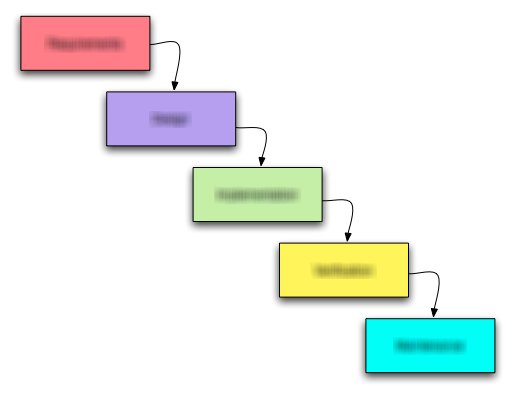
The aforementioned rules consist of five steps in a process that need to be worked on in their given order. Lets have a look:

  1. Orientation
  2. Assessment
  3. Development
  4. Feedback
  5. Termination

Steps three and four (development and feedback) actually happen in a loop with fixed iteration time.

Step 1: Orientation phase

In this phase, you need to get accustomed to the issue at hand as quickly as possible. Read all information carefully and try to build a mental model of what’s asked of you. Try to answer the following questions:

  • Do I understand the requirements?
  • Does my mental model make sense? Can I explain why the requirements are necessary?
  • Are there aspects missing or not sufficiently specified?

The result of this phase should be the assignment of the issue to you. If you don’t feel up to the task or unfamiliar with the requirements (e.g. they don’t make sense in your eyes), don’t accept the issue. This is your first and last chance to bail out without breaking a commitment.

Step 2: Assessment phase

You have been assigned to work on the issue, so now you need a plan. Evaluate your mental model and research the existing code for provisions and obstacles. Try to answer the following questions:

  • Where are the risks?
  • How can I partition the work into intermediate steps?

The result of this phase should be a series of observable milestones and a personal estimate of work effort. If you can’t divide the issue and your estimate exceeds a few hours of work, you should ask for help. Communicate your milestones and estimates by writing them down in the issue tracker.

Step 3: Development phase

You have a series of milestones and their estimates. Now it’s time to dive into programming. This is the moment when most self-management effort ends, because the developer never “zooms out” again until he is done or hopelessly stuck. You need periodic breaks to assess your progress and reflect on your work so far. Try to work for an hour (set up an alarm!) and continue with the next step (you will come back here!). Try to answer the following questions:

  • What is the most risky milestone/detail?
  • How long will the milestone take?

The result of this phase should be a milestone list constantly reordered for risk. We suggest a “cover your ass” strategy for novices by tackling the riskiest aspects first. After each period of work (when your alarm clock sets off), you should make a commit to the repository and run all the tests.

Step 4: Feedback phase

After you’ve done an hour of work, it’s time to back off and reflect. You should evaluate the new information you’ve gathered. Try to answer the following questions:

  • Is my estimate still accurate?
  • Have I encountered unforeseen problems or game-changing information?
  • What crucial details were discovered just yet?

The result of this phase should be an interim report to your manager and to your future self. A comment in the issue tracker is sufficient if everything is still on track. Your manager wants to know about your problems. Call him directly and tell him honestly. The documentation for your future self should be in the issue tracker, the project wiki or the source code. Imagine you have to repeat the work in a year. Write down everything you would want written down.
If your issue isn’t done yet, return to step three and begin another development iteration.

Step 5: Termination phase

Congratulations! You’ve done it. Your work is finished and your estimation probably holds true (otherwise, you would have reported problems in the feedback phases). But you aren’t done yet! Take your time to produce proper closure. Try to answer the following questions:

  • Is the documentation complete and comprehensible?
  • Have you thought about all necessary integration work like update scripts or user manual changes?

The result of this phase should be a merge to the master branch in the repository and complete documentation. When you leave this step, there should be no necessity to ever return to the task. Assume that your changes are immediately published to production. We are talking “going gold” here.

Recapitulation

That’s the whole process. Five steps with typical questions and “artifacts”. It’s a lot of overhead for a change that takes just a few minutes, but can be a lifesaver for any task that exceeds an hour (the timebox of step three). The main differences to “direct action” processes are the assessment and feedback phases. Both are mainly about self-observation and introspection, the most important ingredient of efficient learning. You might not appreciate at first what these phases reveal about yourself, but try to see it this way: The revelations set a low bar that you won’t fall short of ever again – guaranteed.

Automatic deployment of (Grails) applications

What was your most embarrassing moment in your career as a software engineer? Mine was when I deployed an application to production and it didn’t even start. Stop using manual deployment and learn how to automate your (Grails) deployment

What was your most embarrassing moment in your career as a software engineer? Mine was when I deployed an application to production and it didn’t even start.

Early in my career deploying an application usually involved a fair bunch of manual steps. Logging in to a remote server via ssh and executing various commands. After a while repetitive steps were bundled in shell scripts. But mistakes happened. That’s normal. The solution is to automate as much as we can. So here are the steps to automatic deployment happiness.

Build

One of the oldest requirements for software development mentioned in The Joel Test is that you can build your app in one step. With Grails that’s easy just create a build file (we use Apache Ant here but others will do) in which you call grails clean, grails test and then grails war:

<project name="my_project" default="test" basedir=".">
  <property name="grails" value="${grails.home}/bin/grails"/>
  
  <target name="-call-grails">
    <chmod file="${grails}" perm="u+x"/>
    <exec dir="${basedir}" executable="${grails}" failonerror="true">
      <arg value="${grails.task}"/><arg value="${grails.file.path}"/>
      <env key="GRAILS_HOME" value="${grails.home}"/>
    </exec>
  </target>
  
  <target name="-call-grails-without-filepath">
    <chmod file="${grails}" perm="u+x"/>
    <exec dir="${basedir}" executable="${grails}" failonerror="true">
      <arg value="${grails.task}"/><env key="GRAILS_HOME" value="${grails.home}"/>
    </exec>
  </target>

  <target name="clean" description="--> Cleans a Grails application">
    <antcall target="-call-grails-without-filepath">
      <param name="grails.task" value="clean"/>
    </antcall>
  </target>
  
  <target name="test" description="--> Run a Grails applications tests">
    <chmod file="${grails}" perm="u+x"/>
    <exec dir="${basedir}" executable="${grails}" failonerror="true">
      <arg value="test-app"/>
      <arg value="-echoOut"/>
      <arg value="-echoErr"/>
      <arg value="unit:"/>
      <arg value="integration:"/>
      <env key="GRAILS_HOME" value="${grails.home}"/>
    </exec>
  </target>

  <target name="war" description="--> Creates a WAR of a Grails application">
    <property name="build.for" value="production"/>
    <property name="build.war" value="${artifact.name}"/>
    <chmod file="${grails}" perm="u+x"/>
    <exec dir="${basedir}" executable="${grails}" failonerror="true">
      <arg value="-Dgrails.env=${build.for}"/><arg value="war"/><arg value="${target.directory}/${build.war}"/>
      <env key="GRAILS_HOME" value="${grails.home}"/>
    </exec>
  </target>
  
</project>

Here we call Grails via the shell scripts but you can also use the Grails ant task and generate a starting build file with

grails integrate-with --ant

and modify it accordingly.

Note that we specify the environment for building the war because we want to build two wars: one for production and one for our functional tests. The environment for the functional tests mimic the deployment environment as close as possible but in practice you have little differences. This can be things like having no database cluster or no smtp.
Now we can put all this into our continuous integration tool Jenkins and every time a checkin is made out Grails application is built.

Test

Unit and integration tests are already run when building and packaging. But we also have functional tests which deploy to a local Tomcat and test against it. Here we fetch the test war of the last successful build from our CI:

<target name="functional-test" description="--> Run functional tests">
  <mkdir dir="${target.base.directory}"/>
  <antcall target="-fetch-file">
    <param name="fetch.from" value="${jenkins.base.url}/job/${jenkins.job.name}/lastSuccessfulBuild/artifact/_artifacts/${test.artifact.name}"/>
    <param name="fetch.to" value="${target.base.directory}/${test.artifact.name}"/>
  </antcall>
  <antcall target="-run-tomcat">
    <param name="tomcat.command.option" value="stop"/>
  </antcall>
  <copy file="${target.base.directory}/${test.artifact.name}" tofile="${tomcat.webapp.dir}/${artifact.name}"/>
  <antcall target="-run-tomcat">
    <param name="tomcat.command.option" value="start"/>
  </antcall>
  <chmod file="${grails}" perm="u+x"/>
  <exec dir="${basedir}" executable="${grails}" failonerror="true">
    <arg value="-Dselenium.url=http://localhost:8080/${product.name}/"/>
    <arg value="test-app"/>
    <arg value="-functional"/>
    <arg value="-baseUrl=http://localhost:8080/${product.name}/"/>
    <env key="GRAILS_HOME" value="${grails.home}"/>
  </exec>
</target>

Stopping and starting Tomcat and deploying our application war in between fixes the perm gen space errors which are thrown after a few hot deployments. The baseUrl and selenium.url parameters tell the functional plugin to look at an external running Tomcat. When you omit them they start the Tomcat and Grails application themselves in their process.

Release

Now all tests passed and you are ready to deploy. So you fetch the last build … but wait! What happens if you have to redeploy and in between new builds happened in the ci? To prevent this we introduce a step before deployment: a release. This step just copies the artifacts from the last build and gives them the correct version. It also fetches the lists of issues fixed from our issue tracker (Jira) for this version as a PDF. These lists can be sent to the customer after a successful deployment.

Deploy

After releasing we can now deploy. This means fetching the war from the release job in our ci server and copying it to the target server. Then the procedure is similar to the functional test one with some slight but important differences. First we make a backup of the old war in case anything goes wrong and we have to rollback. Second we also copy the context.xml file which Tomcat needs for the JNDI configuration. Note that we don’t need to copy over local data files like PDF reports or serach indexes which were produced by our application. These lie outside our web application root.

<target name="deploy">
  <antcall target="-fetch-artifacts"/>

  <scp file="${production.war}" todir="${target.server.username}@${target.server}:${target.server.dir}" trust="true"/>
  <scp file="${target.server}/context.xml" todir="${target.server.username}@${target.server}:${target.server.dir}/${production.config}" trust="true"/>

  <antcall target="-run-tomcat-remotely"><param name="tomcat.command.option" value="stop"/></antcall>

  <antcall target="-copy-file-remotely">
    <param name="remote.file" value="${tomcat.webapps.dir}/${production.war}"/>
    <param name="remote.tofile" value="${tomcat.webapps.dir}/${production.war}.bak"/>
  </antcall>
  <antcall target="-copy-file-remotely">
    <param name="remote.file" value="${target.server.dir}/${production.war}"/>
    <param name="remote.tofile" value="${tomcat.webapps.dir}/${production.war}"/>
  </antcall>
  <antcall target="-copy-file-remotely">
    <param name="remote.file" value="${target.server.dir}/${production.config}"/>
    <param name="remote.tofile" value="${tomcat.conf.dir}/Catalina/localhost/${production.config}"/>
  </antcall>

  <antcall target="-run-tomcat-remotely"><param name="tomcat.command.option" value="start"/></antcall>
</target>

Different Environments: Staging and Production

If you look closely at the deployment script you notice that uses the context.xml file from a directory named after the target server. In practice you have multiple deployment targets not just one. At the very least you have what we call a staging server. This server is used for testing the deployment and the deployed application before interrupting or corrupting the production system. It can even be used to publish a pre release version for the customer to try. We use a seperate job in our ci server for this. We separate the configurations needed for the different environments in directories named after the target server. What you shouldn’t do is to include all those configurations in your development configurations. You don’t want to corrupt a production application when using the staging one or when your tests run or even when you are developing. So keep configurations needed for the deployment environment separate and separate from each other.

Celebrate

Now you can deploy over and over again with just one click. This is something to celebrate. No more headaches, no more bitten finger nails. But nevertheless you should take care when you access a production system even it is automatically. Something you didn’t foresee in your process could go wrong or you could make a mistake when you try out the application via the browser. Since we need to be aware of this responsibility everybody who interacts with a production system has to wear our cowboy hats. This is a conscious step to remind oneself to take care and also it reminds everybody else that you shouldn’t disturb someone interacting with a production system. So don’t mess with the cowboy!