Makeup on a zombie – Java Swing UX improvements

Even if they are outdated, GUI-based desktop applications won’t disappear anytime soon. But they should get improved user experience (UX) if possible. Some things are surprisingly easy to achieve. This is an example of Java Swing and keyboard handling.

When I learned Java programming in 1997, the AWT classes were the default way to create graphical user interfaces. The AWT widgets were not very sophisticated and really ugly, so it is no surprise they were replaced by a new widget toolkit, called “Swing”, as soon as possible. At the end of 1998, the Swing graphical API was the default way to develop GUIs for desktop applications on the Java platform.

Today, twenty years later, the Swing API is still part of the Java core SDK and ready for your adventures in GUI creation. But time has taken a toll on the technology. The widgets, once displayed with a state-of-the-art design, look really outdated. Swing introduced the concept of pluggable “Look-and-Feels” (L&F), so you could essentially re-skin your interface with a few lines of code, but all L&Fs look ugly and feel cumbersome now. You can say that Java Swing is a zombie: It is still available and in use in its latest development state, but makes no progress in regard of improvements. If software development follows one rule, it is that software that isn’t actively developed anymore is dead.

My personal date when Java Swing died was the day Chet Haase (author of the Java Swing book “Filthy Rich Clients”) left Sun Microsystems to work for Adobe. That was in 2008. The technology received several important updates since then, but soon after, JavaFX got on the stage (and left it, and went back on, left it again, and is now an optional download for the Java SDK). Desktop GUIs are even more dead than Java Swing, because “mobile first” and “web second” don’t leave much room for “desktop third”. Consequentially, Java FX will not receive support from Oracle after 2022.

But there are still plenty of desktop applications and they won’t go away anytime soon. There is a valid use case for a locally installed program with a graphical user interface on a physical computer. And there are still lots of “legacy systems” that need maintenance and improvements. Most of them are entangled with their UI toolkit of choice – a choice made before 2007, when “mobile first” wasn’t even available as an option.

Because those legacy systems still exist and are used, their users want to experience the look and feel of today’s applications. And this is where the fun begins: You apply makeup on a zombie to let it appear a little bit less ugly than it really is.

Recently, my task was to improve the keyboard handling of a Java Swing desktop application. It was surprisingly easy to add a tad of modern “feel”, and this gives me hope that the zombie might stay semi-alive longer than I thought. As you might already have guessed, StackOverflow is a goldmine for answers on ancient technology. Here are my first few improvements and their respective answer on StackOverflow:

  • Let’s suppose you want or need to interact with your application without a mouse or touchscreen. Your first attempt to start an interaction is to press the “menu” key in order to activate the application menu. This would be the “Alt” key on a windows system. For modern applications, your input focus is now at the menu bar. In Java Swing applications, nothing happens. You have to press “Alt” and a mnemonic character to enter a specific menu. If you want to reduce the initial hurdle to just one key, you need to teach all your Java Swing menus to react to the “Alt” key alone: https://stackoverflow.com/a/8659116
  • Speaking of focus, in modern applications you can move your focus by using the arrow keys. Java Swing still thinks that “Tab” and “Shift+Tab” is the pinnacle of focus control. If you want to improve the behavior (and therefore the “feel”) of your focus traversal, you can do it globally for your application: https://stackoverflow.com/a/8255423
  • And if you want to enable the Return/Enter key for button activation, you can do it with just one line: https://stackoverflow.com/a/440536

If you happen to work on a Java Swing application and want some cheap user experience upgrades, I’ve assembled all the knowledge above into a neat little class that you can use as an add-on utility class: https://github.com/dlindner/java-swing-ux/blob/master/src/com/schneide/swing/ux/KeyboardUX.java

What are your makeup tips for zombies?
Unexpected RESTEasy application upgrade surprise

The setting

A few months ago we got to maintain a RESTEasy application running in a Wildfly 10 container. The application uses RESTEasy as both, server and client and contains a few custom interceptors and providers.

Now our client wants to move on to Wildfly 13 as deployment target. Most of the application works out-of-the-box or just by upgrading some dependencies in the new container but some critical parts like the REST client requests stopped working.

The investigation

After some digging through the error messages it became clear our interceptors and providers were not called anymore. What has changed? Wildfly 13 comes with RESTEasy 3.5.1 while we were using 3.0 in Wildfly 10. Looking at the upgrade documentation leaves us puzzled though:

RESTEasy 3.5 series is a spin-off of the old RESTEasy 3.0 series, featuring JAX-RS 2.1 implementation.

The reason why 3.5 comes from 3.0 instead of the 3.1 / 4.0 development streams is basically providing users with a selection of RESTEasy 4 critical / strategic new features, while ensuring full backward compatiblity. As a consequence, no major issues are expected when upgrading RESTEasy from 3.0.x to 3.5.x.

We are using the standard classpath scanning method which discovers annotated RESTEasy classes and registers them for the application. Trying to register them explicitly in the application yielded the message, that our providers are already registered:

RESTEASY002155: Provider class mypackage.MyProvider is already registered. 2nd registration is being ignored.

Scanning and registration seemed to just work alright. So what was happening here?

The resolution

After a bit more investigation we realized the issue was on the client side only! In Wildfly 10/RESTEasy 3.0 the providers were automatically registered for the client, too. This is not the case anymore in Wildfly 13/RESTEasy 3.5! You have to register them with the client either using the ResteasyClientBuilder or the ResteasyClient you are using like mentioned in the documentation:

Client client = new ResteasyClientBuilder() // Activate gzip compression on client:
                    .register(AcceptEncodingGZIPFilter.class)
                    .register(GZIPDecodingInterceptor.class)
                    .register(GZIPEncodingInterceptor.class)
                    .build();

This subtle change in (undocumented?) behaviour took several hours to debug. Nevertheless, we actually like the change because we prefer doing things explicitly instead of using some magic. So now it is clear what interceptors and providers our REST client is using.

Book review: “Java by Comparison”

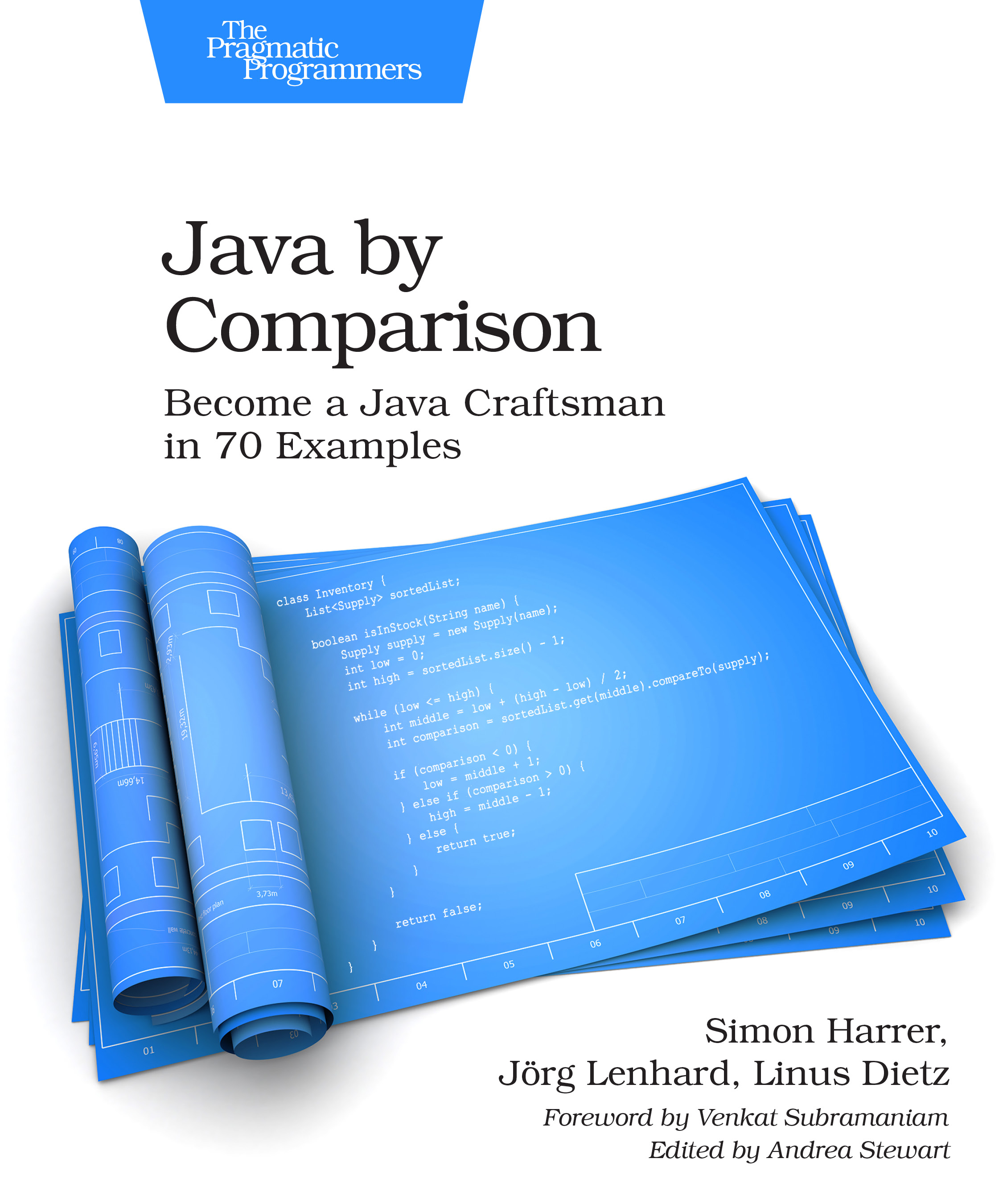
A review of the book “Java by Comparison” that gives any aspiring Java developer a solid understanding what good code looks and feels like.

I need to start this blog entry with a full disclosure: One of the authors of the book I’m writing about contacted me and asked if I could write a review. So I bought the book and read it. Other than that, this review is independent of the book and its authors.

Let me start this review with two types of books that I identified over the years: The first are toilet books, denoting books that can be read in small chunks that only need a few minutes each time. This makes it possible to read one chapter at each sitting and still grasp the whole thing.

The second type of books are prequel books, meaning that I wished the book would have been published before I read another book, because it paves the road to its sequel perfectly.

Prequel books

An example for a typical prequel book is “Apprenticeship Patterns” that sets out to help the “aspiring software craftsman” to reach the “journeyman” stage faster. It is a perfect preparation for the classic “The Pragmatic Programmer”, even indicated by its subtitle “From Journeyman to Master”. But the Pragmatic Programmer was published in 1999, whereas the “Apprenticeship Patterns” book wasn’t available until a decade later in 2009.

If you plan to read both books in 2019 (or onwards), read them in the prequel -> sequel order for maximized effect.

Pragmatic books

The book “The Pragmatic Programmer” was not only a groundbreaking work that affected my personal career like no other book since, it also spawned the “Pragmatic Bookshelf”, a publisher that gives authors all over the world the possibility to create software development books that try to convey practical knowledge. In software development, rapid change is inevitable, so books about practical knowledge and specific technologies have a half-life time measured in months, not years or even decades. Nevertheless, the Pragmatic Bookshelf has published at least half a dozen books that I consider timeless classics, like the challenging “Seven Languages in Seven Weeks” by Bruce A. Tate.

A prequel to Refactoring

A more recent publication from the Pragmatic Bookshelf is “Java by Comparison” by Simon Harrer, Jörg Lenhard and Linus Dietz. When I first heard about the book (before the author contacted me), I was intrigued. I categorized it as a “toilet book” with lots of short, rather independent chapters (70 of them, in fact). It fits in this category, so if you search for a book suited for brief idle times like a short commute by tram or bus, put it on your list.

But when I read the book, it dawned on me that this is a perfect prequel book. Only that the sequel was published 20 years ago (yes, you’ve read this right). In 1999, the book “Refactoring” by Martin Fowler established an understanding of “better code” that holds true until today. There was never a second edition – well, until today! Last week, the second edition of “Refactoring” became available. It caters to a younger generation of developers and replaced all Java code with JavaScript.

But what if you are an aspiring Java developer today? Your first steps in the language will be as clumsy as mine were back in 1997. For me, the first “Refactoring” was perfectly timed, because I had eased out most of my quirks and got a kickstart “from journeyman to master” out of it. But what if you are still an apprentice in Java programming? Then you should read “Java by Comparison” as the prequel book to the original “Refactoring”.

The book works by showing you actual Java code and discussing the bad and ugly parts of it. Then it proposes a better solution in actual code – something many software development books omit as an easy exercise for the reader. You will see this pattern again and again: Java code with problems, a review of the code and a revised version of the same code. Each topic is condensed into two pages, making it a perfect 5-minute read (repeated 70 times).

If you read one chapter each morning on your commute to work and another one on your way back, you’ll be sped up from apprentice level to journeyman level in less than two months. And you can apply the knowledge from each chapter in your daily code right away. Imagine you spend your commute with a friendly mentor that shows you actual code (before and after) instead of only dropping wise man’s quotes that tell you what’s wrong but never show you a specific example of “right”.

All topics and chapters in the book are thorougly researched and carefully edited. You can feel that the authors explained each improvement over and over again to their students and you might notice the little hints for further reading. They start small and slow, but speed up and don’t shy away from harder and more complex topics later in the book. You’ll learn about tests, immutability, concurrency and naming (the best part of the book in my opinion) as well as using code and API comments to your advantage and how not to express conditional logic.

Overall, the book provides the solid groundworks for good code. I don’t necessarily agree with all tips and rules, but that is to be expected. It is a collection of guidelines and rules for beginners, and a very good one. Follow these guidelines until you know them by heart, they are the widely accepted common denominator of Java programming and rightfully so. You can reflect, adapt, improve and iterate based on your experience later on. But it is important to start that journey from the “green zone” and this book will show you this green zone in and out.

My younger self would have benefited greatly had this book been around in 1997. It covers the missing gap between your first steps and your first dance in code.

It’s a beginner’s world

According to Robert C. Martin, the number of software developers worldwide doubles every five years. So my advice for the 20+ million beginners in the next five years out there is to read this book right before “Refactoring”. And reading “Refactoring” at least once is a pleasure you owe to yourself.

Bending the Java syntax until it breaks

Did you ever bend a programming language until it breaks? This blog entry explores some rather unknown and silly regions of Java and connects them with upcoming language features.

Java is a peculiar programming language. It is used in lots of professional business cases and yet regarded as an easy language suitable for beginner studies. Java’s syntax in particular is criticized as bloated and overly strict and on the next blog praised as lenient and powerful. Well, lets have a look at a correct, runnable Java program that I like to show my students:

class $ {
	{
		System.out.println("hello world");
	}

	static {
		System.out.println("hello, too");
	}

	$() {
		http://www.softwareschneiderei.de
		while ($()) {
			break http;
		}
	}

	static boolean $() {
		return true;
	}

	public static void main(String[] _$) {
		System.out.println($.$());
	}
}

This Java code compiles, perhaps with some warnings about unlucky naming and can be run just fine. You might want to guess what its output to the console is. Notice that the code is quiet simple. No shenanigans with Java’s generics or the dark corners of lambda expressions and method handles. In fact, this code compiles and runs correctly since more than 20 years.

Lets dissect the code into its pieces. To really know what’s going on, you need to look into Java’s Language Specification, a magnificent compendium about everything that can be known about Java on the syntax level. If you want to dive even deeper, the Java Virtual Machine Specification might be your cup of tea. But be warned! Nobody on this planet understands everything in it completely. Even the much easier Java Language Specification contains chapters of pure magic, according to Joshua Bloch (you might want to watch the whole presentation, the statement in question is around the 6 minute mark). And in the code example above, we’ve used some of the magic, even if they are beginner level tricks.

What about the money?

The first glaring anomaly in the code is the strange names that are dollar signs or underscores. These are valid names, according to chapter 3.8 about Identifiers. And we’ve done great by choosing them. Let me quote the relevant sentence from this chapter:

“The “Java letters” include uppercase and lowercase ASCII Latin letters A-Z (\u0041-\u005a), and a-z (\u0061-\u007a), and, for historical reasons, the ASCII dollar sign ($, or \u0024) and underscore (_, or \u005f). The dollar sign should be used […]”

Oh, and by the way: Java identifiers are of unlimited length. You could go and write valid Java code that never terminates. We’ve gone the other way and made our names as short as possible – one character. Since identifiers are used as class names, method names, variable names and (implicitly) constructor names, we can name them all alike.

The variable name of the arguments in the main method used to be just an underscore, but somebody at Oracle changed this section of the Language Specification and added the following sentence:

“The underscore may be used in identifiers formed of two or more characters, but it cannot be used as a one-character identifier due to being a keyword.”

This change happened in Java 9. You can rename the variable “_$” to just “_” in Java 8 and it will work (with a warning).

URLs as first-class citizens?

The next thing that probably caught your eye is the URL in the first line of the constructor. It just stands there. And as I told you, the code compiles. This line is actually a combination of two things: A labeled statement and a comment. You already know about end-of-line comments that are started with a double slash. The rather unknown thing is the labeled statement before it, ending with a colon. This is one of the darker regions of the Language Specification, because it essentially introduces a poor man’s goto statement. And they knew it, because they explicitly talk about it:

“Unlike C and C++, the Java programming language has no goto statement; identifier statement labels are used with break…”

And this explains the weird line in the while loop: “break http” doesn’t command Java to do harm to the computer’s Internet connection, but to leave and complete the labeled statement, in our case the while loop. This spares us from the looming infinite loop, but raises another question: What names are allowed as labels? You’ve guessed it, it’s a Java identifier. We could have named our label “$:” instead of “http:” and chuckled about the line “break $”.

So, Java has a goto statement, but it isn’t called as such and it’s crippled to the point of being useless in practice. In my 20+ years of Java programming, I’ve seen it used just once in the wild.

What about it all?

This example of Java code serves me as a reminder that a programming language is what we make out of it. Our Java programs could easily all look like this if we wanted to. It’s not Java’s merit that our code is readable. And it’s not Java’s fault that we write bloated code. Both are results of our choices as programmers, not an inevitableness from the language we program in.

I sometimes venture to the darker regions of programming languages to see what the language could look and feel like if somebody makes the wrong decisions. This code example is from one of those little journeys several years ago. And it proved its worth once again when I tried to compile it with Java 9. Remember the addition in the Language Specification that made the single underscore a keyword? It wasn’t random. Java’s authors want to improve the lambda expressions in Project Amber, specifically in the JEP 302 (Lambda Leftovers). This JDK Enhancement Proposal (JEP) was planned for Java 10, is still not included in Java 11 and has no clear release date yet. My code gave me the motivation to dig into the topic and made me watch presentations like the one from Brian Goetz at Devoxx 2017 that’s really interesting and a bit unsettling.

Bending things until they break is one way to learn about their limits. What are your ways to learn about programming languages? Do you always stay in the middle lane? Leave a comment on your journeys.

Transforming C-Style arrays in java

Every now and then some customer asks us to fix or improve some important legacy application other people have written. Usually, such projects are fun and it is rewarding to see the improvements both in code and value for the users.

In one of these projects there is a Java GUI application that uses C-style arrays for some of its central data structures:

public class LegoBox  {
  public LegoBrick[] bricks = new LegoBrick[8000];
  public int brickCount = 0;
}

The array-length is a constant upper bound and does not denote the actual elements in the array. Elements are added dynamically to the array and it looks like a typical job for a automatically growing Collection like java.util.ArrayList. Most operations simply iterate over all elements and perform some calculations. But changing such a central part in a performance sensitive application is not only a lot of work but also risky.

We decided to take an incremental approach to improve code readability and maintainability and measured performance with a large, representative dataset between refactorings. There are two easy alternative APIs that improve working with the above data structure.

Imperative API

Smooth migration from the existing imperative “ask”-code (see “Tell, don’t ask”-principle) can be realized by providing an java.util.Iterable to the underlying array.


public int countRedBricks() {
  int redBrickCount = 0;
  for (int i = 0; i < box.brickCount; i++) {
    if (box.bricks[i].isRed()) {
      redBrickCount++;
    }
  }
  return redBrickCount;
}

Code like above is easily transformed to much clearer code like below:

public class LegoBox  {
  public LegoBrick[] bricks = new LegoBrick[8000];
  public int brickCount = 0;

  public Iterable<LegoBrick> allBricks() {
    return Arrays.stream(tr, 0, brickCount).collect(Collectors.toList());
  }
}

public int countRedBricks() {
  int redBrickCount = 0;
  for (LegoBrick brick : box.bricks) {
    if (brick.isRed()) {
      redBrickCount++;
    }
  }
  return redBrickCount;
}

Functional API

A nice alternative to the imperative solution above is a functional interface to the array. In Java 8 and newer we can provide that easily and encapsulate the iteration over our array:

public class LegoBox  {
  public LegoBrick[] bricks = new LegoBrick[8000];
  public int brickCount = 0;

  public <R> R forAllBricks(Function<Brick, R> operation, R identity, BinaryOperator<R> reducer) {
    return Arrays.stream(bricks, 0, brickCount).map(operation).reduce(identity, reducer);
  }

  public void forAllBricks(Consumer<LegoBrick> operation) {
    Arrays.stream(bricks, 0, brickCount).forEach(operation);
  }
}

public int countRedBricks() {
  return box.forAllBricks(brick -> brick.isRed() ? 1 : 0, 0, (sum, current) -> sum + current);
}

The functional methods can be tailored to your specific needs, of course. I just provided two examples for possible functional interfaces and their implementation.

The function + reducer case is a very general interface and used here for an implementation of our “count the red bricks” use case. Alternatively you could implement this use case with a more specific but easier to use filter + count interface:

public class LegoBox  {
  public LegoBrick[] bricks = new LegoBrick[8000];
  public int brickCount = 0;

  public long countBricks(Predicate<Brick> filter) {
    return Arrays.stream(bricks, 0, brickCount).filter(operation).count();
  }
}

public int countRedBricks() {
  return box.countBricks(brick -> brick.isRed());
}

The consumer case is very simple and found a lot in this specific project because mutation of the array elements is a typical operation and all over the place.

The functional API avoids duplicating the iteration all the time and removes the need to access the array or iterable/collection. It is therefore much more in the spirit of “tell”.

Conclusion

The new interfaces allow for much simpler and maintainable client code and remove a lot of duplicated iterations on the client side. They can be introduced on the way when implementing requested features for the customer.

That way we invested only minimal effort in cleaner, better maintainable and more error-proof code. When someday all accesses to the public array are encapsulated we can use the new found freedom to internalize the array and change it to a better fitting data structure like an ArrayList.

Handling database warnings with JDBC

Database administrators have the possibility to set lifetimes for user passwords. This can be considered a security feature, so that passwords get updated regularly. But if one of your software services logs into the database with such an account, you want to know when the password expires in good time before this happens, so that you can update the password. Otherwise your service will stop working unexpectedly.

Of course, you can mark the date in your calendar in order to be reminded beforehand, and you probably should. But there is an additional measure you can take. The database administrator can not only set the lifetime of a password, but also a “grace period”. For example:

ALTER PROFILE app_user LIMIT PASSWORD_LIFE_TIME 180 PASSWORD_GRACE_TIME 14;

This SQL command sets the password life time to 180 days (roughly six months) and the grace period to 14 days (two weeks). If you log into the database with this user you will see a warning two weeks before the password will expire. For Oracle databases the warning looks like this:

ORA-28002: the password will expire within 14 days

But your service logs in automatically, without any user interaction. Is it possible to programmatically detect a warning like this? Yes, it is. For example, with JDBC the following code detects warnings after a connection was established:

// Error codes for ORA-nnnnn warnings
static final int passwordWillExpireSoon = 28002;
static final int accountWillExpireSoon = 28011;

void handleWarnings(Connection connection) throws SQLException {
    SQLWarning warning = connection.getWarnings();
    while (null != warning) {
        String message = warning.getMessage();
        log.warn(message);

        int code = warning.getErrorCode();
        if (code == passwordWillExpireSoon) {
            System.out.println("ORA-28002 warning detected");
            // handle appropriately
        }
        if (code == accountWillExpireSoon) {
            System.out.println("ORA-28011 warning detected");
            // handle appropriately
        }
        warning = warning.getNextWarning();
    }
}

Instead of just logging the warnings, you can use this code to send an email to your address, so that you will get notified about a soon-to-be-expired password in advance. The error code depends on your database system.

With this in place you should not be unpleasantly surprised by an expired password. Of course, this only works if the administrator sets a grace period, so you should agree on this approach with your administrator.

OPC-UA Performance and Bulk Reads

In a previous post on OPC on this blog I introduced some basics of OPC. Now we’ll take look at some performance characteristics of OPC-UA. Performance depends both on the used OPC server and the client, of course. But there are general tips to improve performance.

  • to get maximum performance use OPC without security

OPC message signing and encryption adds overhead. Turn off security for maximum performance if your use case allows to use OPC without security.

  • bulk reads increase performance

Bulk reads

A bulk read call reads multiple variables at once, which reduces communication overhead between client and server.

Here’s a code example using Eclipse Milo, an open-source OPC-UA stack implementation for the Java VM.

final String endpointUrl = "opc.tcp://localhost:53530/OPCUA/SimulationServer";
final EndpointDescription[] endpoints = UaTcpStackClient.getEndpoints(endpointUrl).get();
final OpcUaClientConfigBuilder config = new OpcUaClientConfigBuilder();
config.setEndpoint(endpoints[0]);

final OpcUaClient client = new OpcUaClient(config.build());
client.connect().get();

final List<NodeId> nodeIds = IntStream.rangeClosed(1, 50).mapToObj(i -> new NodeId(5, "Counter" + i)).collect(Collectors.toList());
final List<ReadValueId> readValueIds = nodeIds.stream().map(nodeId -> new ReadValueId(nodeId, AttributeId.Value.uid(), null, null)).collect(Collectors.toList());

// Bulk read call
final ReadResponse response = client.read(0, TimestampsToReturn.Both, readValueIds).get();
final DataValue[] results = response.getResults();
if (null != results) {
	final List<Integer> values = Arrays.stream(results).map(result -> (Integer) result.getValue().getValue()).collect(Collectors.toList());
	System.out.println(values.stream().map(String::valueOf).collect(Collectors.joining(",")));
}

client.disconnect().get();

The code performs a bulk read call on 50 integer variables (“Counter1” to “Counter50”). For performance tests you can put the bulk read call in a loop and measure the times. You should, however, connect to the server over the target network, not on localhost.

With a free (however not open-source) OPC UA simulation server by Prosys and Eclipse Milo for the client I measured times around 3.3 ms per bulk read of these 50 integer variables. I got similar results with the UA.NET stack by the OPC Foundation. Of course, you should do your own measurements with your target setup.

Keep also in mind that the preferred way to use OPC UA is not to constantly poll the values of all the variables. OPC UA allows you to monitor variables for changes and to get notified in case of a change, which is a more event-driven approach.

Gradle projects as Debian packages

Gradle is a great tool for setting up and building your Java projects. If you want to deliver them for Ubuntu or other debian-based distributions you should consider building .deb packages. Because of the quite steep learning curve of debian packaging I want to show you a step-by-step guide to get you up to speed.

Prerequisites

You have a project that can be built by gradle using gradle wrapper. In addition you have a debian-based system where you can install and use the packaging utilities used to create the package metadata and the final packages.

To prepare the debian system you have to install some packages:

sudo apt install dh-make debhelper javahelper

Generating packaging infrastructure

First we have to generate all the files necessary to build full fledged debian packages. Fortunately, there is a tool for that called dh_make. To correctly prefill the maintainer name and e-mail address we have to set 2 environment variables. Of course, you could change them later…

export DEBFULLNAME="John Doe"
export DEBEMAIL="john.doe@company.net"
cd $project_root
dh_make --native -p $project_name-$version

Choose “indep binary” (“i”) as type of package because Java is architecture indendepent. This will generate the debian directory containing all the files for creating .deb packages. You can safely ignore all of the files ending with .ex as they are examples features like manpage-generation, additional scripts pre- and post-installation and many other aspects.

We will concentrate on only two files that will allow us to build a nice basic package of our software:

  1. control
  2. rules

Adding metadata for our Java project

In the control file fill all the properties if relevant for your project. They will help your users understand what the package contains and whom to contact in case of problems. You should add the JRE to depends, e.g.:

Depends: openjdk-8-jre, ${misc:Depends}

If you have other dependencies that can be resolved by packages of the distribution add them there, too.

Define the rules for building our Java project

The most important file is the rules makefile which defines how our project is built and what the resulting package contents consist of. For this to work with gradle we use the javahelper dh_make extension and override some targets to tune the results. Key in all this is that the directory debian/$project_name/ contains a directory structure with all our files we want to install on the target machine. In our example we will put everything into the directory /opt/my_project.

#!/usr/bin/make -f
# -*- makefile -*-

# Uncomment this to turn on verbose mode.
#export DH_VERBOSE=1

%:
	dh $@ --with javahelper # use the javahelper extension

override_dh_auto_build:
	export GRADLE_USER_HOME="`pwd`/gradle"; \
	export GRADLE_OPTS="-Dorg.gradle.daemon=false -Xmx512m"; \
	./gradlew assemble; \
	./gradlew test

override_dh_auto_install:
	dh_auto_install
# here we can install additional files like an upstart configuration
	export UPSTART_TARGET_DIR=debian/my_project/etc/init/; \
	mkdir -p $${UPSTART_TARGET_DIR}; \
	install -m 644 debian/my_project.conf $${UPSTART_TARGET_DIR};

# additional install target of javahelper
override_jh_installlibs:
	LIB_DIR="debian/my_project/opt/my_project/lib"; \
	mkdir -p $${LIB_DIR}; \
	install lib/*.jar $${LIB_DIR}; \
	install build/libs/*.jar $${LIB_DIR};
	BIN_DIR="debian/my_project/opt/my_project/bin"; \
	mkdir -p $${BIN_DIR}; \
	install build/scripts/my_project_start_script.sh $${BIN_DIR}; \

Most of the above should be self-explanatory. Here some things that cost me some time and I found noteworthy:

  • Newer Gradle version use a lot memory and try to start a daemon which does not help you on your build slaves (if using a continous integration system)
  • The rules file is in GNU make syntax and executes each command separately. So you have to make sure everything is on “one line” if you want to access environment variables for example. This is achieved by \ as continuation character.
  • You have to escape the $ to use shell variables.

Summary

Debian packaging can be daunting at first but using and understanding the tools you can build new packages of your projects in a few minutes. I hope this guide helps you to find a starting point for your gradle-based projects.

Evolution of programming languages

Programming languages evolve over time. They get new language features and their standard library is extended. Sounds great, doesn’t it? We all know not going forward means your go backward.

But I observe very different approaches looking at several programming ecosystems we are using.

Featuritis

Java and especially C# added more and more “me too” features release after release making relatively lean languages quite complex multi-paradigm languages. They started object oriented and added generics, functional programming features and declarative programming (LINQ in C#) and different UI toolkits (AWT, Swing, JavaFx in Java; Winforms, WPF in C#) to the mix.

Often the new language features add their own set of quirks because they are an afterthought and not carefully enough designed.

For me, this lack of focus makes said language less attractive than more current approaches like Kotlin or Go.

In addition, deprecation often has no effect (see Java) where 20 year old code and style still works which increases the burden further . While it is great from a business perspektive in that your effort to maintain compatibility is low it does not help your code base. Different styles and old ways of doing something tend to remain forever.

Revolution

In Grails (I know, it is not a programming language, but I has its own ecosystem) we see more of a revolution. The core concept as a full stack framework stays the same but significant components are changed quite rapidly. We have seen many changes in technology like jetty to tomcat, ivy to maven, selenium-rc to geb, gant to gradle and the list goes on.

This causes many, sometimes subtle, changes in behaviour that are a real pain when maintaining larger applications over many years.

Framework updates are often a time-consuming hassle but if you can afford it your code base benefits and will eventually become cleaner.

Clean(er) evolution

I really like the evolution in C++. It was relatively slow – many will argue too slow – in the past but it has picked up pace in the last few years. The goal is clearly stated and only features that support it make it in:

  • Make C++ a better language for systems programming and library building
  • Make C++ easier to teach and learn
  • Zero-Cost abstractions
  • better Tool-support

If you cannot make it zero-cost your chances are slim to get your feature in…

C at its core did not change much at all and remained focused on its merits. The upgrades mostly contained convenience features like line comments, additional data type definitions and multithreading.

Honest evolution – breaking backwards compatibility

In Python we have something I would call “honest evolution”. Python 3 introduced some breaking changes with the goal of a cleaner and more consistent language. Python 2 and 3 are incompatible so the distinction in the version number is fair. I like this approach of moving forward as it clearly communicates what is happening and gets rid of the sins in the past.

The downside is that many systems still come with both, a Python 2 and a Python 3 interpreter and accompanying libraries. Fortunately there are some options and tools for your code to mitigate some of the incompatibilities, like the __future__ module and python-six.

At some point in the future (expected in 2020) there will only support for Python 3. So start making the switch.

Do most language make false promises?

Some years ago I stumbled over this interesting article about C being the most effective of programming language and one making the least false promises. Essentially Damien Katz argues that the simplicity of C and its flaws lead to simple, fast and easy to reason about code.

C is the total package. It is the only language that’s highly productive, extremely fast, has great tooling everywhere, a large community, a highly professional culture, and is truly honest about its tradeoffs.

-Damien Katz about the C Programming language

I am Java developer most of the time but I also have reasonable experience in C, C++, C#, Groovy and Python and some other languages to a lesser extent. Damien’s article really made me think for quite some time about the languages I have been using. I think he is right in many aspects and has really good points about the tools and communities around the languages.

After quite some thought I do not completely agree with him.

My take on C

At a time I really liked the simplicity of C. I wrote gtk2hack in my spare time as an exercise and definitely see interoperability and a quick “build, run, debug”-cycle as big wins for C. On the other hand I think while it has a place in hardware and systems programming many other applications have completely different requirements.

  • A standardized ABI means nothing to me if I am writing a service with a REST/JSON interface or a standalone GUI application.
  • Portability means nothing to me if the target system(s) are well defined and/or covered by the runtime of choice.
  • Startup times mean nothing to me if the system is only started once every few months and development is still fast because of hot-code replacement or other means.
  • etc.

But I am really missing more powerful abstractions and better error handling or ressource management features. Data structures and memory management are a lot more painful than in other languages. And this is not (only) about garbage collection!

Especially C++ is making big steps in the right direction in the last few years. Each new standard release provides additional features making code more readable and less error prone. With zero cost abstractions at the core of language evolution and the secondary aim of ease of use I really like what will come to C++ in the future. And it has a very professional community, too.

Aims for the C++11 effort:

  • Make C++ a better language for systems programming and library building
  • Make C++ easier to teach and learn

-Bjarne Stroustup, A Tour of C++

What we can learn from C

Instead of looking down at C and pointing at its flaws we should look at its strengths and our own weaknesses/flaws. All languages and environments I have used to date have their own set of annoyances and gotchas.

Java people should try building simple things and having a keen eye on dependencies especially because the eco system is so rich and crowded. Also take care of ressource management – the garbage collector is only half the deal.

Scala and C++ people should take a look at ABI stability and interoperability in general. Their compile times and “build, run, debug”-cycle has much room for improvement to say the least.

C# may look at simplicity instead of wildly adding new features creating a language without opinion. A plethora of ways implementing the same stuff. Either you ban features or you have to know them all to understand code in a larger project.

Conclusion

My personal answer to the title of this blog: Yes, they make false promises. But they have a lot to offer, too.

So do not settle with the status quo of your language environment or code style of choice. Try to maintain an objective perspective and be aware of the weaknesses of the tools you are using. Most platforms improve over time and sometimes you have to re-evaluate your opinion regarding some technology.

I prefer C++ to C for some time now and did not look back yet. But I also constantly try different languages, platforms and frameworks and try to maintain a balanced view. There are often good reasons to choose one over the other for a particular project.