
I’m reading a lot of books and based on my profession and interests, my list includes many software development and IT books. I want to share how I manage my reading and give some recommendations for a special type of book that I call “toilet book”.
Three books at once
The human mind is a peculiar thing. You’ve probably experienced the effect of getting up to perform some minor task in an other room only to arrive there with no recollection about what you wanted to do. Between the thoughts of “ok, let’s do this now!” and “why did I go here?”, just a few seconds have passed, but another aspect has changed dramatically: your geographic position. As a side note: If you don’t know what I’m talking about, consider yourself lucky. Our memory is often bound to the geographic position and changes when we move. If you want to remember what your forgotten task was, try returning to your original location. You’ll often see me walking around the same way twice within seconds. That’s when I have to rewind my location-based memory.
A particular use case where I leverage my location-based memory is when I read books. I often read three books at once, but strictly separated by location:
- The first book is the “leisure book“: I will only read it at comfortable locations like the couch, in the sun on the balcony or in the bathtub. This book is often fiction or has at least nothing to do with IT.
- The second book is the “travel book“: You’ll seldom see me travelling without a book and just a few minutes of tram are sufficient to read some pages. This book is often IT-based, because I read it on my commute to and from work and sometimes in my lunch break.
- The third book is the “toilet book“: You’ll never see me reading this book, because it is stored besides my toilet and is exclusively read there. Books that are suitable for this task often have a special structure that aligns with the circumstances. More on this in a moment.
By having a clear separation by location for the three books, I’m able to keep their content separated and switch from one reading context to the next without effort. It happens naturally if I refrain from reading my travel book at home or taking my leisure book on the train.
The structure of a toilet book
A good toilet book has a special structure that accommodates for the special timing of a toilet visit. If you spend two minutes on the toilet, the book should have chapters or at least paragraphs that can be read in two minute intervals. Ideally, the book is specifically designed to contain short chapters on different topics that have no strong over-arching story. A typical example of a good non-IT toilet book are comic books like Calvin & Hobbes, The Peanuts or any other comic series that has small self-contained comic strips. You read one or two strips, are amused and interrupt again without having to memorize a complex context. Good toilet books allow for short, context-free reading sessions.
A collection of worthwhile toilet books
Over the years, I’ve read some toilet books with IT and software development topics and want to share my list of books that I enjoyed reading in this fashion:
- Practices of an Agile Developer
- The Passionate Programmer
- 97 Things Every Software Architect Should Know
- 97 Things Every Programmer Should Know
- 97 Things Every Project Manager Should Know
- 100 Things Every Designer Needs To Know About People (Not stricly IT, but with enough relation to UX to make it on the list)
- 100 More Things Every Designer Needs To Know About People
- Apprenticeship Patterns: Guidance for the Aspiring Software Craftsman
- Pragmatic Thinking And Learning (Some context storage is required for this one but you’ll learn how to do it while reading)
In short, for me, calling a book a “toilet book” is not a derogatory taunt, but a neutral description that this book is structured in a way to support repeated short-time reading sessions. For me, these books are a good choice for a tertiary reading track.
A call for proposals
Right now, my reading list of good IT toilet books is rather short. If you happen to know a book that fits my description, I would be thankful for a hint in the comments. Thank you!
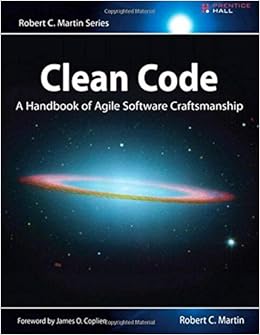 If we were to choose the holy book of software development, we probably couldn’t agree on one or even a dozen titles. And that is a good thing, because there is no one true way of software development. Clean Code by Robert C. Martin would maybe show up in the late contenders. But if we were to choose the most preachy book of software development, well, I have a favorite. This book is so loud that you cannot ignore it. And it is so opinionated that you’re either nodding your head like a heavy metal fan or writhing in averseness. That’s a good thing, too. Because it forces you to think. Your immediate emotional answer needs support by rational arguments and this book will provide you with ample opportunity to gather arguments for your consent or rejection. What this book probably won’t do is leave you unaffected. When it came out in 2008, it was an instant classic. You could spice up any gathering of software developers by making a statement about this book, be it pro or contra. And even today, ten years later, I would say that even if the loudness is deafening, the clarity of the messages makes this book a worthwhile read for every software developer. My grief with it is foremost that for a book called “Clean Code”, some examples of actual code are quite dirty or even plain wrong. Read it with an active mind and it will be a cornerstone of your professional career. But be careful, it seems that currently printed instances have physical quality problems.
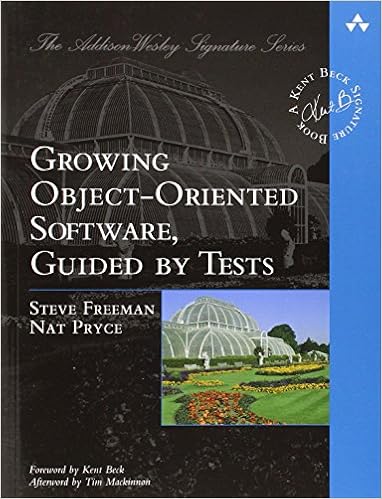 Ever since Extreme Programming hit the (european) scene in 1999, I was curious about Test Driven Development (TDD). I tried automated testing and unit tests whenever I could, read books and later watched videos about the topic. But I never grokked it. It just didn’t work for me and I didn’t even know why. My most feared trap was the one-two-everything syndrome, where you write two simple tests and then have to implement the whole algorithm to fulfill the third test. It was always the third test that broke my rhythm. I tried to exchange experience with TDD practitioners, but their own examples were mostly trivial and my examples always led nowhere (for reference: Try a simple Game of Life in TDD style). I felt dumb and inadequate. When Robert C. Martin (the author of Clean Code) told the developer world that you are either “TDD or not professional” (read
 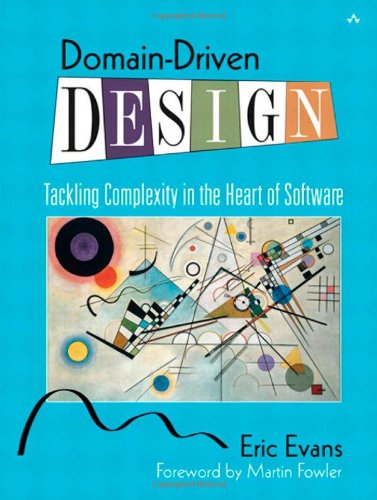 Some years after the GOOS experience, another summer beach holiday was due and as usual, I included a software development book in my luggage. “Domain Driven Design” by Eric Evans came out in 2003 and was praised by some and ignored by most, including me. It took me ten years to finally read it and when I did, it hit me hard. Since my early days as a programmer, I tried to build a meaningful data model with actual types for each program I developed. But it occurred to me that I did it half-heartedly all the time. It shouldn’t stop at a data model, it should be a complete domain model. And for that to work, you need to grok the domain. I review a lot of my code before that insight and always find it funny how I invested effort in my models but more often than not stayed in the technical realm. I cannot say that my programming has changed much from the book, as most concepts meandered through the community since 2003 and were picked up by me mostly under different names. But my software development approach has changed dramatically. I don’t start my thinking from the technical side anymore. And that helps with “business alignment” and all the other magic words that finally have real tangible benefit. And I can now pinpoint when that alignment loosens and employ counter-measures instead of ending up in a special case hell. The best thing was that this book doesn’t require a laptop so I got to sit on the beach that summer with the book in my hands and my head in the clouds. It might be old, but it’s still gold.
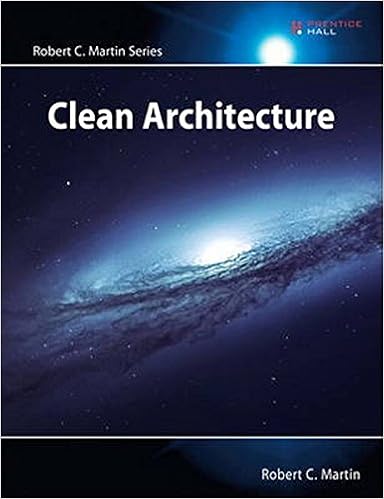 I anxiously waited for this book to be printed. Not because I pre-ordered, but because I held talks, workshops and lectures about the topic before the book was available. And I wanted to make sure that I’m not telling nonsense. But Robert C. Martin took his time and delayed the deadline month after month. Then, nearly a year later, the book reached the stores in late 2017. So I would have to wait for my winter holiday to read it. I couldn’t wait and began right away. The book is a slow burner and feels like a long introduction. By the time the central proposition is revealed (and yes, it reads like good unagitated spy thriller at times), you’ve probably already figured it out yourself. And that’s a good thing in my mind, because it feels as if it was your idea and Uncle Bob is just there to nod and congratulate you for your intellect. This book is so many times less preachy than “Clean Code”. If we compare spy thriller literature, this is a John le Carré while Clean Code would be an Ian Fleming (James Bond). “Clean Architecture” is not about programming, it talks about software architecture, a topic that I missed greatly in my early developer years. I liked this book so much
 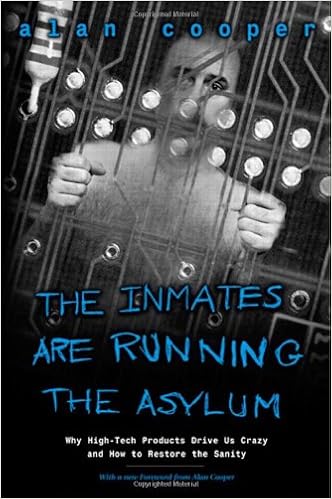 All the other books talk about different aspects of programming, software development or related technical topics. But what about a book that raises a simple question: “Why is IT technology so complicated?”. And gives the answer: “Because we want it this way.”. That’s actually true. In a world without most of the restrictions of the physical world, we were unable to build solutions that actually helped us and came up with machines and software that overwhelmed most people. It needed a whole new generation of “digital natives” until concepts like internal operation modes (e.g. insert vs. overwrite) were intuitively understood. Not because they became simpler, we were just used to the complexity. Alan Cooper described the problem and gave at least hints for solutions in 1999, nearly 20 years ago. That’s the timespan of a generation. This book made me think hard about the status quo I silently had accepted with technology. It just was like it was, what else could there be? If I reveal a tiny bit of different approaches I can think of now, I’m often confronted with incomprehension. Not because I’m particularly clever and everyone else is dumb, but because there seems to be no problem if you’ve grown accustomed to it. If you want to see some of the pain other (older) people feel when interacting with technology and software, read this book. It is an eye-opener to common problems no software developer ever had. It is the first step into the world of UX (user experience), where it’s not as important if the developer feels alright but if the user feels at least adequate. It might be a classic and feel a bit outdated and weak on the solution side, but to understand the problem properly is the first step to appreciate possible answers. And Alan Cooper didn’t stop there. Read his
  Schneide Blog