
User experience is a vast field which can be overwhelming at start. To make it easier for others I want to break it down to specific areas.
The start makes a rather narrow field of software: forms.
Forms are ubiquitous: almost every software user interface has them. Most of them are too big and overwhelm the user. But in complex software you cannot “just” leave out some inputs to make a small form. Here are some tips to improve your next form:
- use a grid – your labels and inputs (and indeed every UI element) should be layouted on a grid, the goal is to improve scanability and readability and to reduce visual clutter
- align all labels in the same way – this one should be obvious, but often it is missed, it doesn’t matter if the labels are left or above the input, all should be aligned in the same way
- use labels – another obvious one but often labels are omitted to make the UI look cleaner, but if the user cannot see from looking at your interface where he inputs his username or password something went really wrong
- put fields in chunks – if the form gets too big (and most of them do), use blocks with whitespace around them to chunk fields, how do find out the groups for the chunking? You should know the domain and you can always ask the user
- use specialized inputs – if only a date can be entered use a calendar widget, if you need a color use a palette input, the goal is to reduce errors made by the user, which also reduces his frustrations
- provide format helps – if you cannot provide a specialized input, provide format helps, describe how the input should be formatted and what formats are accepted, again to reduce errors
- order the fields – ask the user and a domain expert what the mental model of the fields is, what order should the inputs be made, what is optional, what is important
- distinct the mandatory from the optional – nothing is more frustrating than to fill out a form, click submit and get told 10 times which fields are missing
- use different sizes – if the input is just a one digit number the input should be sized to indicate this, if you want 3 lines of text, use three rows, the goal is to visually communicate what kind of input is expected, but remember: please align them properly
I hope these tips help you to make better forms and make your users less frustrated.
 If we were to choose the holy book of software development, we probably couldn’t agree on one or even a dozen titles. And that is a good thing, because there is no one true way of software development. Clean Code by Robert C. Martin would maybe show up in the late contenders. But if we were to choose the most preachy book of software development, well, I have a favorite. This book is so loud that you cannot ignore it. And it is so opinionated that you’re either nodding your head like a heavy metal fan or writhing in averseness. That’s a good thing, too. Because it forces you to think. Your immediate emotional answer needs support by rational arguments and this book will provide you with ample opportunity to gather arguments for your consent or rejection. What this book probably won’t do is leave you unaffected. When it came out in 2008, it was an instant classic. You could spice up any gathering of software developers by making a statement about this book, be it pro or contra. And even today, ten years later, I would say that even if the loudness is deafening, the clarity of the messages makes this book a worthwhile read for every software developer. My grief with it is foremost that for a book called “Clean Code”, some examples of actual code are quite dirty or even plain wrong. Read it with an active mind and it will be a cornerstone of your professional career. But be careful, it seems that currently printed instances have physical quality problems.
 Ever since Extreme Programming hit the (european) scene in 1999, I was curious about Test Driven Development (TDD). I tried automated testing and unit tests whenever I could, read books and later watched videos about the topic. But I never grokked it. It just didn’t work for me and I didn’t even know why. My most feared trap was the one-two-everything syndrome, where you write two simple tests and then have to implement the whole algorithm to fulfill the third test. It was always the third test that broke my rhythm. I tried to exchange experience with TDD practitioners, but their own examples were mostly trivial and my examples always led nowhere (for reference: Try a simple Game of Life in TDD style). I felt dumb and inadequate. When Robert C. Martin (the author of Clean Code) told the developer world that you are either “TDD or not professional” (read
  Some years after the GOOS experience, another summer beach holiday was due and as usual, I included a software development book in my luggage. “Domain Driven Design” by Eric Evans came out in 2003 and was praised by some and ignored by most, including me. It took me ten years to finally read it and when I did, it hit me hard. Since my early days as a programmer, I tried to build a meaningful data model with actual types for each program I developed. But it occurred to me that I did it half-heartedly all the time. It shouldn’t stop at a data model, it should be a complete domain model. And for that to work, you need to grok the domain. I review a lot of my code before that insight and always find it funny how I invested effort in my models but more often than not stayed in the technical realm. I cannot say that my programming has changed much from the book, as most concepts meandered through the community since 2003 and were picked up by me mostly under different names. But my software development approach has changed dramatically. I don’t start my thinking from the technical side anymore. And that helps with “business alignment” and all the other magic words that finally have real tangible benefit. And I can now pinpoint when that alignment loosens and employ counter-measures instead of ending up in a special case hell. The best thing was that this book doesn’t require a laptop so I got to sit on the beach that summer with the book in my hands and my head in the clouds. It might be old, but it’s still gold.
 I anxiously waited for this book to be printed. Not because I pre-ordered, but because I held talks, workshops and lectures about the topic before the book was available. And I wanted to make sure that I’m not telling nonsense. But Robert C. Martin took his time and delayed the deadline month after month. Then, nearly a year later, the book reached the stores in late 2017. So I would have to wait for my winter holiday to read it. I couldn’t wait and began right away. The book is a slow burner and feels like a long introduction. By the time the central proposition is revealed (and yes, it reads like good unagitated spy thriller at times), you’ve probably already figured it out yourself. And that’s a good thing in my mind, because it feels as if it was your idea and Uncle Bob is just there to nod and congratulate you for your intellect. This book is so many times less preachy than “Clean Code”. If we compare spy thriller literature, this is a John le Carré while Clean Code would be an Ian Fleming (James Bond). “Clean Architecture” is not about programming, it talks about software architecture, a topic that I missed greatly in my early developer years. I liked this book so much
  All the other books talk about different aspects of programming, software development or related technical topics. But what about a book that raises a simple question: “Why is IT technology so complicated?”. And gives the answer: “Because we want it this way.”. That’s actually true. In a world without most of the restrictions of the physical world, we were unable to build solutions that actually helped us and came up with machines and software that overwhelmed most people. It needed a whole new generation of “digital natives” until concepts like internal operation modes (e.g. insert vs. overwrite) were intuitively understood. Not because they became simpler, we were just used to the complexity. Alan Cooper described the problem and gave at least hints for solutions in 1999, nearly 20 years ago. That’s the timespan of a generation. This book made me think hard about the status quo I silently had accepted with technology. It just was like it was, what else could there be? If I reveal a tiny bit of different approaches I can think of now, I’m often confronted with incomprehension. Not because I’m particularly clever and everyone else is dumb, but because there seems to be no problem if you’ve grown accustomed to it. If you want to see some of the pain other (older) people feel when interacting with technology and software, read this book. It is an eye-opener to common problems no software developer ever had. It is the first step into the world of UX (user experience), where it’s not as important if the developer feels alright but if the user feels at least adequate. It might be a classic and feel a bit outdated and weak on the solution side, but to understand the problem properly is the first step to appreciate possible answers. And Alan Cooper didn’t stop there. Read his
  More by chance, my co-founder stumbled upon “
 In 2004, Michael Feathers wrote a book that contains his 20+ years of experience with software development and named it “
 Martin Fowler was a very productive author in the late nineties. I’ve read most of his books from this period, if maybe with a few years delay. “
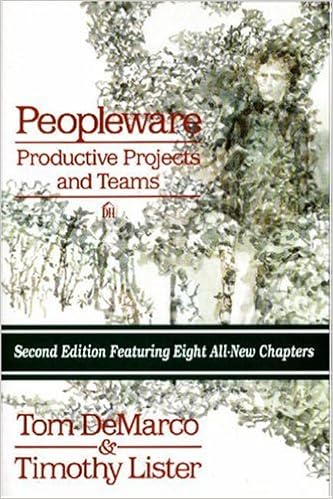 Since the late 80’s, Tom DeMarco and Timothy Lister wrote one book after the other. Each book describes a common business-oriented problem and at least one working solution for it. And yet, the very same problems still persist in the business world. It’s as if nobody reads books. “
